

Your Browsing History
- Free 30-day Returns
$216.99

Meet Your Seller


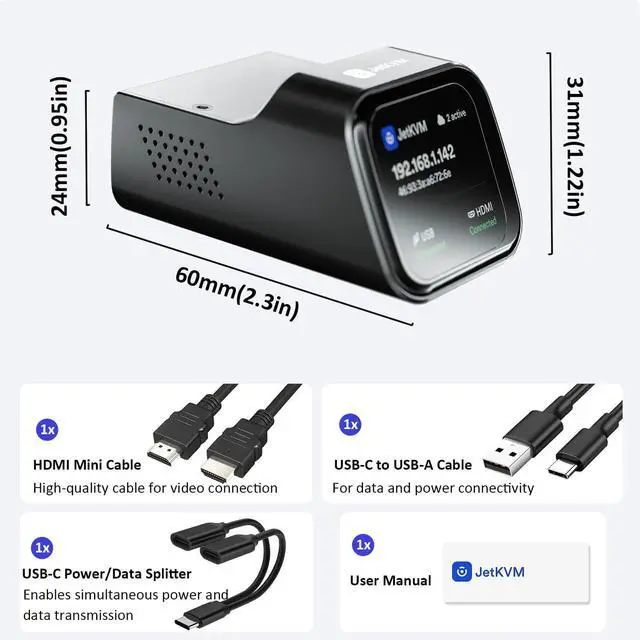


JetKVM IP KVM PC Remote Control, Jet KVM Over IP Internet Open-Source with Touchscreen LCD, Network IP KVM Switch Remote BIOS Access for Computer and Server Ultra-Low Latency
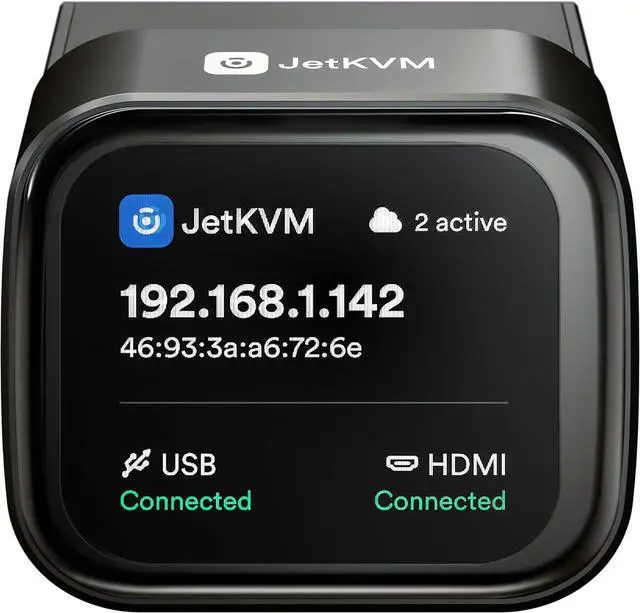
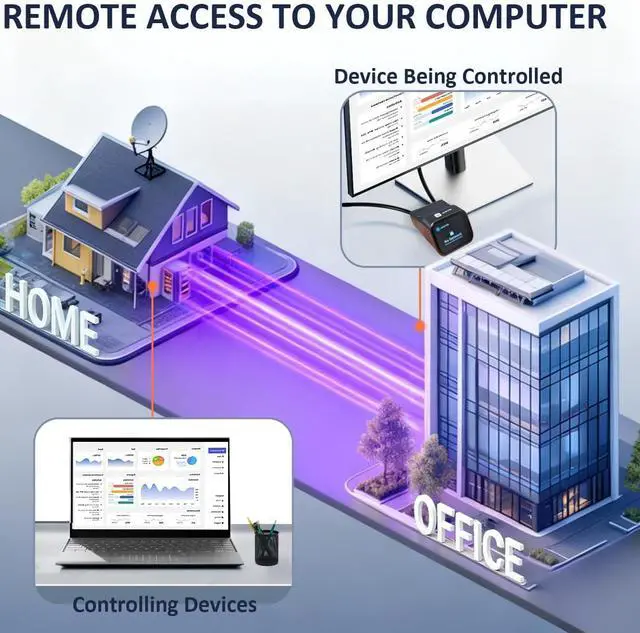
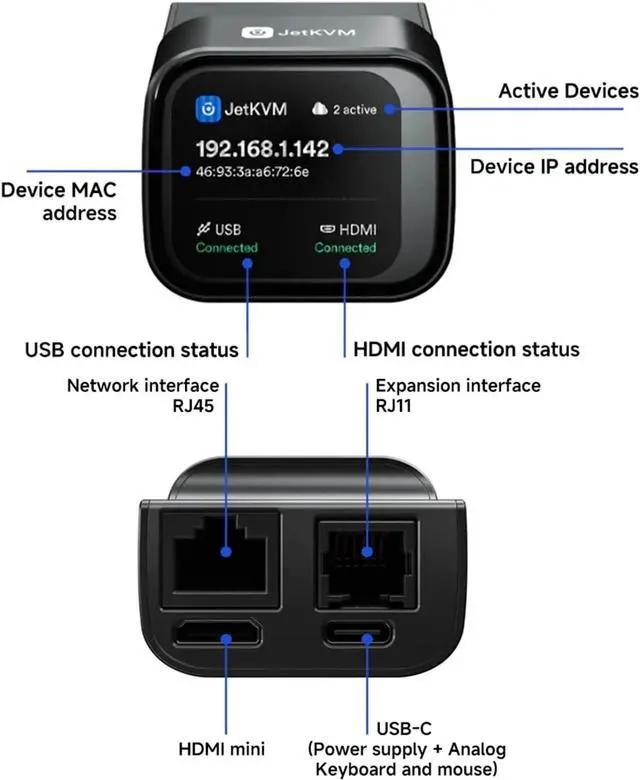
- All-in-One JetKVM Remote Control & Touchscreen: This IP KVM enables browser-based remote control of computers/servers (no software/fees) with a built-in LCD touchscreen for real-time status monitoring. Supports dual video outputs for BIOS access, OS installation & more-no physical presence needed.
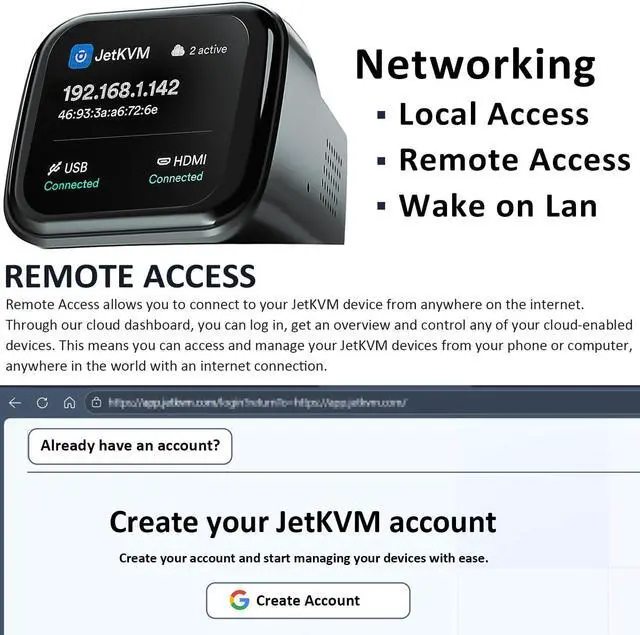
- Secure Free Connectivity for Jet KVM: Built-in VPN protects private workflows; JetKVM KVM over IP Cloud (WebRTC/STUN/TURN) bypasses restrictive NAT for encrypted direct connections. 100% free cloud access, ideal for remote workers/travelers.
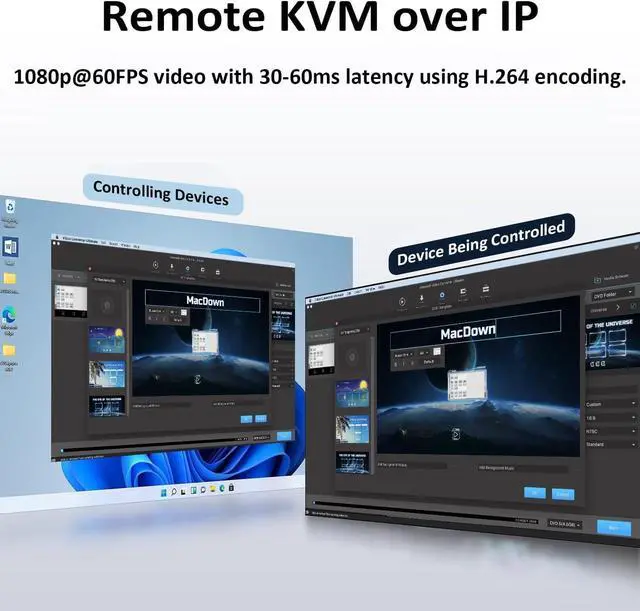
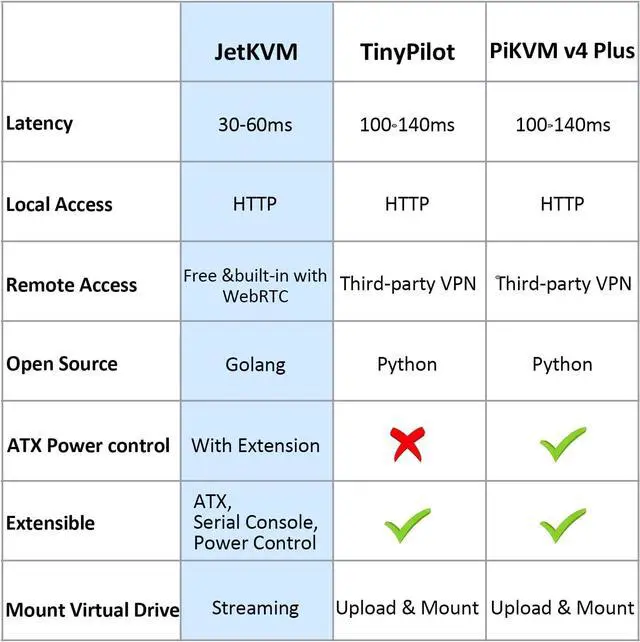
- Ultra-Low Latency KVM over Internet Streaming: This Network KVM delivers 1080p 60FPS HD video via H.264 encoding with 30-60ms latency, ensuring responsive mouse/keyboard control for lag-free real-time operations.
- 100% Open-Source JetKVM Flexibility: Linux/Golang-based system fully customizable via SSH. Full source code available, with RJ11 port for hardware expansion-adapts to diverse remote access needs, trusted by pros & home labs.
- ATX
+
+
Overview
Specs
Reviews

Any questions? Our AI mode will help you find out quickly.
Try me now
JetKVM is a high-performance, open-source KVM over IP (Keyboard, Video, Mouse) solution designed for efficient remote management of computers, servers, and workstations. Whether you're dealing with boot failures, installing a new operating system, adjusting BIOS settings, or simply taking control of a machine from afar, JetKVM provides the tools to get it done effectively.
Key Features
Ultra-low Latency - 1080p@60FPS video with 30-60ms latency using H.264 encoding. Smooth mouse and keyboard interaction for responsive remote control.Free & Optional Remote Access - Remote management via JetKVM Cloud using WebRTC.Open-source software - Written in Golang on Linux. Easily customizable through SSH access to the JetKVM device.
Default mode for LAN access via the devices IP (shown on screen). Optional password protection keeps authentication local; tokens stored as HTTP-only cookies for 7 days.
1. What is KVM over Internet, and how is it different from a traditional KVM switch?
A traditional KVM switch lets you control multiple computers locally with one keyboard, monitor, and mouse.
KVM over Internet allows for actions like BlOS access and Operation System reinstallation, as if you were directly at the device.
2. How does JetKVM differ from regular remote desktop software?
JetKVM, a remote KVM offers hardware-level control, works even if the computer crashes or lacks an operating system. While remote desktop
software unusable during system failures or a power-off device.
3. Do I need coding skills to use JetKVM?
No. Setup is fast and simple-just connect the cables and bind to JetKVM Cloud. You can control your devices right away.
4. Is JetKVM suitable for personal home use?
Yes. Its ideal for remote office workers, remote employees, and casual home users.
5. What kind of network connection does JetKVM require?
JetKVM works with standard wired. A stable broadband connection is recommended for smooth remote control, with no special network configuration needed.
6. Is JetKVM compatible with different operating systems?
Yes. Since it operates at the hardware level, JetKVM is compatible with all mainstream operating systems (Windows, macOS, Linux, etc.) and even works with devices that have no OS installed.
7. Does it come with Tailscale?
Tailscale is not pre-installed on the device. However, tailscale has added out of the box support for JetKVM, which means that you can easily install Tailscale on the device.
Since its inception in 2015, from the initial simple basic design to today's intelligent iterations, each step has been characterized by our relentless pursuit of quality.
Three ways for the Networking Local Access 5V(Only) via the controlled PC's USB-A or USB-C How did we get our start?
Key Features
Ultra-low Latency - 1080p@60FPS video with 30-60ms latency using H.264 encoding. Smooth mouse and keyboard interaction for responsive remote control.Free & Optional Remote Access - Remote management via JetKVM Cloud using WebRTC.Open-source software - Written in Golang on Linux. Easily customizable through SSH access to the JetKVM device.
Default mode for LAN access via the devices IP (shown on screen). Optional password protection keeps authentication local; tokens stored as HTTP-only cookies for 7 days.
1. What is KVM over Internet, and how is it different from a traditional KVM switch?
A traditional KVM switch lets you control multiple computers locally with one keyboard, monitor, and mouse.
KVM over Internet allows for actions like BlOS access and Operation System reinstallation, as if you were directly at the device.
2. How does JetKVM differ from regular remote desktop software?
JetKVM, a remote KVM offers hardware-level control, works even if the computer crashes or lacks an operating system. While remote desktop
software unusable during system failures or a power-off device.
3. Do I need coding skills to use JetKVM?
No. Setup is fast and simple-just connect the cables and bind to JetKVM Cloud. You can control your devices right away.
4. Is JetKVM suitable for personal home use?
Yes. Its ideal for remote office workers, remote employees, and casual home users.
5. What kind of network connection does JetKVM require?
JetKVM works with standard wired. A stable broadband connection is recommended for smooth remote control, with no special network configuration needed.
6. Is JetKVM compatible with different operating systems?
Yes. Since it operates at the hardware level, JetKVM is compatible with all mainstream operating systems (Windows, macOS, Linux, etc.) and even works with devices that have no OS installed.
7. Does it come with Tailscale?
Tailscale is not pre-installed on the device. However, tailscale has added out of the box support for JetKVM, which means that you can easily install Tailscale on the device.
Since its inception in 2015, from the initial simple basic design to today's intelligent iterations, each step has been characterized by our relentless pursuit of quality.
Three ways for the Networking Local Access 5V(Only) via the controlled PC's USB-A or USB-C How did we get our start?
Warranty & Returns
Warranty, Returns, And Additional Information
Warranty
- Please contact the Seller directly for warranty information. Warranty information may also be found on the Manufacturer's website.
- CONTACT
Return Policies
- Return for refund within: 30 days
- Return for replacement within: 30 days
- This item is covered by Chinathru Trading Co., Limited Return Policy
Manufacturer Contact Info
- For a directory of all our manufacturers, please click below.
- Manufacturers Directory
LOADING...