

Your Browsing History
- Free 30-day Returns
$155.99

Meet Your Seller


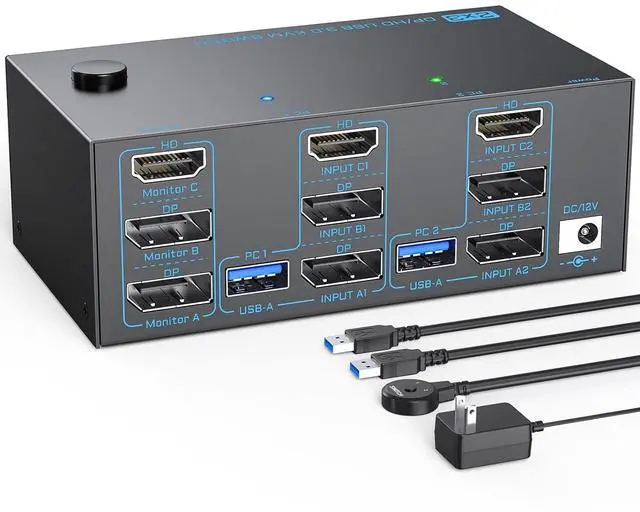



8K KVM Switch 3 Monitors 2 Computers Triple Monitor 2 Displayport 1.4 and HDMI 2.1 USB 3.0 KVM Switches, DP 1.4 Supports 8K@30Hz/4K@144Hz, HDMI Supports Max 8K@60Hz /4K@120Hz with Wired Remote Control
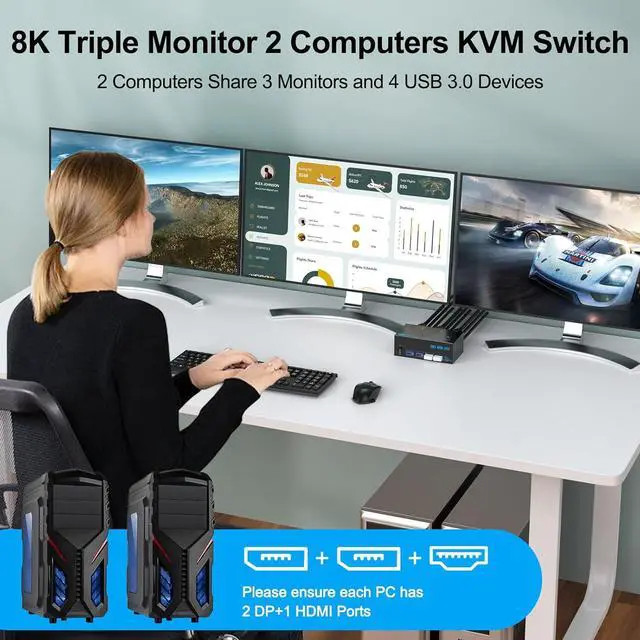
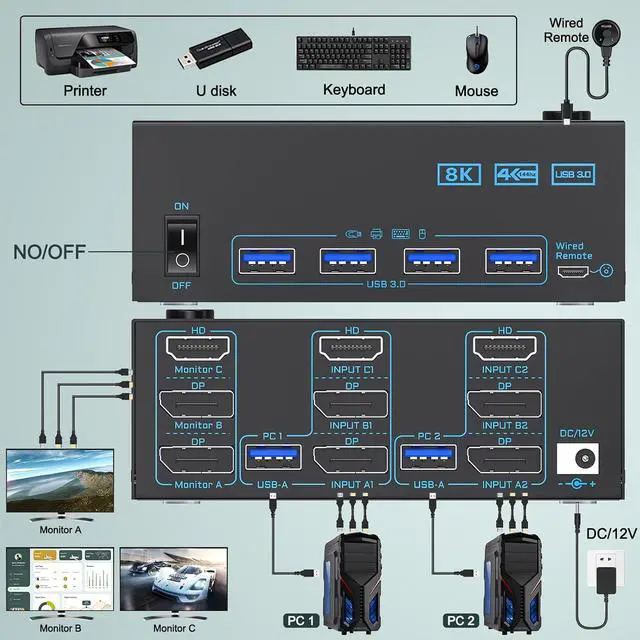
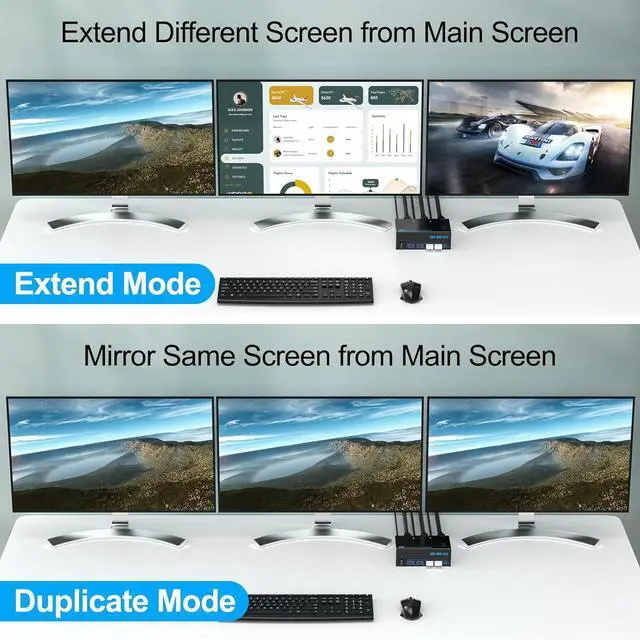
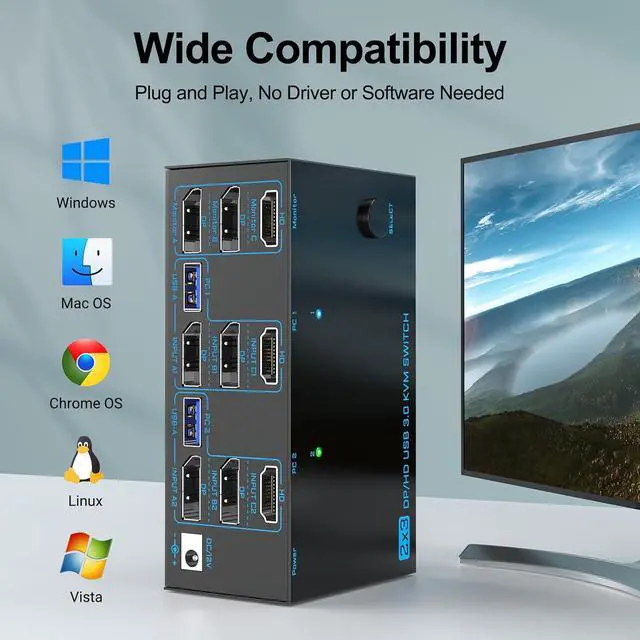
- KVM Switch 3 Monitors 2 ComputersThe 2* Displayport and HDMI triple monitor kvm switch is mainly designed to share 3 monitors (1 HDMI and 2 DP) and 4 USB 3.0 devices between 2 computers , easy switching, plug and play, making it an ideal solution for home offices, multimedia classrooms, business meeting rooms, and gaming setups. :To get 3 screens simultaneously, please make sure each PC has 2 DP+1 HDMI ports and connect them to the to the relevant port on the Displayport and HDMI KVM switch
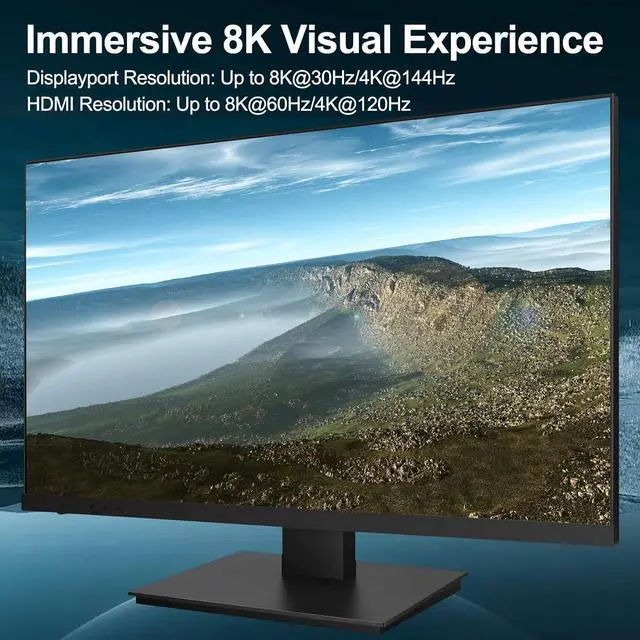
- Ultra 8K Triple Monitor KVM SwitchThe 3 monitor kvm switch is compliant with DP 1.4 and HDMI 2.1 standard. Displayport part supports max resolution up to 8K@30Hz/4K@144Hz; HDMI part supports max 8K@60Hz/4K@120Hz, which allows you enjoy stunning visual experience and smooth gaming experience at the same time. : To reach the max resolution, please ensure the source, monitor, DP cables and HDMI cables all support the resolution
- 5Gbps USB 3.0 3 Monitor KVM SwitchThe displayport hdmi 3 p
+
+
Overview
Specs
Reviews

Any questions? Our AI mode will help you find out quickly.
Try me now
Does this 2 computers 3 monitors KVM switch work with MAC computers?
Generally the 3 monitors KVM switch is compatible with MAC systems, but if you are using a USB-C docking, due to the varying quality of USB-C docking stations on the market, a compatibility issues may arise .
What should I do when I only get 1 screen output?
(1) Ensure each PC connects 2 *DP+1*HDMI cables to the 3 monitors 2 PCs KVM switch; (2) Ensure adapters are active version and all video cables are within 1.5M; (3) Press " Windows+P" to choose extend or duplicate mode
3 Monitors 2 Computers 2 Displayport+HDMI Triple Monitor KVM Switch How to Connect? Create Neat and Efficient Desktop with 3 Monitors 2 Computers 8K KVM Switch Does this 3 monitors KVM switch support connecting Displayport to HDMI adapters ?
Does this 2 computers 3 monitors KVM switch work with MAC computers?
What should I do when I only get 1 screen output?
Generally the 3 monitors KVM switch is compatible with MAC systems, but if you are using a USB-C docking, due to the varying quality of USB-C docking stations on the market, a compatibility issues may arise .
What should I do when I only get 1 screen output?
(1) Ensure each PC connects 2 *DP+1*HDMI cables to the 3 monitors 2 PCs KVM switch; (2) Ensure adapters are active version and all video cables are within 1.5M; (3) Press " Windows+P" to choose extend or duplicate mode
3 Monitors 2 Computers 2 Displayport+HDMI Triple Monitor KVM Switch How to Connect? Create Neat and Efficient Desktop with 3 Monitors 2 Computers 8K KVM Switch Does this 3 monitors KVM switch support connecting Displayport to HDMI adapters ?
Does this 2 computers 3 monitors KVM switch work with MAC computers?
What should I do when I only get 1 screen output?
Warranty & Returns
Warranty, Returns, And Additional Information
Warranty
- Please contact the Seller directly for warranty information. Warranty information may also be found on the Manufacturer's website.
- CONTACT
Return Policies
- Return for refund within: 30 days
- Return for replacement within: 30 days
- This item is covered by Chinathru Trading Co., Limited Return Policy
Manufacturer Contact Info
- For a directory of all our manufacturers, please click below.
- Manufacturers Directory
LOADING...