

Your Browsing History
- Free 30-day Returns
$270.99

Meet Your Seller

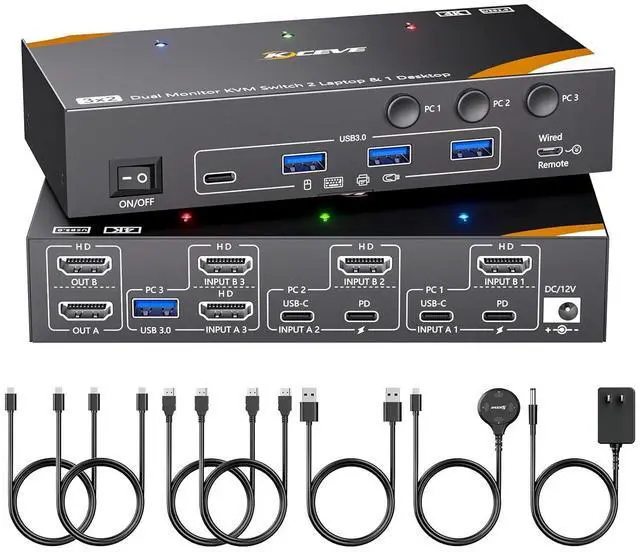
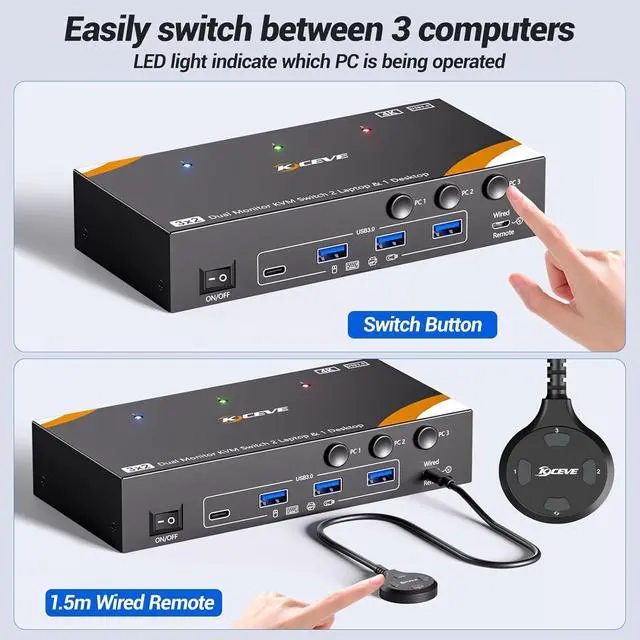



KCEVE KVM Switch 2 Monitors 3 Computers USB C, USB 3.0 KVM Switch Dual Monitor HDMI for 2 Laptops 1 Desktop Share Keyboard, Mouse, 85W PD, 4K@60Hz, Power Adapter and Wired Remote
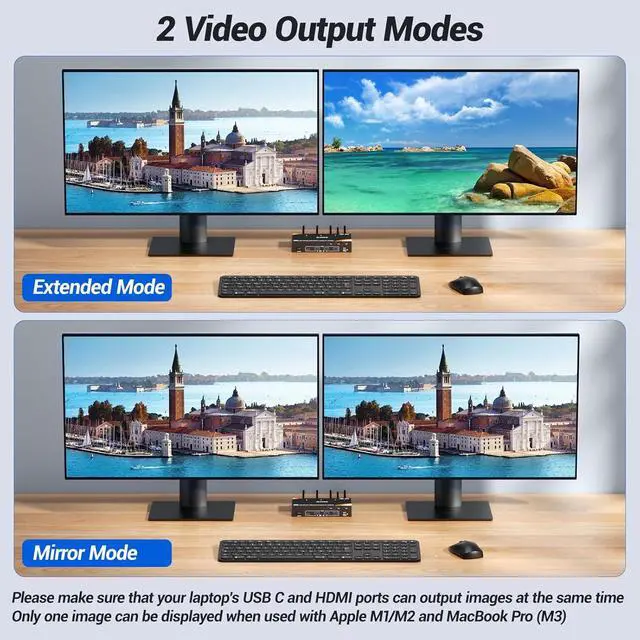
- USB 3.0 HDMI 2.0 KVM Switch 2 Monitors 3 Computers USB CKCEVE KVM switch Dual Monitor allows you to control 2 Laptop and 1 Desktop with one set of mouse keyboard printer scanner and 2 HDMI monitors, supports webcams. The Desktop needs 2 HDMI + 1 USB cable to plug into the KVM Switch 2 monitor 2 laptop 1 desktop. Each Laptop needs 1 HDMI cable + 1 USB C cable to plug into the HDMI KVM Switch 2 Monitors. Please make sure your laptop's USB C port and HDMI can output video at the same time
- Dual Monitor KVM Switch 3 Computers with 4 USB 3.0 Ports up to 5GbpsKVM Switch Dual Monitor for 2 Laptop 1 Desktop Share 2 monitors and 4 USB 3.0 devices without unplugging, Securely Identify Keyboard, Mouse, printers, scanners and other USB devices. KVM switch 2 monitors 3 computers USB C support ultra-fast data transfer up to 5Gbps, backward compatible with USB 2.0/1.1 devices. Compliant with HDMI 2.0, HDCP 2.2
- KVM Switch 3 computer 2 monitor supports 4K@60Hz HDMI KVM Switch 3 supports 4K@60Hz
+
+
Overview
Specs
Reviews

Any questions? Our AI mode will help you find out quickly.
Try me now
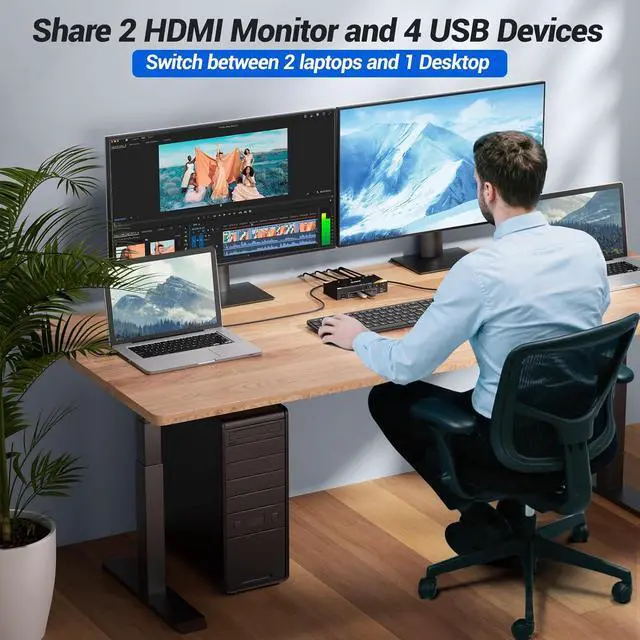
KCEVE USB 3.0 KVM Switch USB C for 2 Laptops and 1 Desktop Share 2 HDMI Monitor and 4 USB 3.0 Devices. Plug and play. No additional driver software required. A set of mouse, keyboard controls 3 computers sharing 2 HDMI monitors.(Don't support bluethooh)
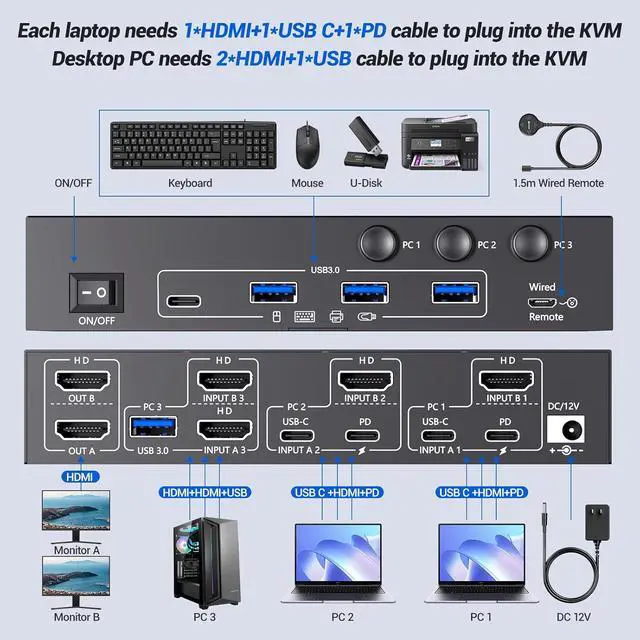
The Desktop needs 2 HDMI + 1 USB cable to plug into the KVM. Each Laptop needs 1 HDMI cable + 1 USB C cable to plug into the KVM. Please make sure your laptop's USB C port and HDMI can output video at the same time
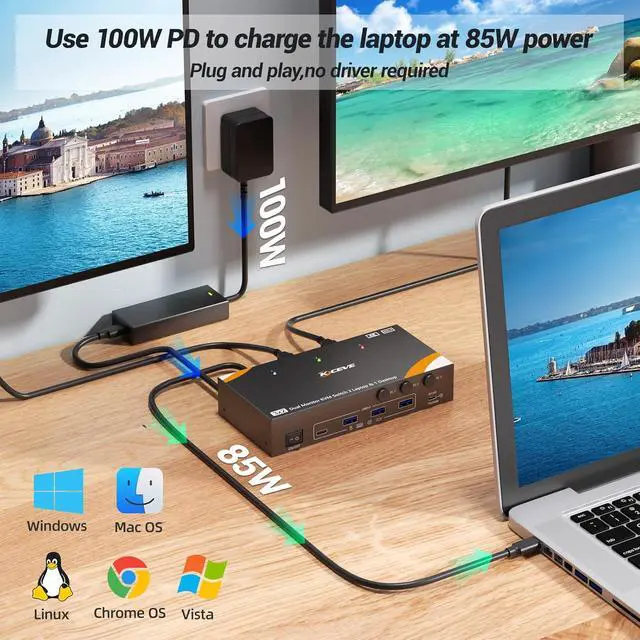
Please use a PD 100W charger connected to the KVM "PD" port to provide PD 85W charging for your laptop. Each laptop requires a separate PD 100W charger.
The Desktop needs 2 HDMI + 1 USB cable to plug into the KVM. Each Laptop needs 1 HDMI cable + 1 USB C cable to plug into the KVM. Please make sure your laptop's USB C port and HDMI can output video at the same time
Please use a PD 100W charger connected to the KVM "PD" port to provide PD 85W charging for your laptop. Each laptop requires a separate PD 100W charger.
Warranty & Returns
Warranty, Returns, And Additional Information
Warranty
- Please contact the Seller directly for warranty information. Warranty information may also be found on the Manufacturer's website.
- CONTACT
Return Policies
- Return for refund within: 30 days
- Return for replacement within: 30 days
- This item is covered by Chinathru Trading Co., Limited Return Policy
Manufacturer Contact Info
- For a directory of all our manufacturers, please click below.
- Manufacturers Directory
LOADING...