

Your Browsing History
- Free 30-day Returns
$299.99

Meet Your Seller

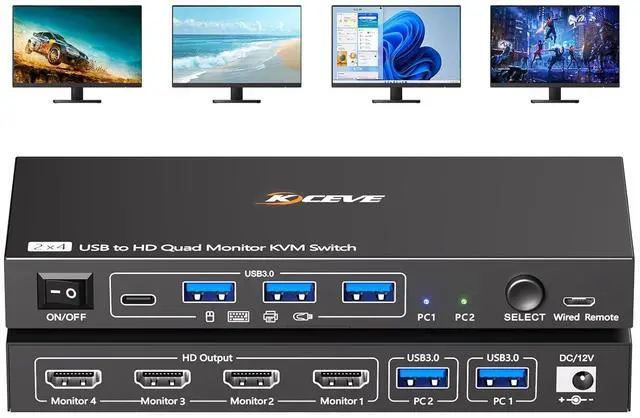
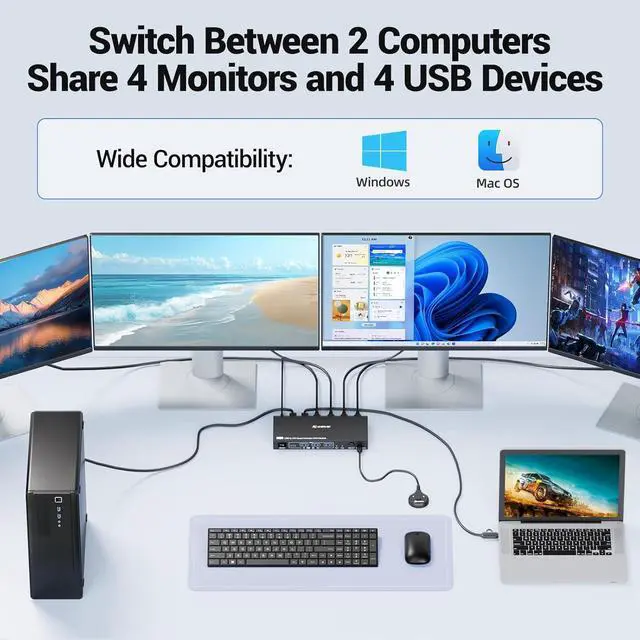


Quad Monitor KVM Switch 4 Monitors 2 Computers 1080P@60Hz,USB 3.0 KVM Switch Quad Monitor for 2 PC Share 4 Monitors and 4 USB Device,with Wired Remote and 2 USB Cables,Driver Installation is Required
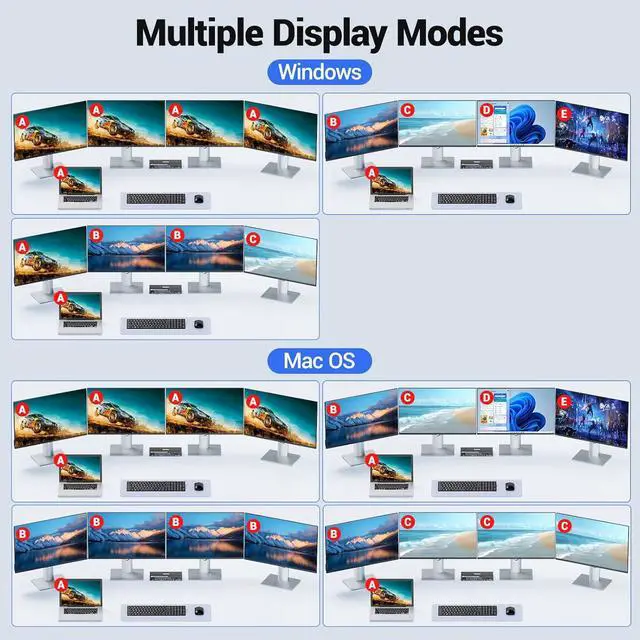
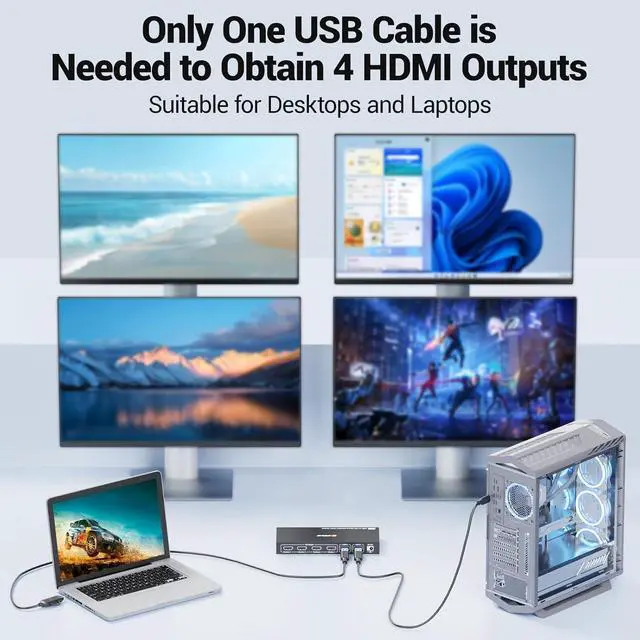
- USB to HDMI KVM Switch 4 Monitors 2 ComputersEach PC only needs 1 USB cable connected to this quad monitor KVM switch to achieve 4 HDMI monitors output.Supports mirror mode and expansion mode.One-click switching between work and personal computers.
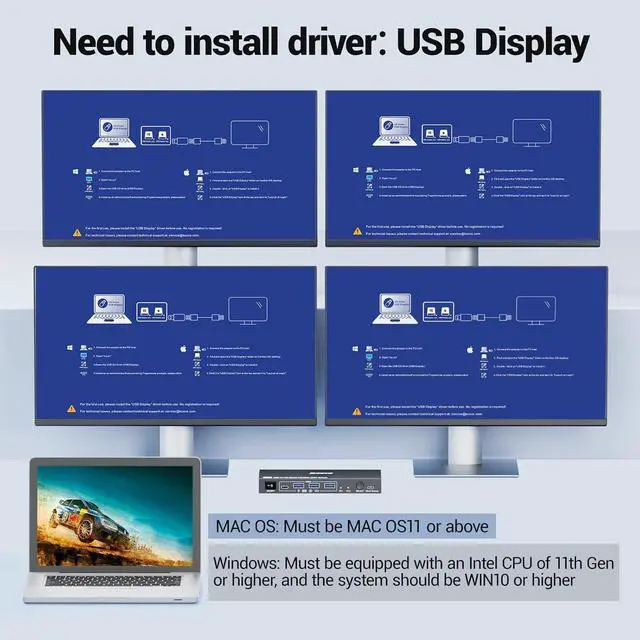
- r The 4 monitors 2 computers KVM switch supports simultaneous output of 4 HDMI monitors, with resolutions of 4*1080P@60Hz. : After connecting your PC to the 4 monitors KVM switch, the PC will automatically recognise the USB device and a pop-up window will appear, please follow the wizard to install the USB driver.This driver does not record any information, Only used for identifying monitors.
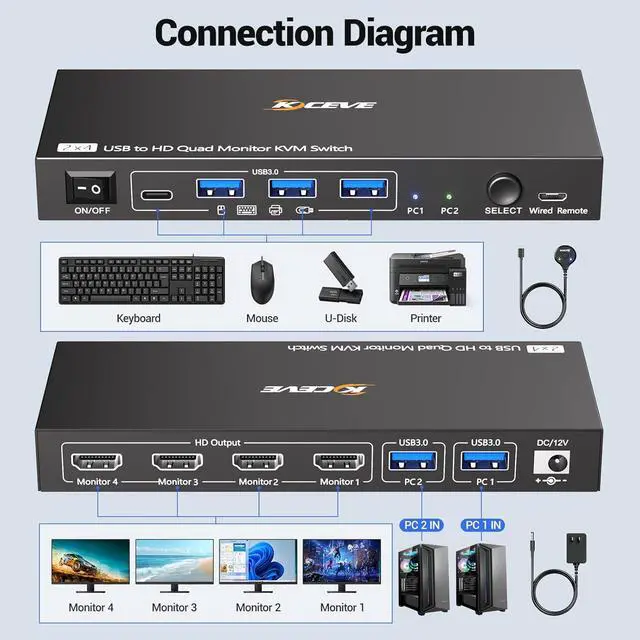
- KVM Switch Quad Monitor with 4 USB3.0 PortThe 4 displays KVM switch is euqipped with 4 USB 3.0 ports for connecting keyboard, mice,printer and more. With a data transfer rate of up to 5Gbps,Backward compatibility with USB 1.1/2.0.
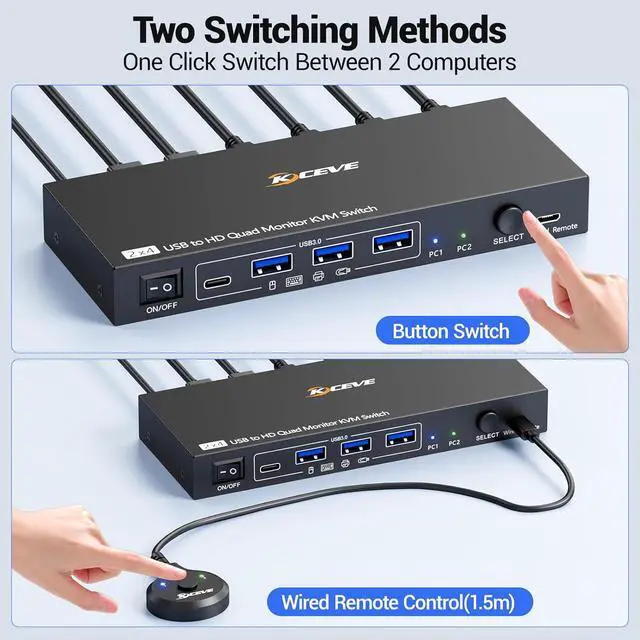
- Wide Compatibility & 2 Switching Ways The 2 port USB to HDMI KVM switch is
+
+
Overview
Specs
Reviews

Any questions? Our AI mode will help you find out quickly.
Try me now
With this quad monitor KVM switch,simply connect one USB cable to your desktop or laptop to share 4 External monitors and 4 USB peripheral devices. No longer need cables such as HDMI, DP, VGA, and DVI.Support extend and mirror display modes.
When using this USB to HDMI KVM switch for the first time, driver need to be installed. After connecting the 4 monitors KVM, your computer will automatically recognize the installation program. Please follow the steps in the user manual to install the driver. Note: Only for Windows and Mac OS.
Is it necessary to install a driver?
Yes, drivers need to be installed to use this USB to HDMI KVM switch. After connecting the KVM switcher, your computer will recognize the driver program. Please follow the steps in the user manual to install it.
What operating systems can this KVM be used for?
This 4 monitor KVM switch is only compatible with Windows (WIN10 or higher) and Mac OS (MAC OS11 or above)Low version systems may not be able to install the required driver.
Can it be used as a dual monitor or triple monitor KVM switch?
This KVM switch supports up to 4 monitors outputting simultaneously, but you can also connect only 2 or 3 of them, or even a single monitor.
Please pay attention before purchasing.
You need to install a driver on your computer to use this KVM switch (this driver is only used to convert USB to HDMI). If you have any doubts about this, please do not purchase this 4 monitors KVM switch. Thank you.
How to connect this 4 monitors KVM switch?
Is it necessary to install a driver?
What operating systems can this KVM be used for?
Can it be used as a dual monitor or triple monitor KVM switch?
Please pay attention before purchasing.
When using this USB to HDMI KVM switch for the first time, driver need to be installed. After connecting the 4 monitors KVM, your computer will automatically recognize the installation program. Please follow the steps in the user manual to install the driver. Note: Only for Windows and Mac OS.
Is it necessary to install a driver?
Yes, drivers need to be installed to use this USB to HDMI KVM switch. After connecting the KVM switcher, your computer will recognize the driver program. Please follow the steps in the user manual to install it.
What operating systems can this KVM be used for?
This 4 monitor KVM switch is only compatible with Windows (WIN10 or higher) and Mac OS (MAC OS11 or above)Low version systems may not be able to install the required driver.
Can it be used as a dual monitor or triple monitor KVM switch?
This KVM switch supports up to 4 monitors outputting simultaneously, but you can also connect only 2 or 3 of them, or even a single monitor.
Please pay attention before purchasing.
You need to install a driver on your computer to use this KVM switch (this driver is only used to convert USB to HDMI). If you have any doubts about this, please do not purchase this 4 monitors KVM switch. Thank you.
How to connect this 4 monitors KVM switch?
Is it necessary to install a driver?
What operating systems can this KVM be used for?
Can it be used as a dual monitor or triple monitor KVM switch?
Please pay attention before purchasing.
Warranty & Returns
Warranty, Returns, And Additional Information
Warranty
- Please contact the Seller directly for warranty information. Warranty information may also be found on the Manufacturer's website.
- CONTACT
Return Policies
- Return for refund within: 30 days
- Return for replacement within: 30 days
- This item is covered by Chinathru Trading Co., Limited Return Policy
Manufacturer Contact Info
- For a directory of all our manufacturers, please click below.
- Manufacturers Directory
LOADING...