

Your Browsing History
- Free 30-day Returns
$90.99

Meet Your Seller


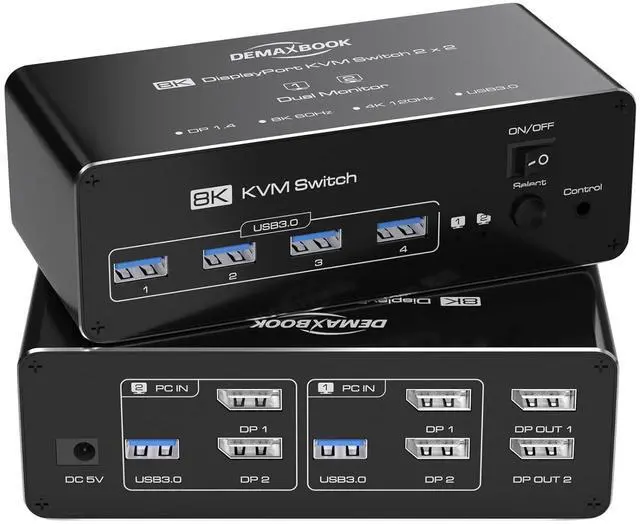


DEMEXBOOK 8K Dual Monitor DisplayPort KVM Switch 2 Monitors 2 Computers 8K@60Hz 4K@144Hz, 2 Computers Share 2 Monitors, 4 USB 3.0 Ports, Supports Extended/Copy Mode with Remote & USB Cables
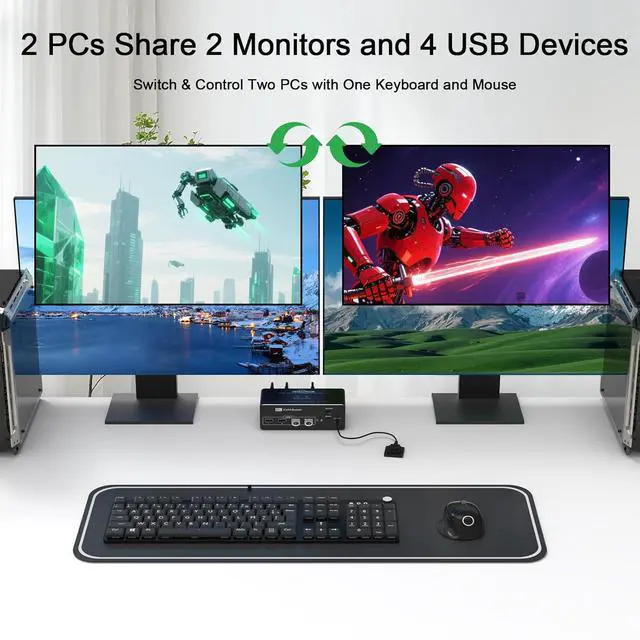
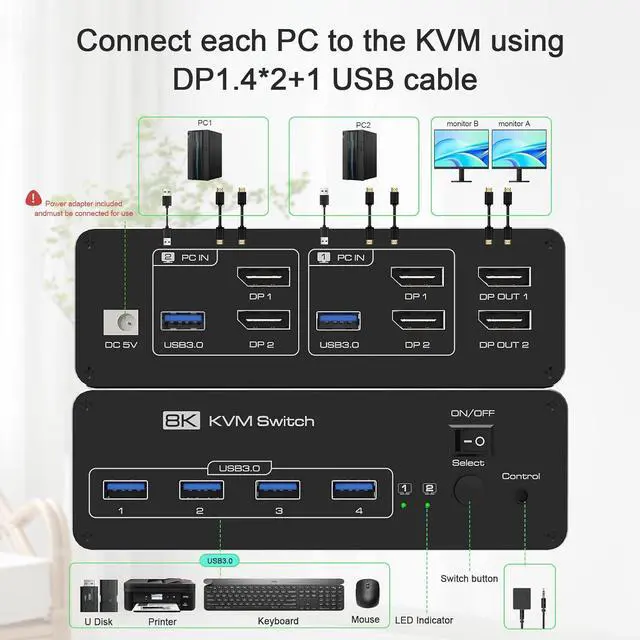
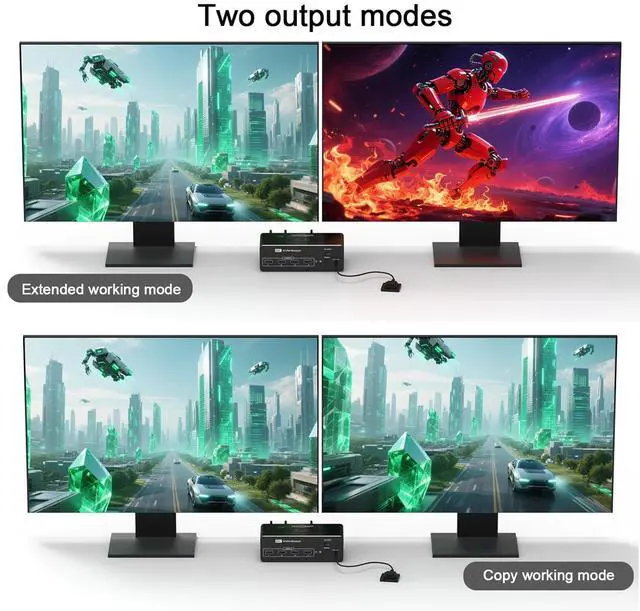
- Displayport KVM Switch 2 Monitor 2 ComputersThe DEMEXBOOK Dual Monitor DisplayPort KVM Switch allows you to control 2 computers with 1 keyboard, 1 mouse, and 2 monitors. Share 4 USB devices and switch seamlessly between 2 systems using the extended mode or copy mode. Requires 2 DP ports per computer. Ideal for multitasking and gaming setups.
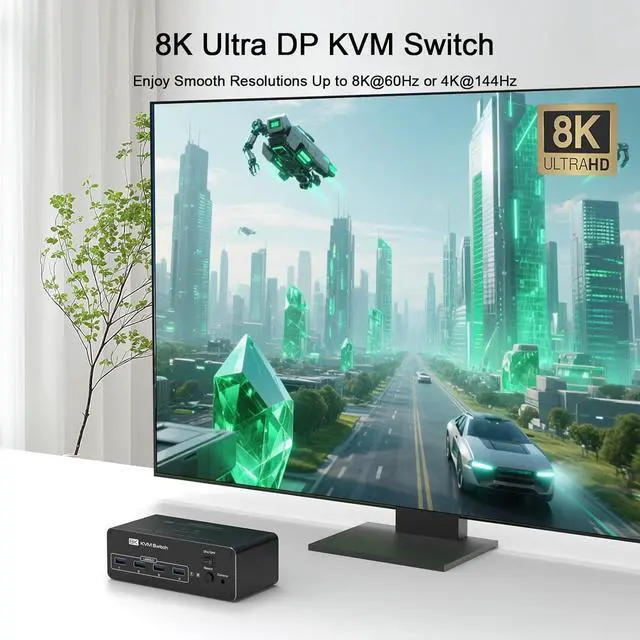
- Stunning 8K & 4K VisualsEnjoy 8K@60Hz and 4K@144Hz resolutions with the DisplayPort KVM switch. Perfect for high-definition gaming, video editing, and multimedia tasks. Backward compatible with 4K@60Hz, 2K, 1080P, ensuring a clear and smooth experience. Automatic resolution detection for easy switching between devices with different display resolutions.
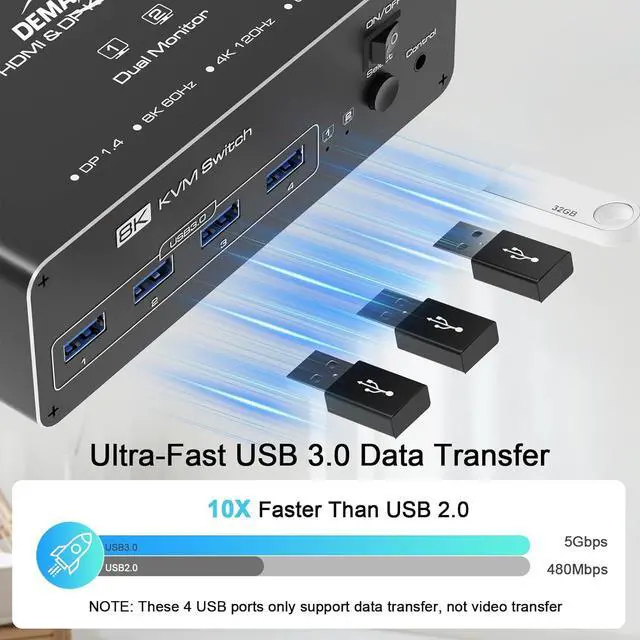
- USB 3.0 Data Transfer with 5Gbps SpeedsThe Dual Monitor Displayport KVM switch includes 4 USB 3.0 ports supporting fast data transfer rates up to 5Gbps10 times faster than USB 2.0. Share devices like printers, mice, keyboards, and external drives between two computers without performan
+
+
Overview
Specs
Reviews

Any questions? Our AI mode will help you find out quickly.
Try me now
18K@6OHz Visual2USB 3.0 High Speed1Extended & Mirroe Mode2Easy Switching3Widely compatible What operating systems does this KVM switch support? Is any driver required?
This KVM switch is compatible with Windows, macOS, Linux, and most Unix-based systems. No driver is required its truly plug and play. Just connect the DisplayPort and USB cables to start using.
Does it support dual monitor extend mode or only mirror mode?
Yes, it supports both extend and mirror display modes, depending on your computer's graphics card capabilities. As long as your PC supports dual DisplayPort outputs, you can use this KVM switch for multitasking across two screens.
What is the speed of the USB 3.0 ports? What devices are supported?
The four built-in USB 3.0 ports support data transfer speeds up to 5Gbps. They work with a wide range of devices, including keyboard, mouse, USB flash drives, printers, webcams, external hard drives, and more.
How do I switch between the two connected computers?
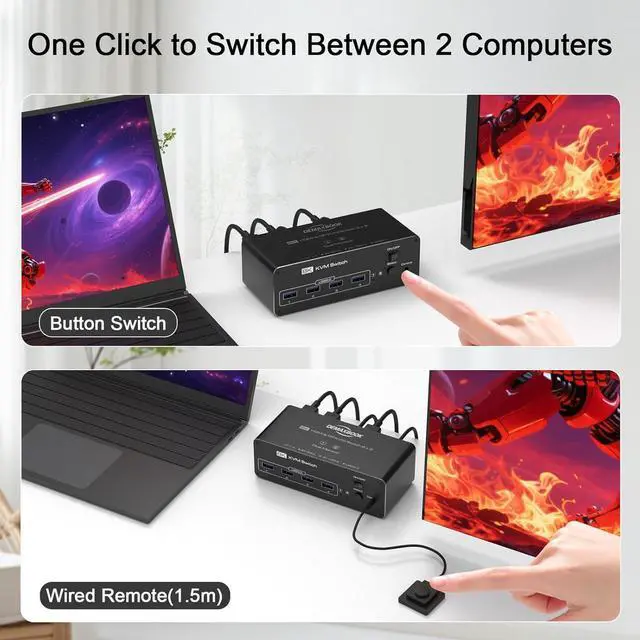
You can switch between computers in two easy ways: by pressing the button on the KVM switch, or using the included wired remote controller for convenient desktop access. Switching is quick and stable, with no screen lag or input delay.
Does this KVM support 8K@60Hz output? What cables should I use?
Yes, it supports resolutions up to 8K@60Hz or 4K@144Hz. For best performance, please use DisplayPort 1.4-compliant cables, and ensure your graphics cards and monitors support the target resolution.
What operating systems does this KVM switch support? Is any driver required?
Does it support dual monitor extend mode or only mirror mode?
What is the speed of the USB 3.0 ports? What devices are supported?
How do I switch between the two connected computers?
Does this KVM support 8K@60Hz output? What cables should I use?
This KVM switch is compatible with Windows, macOS, Linux, and most Unix-based systems. No driver is required its truly plug and play. Just connect the DisplayPort and USB cables to start using.
Does it support dual monitor extend mode or only mirror mode?
Yes, it supports both extend and mirror display modes, depending on your computer's graphics card capabilities. As long as your PC supports dual DisplayPort outputs, you can use this KVM switch for multitasking across two screens.
What is the speed of the USB 3.0 ports? What devices are supported?
The four built-in USB 3.0 ports support data transfer speeds up to 5Gbps. They work with a wide range of devices, including keyboard, mouse, USB flash drives, printers, webcams, external hard drives, and more.
How do I switch between the two connected computers?
You can switch between computers in two easy ways: by pressing the button on the KVM switch, or using the included wired remote controller for convenient desktop access. Switching is quick and stable, with no screen lag or input delay.
Does this KVM support 8K@60Hz output? What cables should I use?
Yes, it supports resolutions up to 8K@60Hz or 4K@144Hz. For best performance, please use DisplayPort 1.4-compliant cables, and ensure your graphics cards and monitors support the target resolution.
What operating systems does this KVM switch support? Is any driver required?
Does it support dual monitor extend mode or only mirror mode?
What is the speed of the USB 3.0 ports? What devices are supported?
How do I switch between the two connected computers?
Does this KVM support 8K@60Hz output? What cables should I use?
Warranty & Returns
Warranty, Returns, And Additional Information
Warranty
- Please contact the Seller directly for warranty information. Warranty information may also be found on the Manufacturer's website.
- CONTACT
Return Policies
- Return for refund within: 30 days
- Return for replacement within: 30 days
- This item is covered by Chinathru Trading Co., Limited Return Policy
Manufacturer Contact Info
- For a directory of all our manufacturers, please click below.
- Manufacturers Directory
LOADING...