

Your Browsing History
- Free 30-day Returns
$270.99

Meet Your Seller


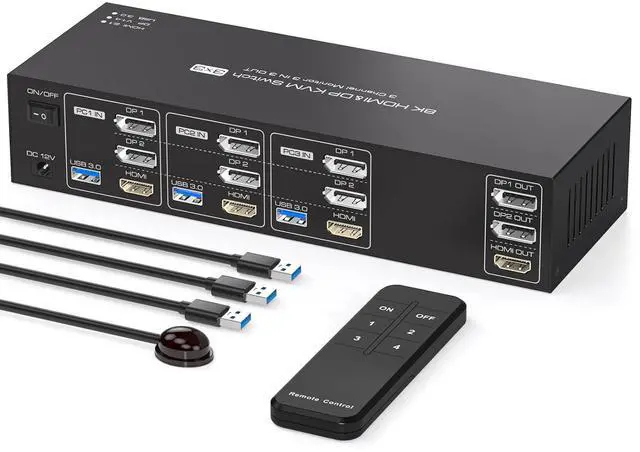



8K 2 Displayport HDMI KVM Switch 3 Monitors 3 Computers 4K144Hz Triple Monitor KVM for 3 PC Sharing 3 Screens and 4 USB 3.0 Port with Controller
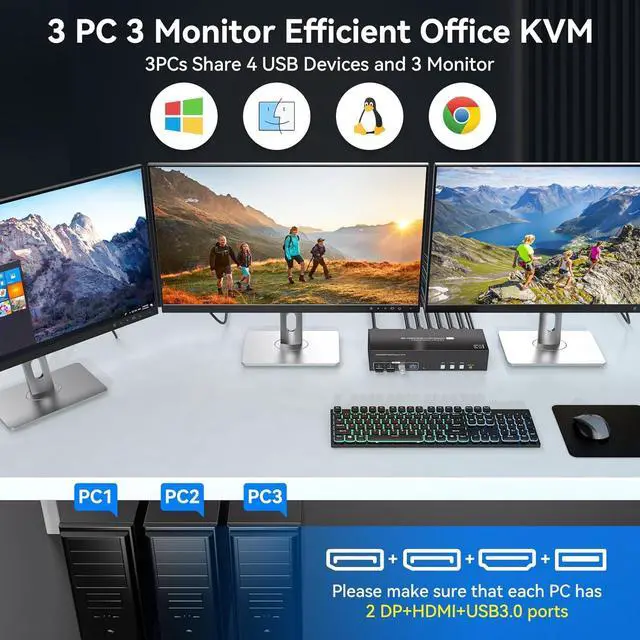
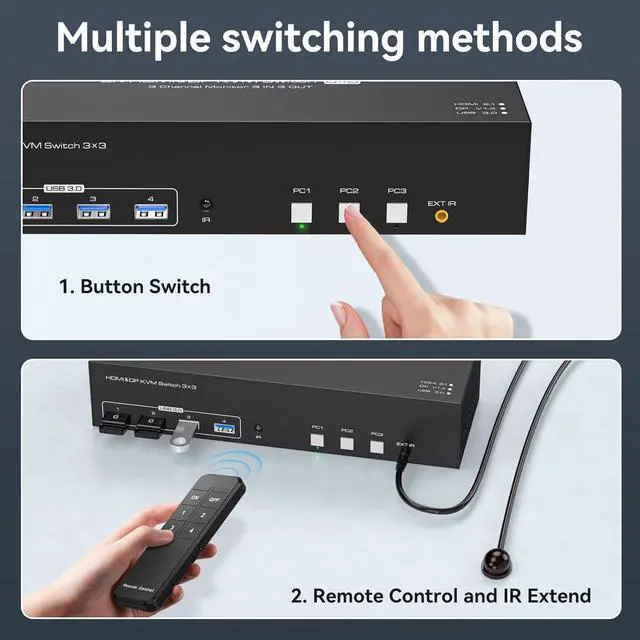
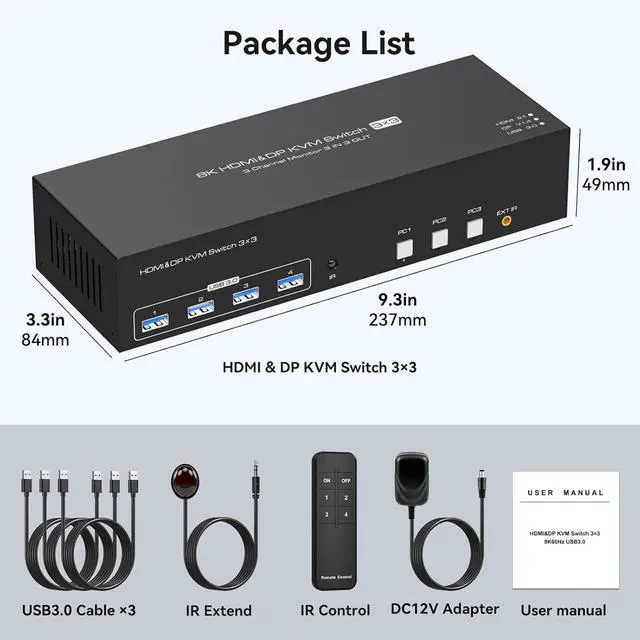
- KVM Switch 3 Monitors 3 ComputersThe kvm switches allows 3 computers to share 3 monitors and 4 USB 3.0 devices, such as a mouse, keyboard, and printer. It supports both extended and duplicated display modes. Duplicated mode shows the same image on all 3 monitors, while extended mode shows different images on each monitor
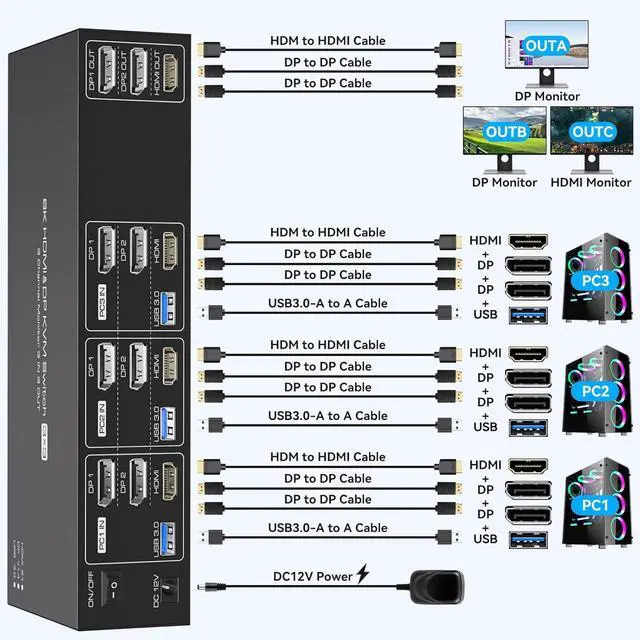
- NoteEach PC needs to be connected with '2*DP+1*HDMI+1*USB' cable to display three screens and share 4 USB devices correctly. If your PC does not have '2*DP+1*HDMI' ports, an adapter is required: please use a good quality docking station or adapter cable, (Note: not supported VGA/DVI to DP cable, VGA/DVI to HDMI cable) otherwise there may be compatibility issues or output abnormalities with this KVM.Please follow the correct connection (refer to the second picture for the connection) or contact us directly.If flickering or intermittent connection occurs, try lowering your monitor's resolution and refresh rate to 4K@60Hz
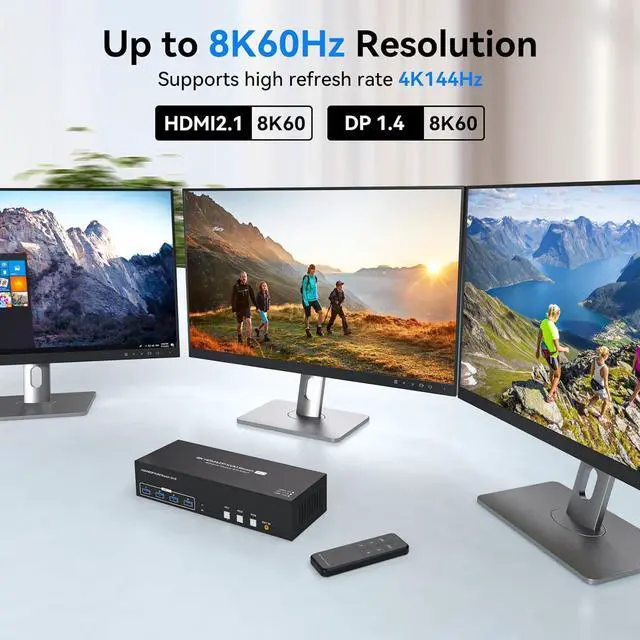
- 8K@60Hz Ultra-High-Definition ResolutionT
+
+
Overview
Specs
Reviews

Any questions? Our AI mode will help you find out quickly.
Try me now
How to solve the flickering screen or intermittent connection situation?
1. Use a high refresh rate cable or a high quality adapter cable. 2. After connecting to the KVM, check the resolution and refresh rate of the monitor and try to reduce the monitor resolution and refresh rate to 4K@60Hz.
The monitor cannot display the content, is it incompatible? How to solve it?
First of all, make sure it is connected correctly: each PC needs to be connected with '2*DP+1*HDMI+1*USB' cables in order to display three screens correctly and use four USB devices, please follow the second picture to connect correctly!
How to solve the problem that a certain monitor does not display content?
First of all, check out: which monitor is abnormal when switching to which computer, try to exchange the position with other devices and cables that can display normally to confirm the port abnormality or device problem.
kvm switch 3 pc 3 monitors 3 PC 3 Monitors KVM switch not working
How to solve the flickering screen or intermittent connection situation?
The monitor cannot display the content, is it incompatible? How to solve it?
How to solve the problem that a certain monitor does not display content?
1. Use a high refresh rate cable or a high quality adapter cable. 2. After connecting to the KVM, check the resolution and refresh rate of the monitor and try to reduce the monitor resolution and refresh rate to 4K@60Hz.
The monitor cannot display the content, is it incompatible? How to solve it?
First of all, make sure it is connected correctly: each PC needs to be connected with '2*DP+1*HDMI+1*USB' cables in order to display three screens correctly and use four USB devices, please follow the second picture to connect correctly!
How to solve the problem that a certain monitor does not display content?
First of all, check out: which monitor is abnormal when switching to which computer, try to exchange the position with other devices and cables that can display normally to confirm the port abnormality or device problem.
kvm switch 3 pc 3 monitors 3 PC 3 Monitors KVM switch not working
How to solve the flickering screen or intermittent connection situation?
The monitor cannot display the content, is it incompatible? How to solve it?
How to solve the problem that a certain monitor does not display content?
Warranty & Returns
Warranty, Returns, And Additional Information
Warranty
- Please contact the Seller directly for warranty information. Warranty information may also be found on the Manufacturer's website.
- CONTACT
Return Policies
- Return for refund within: 30 days
- Return for replacement within: 30 days
- This item is covered by Chinathru Trading Co., Limited Return Policy
Manufacturer Contact Info
- For a directory of all our manufacturers, please click below.
- Manufacturers Directory
LOADING...