

Your Browsing History
- Free 30-day Returns
$115.99

Meet Your Seller

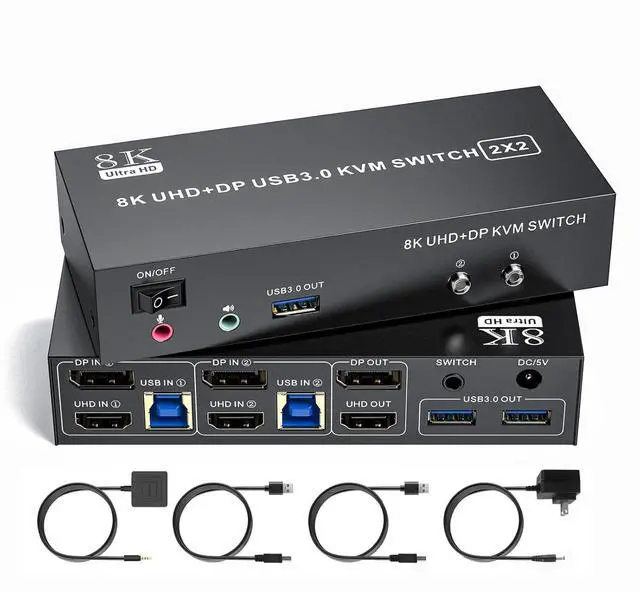



8K KVM Switch 2 Monitors 2 Computers 8K@60Hz 4K@120Hz HDMI+Displayport Dual Monitor KVM Switches 3 USB3.0 Ports for Sharing Keyboard Mouse Mic Headset with 2 USB Cable Power Adapter Desktop Controller
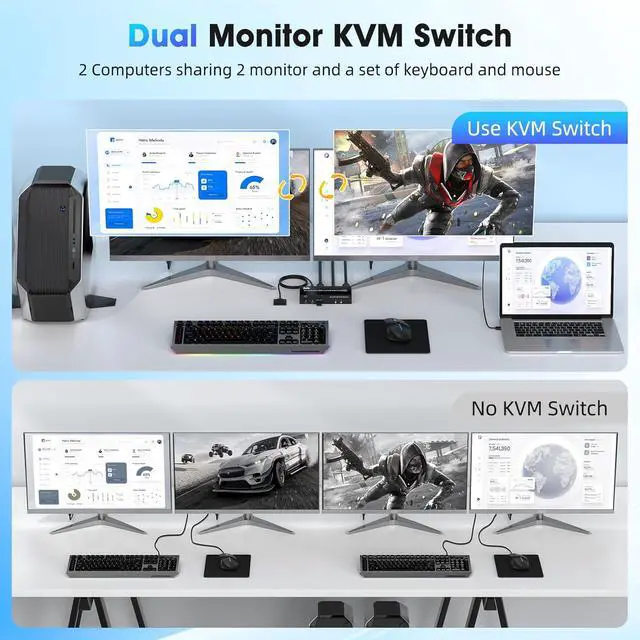
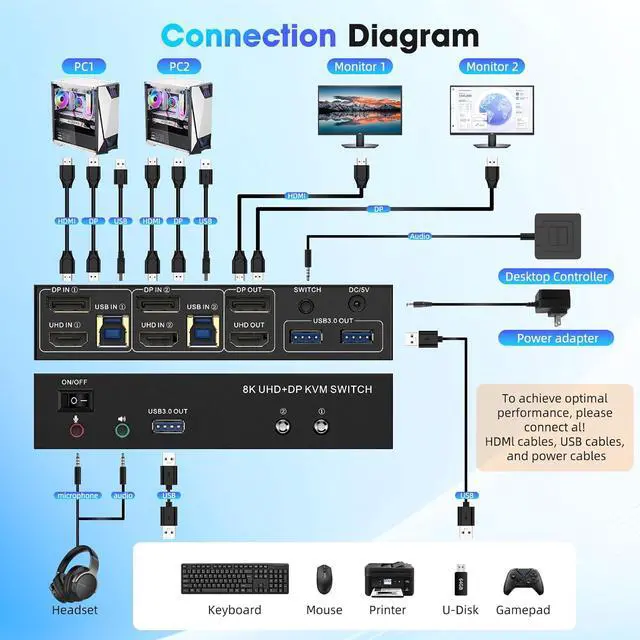
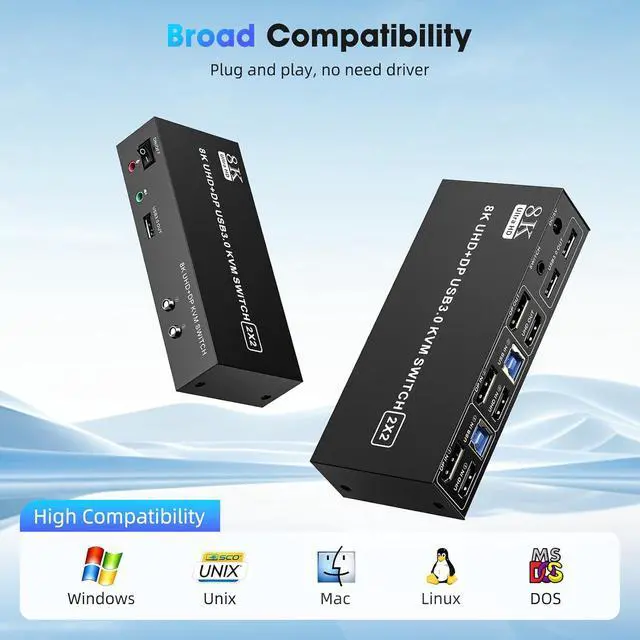
- DP HDMI 2 IN 2 OUT KVM Switch:The DP HDMI KVM Switch lets you connect two computers to dual monitor and 3 USB 3.0 devices, such as a keyboard, mouse, hard drives, U disk, and printer. This KVM switch is also compatible with a wide range of input devices, including PCs and even PS4, and supports multiple operating systems like Windows 7/8/10/11/Vista/XP, Linux, Mac, and more.Mic and headset port support more function.
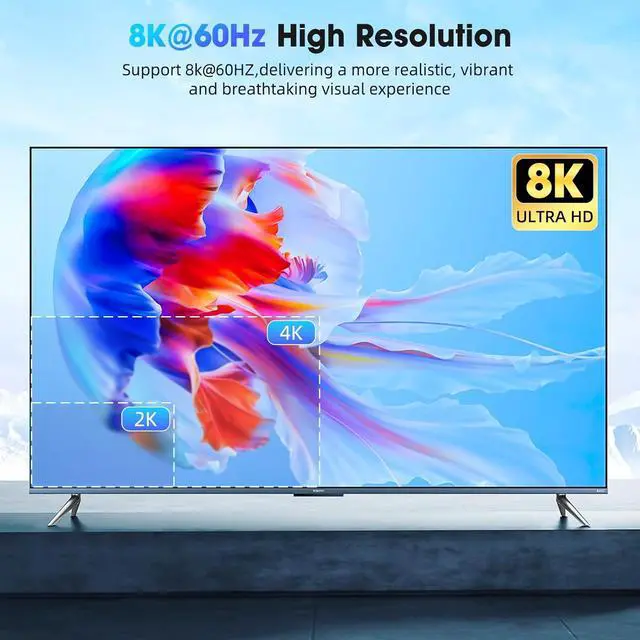
- 8K Resolution & HDCP:Enjoy crystal-clear visuals with support for resolutions up to 8K@60Hz, 4K@120Hz,2K, 3D, and 1080P, giving you the flexibility to meet various display needs. The DP HDMI KVM switch also supports HDMI 2.1, HDCP 2.3/2.2/1.4, USB3.0,USB 2.0, 3D, and HDR, ensuring stunning, lifelike image quality with vibrant colors that truly pop.
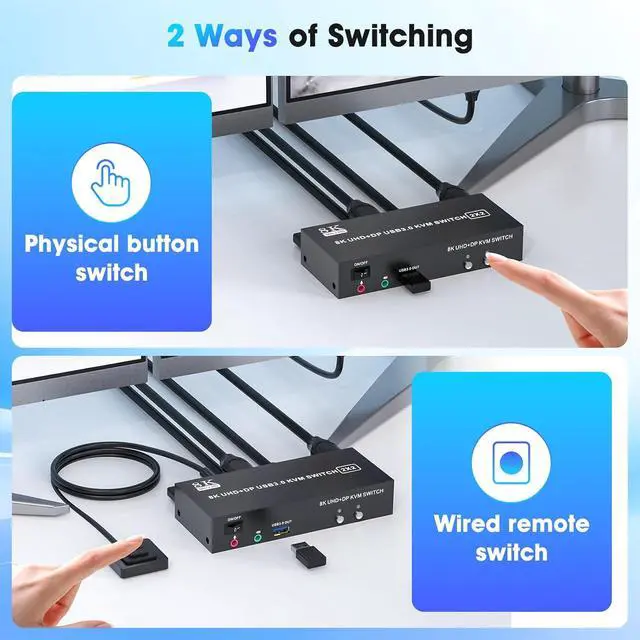
- Two Ways of Switching:Easily switch between two computers with the one-button switch or the desktop controller, helping you save desk space while sharing your monitor, keyboard, and mouse. This boosts productivity whether
+
+
Overview
Specs
Reviews

Any questions? Our AI mode will help you find out quickly.
Try me now
1USB3.02Connection Diagram3Avoid Common Pitfalls18K@60Hz2Extended & Mirroe Mode32 Ways of Switching4Supported Res1Packing List 2Conference Room3Office Setup4Home Entertainment Why is only one monitor displaying the screen?
1.Please check if each computer supports multi-display output, and set the display mode to "Extend" or "Duplicate" in the system display settings.
2.Ensure each computer is properly connected to the KVM switch withHDMI &DP cables and 1 USB-B cable.
Why aren't the keyboard and mouse working?
This issue usually occurs because the USB cable between the computer and the switch is not properly connected. If you're using a mechanical keyboard, there may be compatibility issues.
Do I need to install any drivers?
No driver installation required, plug and play.
What should I do when the KVM fails to display my Windows PC content correctly?
1. Please make sure the KVM iscorrectly (3 HDMI2.1 cables + 3 DP cables + 2 USB3.0 cables + 1 Power Adapter to be connected at the same time).
2. If you encounter problems during use, please contact service support for assistance.
What operating systems are supported?
It is compatible with Windows 10/8/7/XP, Linux, Mac, and more.
Why is only one monitor displaying the screen?
Why aren't the keyboard and mouse working?
Do I need to install any drivers?
What should I do when the KVM fails to display my Windows PC content correctly?
What operating systems are supported?
1.Please check if each computer supports multi-display output, and set the display mode to "Extend" or "Duplicate" in the system display settings.
2.Ensure each computer is properly connected to the KVM switch withHDMI &DP cables and 1 USB-B cable.
Why aren't the keyboard and mouse working?
This issue usually occurs because the USB cable between the computer and the switch is not properly connected. If you're using a mechanical keyboard, there may be compatibility issues.
Do I need to install any drivers?
No driver installation required, plug and play.
What should I do when the KVM fails to display my Windows PC content correctly?
1. Please make sure the KVM iscorrectly (3 HDMI2.1 cables + 3 DP cables + 2 USB3.0 cables + 1 Power Adapter to be connected at the same time).
2. If you encounter problems during use, please contact service support for assistance.
What operating systems are supported?
It is compatible with Windows 10/8/7/XP, Linux, Mac, and more.
Why is only one monitor displaying the screen?
Why aren't the keyboard and mouse working?
Do I need to install any drivers?
What should I do when the KVM fails to display my Windows PC content correctly?
What operating systems are supported?
Warranty & Returns
Warranty, Returns, And Additional Information
Warranty
- Please contact the Seller directly for warranty information. Warranty information may also be found on the Manufacturer's website.
- CONTACT
Return Policies
- Return for refund within: 30 days
- Return for replacement within: 30 days
- This item is covered by Chinathru Trading Co., Limited Return Policy
Manufacturer Contact Info
- For a directory of all our manufacturers, please click below.
- Manufacturers Directory
LOADING...