

Your Browsing History
- Free 30-day Returns
$180.99

Meet Your Seller

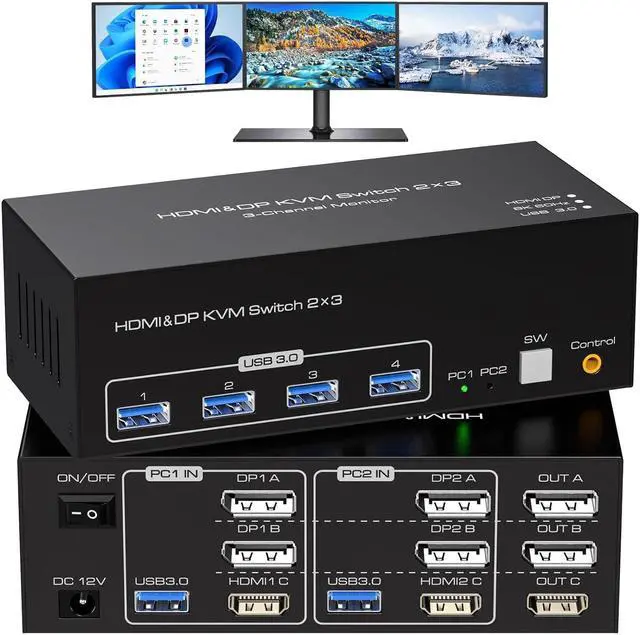


8K HDMI 2 Displayport KVM Switch 3 Monitors 2 Computers DP 1.4 8K 60Hz 4K 120Hz Display Port for Two PC Share Triple Monitor and 4 USB 3.0 Peripherals Support Extended and Duplicate Mode
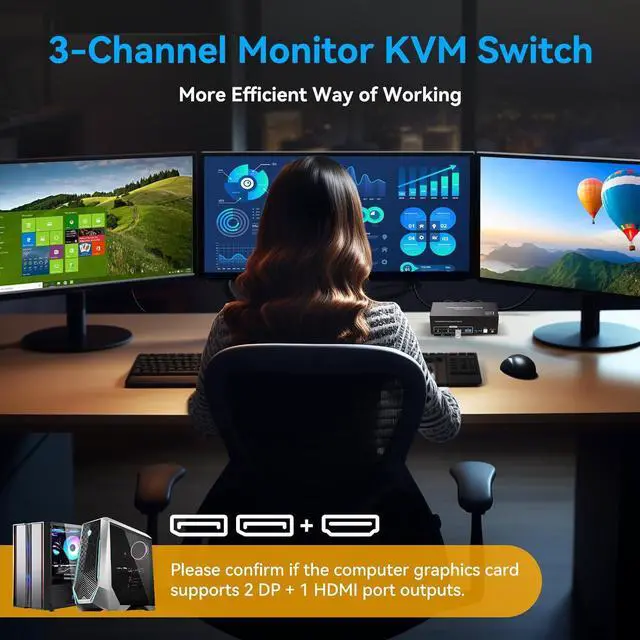
- KVM Switch 3 Monitors 2 ComputersThis KVM Switch 2 DP+1 HDMI connects 2 desktops or laptops, sharing 3 monitors and 4 USB 3.0 ports. You only need one set of keyboard and mouse to control all monitors, and it also supports expanding and duplicating monitors. (Please note: This product requires each of your computers to support multi-screen display and contain 2DP+HDMI ports, and requires two of your monitors to contain DP ports and one monitor to contain HDMI ports.)
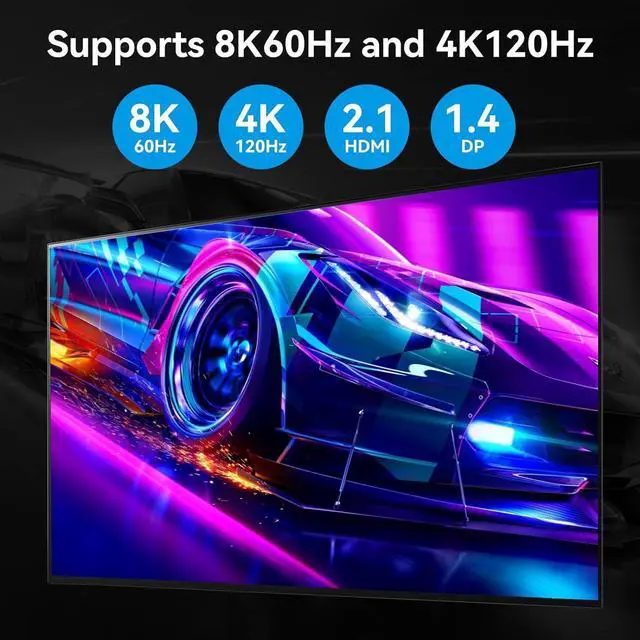
- KVM Switch Triple Monitor Ultra HD 8K60HzThe HDMI 2.1 and DP 1.4 KVM Switcher supports resolution up to 8K60Hz 4K120Hz and downwards. High-definition resolution makes the picture quality clearer, and the details are displayed clearly and finely. Please note:8K60Hz resolution can only be obtained if your computer's graphics card, monitor, and the cables used all support 8K60Hz. It is best to use a good quality cable that does not exceed 5ft.
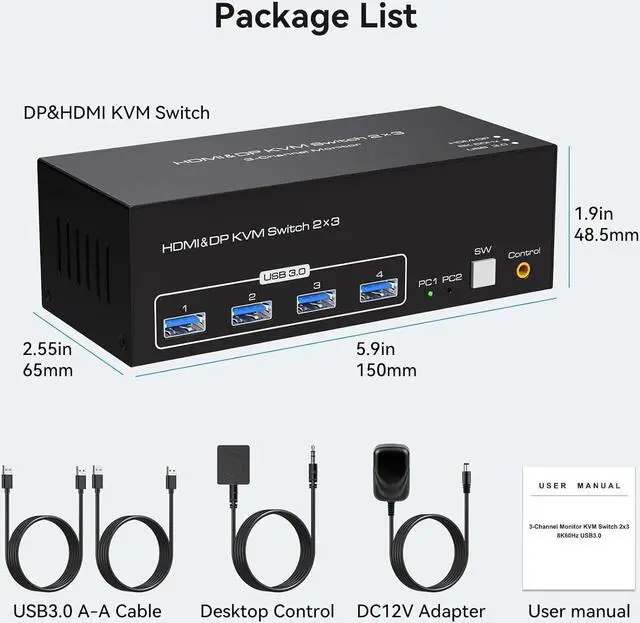
- HDMI+DP KVM Switch with 4 USB 3.0 PortsThe USB KVM Switch Display Port a
+
+
Overview
Specs
Reviews

Any questions? Our AI mode will help you find out quickly.
Try me now
It is possible to control two computers and three monitors directly with one set of keyboard and mouse.
(Please note: This product requires each of your computers to support multi-screen display and contain 2DP+HDMl ports, and requires two of your monitors to contain DP ports and one monitor to contain HDMl ports.)
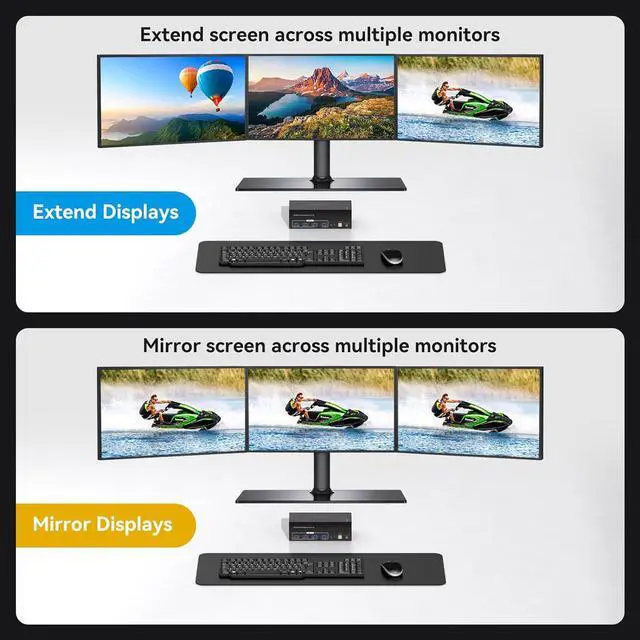
Three monitors can support two modes:duplicate and extend.
(Please note: Copy & Expand mode requires your computer's graphics card to support this mode in order to work.)
Supports resolutions up to 8K 60Hz and backward compatible.
(Please note: 8K60Hz resolution can only be obtained if your computer's qraphics card, monitor, and the cables used all support 8k60Hz.it is best to use a good quality cable)
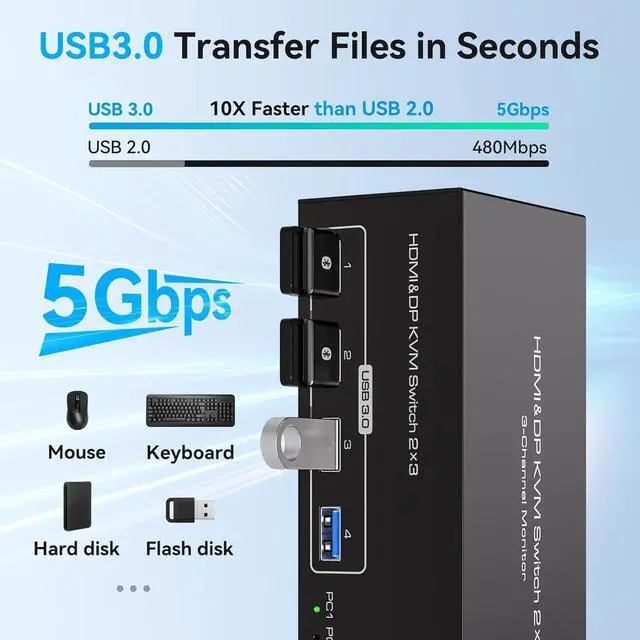
Equipped with four USB 3.0 ports, allowing you to connect scanners, hard drives, and other USB devices.
(Please note: The device cannot switch Bluetooth mice and keyboards that do not have a US8 receiver.)
Equipped with a 12V/1A power supply, ensuring stable work even when high-power devices are connected.
(Please note: To ensure that the KVM works properly, please connect the extenal power supply when using it. The device does not support hotkey switching)
Compatible with Windows/Vista/XP, MacOS, Linux, and Unix, plug-and-play.
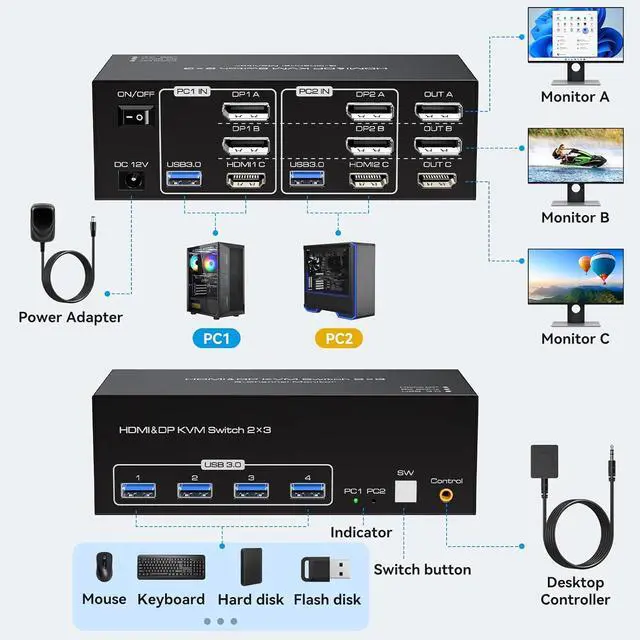
Connect the power source.Connect PC1 to the KVM device using one USB 3.0 cable, one HDMI cable and two DP cables .Connect PC2 to the KVM device using one USB 3.0 cable, one HDMI cable and two DP cables.Connect each of the three monitors to OUT A, OUT B, and OUT C using two DP cables and one HDMI cable.Connect the keyboard and mouse to the KVM device.
(Please note that if you want to properly use three monitors, make sure that your graphics card supports 2 DP+1 HDMl outputs.)
Duplicate mode:three screens display the same content.Extend mode:Drag and drop windows from the main screen to the other two output screens.
(Please note: Copy & Expand mode requires your computer's graphics card to support this mode in order to work.)
(Please note: 8K60Hz resolution can only be obtained if your computer's qraphics card, monitor, and the cables used all support 8k60Hz.it is best to use a good quality cable)
With a touch of a button on the control panel, you can easily and quickly switch between computers.
8K HDMI+2DP KVM Switch for 2 Computers Share 3 Monitors and 4 USB 3.0 devices. Usage Duplicate and Extend Supports Resolutions Up to 8K@60Hz, 4K@120Hz Equipped with Four USB 3.0 Ports Button Switch
(Please note: This product requires each of your computers to support multi-screen display and contain 2DP+HDMl ports, and requires two of your monitors to contain DP ports and one monitor to contain HDMl ports.)
Three monitors can support two modes:duplicate and extend.
(Please note: Copy & Expand mode requires your computer's graphics card to support this mode in order to work.)
Supports resolutions up to 8K 60Hz and backward compatible.
(Please note: 8K60Hz resolution can only be obtained if your computer's qraphics card, monitor, and the cables used all support 8k60Hz.it is best to use a good quality cable)
Equipped with four USB 3.0 ports, allowing you to connect scanners, hard drives, and other USB devices.
(Please note: The device cannot switch Bluetooth mice and keyboards that do not have a US8 receiver.)
Equipped with a 12V/1A power supply, ensuring stable work even when high-power devices are connected.
(Please note: To ensure that the KVM works properly, please connect the extenal power supply when using it. The device does not support hotkey switching)
Compatible with Windows/Vista/XP, MacOS, Linux, and Unix, plug-and-play.
Connect the power source.Connect PC1 to the KVM device using one USB 3.0 cable, one HDMI cable and two DP cables .Connect PC2 to the KVM device using one USB 3.0 cable, one HDMI cable and two DP cables.Connect each of the three monitors to OUT A, OUT B, and OUT C using two DP cables and one HDMI cable.Connect the keyboard and mouse to the KVM device.
(Please note that if you want to properly use three monitors, make sure that your graphics card supports 2 DP+1 HDMl outputs.)
Duplicate mode:three screens display the same content.Extend mode:Drag and drop windows from the main screen to the other two output screens.
(Please note: Copy & Expand mode requires your computer's graphics card to support this mode in order to work.)
(Please note: 8K60Hz resolution can only be obtained if your computer's qraphics card, monitor, and the cables used all support 8k60Hz.it is best to use a good quality cable)
With a touch of a button on the control panel, you can easily and quickly switch between computers.
8K HDMI+2DP KVM Switch for 2 Computers Share 3 Monitors and 4 USB 3.0 devices. Usage Duplicate and Extend Supports Resolutions Up to 8K@60Hz, 4K@120Hz Equipped with Four USB 3.0 Ports Button Switch
Warranty & Returns
Warranty, Returns, And Additional Information
Warranty
- Please contact the Seller directly for warranty information. Warranty information may also be found on the Manufacturer's website.
- CONTACT
Return Policies
- Return for refund within: 30 days
- Return for replacement within: 30 days
- This item is covered by Chinathru Trading Co., Limited Return Policy
Manufacturer Contact Info
- For a directory of all our manufacturers, please click below.
- Manufacturers Directory
LOADING...