

Your Browsing History
- Free 30-day Returns
$882.99

Meet Your Seller

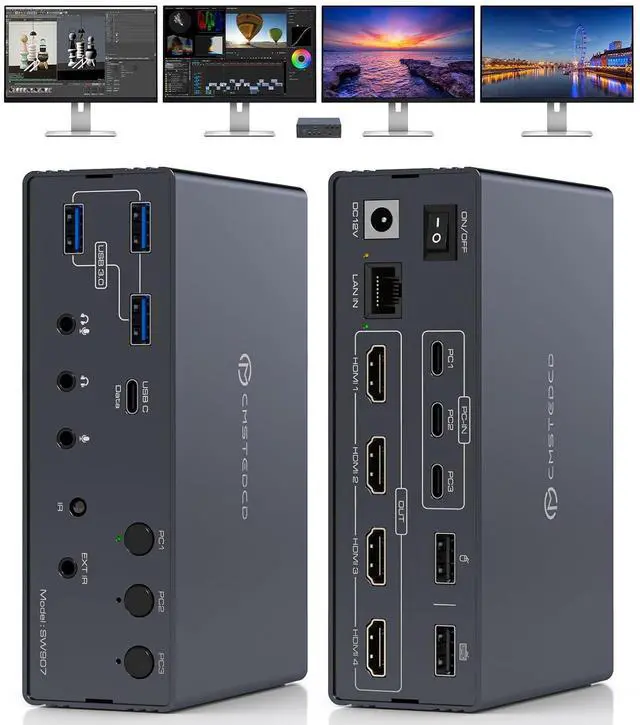
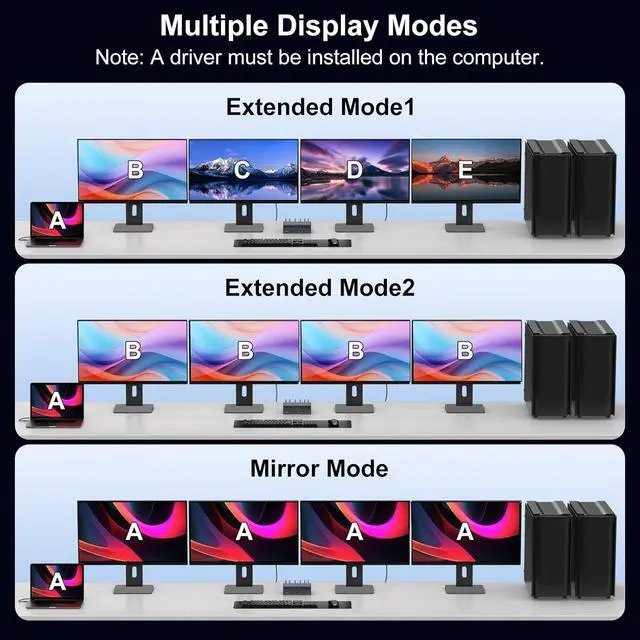


USB C KVM Switch Docking Station 3 Computers 4 Monitors for M1 M2 M3 M4 with Displaylink Technology,4K60Hz HDMI KVM Multi-Monitor Extended/Mirrored Display Out for Windows Mac
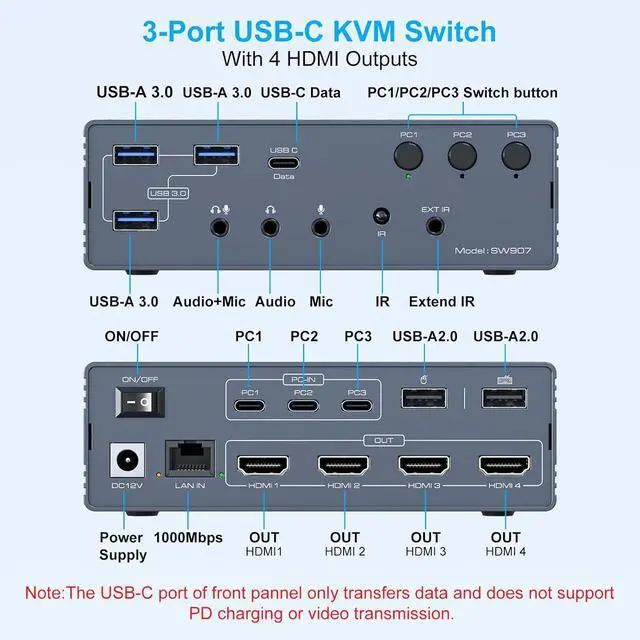
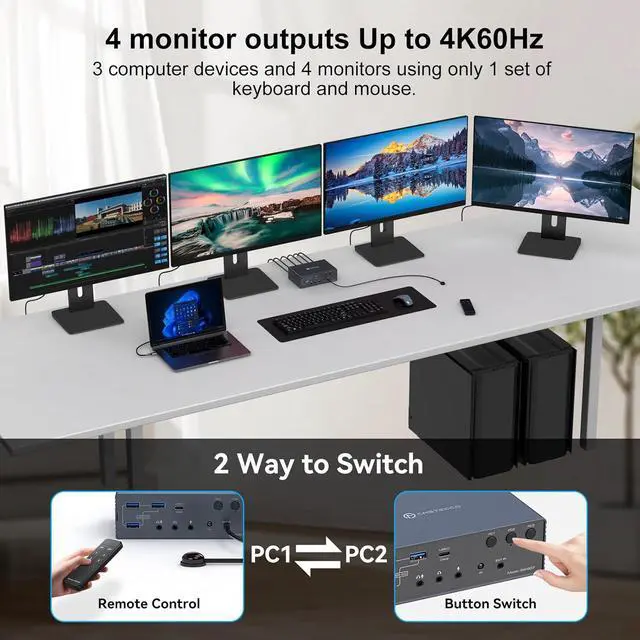
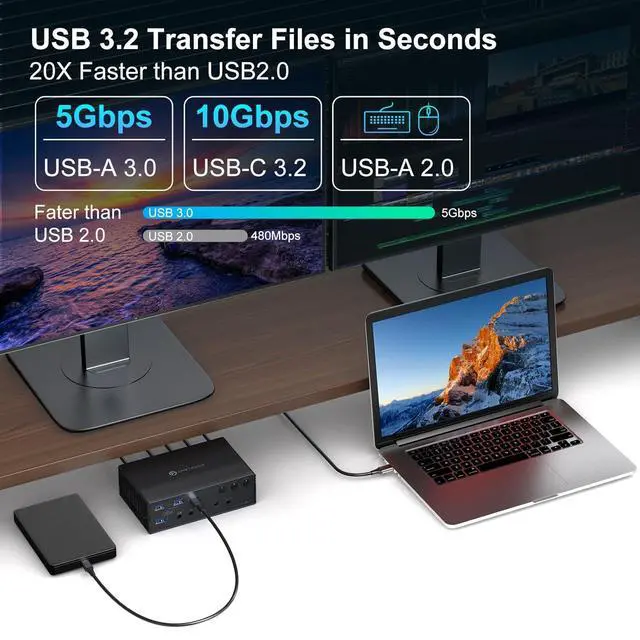
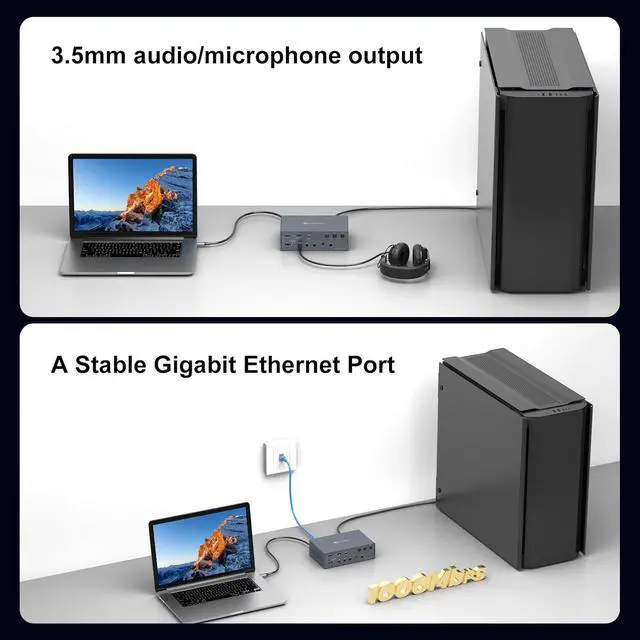
- 3 PC 4 Monitor KVM SwitchThis KVM switch lets three laptops & desktop (with USB-C or USB-A 3.0+) share a full setup: four HDMI displays, multiple peripherals via its 2x USB-A 2.0, 3x USB-A 3.0, and 1x USB-C ports, Gigabit Ethernet, and audio. It features remote-control switching to create a complete all-in-one office or entertainment station
- Important Notice1. This KVM switch docking station requires a USB 3.0 or higher port as the input source.2. This thunderbolt 4 kvm switch does not support charging laptops.3. DisplayLink drivers must be installed to enable full functionality (set driver to auto-start at system boot,contact technical support if issues arise during driver installation). 4. When the device is running, it will occupy computer system resources. Ilt is recommended to use aCPU of I7 or above and at least 16GB of memory
- Wide Compatibility This docking station with kvm switch seamlessly integrates with macOS, Windows, Chrome OS, and Linux and Android systems; c
+
+
Overview
Specs
Reviews

Any questions? Our AI mode will help you find out quickly.
Try me now
1Two Way Switch23.5 mm Audio/Mic Out3Witch USB A-C to C Cable 1.Must I install a displaylink driver When I use the TJCXELE KVM switch 3 Computers 4 Montors docking station
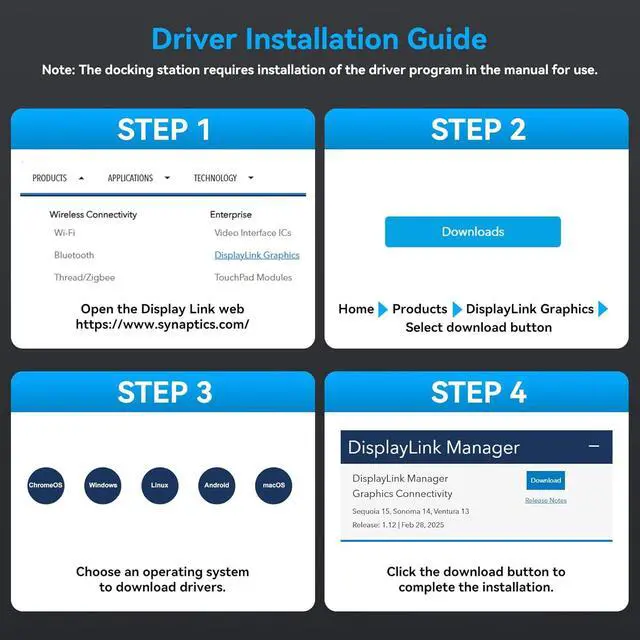
The Displaylink driver must be installed when using the USB C KVM switch docking station, otherwise monitors will not output images properly
2.What are the requirements for the ports on the laptop? Can all C ports be used?
your laptop must be equipped with a USB-C 3.0(or higher) interface
3.Will this dock enable the use of three displays on base M1, M2, M3 or M4 Macs?
Yes. After installing the displaylink driver, even on MacOS systems, thisdocking station can be connected to two monitors to display different content.
4.Does each monitor support 4K 60Hz?
Yes,For optimal 4K@60Hz performance, please using high-quality cables (under 3 feet/1 meter is ideal) that support DP 1.4 and HDMI 2.1 standards
How to install displaylink driver 1.Must I install a displaylink driver When I use the TJCXELE KVM switch 3 Computers 4 Montors docking station
2.What are the requirements for the ports on the laptop? Can all C ports be used?
3.Will this dock enable the use of three displays on base M1, M2, M3 or M4 Macs?
4.Does each monitor support 4K 60Hz?
The Displaylink driver must be installed when using the USB C KVM switch docking station, otherwise monitors will not output images properly
2.What are the requirements for the ports on the laptop? Can all C ports be used?
your laptop must be equipped with a USB-C 3.0(or higher) interface
3.Will this dock enable the use of three displays on base M1, M2, M3 or M4 Macs?
Yes. After installing the displaylink driver, even on MacOS systems, thisdocking station can be connected to two monitors to display different content.
4.Does each monitor support 4K 60Hz?
Yes,For optimal 4K@60Hz performance, please using high-quality cables (under 3 feet/1 meter is ideal) that support DP 1.4 and HDMI 2.1 standards
How to install displaylink driver 1.Must I install a displaylink driver When I use the TJCXELE KVM switch 3 Computers 4 Montors docking station
2.What are the requirements for the ports on the laptop? Can all C ports be used?
3.Will this dock enable the use of three displays on base M1, M2, M3 or M4 Macs?
4.Does each monitor support 4K 60Hz?
Warranty & Returns
Warranty, Returns, And Additional Information
Warranty
- Please contact the Seller directly for warranty information. Warranty information may also be found on the Manufacturer's website.
- CONTACT
Return Policies
- Return for refund within: 30 days
- Return for replacement within: 30 days
- This item is covered by Chinathru Trading Co., Limited Return Policy
Manufacturer Contact Info
- For a directory of all our manufacturers, please click below.
- Manufacturers Directory
LOADING...