

Your Browsing History
- Free 30-day Returns
$151.99

Meet Your Seller

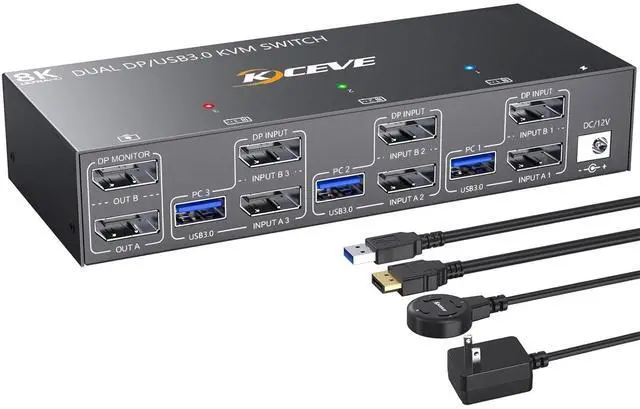


KCEVE KVM Switch 2 Monitors 3 Computers 4K@144Hz, Displayport KVM Switch Dual Monitor for 3 Computer Share 2 Monitor and 4 USB 3.0 Devices, with Wired Remote, Power Adapter
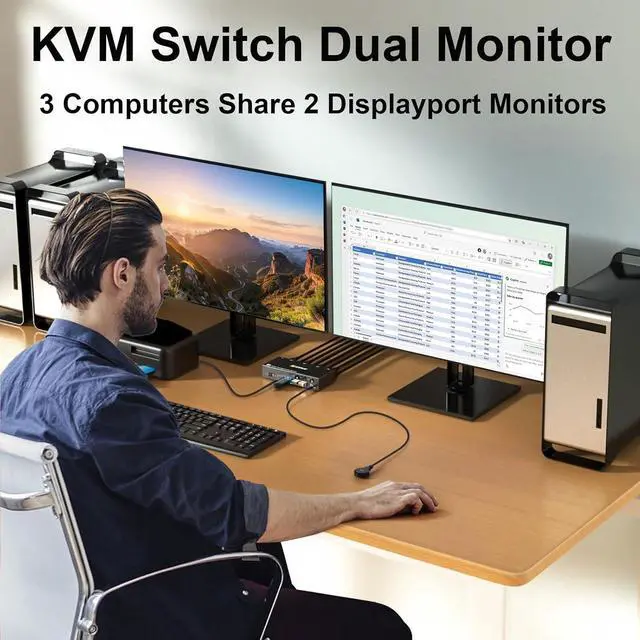
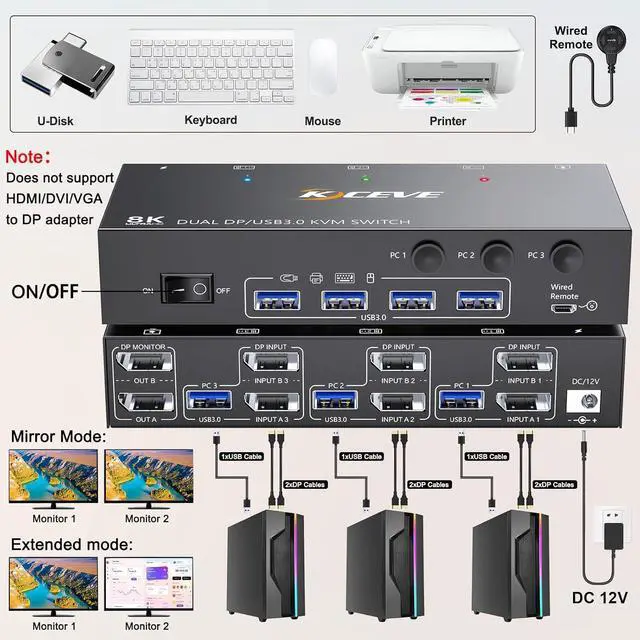
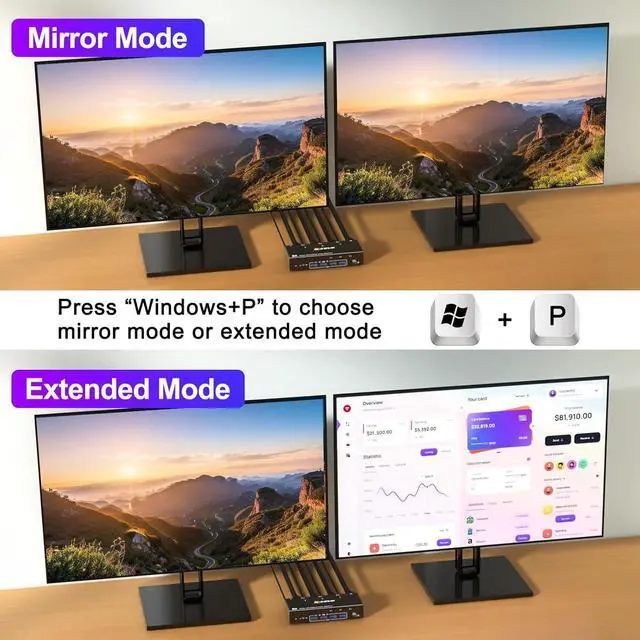
- KVM Switch 2 Monitors 3 Computers DisplayportKCEVE USB 3.0 KVM Switch Displayport dual monitor lets you control 3 computers with just one set of controls (mouse, keyboard, printer, U disk) and 2 DP monitors, supports webcams. Press Windows+P to select mirror mode or extended screen mode. Each computer needs 2 DP cables + 1 USB cable plugged in KVM switch 3 computers displayport
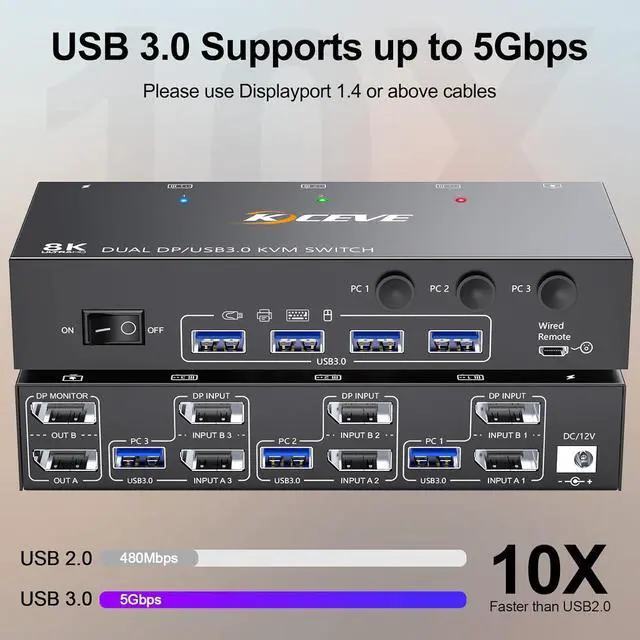
- USB 3.0 KVM switch displayport 3 computer up to 5GbpsKCEVE 3 computer KVM switch combines the features of DP switch, USB switch, mouse and keyboard switch. KVM Switch 3 computers 2 Monitors share 4 USB 3.0 devices without unplugging. Saving desktop space, keep your desktop tidy and make your work and life easier and more efficient. USB 3.0 up to 5Gbps transmission speed is 10 times that of USB 2.0 480Mbps, compatible with USB 2.0/1.1 devices
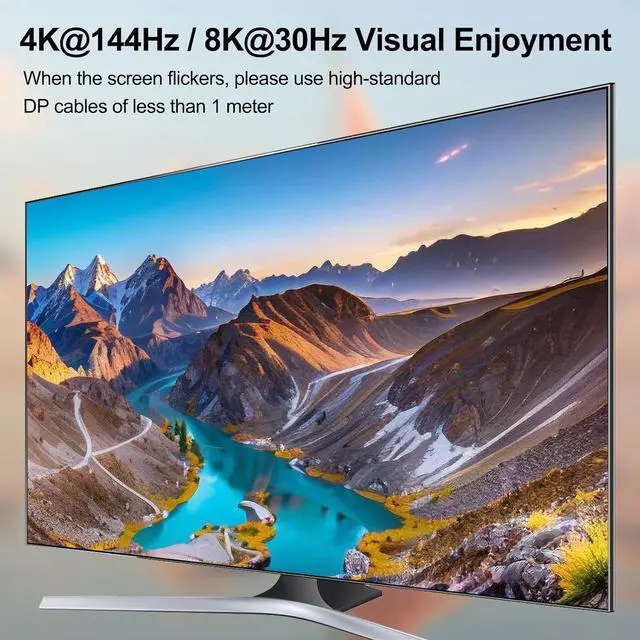
- KVM Switch 4K@144Hz Visual EnjoymentKVM Switch 3 PC 2 monitor compliant with DP1.4. 2 monitors 3 computers displayport switch supports 8K@30Hz, 4K@144Hz, 4K@120Hz
+
+
Overview
Specs
Reviews

Any questions? Our AI mode will help you find out quickly.
Try me now
3 computers share a set of mouse, keyboard, printer, scanner or webcam, and display on 2 Displayport monitors
USB 3.0 support up to 5Gbps transmission speed
Plug and play. No additional driver software required
Support DP 1.4 and below standard protocols.
Press Windows+P to choose extended or mirrored screen mode
Compatible with Windows11/ 10 / 8 / XP / Vista / Chrome / Mac OS / Linux system,etc.
Support UHD 4K@144Hz, 4K@120Hz, 2K@165Hz, 4K@60Hz.
Using 8K cables will solve the problem of flickering and black screen.
Each computer requires 3 DisplayPort cable + 1 USB cable to connect to the KVM switch
Support most DP interface input devices or signal sources: PC, laptop, TV Box, Xbox One, Apple TV,PS5, HDTV, Monitor, projectors.
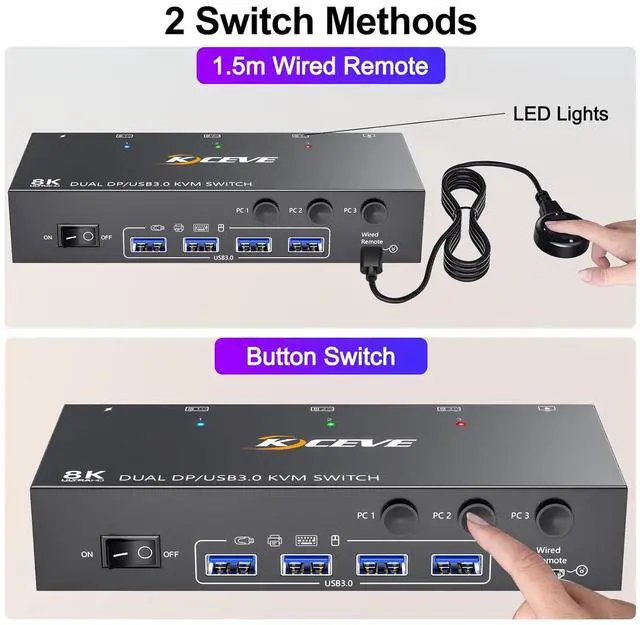
Button switch & 1.5m wired remote control
LED lights indicate which computer is active
Please plug in the DC 12V power supply to provide enough power
KCEVE USB 3.0 KVM Switch 2 Monitor 3 Computer Displayport Share 4 USB 3.0 Device KVM Switch Dual Displayport Monitor for 3 Computers Dual Monitor KVM Switch Displayport Three Computers Connection Diagram 2 Switching Methods Widely used in office, media teaching, video conferencing, home theater, etc.
USB 3.0 support up to 5Gbps transmission speed
Plug and play. No additional driver software required
Support DP 1.4 and below standard protocols.
Press Windows+P to choose extended or mirrored screen mode
Compatible with Windows11/ 10 / 8 / XP / Vista / Chrome / Mac OS / Linux system,etc.
Support UHD 4K@144Hz, 4K@120Hz, 2K@165Hz, 4K@60Hz.
Using 8K cables will solve the problem of flickering and black screen.
Each computer requires 3 DisplayPort cable + 1 USB cable to connect to the KVM switch
Support most DP interface input devices or signal sources: PC, laptop, TV Box, Xbox One, Apple TV,PS5, HDTV, Monitor, projectors.
Button switch & 1.5m wired remote control
LED lights indicate which computer is active
Please plug in the DC 12V power supply to provide enough power
KCEVE USB 3.0 KVM Switch 2 Monitor 3 Computer Displayport Share 4 USB 3.0 Device KVM Switch Dual Displayport Monitor for 3 Computers Dual Monitor KVM Switch Displayport Three Computers Connection Diagram 2 Switching Methods Widely used in office, media teaching, video conferencing, home theater, etc.
Warranty & Returns
Warranty, Returns, And Additional Information
Warranty
- Please contact the Seller directly for warranty information. Warranty information may also be found on the Manufacturer's website.
- CONTACT
Return Policies
- Return for refund within: 30 days
- Return for replacement within: 30 days
- This item is covered by Chinathru Trading Co., Limited Return Policy
Manufacturer Contact Info
- For a directory of all our manufacturers, please click below.
- Manufacturers Directory
LOADING...