

Your Browsing History
- Free 30-day Returns
$144.99

Meet Your Seller


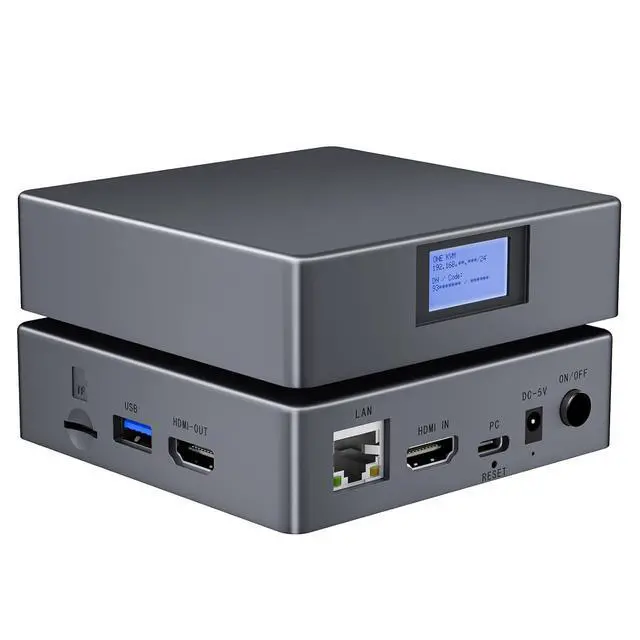


IP KVM Remote Control Over Internet, Remote KVM Over IP, 4K@60Hz,Simulate Keyboard Mouse Touch Screen Remote Operation PC,Servers, Install OS Via BIOS, Audio,Mini Screen, for Windows, Mac and Android
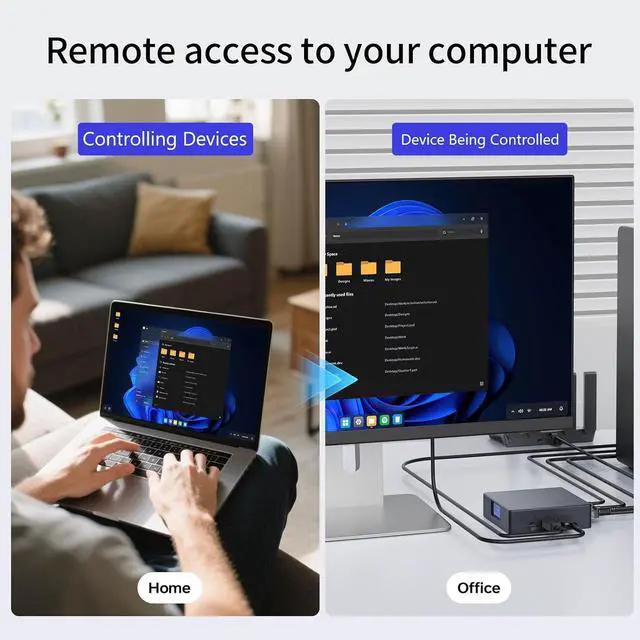
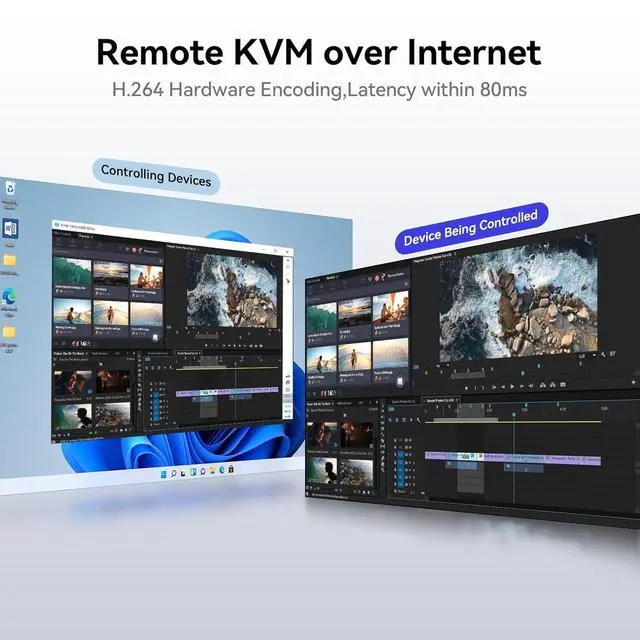
- Remote control IP KVMWhether you are at home or on a trip, you can use a personal computer or mobile phone to remotely access your work computer. No additional software or drivers need to be installed on the controlled computer, and KVM over IP is suitable for remote work, IT management, and industrial applications.
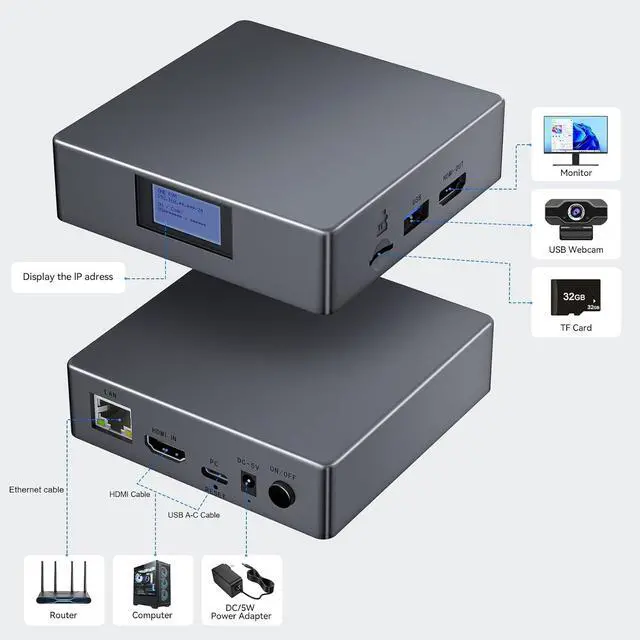
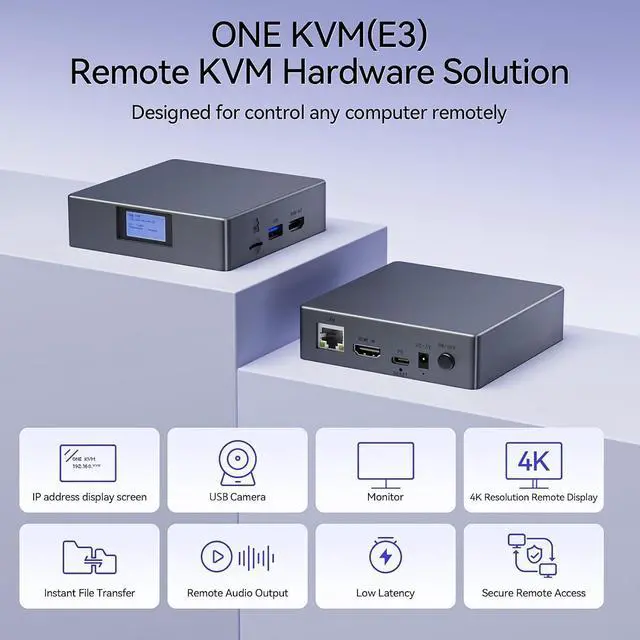
- Easy Setup & Universal Compatibility Simply connect HDMI and USB cables between the controlled device and the remote KVM, and connect an Ethernet cable to the network KVM. You can remotely control the controlled device via an app or website. The Remote KVM over ethernet suitable for laptops, desktops, servers, industrial PCs, and streaming devices. Compatible with Windows, Mac OS and Android.
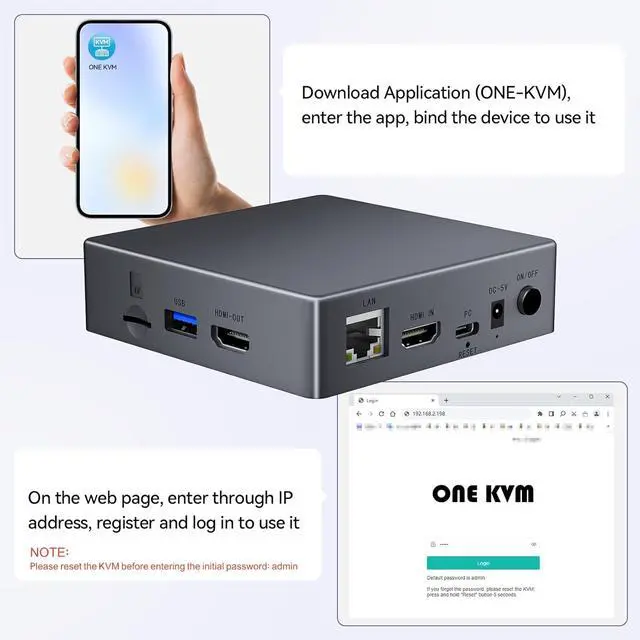
- Two remote control methodsDesktop APP and web login. Whether on LAN or WAN, you can use the IP address on the mini screen of the IPKVM to enter the remote control interface.( ethernet KVM APP supports both computers and mobile devices, and after logging into IP-KVM on the
+
+
Overview
Specs
Reviews

Any questions? Our AI mode will help you find out quickly.
Try me now
When you leave home or office, do you often find yourself needing remote access to your computer? This remote KVM over internet is your best choice for solving this annoyance.
Remote KVM is a remote access device where people working from home or travelling will use a virtual desktop interface like you are sitting right there.
The connection is extremely simple, and the package comes with the necessary HDMI cable, USB cable, Ethernet cable, power adapter, etc.
Control remotely via web or APP(ONE KVM)APP supports use on LAN or WAN,it's just so convenient. Note: Web can only be used on LAN.
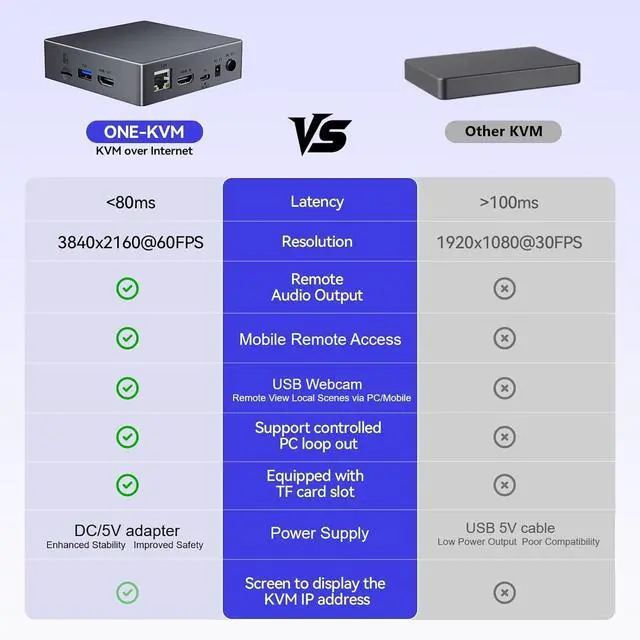
The upgraded version of Remote KVM over IP features a mini screen design, Automatically recognize and display IP addresses, and this IP KVM also supports fixed IP settings.
What is the difference between this remote KVM and RDP(remote desktop protocol)?
RDP: You had to enter a code to allow remote access at the host meaning someone had to be at the host; Remote KVM over ip: Simply connect the IP KVM to the controlled device in advance and access it at any time.
Can the ip KVM access it remotely when my computer is sleeping?
This ip KVM supports one-click waking up your sleeping computer and accessing it remotely.
Can I set up an IP address and manage the cloud server?
Yes, you can set a fixed IP address, and you can also replace the cloud server (ONE KVM) with your own cloud server.
This KVM requires an HDMI cable to be connected,does it also work with computers that have USB-C/DVI/VGA/DP ports?
Yes, you just need a USB-C/DVI/VGA/DP to HDMI cable.
What is this?
What is the difference between this remote KVM and RDP(remote desktop protocol)?
Can the ip KVM access it remotely when my computer is sleeping?
Can I set up an IP address and manage the cloud server?
This KVM requires an HDMI cable to be connected,does it also work with computers that have USB-C/DVI/VGA/DP ports?
Remote KVM is a remote access device where people working from home or travelling will use a virtual desktop interface like you are sitting right there.
The connection is extremely simple, and the package comes with the necessary HDMI cable, USB cable, Ethernet cable, power adapter, etc.
Control remotely via web or APP(ONE KVM)APP supports use on LAN or WAN,it's just so convenient. Note: Web can only be used on LAN.
The upgraded version of Remote KVM over IP features a mini screen design, Automatically recognize and display IP addresses, and this IP KVM also supports fixed IP settings.
What is the difference between this remote KVM and RDP(remote desktop protocol)?
RDP: You had to enter a code to allow remote access at the host meaning someone had to be at the host; Remote KVM over ip: Simply connect the IP KVM to the controlled device in advance and access it at any time.
Can the ip KVM access it remotely when my computer is sleeping?
This ip KVM supports one-click waking up your sleeping computer and accessing it remotely.
Can I set up an IP address and manage the cloud server?
Yes, you can set a fixed IP address, and you can also replace the cloud server (ONE KVM) with your own cloud server.
This KVM requires an HDMI cable to be connected,does it also work with computers that have USB-C/DVI/VGA/DP ports?
Yes, you just need a USB-C/DVI/VGA/DP to HDMI cable.
What is this?
What is the difference between this remote KVM and RDP(remote desktop protocol)?
Can the ip KVM access it remotely when my computer is sleeping?
Can I set up an IP address and manage the cloud server?
This KVM requires an HDMI cable to be connected,does it also work with computers that have USB-C/DVI/VGA/DP ports?
Warranty & Returns
Warranty, Returns, And Additional Information
Warranty
- Please contact the Seller directly for warranty information. Warranty information may also be found on the Manufacturer's website.
- CONTACT
Return Policies
- Return for refund within: 30 days
- Return for replacement within: 30 days
- This item is covered by Chinathru Trading Co., Limited Return Policy
Manufacturer Contact Info
- For a directory of all our manufacturers, please click below.
- Manufacturers Directory
LOADING...