

Your Browsing History
- Free 30-day Returns
$155.99

Meet Your Seller

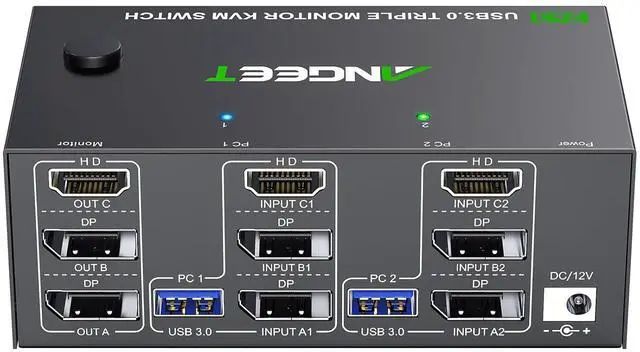
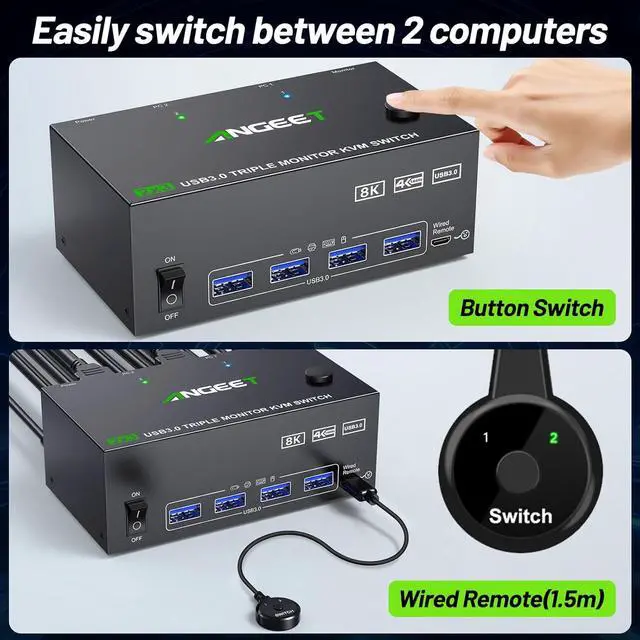


KVM Switch 3 Monitors 2 Computers 8K@60Hz 4K@144Hz, ANGEET HDMI and Displayport KVM Switch Triple Monitor for 2 Computer Share 3 Monitor and 4 USB3.0 Devices, with Wired Remote and Power Adapter
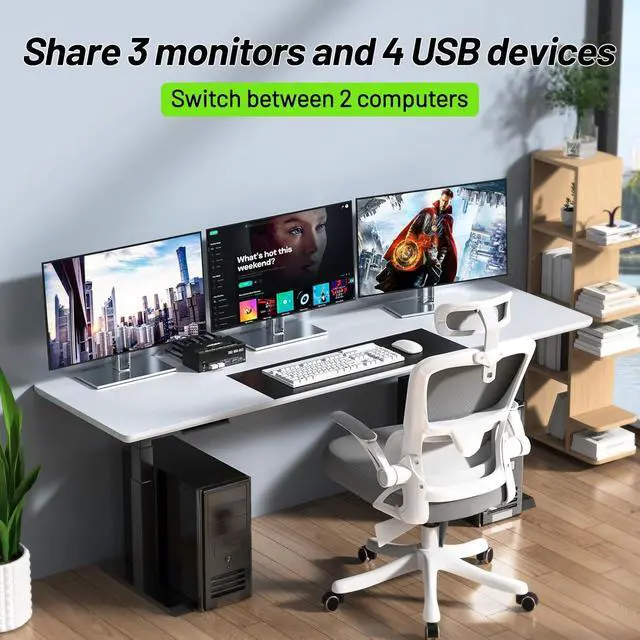
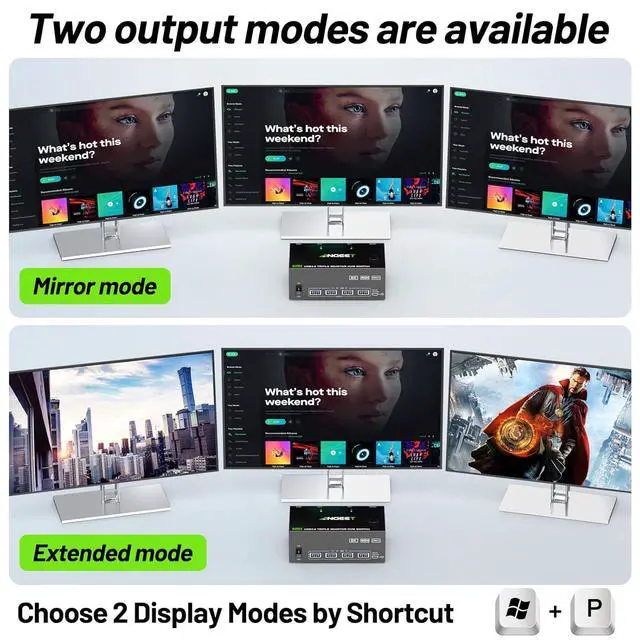
- KVM Switch 3 Monitors 2 ComputersThis 3 Monitors KVM Switch perfect for hooking up 2 computers to share 4 USB 3.0 ports and 3 monitors (supports extended and mirrored display modes). : extended mode can output three different screens and mirror mode can output three identical screens.
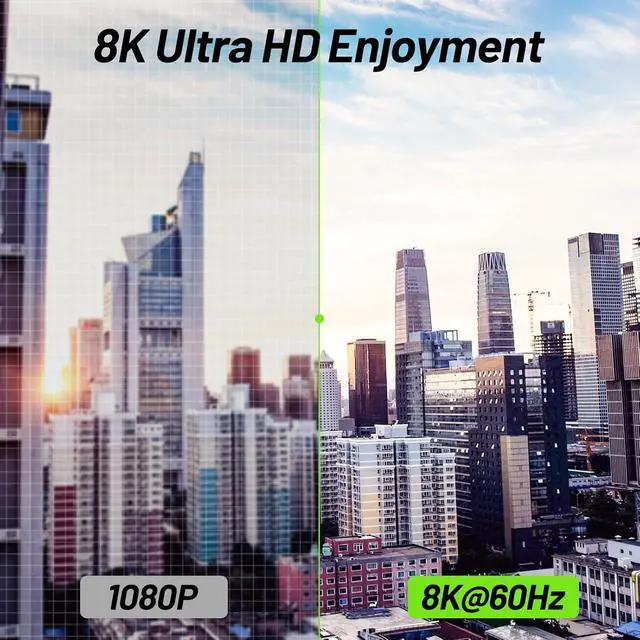
- KVM Switch Triple Monitor Ultra HD 8KThe HDMI 2.1 and DP 1.4 Triple Monitor KVM Switches support resolution up to 8K@60Hz 4K@144Hz and downwards, makes the picture quality clearer and the details are displayed clearly and finely. Note: Final resolution is also subject to graphic cards, monitors and cables.
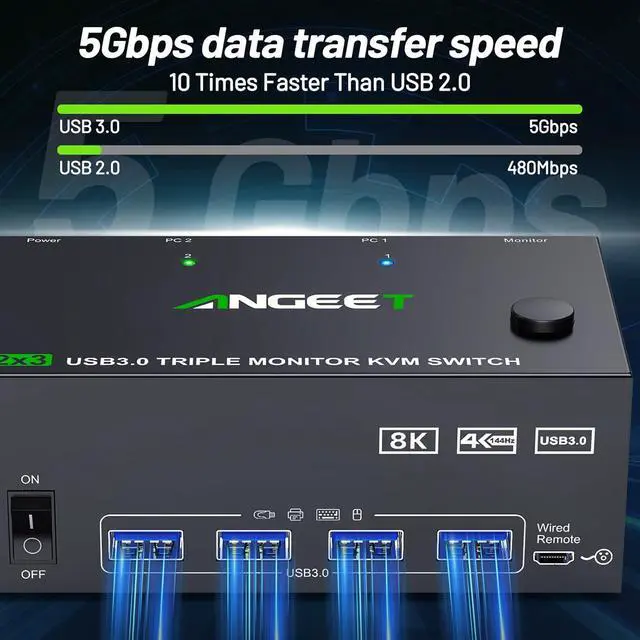
- 3 Monitor KVM Switch with 4 USB 3.0 PortsHDMI+ 2*Displayport KVM Switch has 4 integrated USB 3.0 ports for keyboard, mouse, printer, USB flash drive, etc. Supports ultra-high-speed 5Gbps data transmission, 10 times faster than USB 2.0.
- Great compatibility & 2 switching modesANGEET KVM switch 3 monitors driver-free for Windows, Mac, Linux, Unix and Ubuntu. Support PC, Lapt
+
+
Overview
Specs
Reviews

Any questions? Our AI mode will help you find out quickly.
Try me now
Extended mode: 3 monitors output different screens Triple monitor KVM switch driver-free for Windows, Mac OS, Linux and Chrome OS, Compatible with Mini Box, PC, Laptop,4 USB ports use for external USB devices. It is widely applied for home, office, teaching, meeting room, games, etc.
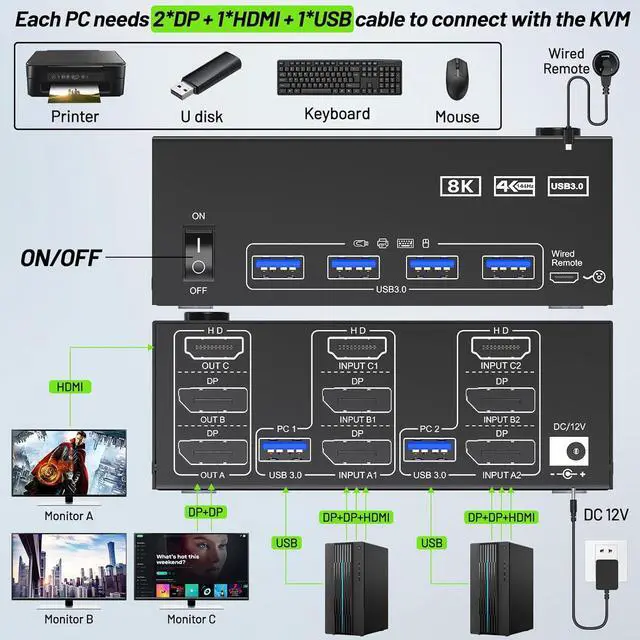
Each PC must have 1*HDMI+2*Displayport +1* USB cable to connect the 3 monitor KVM switch,OUT A, OUT B, OUT C connect to 3 monitors.
Supports DP to HDMI, USB-C/Type C to HDMI, USB-C/Type C to DP converter and USB-C docking station.
Please check your computer configuration.
15Gbps ultra fast28K Ultra HD Input Tip:2*DP+1*HDMI+1*USB (for PC 1,PC 2). Desktop: The graphics card is required to have at least 2*DP+1*HDMI ports;Laptop: It is required to be able to expand at least 2*DP+1*HDMI ports (for use with a USB C docking station)Output Tip:2*DP+1*HDMI+4*USB 3.0 (for 3 monitors and USB devices).It is recommended to use 2*DP monitor + 1 HDMI monitor, supporting DP to HDMI cable or converter.ResolutionHDMI: up to 8K@60HzDisplayportup to 8K@30Hz,The final resolution also depends on your computer, monitor and the version and length of DP and HDMI cablesAbout Power Supply:KVM can be powered by USB cables connected to the computers. Using the equipped DC12V power adapter can effectively solve the problem of insufficient power supply caused by connecting high-power USB devices.Important NoteThe use of 3 monitor KVM will be affected by cables. If the cable version is lower or the cable is too long, the monitor will not work. It is recommended to use HDMI2.0/2.1 and DP1.4 version cables to connect the KVM, and the length of a single cable should not exceed 1.5m.Package Content 1x Triple Monitor KVM Switch, 2x USB 3.0 Cable, 1x Power Adapter, 1x Wired Remote, 1x User's Manual. You need to prepare HDMI and DP cables yourself. One computer outputs three identical or different screens (switch between 2 PCs) How to connect the triple monitor KVM switch Attention
Each PC must have 1*HDMI+2*Displayport +1* USB cable to connect the 3 monitor KVM switch,OUT A, OUT B, OUT C connect to 3 monitors.
Supports DP to HDMI, USB-C/Type C to HDMI, USB-C/Type C to DP converter and USB-C docking station.
Please check your computer configuration.
15Gbps ultra fast28K Ultra HD Input Tip:2*DP+1*HDMI+1*USB (for PC 1,PC 2). Desktop: The graphics card is required to have at least 2*DP+1*HDMI ports;Laptop: It is required to be able to expand at least 2*DP+1*HDMI ports (for use with a USB C docking station)Output Tip:2*DP+1*HDMI+4*USB 3.0 (for 3 monitors and USB devices).It is recommended to use 2*DP monitor + 1 HDMI monitor, supporting DP to HDMI cable or converter.ResolutionHDMI: up to 8K@60HzDisplayportup to 8K@30Hz,The final resolution also depends on your computer, monitor and the version and length of DP and HDMI cablesAbout Power Supply:KVM can be powered by USB cables connected to the computers. Using the equipped DC12V power adapter can effectively solve the problem of insufficient power supply caused by connecting high-power USB devices.Important NoteThe use of 3 monitor KVM will be affected by cables. If the cable version is lower or the cable is too long, the monitor will not work. It is recommended to use HDMI2.0/2.1 and DP1.4 version cables to connect the KVM, and the length of a single cable should not exceed 1.5m.Package Content 1x Triple Monitor KVM Switch, 2x USB 3.0 Cable, 1x Power Adapter, 1x Wired Remote, 1x User's Manual. You need to prepare HDMI and DP cables yourself. One computer outputs three identical or different screens (switch between 2 PCs) How to connect the triple monitor KVM switch Attention
Warranty & Returns
Warranty, Returns, And Additional Information
Warranty
- Please contact the Seller directly for warranty information. Warranty information may also be found on the Manufacturer's website.
- CONTACT
Return Policies
- Return for refund within: 30 days
- Return for replacement within: 30 days
- This item is covered by Chinathru Trading Co., Limited Return Policy
Manufacturer Contact Info
- For a directory of all our manufacturers, please click below.
- Manufacturers Directory
LOADING...