

Your Browsing History
- Free 30-day Returns
$173.99

Meet Your Seller


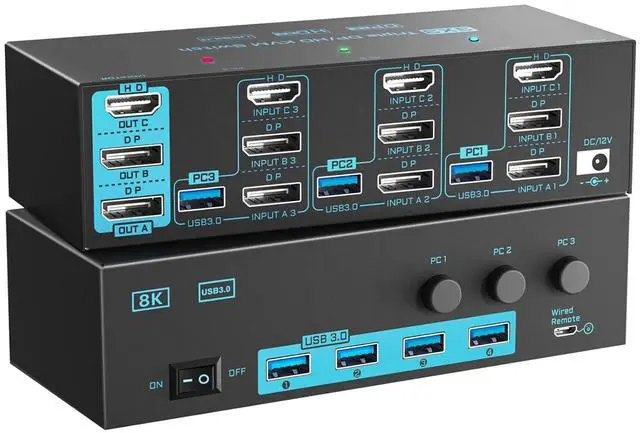
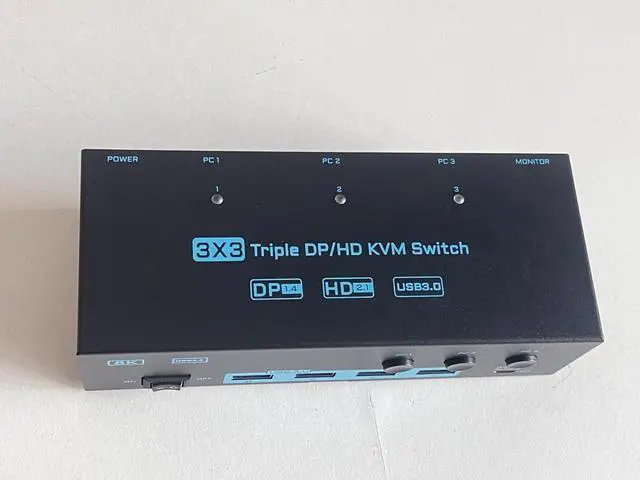
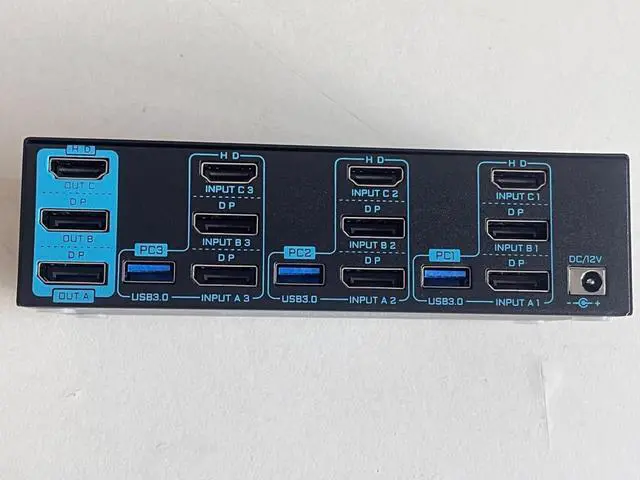
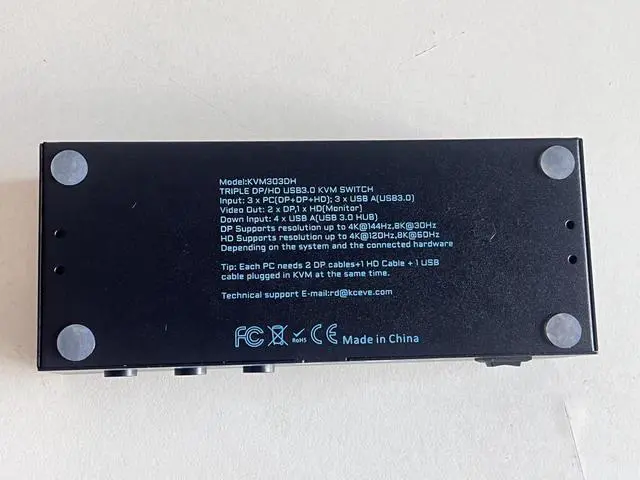


8K/4K KVM Switch 3 Monitors 3 Computers Triple Monitor 3 Port 2 Displayport 1.4 and HDMI 2.1 USB 3.0 KVM Switches, DP 1.4 Supports 8K@30Hz/4K@144Hz, HDMI Supports 8K@60Hz /4K@120Hz with Wired Remote
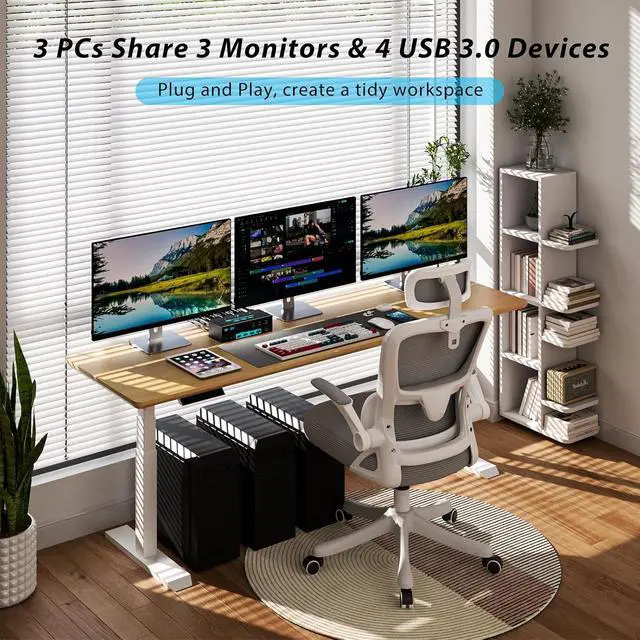
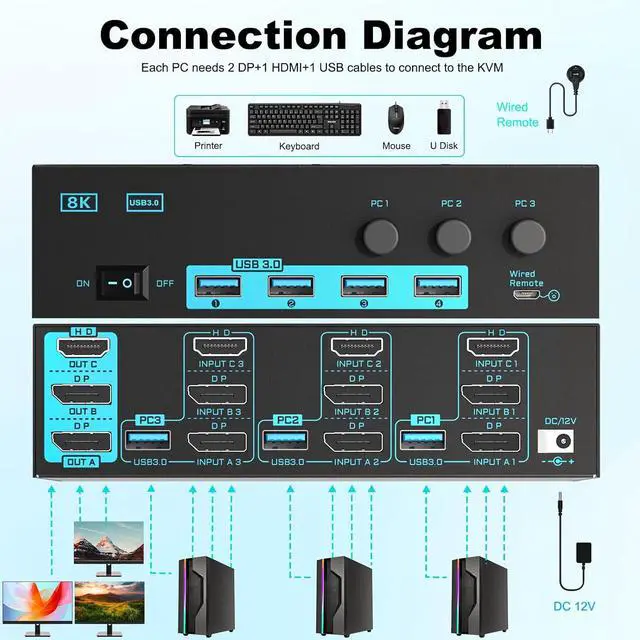
- The 2* Displayport and HDMI triple monitor kvm switch is mainly designed to share 3 monitors (2 DP and 1 HDMI ) and 4 USB 3.0 devices between 3 computers, just plug and play, one-click switching, making it an ideal solution for home offices, multimedia classrooms, business meeting rooms, and gaming setups. : Please make sure each PC has 2 DP+1 HDMI ports and connect to the relevant ports on the Displayport HDMI KVM switch to get 3 external screens
- The 3 monitor kvm switch is compliant with DP 1.4 and HDMI 2.1 standard. Displayport part supports max resolution up to 8K@30Hz/4K@144Hz; HDMI part supports max 8K@60Hz/4K@120Hz, which allows you enjoy stunning visual experience and smooth gaming experience at the same time. : To reach the max resolution, please ensure the sources, monitors, DP cables and HDMI cables all support the resolution
- . The displayport hdmi 3 port kvm
+
+
Overview
Specs
Reviews

Any questions? Our AI mode will help you find out quickly.
Try me now
Elevate your multitasking capabilities with this 3 monitors 3 computers KVM switch, It's ideal for designers, streamers, educators and those who want to manage multiple tasks with just a single click
1Ultra 8K Vivid Visual25Gbps Data Transfer3Wide Compatibility4Convenient Switching Ways52 Display Modes Does this 3 monitors 3 computers KVM switch support connecting Displayport to HDMI adapters ?
Because DisplayPort to HDMI adapters on the market are not standardized, we generally do not recommend using any adapter. If you must use one, please be sure to choose the active version Not passive version
Does this 3 computers 3 monitors KVM switch work with MAC computers?
Generally the 3 monitors KVM switch is compatible with MAC systems, but if you are using a USB-C docking, due to the varying quality of USB-C docking stations on the market, a compatibility issues may arise .
What should I do when I only get 1 screen output?
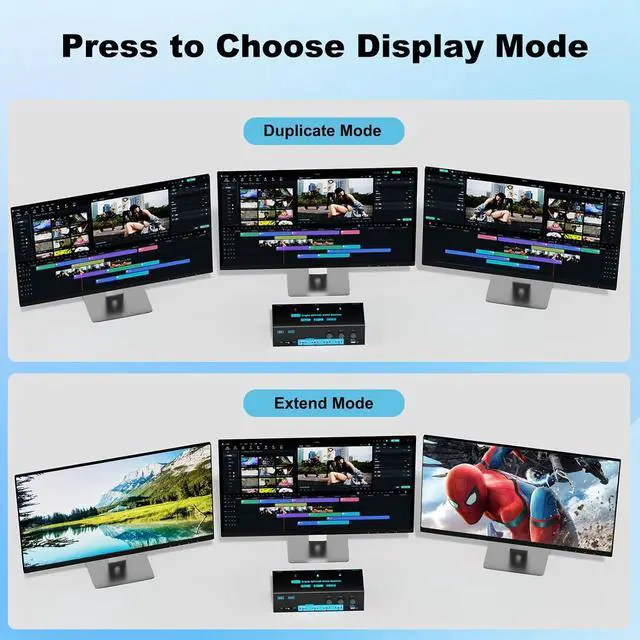
(1) Ensure each PC connects 2 *DP+1*HDMI cables to the 3 monitors 3 PCs KVM switch; (2) Ensure adapters are active version and all video cables are within 1.5M; (3) Press " Windows+P" to choose extend or duplicate mode
3 Computers 3 Monitors 2 Displayport+HDMI Triple Monitor KVM Switch Easy setup, Plug and Play Create Tidy and Efficient Desktop with 3 Computers 3 Monitors KVM Switch Does this 3 monitors 3 computers KVM switch support connecting Displayport to HDMI adapters ?
Does this 3 computers 3 monitors KVM switch work with MAC computers?
What should I do when I only get 1 screen output?
1Ultra 8K Vivid Visual25Gbps Data Transfer3Wide Compatibility4Convenient Switching Ways52 Display Modes Does this 3 monitors 3 computers KVM switch support connecting Displayport to HDMI adapters ?
Because DisplayPort to HDMI adapters on the market are not standardized, we generally do not recommend using any adapter. If you must use one, please be sure to choose the active version Not passive version
Does this 3 computers 3 monitors KVM switch work with MAC computers?
Generally the 3 monitors KVM switch is compatible with MAC systems, but if you are using a USB-C docking, due to the varying quality of USB-C docking stations on the market, a compatibility issues may arise .
What should I do when I only get 1 screen output?
(1) Ensure each PC connects 2 *DP+1*HDMI cables to the 3 monitors 3 PCs KVM switch; (2) Ensure adapters are active version and all video cables are within 1.5M; (3) Press " Windows+P" to choose extend or duplicate mode
3 Computers 3 Monitors 2 Displayport+HDMI Triple Monitor KVM Switch Easy setup, Plug and Play Create Tidy and Efficient Desktop with 3 Computers 3 Monitors KVM Switch Does this 3 monitors 3 computers KVM switch support connecting Displayport to HDMI adapters ?
Does this 3 computers 3 monitors KVM switch work with MAC computers?
What should I do when I only get 1 screen output?
Warranty & Returns
Warranty, Returns, And Additional Information
Warranty
- Please contact the Seller directly for warranty information. Warranty information may also be found on the Manufacturer's website.
- CONTACT
Return Policies
- Return for refund within: 30 days
- Return for replacement within: 30 days
- This item is covered by Chinathru Trading Co., Limited Return Policy
Manufacturer Contact Info
- For a directory of all our manufacturers, please click below.
- Manufacturers Directory
LOADING...