

Your Browsing History
- Free 30-day Returns
$86.99

Meet Your Seller


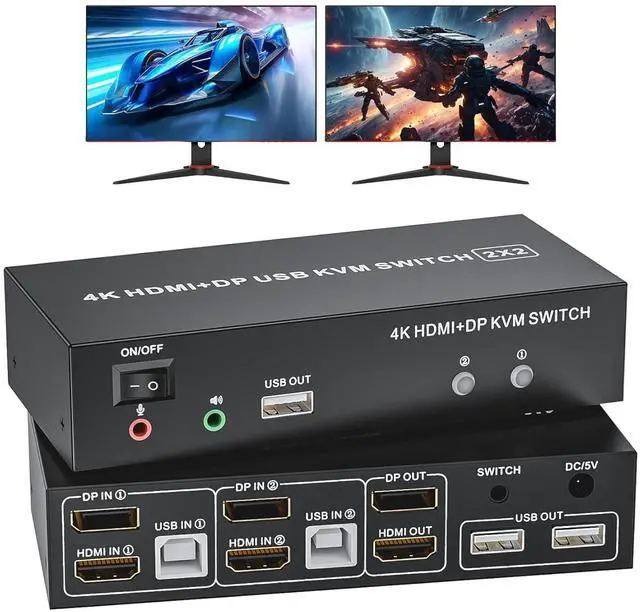


HDMI Displayport KVM Switch 2 Monitors 2 Computers, 4K@60Hz USB 2.0 DP 1.4 KVM Switch w/Audio Micro, Dual Monitor Supports Extended/Mirror Mode, 2-Port for 2 PC Share 1 Set of Keyboard Mouse Printer
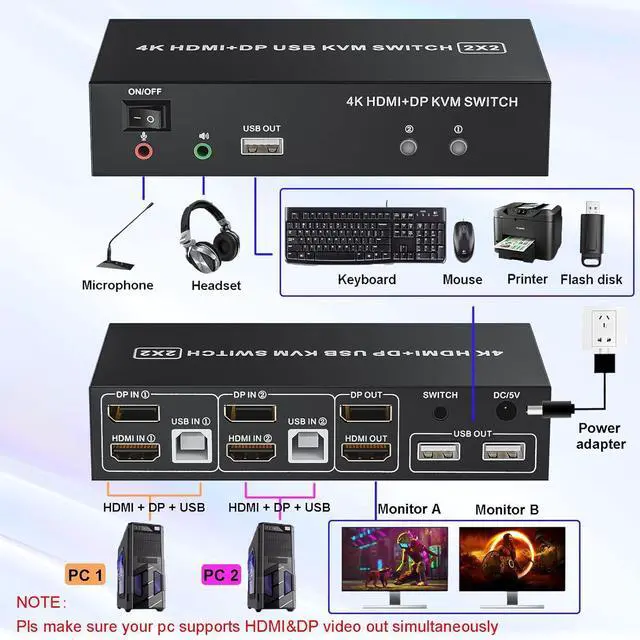
- KVM Switch Dual Monitor: This KVM switch 2 computers 2 monitors help you to control 2 computers or laptops by only one set of wired keyboard and mouse. 2 PCs sharing a printer, keyboard, mouse, microphone and audio. Additional USB 2.0 x3 for printer, keyboard and mouse
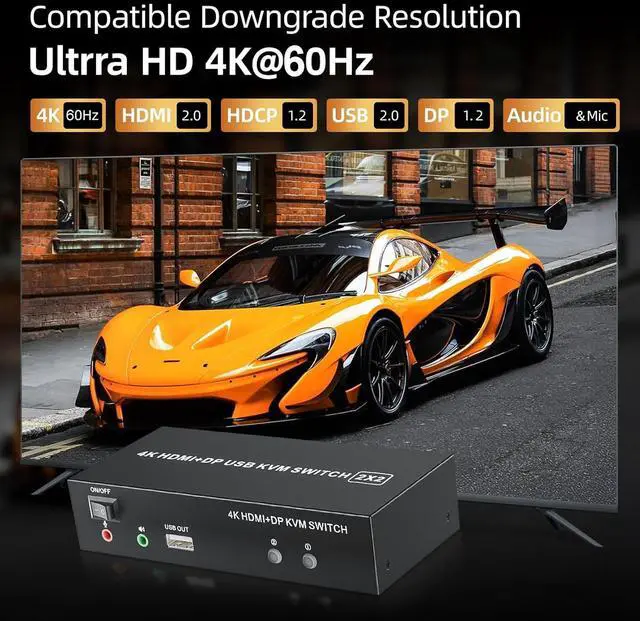
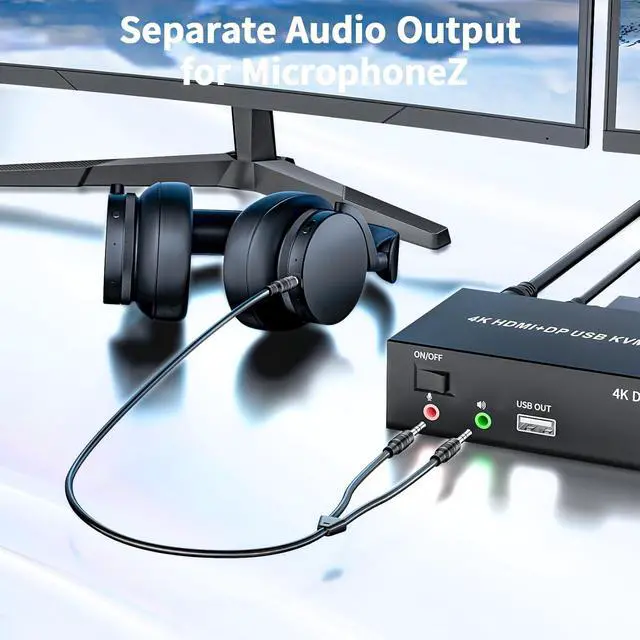
- 4K@60Hz Resolution: USB HDMI KVM switch supports maximum resolution up to 4K@60Hz, and backwards compatible with 1080P, 720P, 480P, etc. Also supports 3.5mm audio and mircrophone out
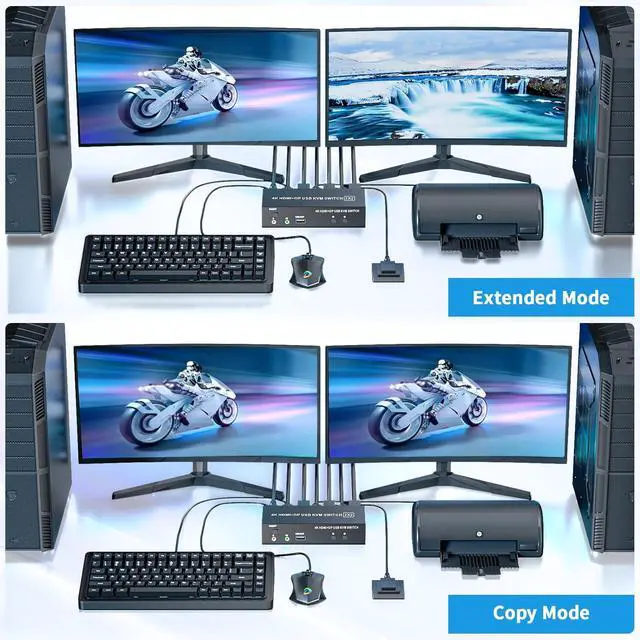
- Extended & Copy Mode: DP dual monitor KVM switcher supports copy and extended modes; In copy mode, it will display same content on 2 monitors. In extended mode, it will display two different screens; NOTE: Please make sure your computer supports multi-screen display
- Wide Conpatible: LUKFOCAB KMV switcher is plug and play, no extra drive needed; Compatible with HDMI 2.0 and HDCP1.2, supports USB2.0 protocol; Windows 10/ 8/ 7/ Vista/ XP and Mac OS, Linux, which can adapt to a variety of complex environments
- USB 2.0 Switch KVM: The 2-p
+
+
Overview
Specs
Reviews

Any questions? Our AI mode will help you find out quickly.
Try me now
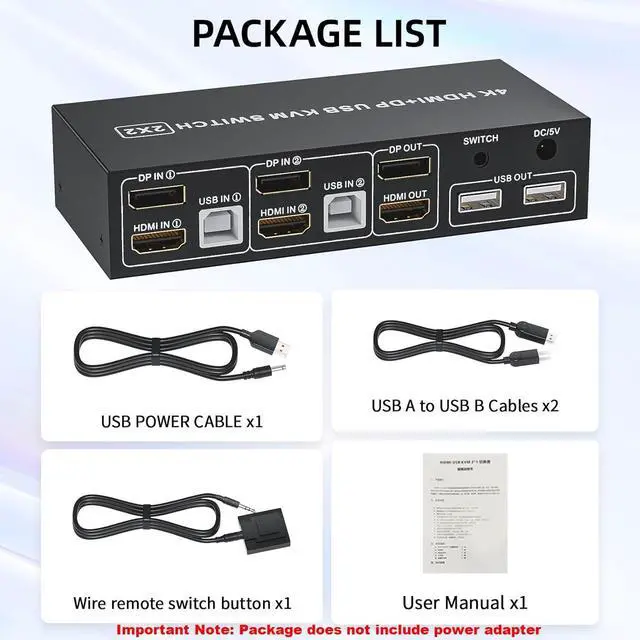
The HDMI,Displayport and USB input must be corresponding with each other
HDMI IN1 + DP IN1 + USB IN1=PC1HDMI IN2 + DP IN2 + USB IN2=PC2
Important Note:
Wireless mouse and keyboads are not supportedMechanicalkeyboards and mouses are not supported, standard 104-key wired USBkeyboard, standard 2 or 3 button wired USB mouse are recommendedShort key switch via keyboard is not supportedFor reliability, pls do not set the referesh rates more than 60HzHDMIATC certified HDMI 2.0 and Displayport Vesa Certified 1.2 and abovecable are needed. Most sync issues are caused by poor cablePlsmake sure both of your PC or laptop comes with HDMI and displayport.And It is capable of supporting 2 video out simultaneously
Using this dual Monitor KVM Switch to control 2 computers or laptopswith HDMI and Displayport out. (Every computer must support 2 screen orabove display functions and must support extended display)
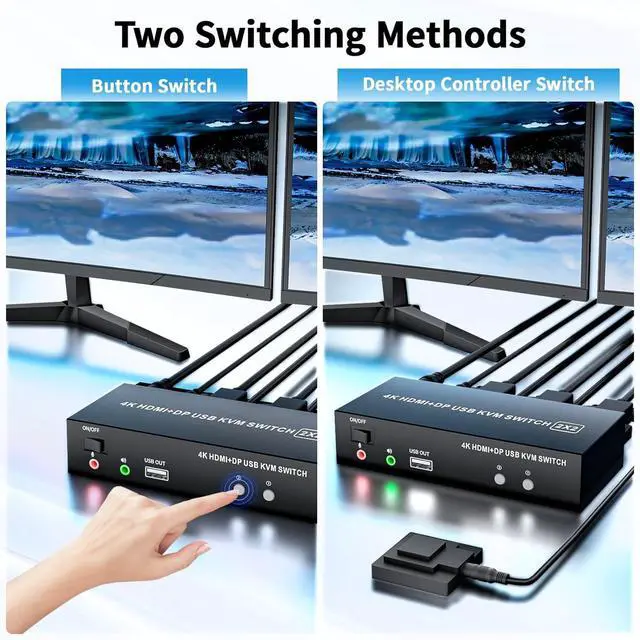
Using the remote to switch 2 monitors between 2 computers with one set of keyboard and mouse
Boost Yout Productivity with Extra Screens Dual Monitor KVM Switch 4K HDMI + DP KVM Switch Wired Remote Control
HDMI IN1 + DP IN1 + USB IN1=PC1HDMI IN2 + DP IN2 + USB IN2=PC2
Important Note:
Wireless mouse and keyboads are not supportedMechanicalkeyboards and mouses are not supported, standard 104-key wired USBkeyboard, standard 2 or 3 button wired USB mouse are recommendedShort key switch via keyboard is not supportedFor reliability, pls do not set the referesh rates more than 60HzHDMIATC certified HDMI 2.0 and Displayport Vesa Certified 1.2 and abovecable are needed. Most sync issues are caused by poor cablePlsmake sure both of your PC or laptop comes with HDMI and displayport.And It is capable of supporting 2 video out simultaneously
Using this dual Monitor KVM Switch to control 2 computers or laptopswith HDMI and Displayport out. (Every computer must support 2 screen orabove display functions and must support extended display)
Using the remote to switch 2 monitors between 2 computers with one set of keyboard and mouse
Boost Yout Productivity with Extra Screens Dual Monitor KVM Switch 4K HDMI + DP KVM Switch Wired Remote Control
Warranty & Returns
Warranty, Returns, And Additional Information
Warranty
- Please contact the Seller directly for warranty information. Warranty information may also be found on the Manufacturer's website.
- CONTACT
Return Policies
- Return for refund within: 30 days
- Return for replacement within: 30 days
- This item is covered by Chinathru Trading Co., Limited Return Policy
Manufacturer Contact Info
- For a directory of all our manufacturers, please click below.
- Manufacturers Directory
LOADING...