

Your Browsing History
- Free 30-day Returns
$180.99

Meet Your Seller


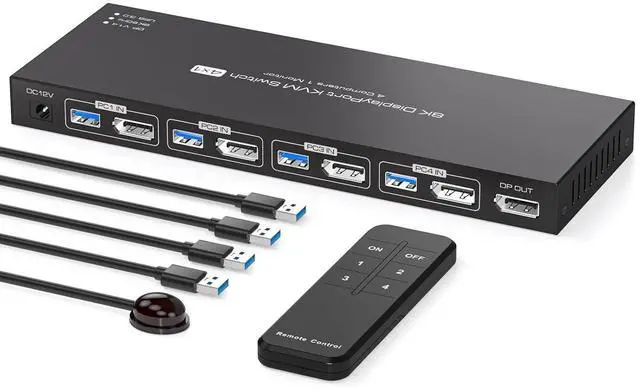
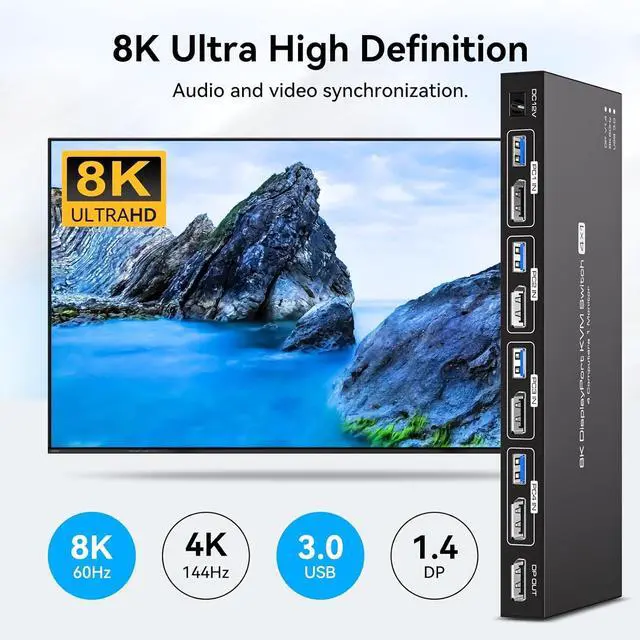
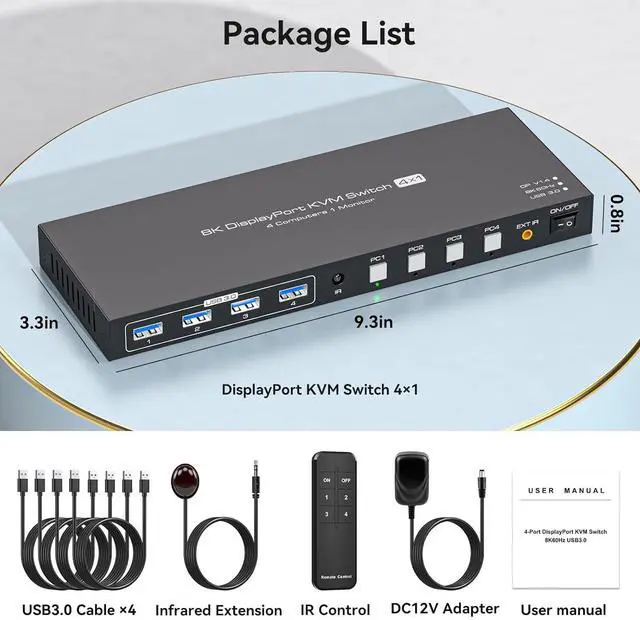


8K Displayport KVM Switch 4 Computers 1 Monitor 4K144Hz 4 Port KVM Sharing 1 Monitor and 4 USB 3.0 Device with Controller Support Extended/Copy Mode
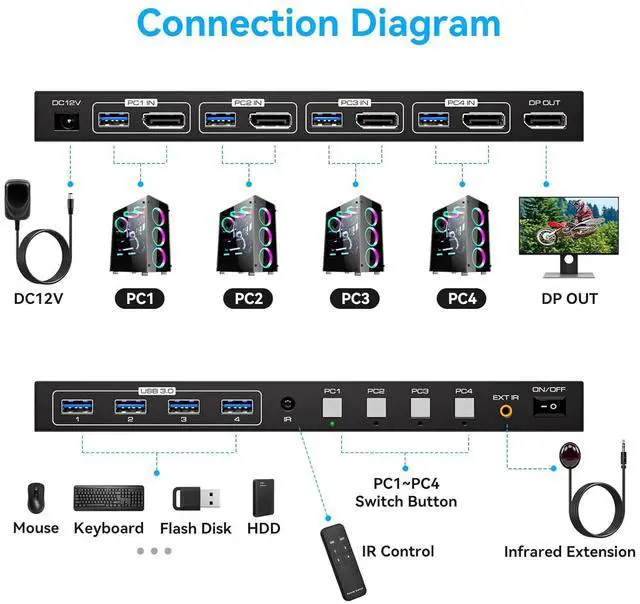
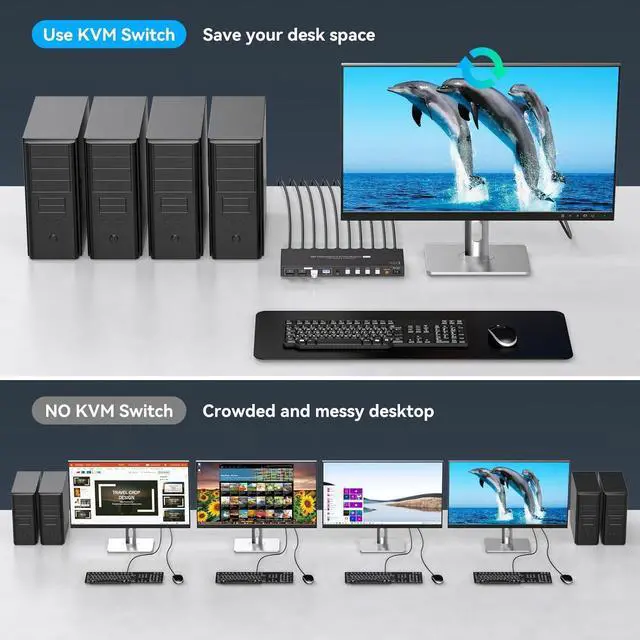
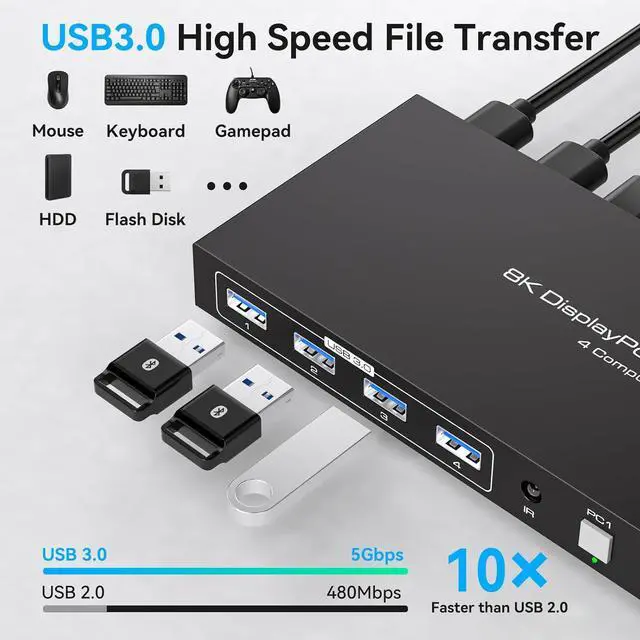
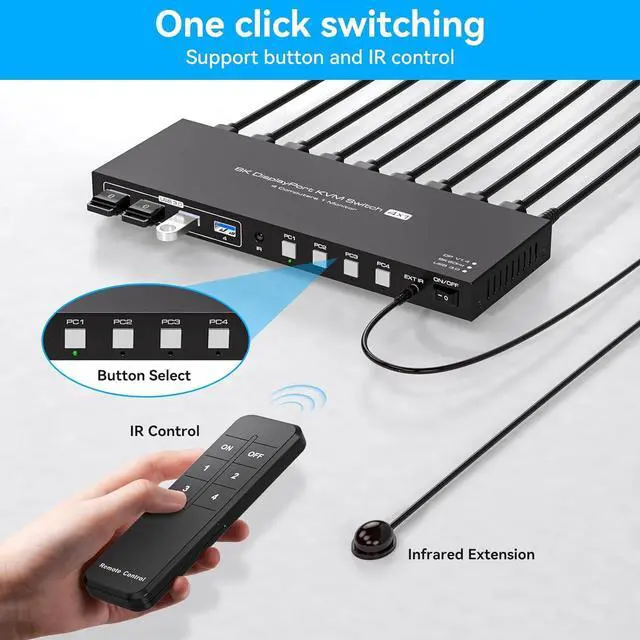
- KVM Switchkvm switch 4 computers allows 4 computers to share 1 monitor and 4 USB3.0 devices. For example, mice, keyboards, printers, etc. Simply use the remote control or the switch button on the panel to easily switch between the 4 computers
- 8K@60Hz Ultra HD ResolutionThe displayport KVM supports a stunning resolution of up to 8K@60Hz. The high definition resolution allows you to display images in more detailed and vivid colours, which is a real feast for the eyes. It is also backward compatible with resolutions such as 4K@144Hz 4K@60Hz, 1080P@60Hz and 720P@60Hz. Note: To achieve the highest resolution, make sure the source, DP cable all support 8K@60Hz
- Two Switching Modes 1. Panel key switching: You can use the panel keys to switch computers directly. 2. IR remote control switching: Use the remote control to switch the computer you need to work on. (Note: When using the remote control, please make sure the infrared receiver is connected to the device)
- USB3.0 High Speed Tra
+
+
Overview
Specs
Reviews

Any questions? Our AI mode will help you find out quickly.
Try me now
Unable to use 8k resolution
The product supports 8K@60Hz/4K@144Hz and requires a high quality DP cable: use a high refresh rate cable (8K60Hz/4K120Hz) within 3 feet.
How to solve the problem of flickering screen or intermittent connection?
Reduce the resolution of the monitor to 4K@60Hz, if it works fine at 4K, we recommend replacing the 4K@120Hz high refresh rate cable within 3 feet or a high quality docking station/adapter cable (to enable output of 8K resolution content).
How to solve the problem that one of the computers can't output the content?
First confirm: switch to which computer when the output is abnormal, try to exchange the position with other devices and cables that can display normally, to confirm the port abnormality or device problems.
How to solve the problem of USB device disconnection or USB data can not be shared?
Try swapping the ends of the USB cables/changing the USB ports of the PC/exchanging the input channels of the 4 PC/Or try a different mouse and keyboard. If you still can't solve the problem, please ask us for help in time.
displayport kvm switch 4 pc KVM switch does not work
Unable to use 8k resolution
How to solve the problem of flickering screen or intermittent connection?
How to solve the problem that one of the computers can't output the content?
How to solve the problem of USB device disconnection or USB data can not be shared?
The product supports 8K@60Hz/4K@144Hz and requires a high quality DP cable: use a high refresh rate cable (8K60Hz/4K120Hz) within 3 feet.
How to solve the problem of flickering screen or intermittent connection?
Reduce the resolution of the monitor to 4K@60Hz, if it works fine at 4K, we recommend replacing the 4K@120Hz high refresh rate cable within 3 feet or a high quality docking station/adapter cable (to enable output of 8K resolution content).
How to solve the problem that one of the computers can't output the content?
First confirm: switch to which computer when the output is abnormal, try to exchange the position with other devices and cables that can display normally, to confirm the port abnormality or device problems.
How to solve the problem of USB device disconnection or USB data can not be shared?
Try swapping the ends of the USB cables/changing the USB ports of the PC/exchanging the input channels of the 4 PC/Or try a different mouse and keyboard. If you still can't solve the problem, please ask us for help in time.
displayport kvm switch 4 pc KVM switch does not work
Unable to use 8k resolution
How to solve the problem of flickering screen or intermittent connection?
How to solve the problem that one of the computers can't output the content?
How to solve the problem of USB device disconnection or USB data can not be shared?
Warranty & Returns
Warranty, Returns, And Additional Information
Warranty
- Please contact the Seller directly for warranty information. Warranty information may also be found on the Manufacturer's website.
- CONTACT
Return Policies
- Return for refund within: 30 days
- Return for replacement within: 30 days
- This item is covered by Chinathru Trading Co., Limited Return Policy
Manufacturer Contact Info
- For a directory of all our manufacturers, please click below.
- Manufacturers Directory
LOADING...