

Your Browsing History
- Free 30-day Returns
$108.99

Meet Your Seller

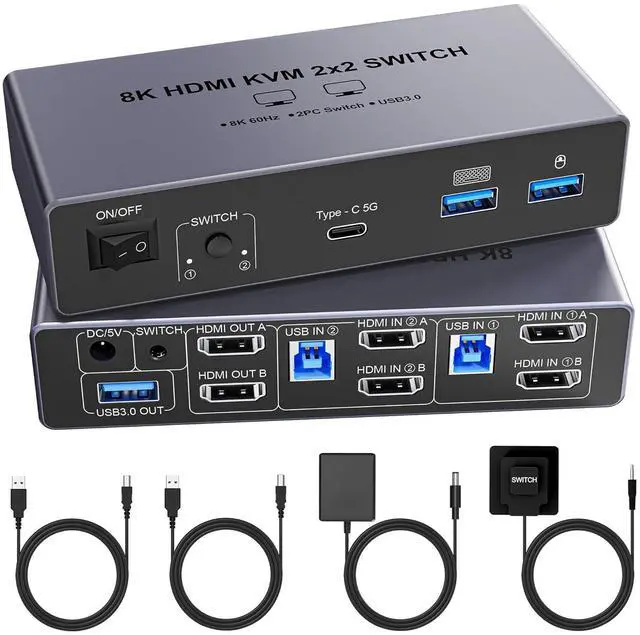


8K@60Hz HDMI KVM Switch 2 Monitors 2 Computers, with 4 USB 3.0 Ports (3 USB-A+1 USB-C) for 2 Computers Sharing 2 Monitors Keyboard Mouse Printer with 2 USB Cables, Power Adapter and Controller
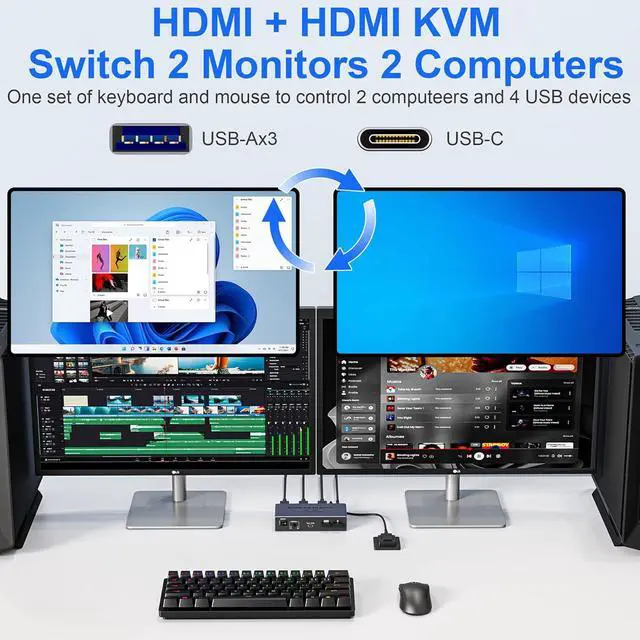
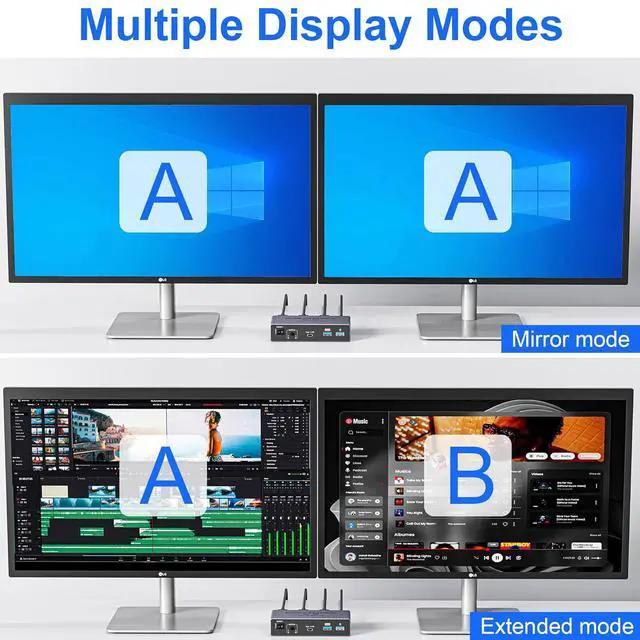
- HDMI KVM Switch 2 Monitors 2 Computers: 2 port HDMI KVM Perfects for hooking up 2 desktops or laptops to share 2 monitors and 1 set of keyboard, mouse for home office setup, gaming consoles and streaming devices. Only when your computer supports dual display, you can use this KVM to achieve two computers to share two monitors, extended mode or copy mode. (NOTE: This is HDMI KVM switch, not DisplayPort KVM switch.)
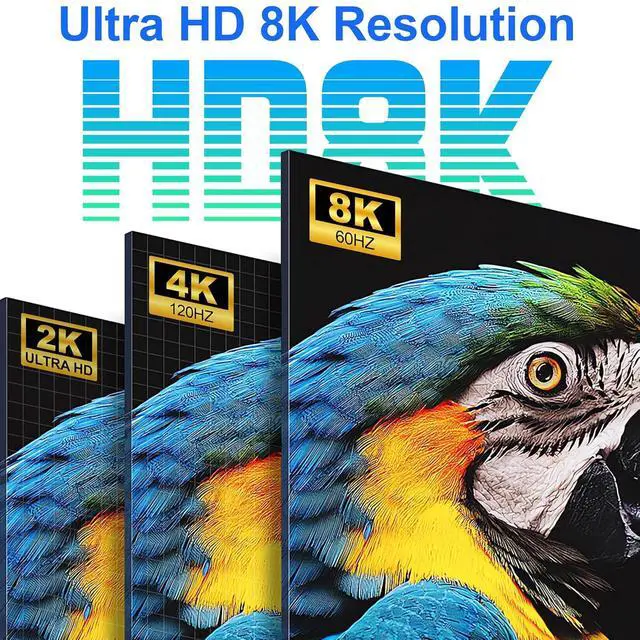
- Crystal Clear 8K@60Hz Resolution: Experience the future of visual technology with our 8K@60Hz KVM Switch, delivering crystal-clear resolution for the most immersive viewing experience. Stay ahead of the curve and enjoy stunning visuals like never before, ensuring every detail is captured with utmost clarity. And if you need different resolutions, fear not, it also supports 8K@30Hz, 4K@120Hz, 3D and 1080P as well.
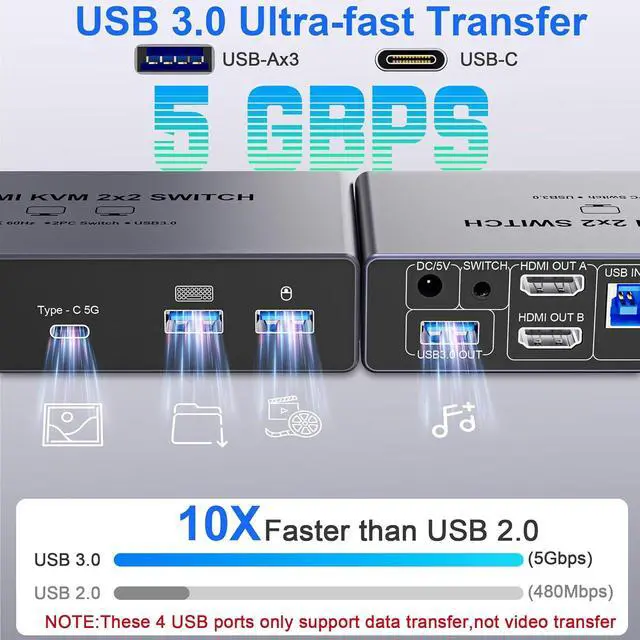
- With 4 USB 3.0 Ports: This Dual Monitor HDMI KVM switch has 4 USB 3.0 ports (3 USB-A+1 USB-C) for sharing mouse, keyboard, USB flash drives, printer, and other US
+
+
Overview
Specs
Reviews

Any questions? Our AI mode will help you find out quickly.
Try me now
8K@60Hz HDMI KVM Switch 2 Monitors 2 Computers with 4 USB 3.0 ports (3 USB-A+1 USB-C)
2 port HDMI KVM Perfects for hooking up 2 desktops or laptops to share 2 monitors and 1 set of keyboard, mouseOnly when your computer supports dual display, you can use this KVM to achieve two computers to share two monitors, extended mode or copy mode.(NOTE: This is HDMI KVM switch, not DisplayPort KVM switch.)
installation steps:
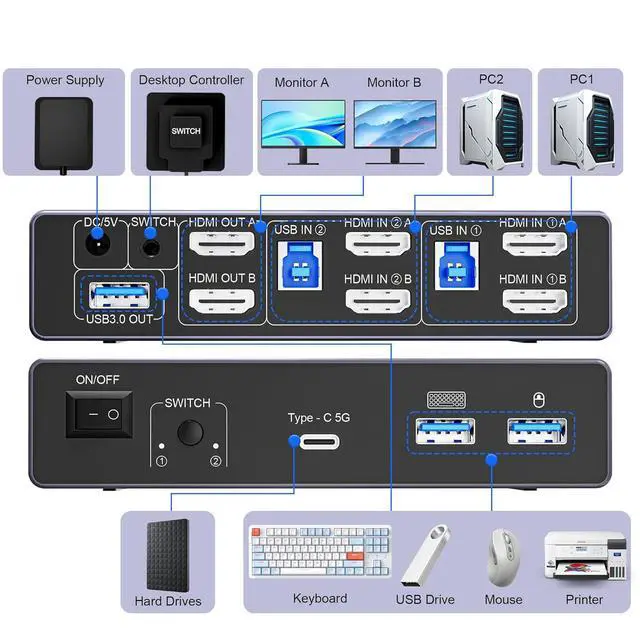
1. Insert the power adapter into the KVM ;2. Plug the HDMI cable into the KVM and monitor;(Output)3. Plug the 2* HDMI cables and USB 3.0 cable into the KVM and your computer/laptop (HDMI cables are not included)(Input)HDMI IN1 A + HDMI IN1 B + USB IN1=PC1HDMI IN2 A + HDMI IN2 B + USB IN2=PC24. Insert the mouse and keyboard into the KVM switch
8K@60Hz Resolution:
Experience the future of visual technology with our 8K@60Hz KVM Switch, delivering crystal-clear resolution for the most immersive viewing experience.Stay ahead of the curve and enjoy stunning visuals like never before, ensuring every detail is captured with utmost clarity.And if you need different resolutions, fear not, it also supports 8K@30Hz, 4K@120Hz, 3D and 1080P as well.
With 4 USB 3.0 Ports:
This Dual Monitor HDMI KVM switch has 4 USB 3.0 ports (3 USB-A+1 USB-C) for sharing mouse, keyboard, USB flash drives, printer, and other USB devices. USB 3.0 offers data transfer speeds of up to 5Gbps, which allows faster data transfer to make work more efficient.NOTE: To ensure USB devices normal usage, please make sure to connect the power supply via the power adapter
Two Switching Modes:
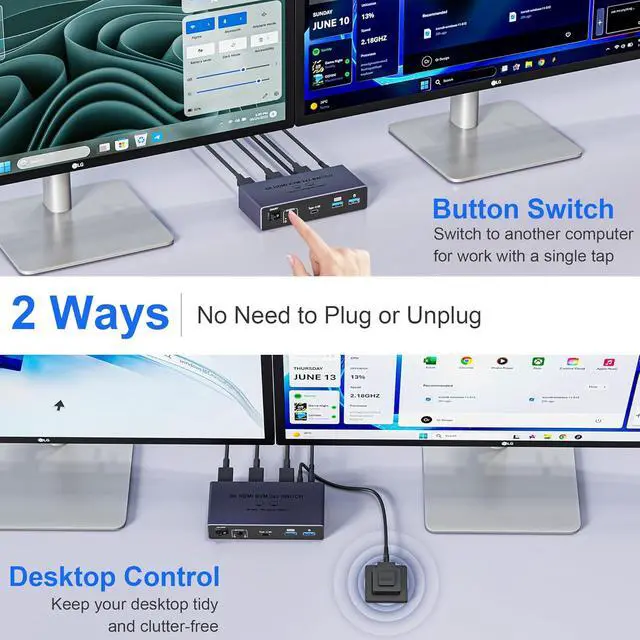
It supports desktop controller switching and button switching, freely switch between 2 computers.With the desktop controller, you can place this monitor switch for 2 computers outside your work area, making your desktop tidier and cleaner.NOTE: Not support Keyboard shortcuts (hotkeys) toggles
NOTE:
1, Please make sure each of your computers can support dual-screen displaying at the same time. 2, Please make sure your computer has 2 HDMI ports+1 USB-A port. 3, Each computer must connect 2 HDMI cables + 1 USB-A cable to ensure working properly. 4, The two monitors can only output the video source from one computer, and cannot output the signal source of PC1 and PC2 at the same time. 5, To ensure normal usage, please make sure to connect the power supply via the power adapter
2 port HDMI KVM Perfects for hooking up 2 desktops or laptops to share 2 monitors and 1 set of keyboard, mouseOnly when your computer supports dual display, you can use this KVM to achieve two computers to share two monitors, extended mode or copy mode.(NOTE: This is HDMI KVM switch, not DisplayPort KVM switch.)
installation steps:
1. Insert the power adapter into the KVM ;2. Plug the HDMI cable into the KVM and monitor;(Output)3. Plug the 2* HDMI cables and USB 3.0 cable into the KVM and your computer/laptop (HDMI cables are not included)(Input)HDMI IN1 A + HDMI IN1 B + USB IN1=PC1HDMI IN2 A + HDMI IN2 B + USB IN2=PC24. Insert the mouse and keyboard into the KVM switch
8K@60Hz Resolution:
Experience the future of visual technology with our 8K@60Hz KVM Switch, delivering crystal-clear resolution for the most immersive viewing experience.Stay ahead of the curve and enjoy stunning visuals like never before, ensuring every detail is captured with utmost clarity.And if you need different resolutions, fear not, it also supports 8K@30Hz, 4K@120Hz, 3D and 1080P as well.
With 4 USB 3.0 Ports:
This Dual Monitor HDMI KVM switch has 4 USB 3.0 ports (3 USB-A+1 USB-C) for sharing mouse, keyboard, USB flash drives, printer, and other USB devices. USB 3.0 offers data transfer speeds of up to 5Gbps, which allows faster data transfer to make work more efficient.NOTE: To ensure USB devices normal usage, please make sure to connect the power supply via the power adapter
Two Switching Modes:
It supports desktop controller switching and button switching, freely switch between 2 computers.With the desktop controller, you can place this monitor switch for 2 computers outside your work area, making your desktop tidier and cleaner.NOTE: Not support Keyboard shortcuts (hotkeys) toggles
NOTE:
1, Please make sure each of your computers can support dual-screen displaying at the same time. 2, Please make sure your computer has 2 HDMI ports+1 USB-A port. 3, Each computer must connect 2 HDMI cables + 1 USB-A cable to ensure working properly. 4, The two monitors can only output the video source from one computer, and cannot output the signal source of PC1 and PC2 at the same time. 5, To ensure normal usage, please make sure to connect the power supply via the power adapter
Warranty & Returns
Warranty, Returns, And Additional Information
Warranty
- Please contact the Seller directly for warranty information. Warranty information may also be found on the Manufacturer's website.
- CONTACT
Return Policies
- Return for refund within: 30 days
- Return for replacement within: 30 days
- This item is covered by Chinathru Trading Co., Limited Return Policy
Manufacturer Contact Info
- For a directory of all our manufacturers, please click below.
- Manufacturers Directory
LOADING...