

Your Browsing History
- Free 30-day Returns
$106.99

Meet Your Seller

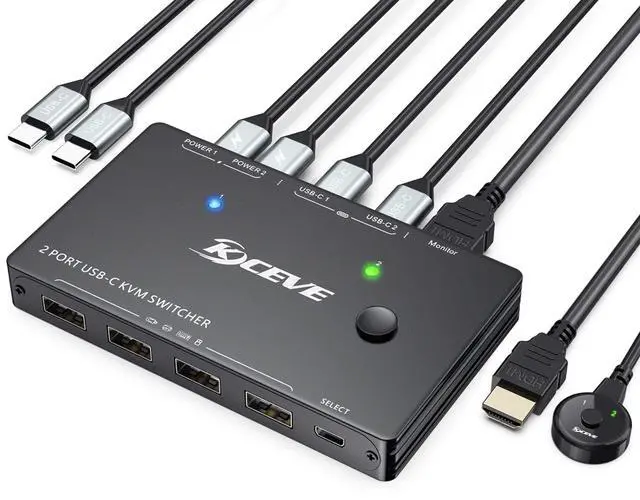


USB C KVM Switch 4K@60Hz, USB C Switch for 2 Laptops Share 1 Monitor and 4 USB Peripherals, Thunderbolt 3 Compatible, 100W PD, Wired Remote and USB-C & HDMI Cables Included
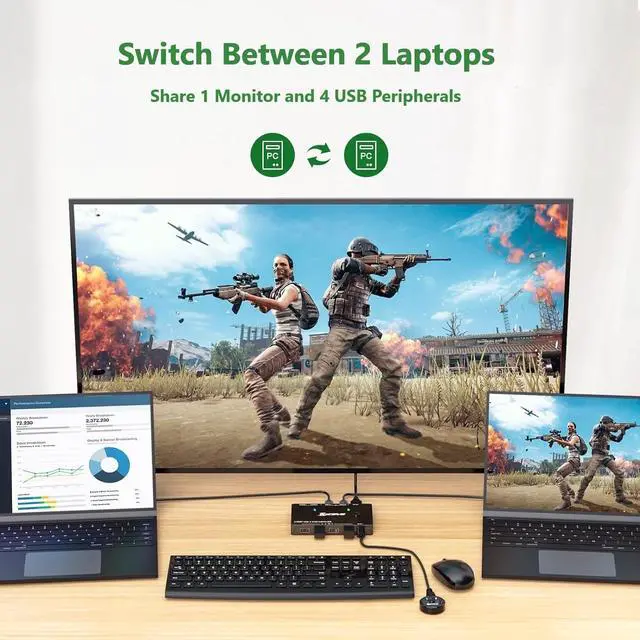
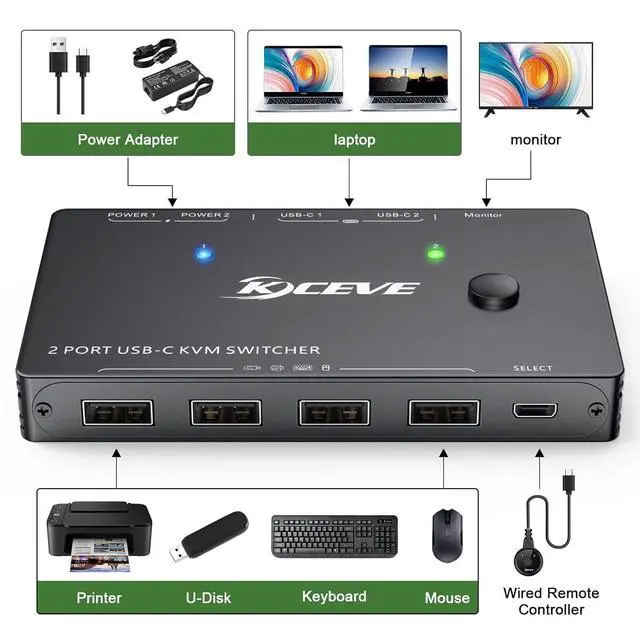
- 2 Ports USB C KVM Switch This USB Type-C KVM switch enables switching between 2 laptops, sharing 1 HDMI monitor and 4 USB peripherals (wired/wireless keyboard, mouse, printer). 2 Type-C input,1 HDMI output.
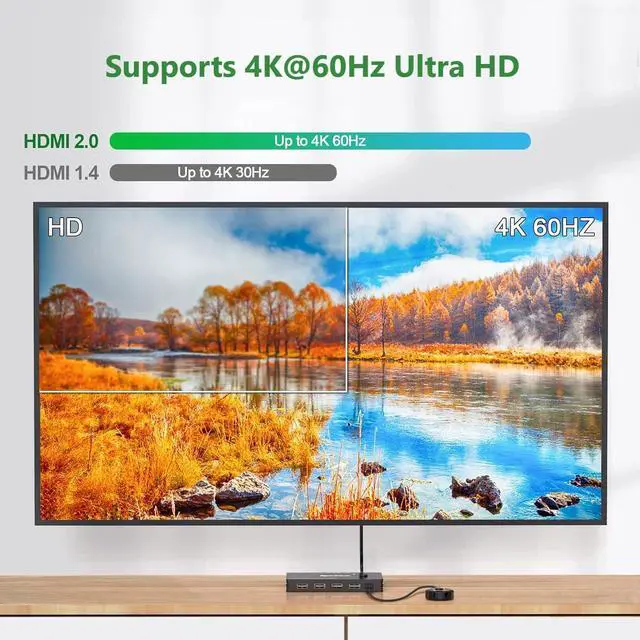
- 4K Ultra HD USB-C KVM Switch KVM switch USB C supports up to 4K@60Hz, 1080P@120Hz & lower resolutions, delivering crystal-clear visuals with sharp, detailed imagery.
- USBC KVM Switch with 4 USB Ports ANGEET USB-C KVM switch features 4 USB ports for wireless keyboard, mouse and other USB peripherals, with transfer rate of up to 480Mbps.
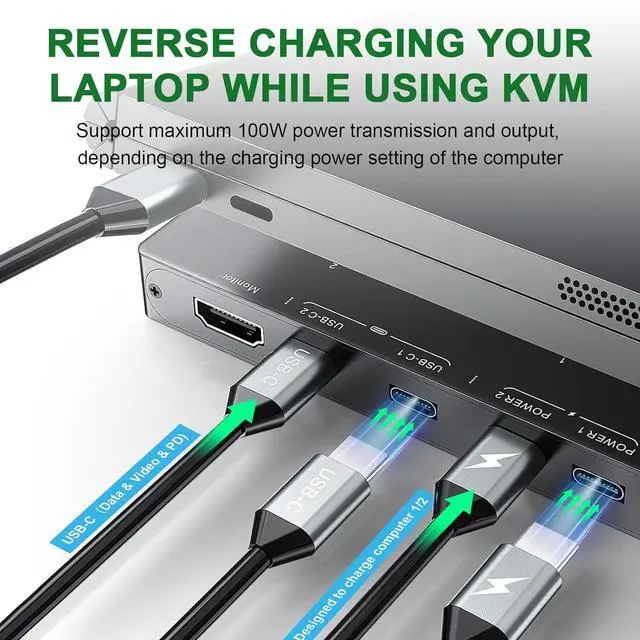
- Fast Laptop Charging This USB C KVM switch has 2 PD charging port (labeled POWER 1/POWER 2) to power your laptops during use. The actual charging power is approximately 80W.
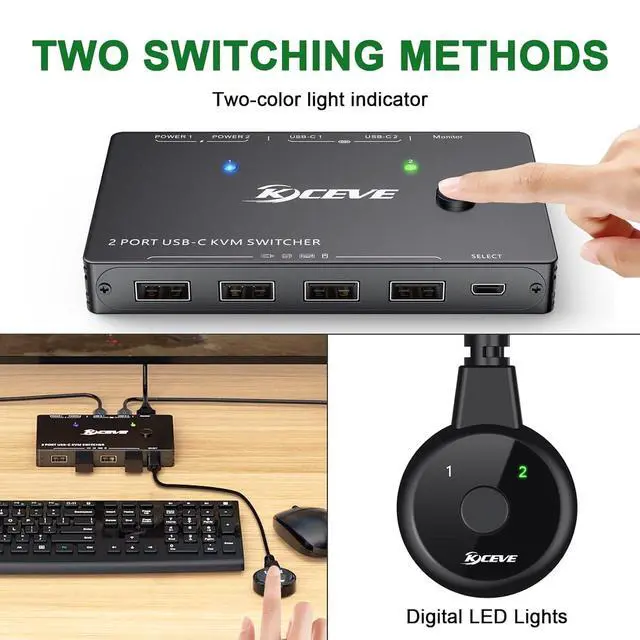
- Great Compatibility & Easy SwitchUSB C KVM switches driver-free for Windows, Mac OS and Linux, fully compatible with Thunderbolt 3. Effortlessly switch between 2 laptops via panel button or wired remote. Note: Keyboard shortcuts (hotkeys) are not support
+
+
Overview
Specs
Reviews

Any questions? Our AI mode will help you find out quickly.
Try me now
Supports up to 100W reverse charging for laptops, completely solving the issue of USB-C charging ports being occupied while using the KVM switch.USB Type-C Alternate Mode to HDMI 2.0 output with resolution up to 4k@60Hz, 2K@120Hz, backward compatible.Fully compatible with Thunderbolt 3,it is aslo a thunderbolt KVM switch.Switching Modes: Panel Button and Wired Remote.USB C KVM with 4 USB ports, suitable for keyboard, mouse, printer, U disk, etc.
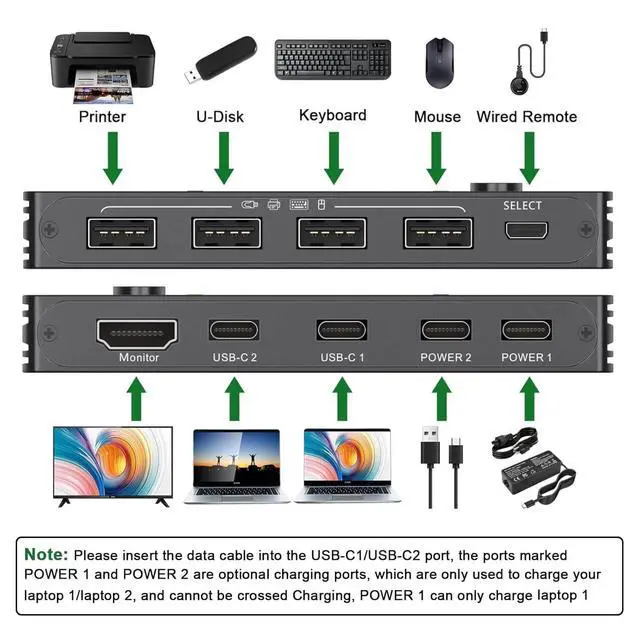
1. Connect Laptop 1 to the USB-C1 port ;
2. Connect Laptop 2 to the USB-C2 port ;
3. Connect your monitor to the HDMI port labeled "monitor";
4. Connect your keyboard,mouse,U disk to the USB-A ports;
5. Connect the wired remote to switch between the laptops;
6.Connect your laptop's power adapter to the POWER 1/POWER 2 ports to charge your laptops.
Support 4K@60Hz, 2K@120Hz,3440x
1440@100Hz and backward compatible with lower resolutions.
2 Port USB C KVM Switch, 2 x USB C Inputs (1 for Each Laptop), 1 x HDMI Monitor Output Easy to set up, all necessary cables for connecting laptops and monitor are included. The 1.5m wired remote control with digital LED indicators helps you manage cables and keeps your desktop neat and tidy. 4K HD Resolution
1. Connect Laptop 1 to the USB-C1 port ;
2. Connect Laptop 2 to the USB-C2 port ;
3. Connect your monitor to the HDMI port labeled "monitor";
4. Connect your keyboard,mouse,U disk to the USB-A ports;
5. Connect the wired remote to switch between the laptops;
6.Connect your laptop's power adapter to the POWER 1/POWER 2 ports to charge your laptops.
Support 4K@60Hz, 2K@120Hz,3440x
1440@100Hz and backward compatible with lower resolutions.
2 Port USB C KVM Switch, 2 x USB C Inputs (1 for Each Laptop), 1 x HDMI Monitor Output Easy to set up, all necessary cables for connecting laptops and monitor are included. The 1.5m wired remote control with digital LED indicators helps you manage cables and keeps your desktop neat and tidy. 4K HD Resolution
Warranty & Returns
Warranty, Returns, And Additional Information
Warranty
- Please contact the Seller directly for warranty information. Warranty information may also be found on the Manufacturer's website.
- CONTACT
Return Policies
- Return for refund within: 30 days
- Return for replacement within: 30 days
- This item is covered by Chinathru Trading Co., Limited Return Policy
Manufacturer Contact Info
- For a directory of all our manufacturers, please click below.
- Manufacturers Directory
LOADING...