

Your Browsing History
- Free 30-day Returns
$106.99

Meet Your Seller


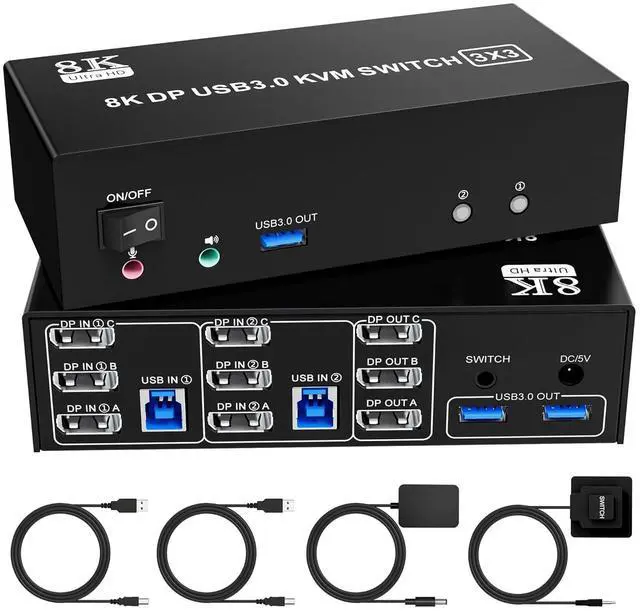


8K@60Hz Displayport KVM Switch 3 Monitors 2 Computers, 4K@144Hz KVM Switch DP 1.4 with 3 USB 3.0 Ports Sharing Keyboard and Mouse, Printer/Hard Drives, Desktop Controller
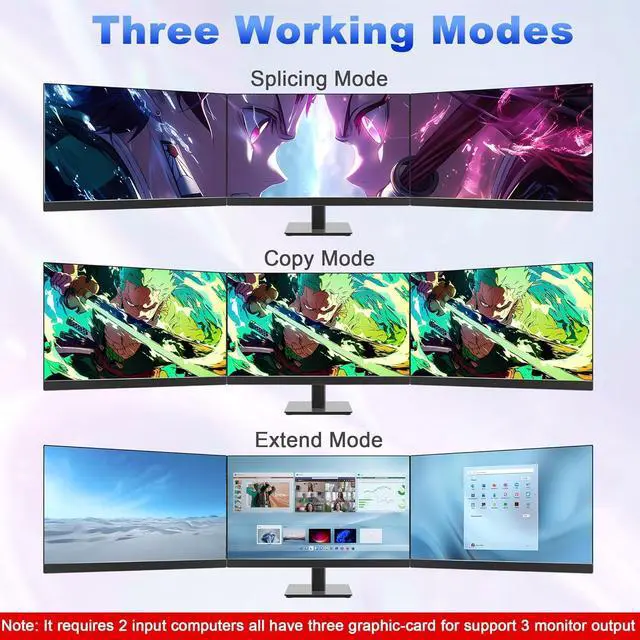
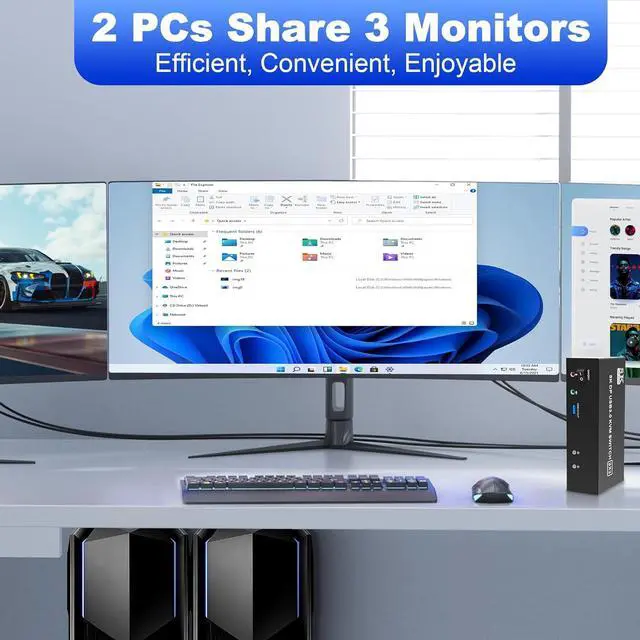
- KVM Switch for 3 Monitors and 2 Computers: This KVM switch displayport enables seamless connectivity for 2 computers with 3 DisplayPort monitors. Control all your displays using a single keyboard and mouse, effortlessly switching between Splicing Mode (combined screens), Extended Mode (different images), and Copy Mode (identical displays). Ensure your computers support multi-display with 3 DP ports each for optimal performance.
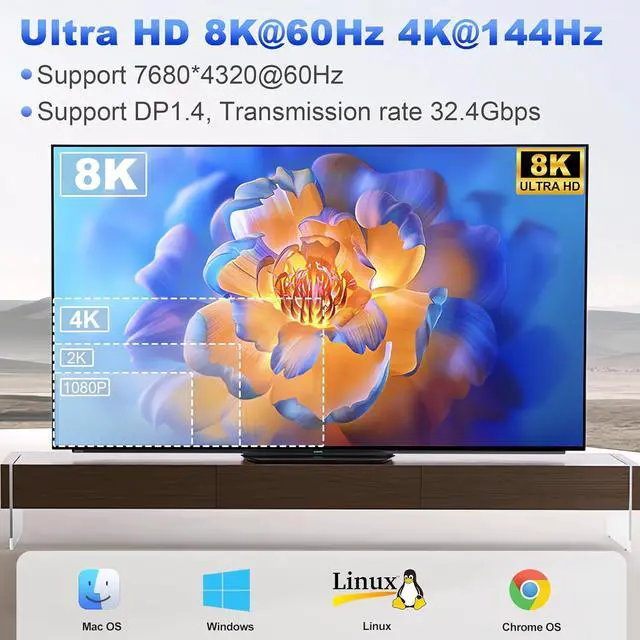
- Stunning 8K@60Hz Ultra HD Resolution: Enjoy breathtaking visuals with our KVM Switch Triple Monitor that supports resolutions up to 8K@60Hz. It is backward compatible with various 4K resolutions, including 4K@240Hz, 4K@120Hz, 4K@60Hz, 4K@30Hz and below. Experience crystal-clear image quality that enhances your gaming and professional scenarios. (Note: Both your computer and monitor must support 8K, and an 8K DP1.4 cable is required for maximum resolution.)
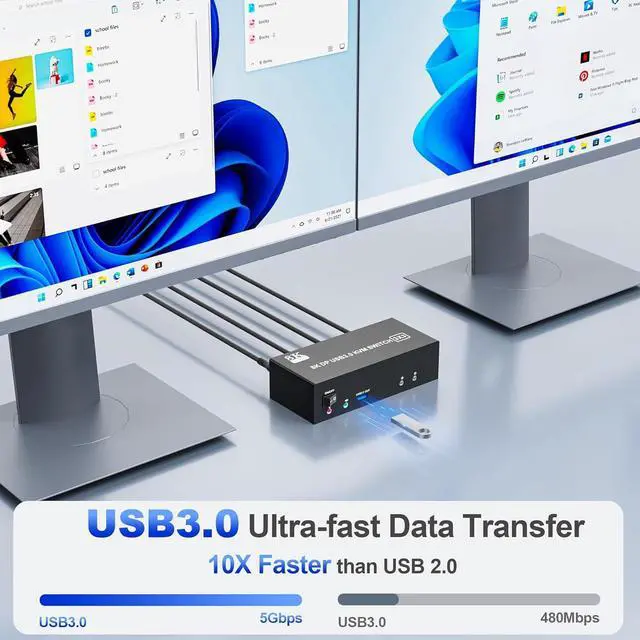
- High-Speed USB 3.0 Connectivity: Featuring 3 USB 3.0 ports, this 3 monitor KVM switches allows super-fas
+
+
Overview
Specs
Reviews

Any questions? Our AI mode will help you find out quickly.
Try me now
USB3.0 KVM Switch is a powerful solution for users who need to manage multiple computers and displays efficiently. With the ability to support 3 monitors and 2 computers, this KVM switch allows seamless switching between devices, maximizing productivity and enhancing your workspace.
Product Specifications
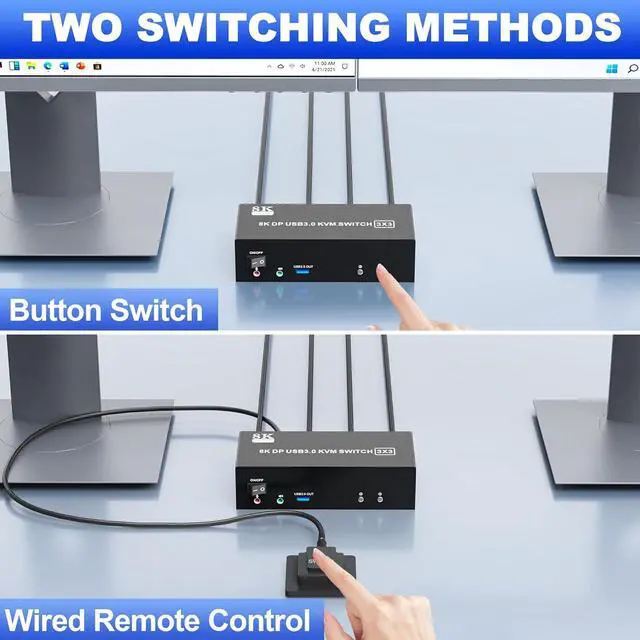
1. 8K Triple Monitor KVM Switch allows 2 computers/laptops to share one set of keyboard, mouse, and 3 monitors (3 DisplayPort)2. Support DP 1.4 standards and downward compatibility. 3 monitors output support up to 8K@60Hz for extended,mirrored or spliced displayDepends on your computer's graphics card.;3. 2 Switching modes: Button switch and wired remote.4. KVM switch equipped with 3 USB 3.0 ports for USB devices, and with extra Audio Microphone output
installation steps:
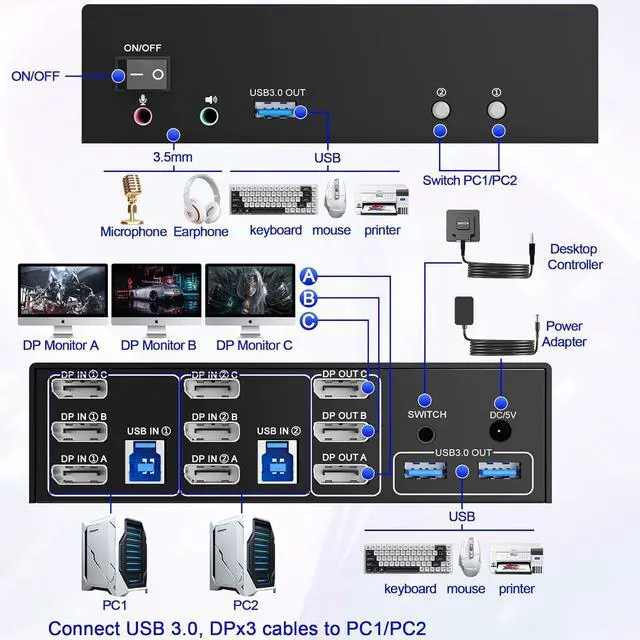
1. Insert the DC/5V adapter into the KVM ;2. Plug the 3*DisplayPort cable into the KVM switch and monitor;(Output)3. Plug the DisplayPort cable and USB cable into the KVM switch and your computer/laptop (DP cables are not included)(Input)DP IN 1A +DP IN 1B + DP IN 1C + USB IN 1=PC1DP IN 2A + DP IN 2B + DP IN 2C + USB IN 2=PC2Please check whether DP IN 1A, DP IN 1B, DP IN 1C, and USB IN 1 corresponding, and whether DP IN 2A, DP IN 2B, DP IN 2C and USB IN 2 are corresponding. Mixed insertion is not supported.4. Insert the mouse and keyboard into the KVM switch5. If needed, you can connect a microphone and audio port
Note
1. Most of the reasons why only one video output works is because of incorrect connection. Please make sure each PC has(3 DP+USB cable) connect to the KVM.2. If the input USB3.0 ports are not connected or connected incorrectly, the output USB device will not be recognized.3. Note: DP cables are not included
Support 3 display modes
In Duplicate mode, 3 output monitors will output same image from PC1 or PC2 or PC3. Computer host outputs 3 identical images on 3 monitors. In EXTEND mode, the working window from main screen can be dragged to seond and third output monitor. You can have the mouse across between 3 monitors. PC host in output 3 different images on 3 monitorsIn Splicing mode, Computer host outputs splice screens on 3 monitors
1)Extended mode can output three different screens and mirror mode can output three identical screens. NoteIf your graphics card has a splicing screen function, you can use the splicing screen mode.
2) The requirement for this KVM to achieve a triple-screen display is that each PC you connect to has the capability to support a triple-screen display. This has nothing to do with KVM.
USB Displayport KVM switch driver-free for Windows, Mac OS, Linux and Chrome OS, Compatible with PC, Laptop,PS5,PS4,TV Box, 3 USB ports use for external USB devices. It is widely applied for home, office, teaching, meeting room, games, etc.
KVM switch 2 computers 3 monitors support resolution up to 7680*4320@60Hz3840*2160@144Hz and backward compatible.Note: If you need 8K@60Hz resolution, please make sure your HDMI/Displayport cables, computers and monitors support 8K@60Hz.
Product Specifications
1. 8K Triple Monitor KVM Switch allows 2 computers/laptops to share one set of keyboard, mouse, and 3 monitors (3 DisplayPort)2. Support DP 1.4 standards and downward compatibility. 3 monitors output support up to 8K@60Hz for extended,mirrored or spliced displayDepends on your computer's graphics card.;3. 2 Switching modes: Button switch and wired remote.4. KVM switch equipped with 3 USB 3.0 ports for USB devices, and with extra Audio Microphone output
installation steps:
1. Insert the DC/5V adapter into the KVM ;2. Plug the 3*DisplayPort cable into the KVM switch and monitor;(Output)3. Plug the DisplayPort cable and USB cable into the KVM switch and your computer/laptop (DP cables are not included)(Input)DP IN 1A +DP IN 1B + DP IN 1C + USB IN 1=PC1DP IN 2A + DP IN 2B + DP IN 2C + USB IN 2=PC2Please check whether DP IN 1A, DP IN 1B, DP IN 1C, and USB IN 1 corresponding, and whether DP IN 2A, DP IN 2B, DP IN 2C and USB IN 2 are corresponding. Mixed insertion is not supported.4. Insert the mouse and keyboard into the KVM switch5. If needed, you can connect a microphone and audio port
Note
1. Most of the reasons why only one video output works is because of incorrect connection. Please make sure each PC has(3 DP+USB cable) connect to the KVM.2. If the input USB3.0 ports are not connected or connected incorrectly, the output USB device will not be recognized.3. Note: DP cables are not included
Support 3 display modes
In Duplicate mode, 3 output monitors will output same image from PC1 or PC2 or PC3. Computer host outputs 3 identical images on 3 monitors. In EXTEND mode, the working window from main screen can be dragged to seond and third output monitor. You can have the mouse across between 3 monitors. PC host in output 3 different images on 3 monitorsIn Splicing mode, Computer host outputs splice screens on 3 monitors
1)Extended mode can output three different screens and mirror mode can output three identical screens. NoteIf your graphics card has a splicing screen function, you can use the splicing screen mode.
2) The requirement for this KVM to achieve a triple-screen display is that each PC you connect to has the capability to support a triple-screen display. This has nothing to do with KVM.
USB Displayport KVM switch driver-free for Windows, Mac OS, Linux and Chrome OS, Compatible with PC, Laptop,PS5,PS4,TV Box, 3 USB ports use for external USB devices. It is widely applied for home, office, teaching, meeting room, games, etc.
KVM switch 2 computers 3 monitors support resolution up to 7680*4320@60Hz3840*2160@144Hz and backward compatible.Note: If you need 8K@60Hz resolution, please make sure your HDMI/Displayport cables, computers and monitors support 8K@60Hz.
Warranty & Returns
Warranty, Returns, And Additional Information
Warranty
- Please contact the Seller directly for warranty information. Warranty information may also be found on the Manufacturer's website.
- CONTACT
Return Policies
- Return for refund within: 30 days
- Return for replacement within: 30 days
- This item is covered by Chinathru Trading Co., Limited Return Policy
Manufacturer Contact Info
- For a directory of all our manufacturers, please click below.
- Manufacturers Directory
LOADING...