

Your Browsing History
- Free 30-day Returns
$173.99

Meet Your Seller


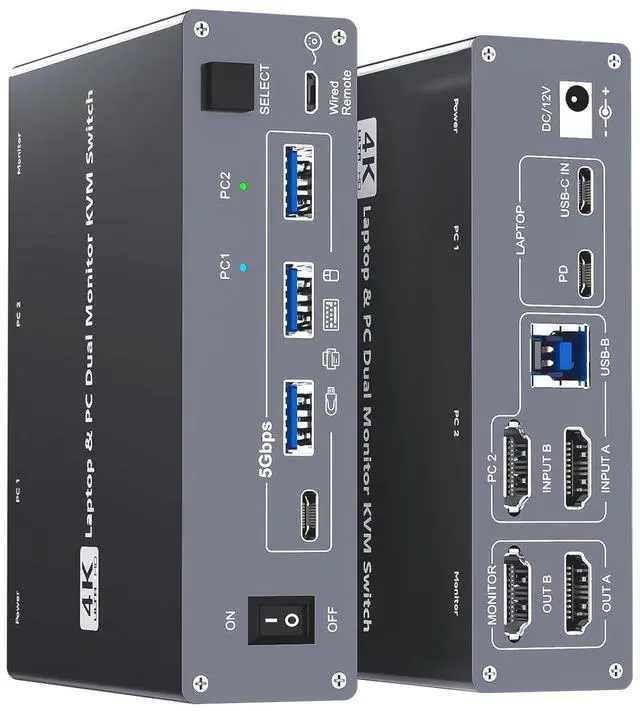


4K USB Type-C Docking KVM Switch Laptop& Desktop 2 Monitors 2 Computers USB-C & Dual HDMI 4K@60Hz Dual Monitor KVM Switches for MAC & PC, PD 100W Charging, with Type-C 3.1 Gen 2 Cable & Wired Remote
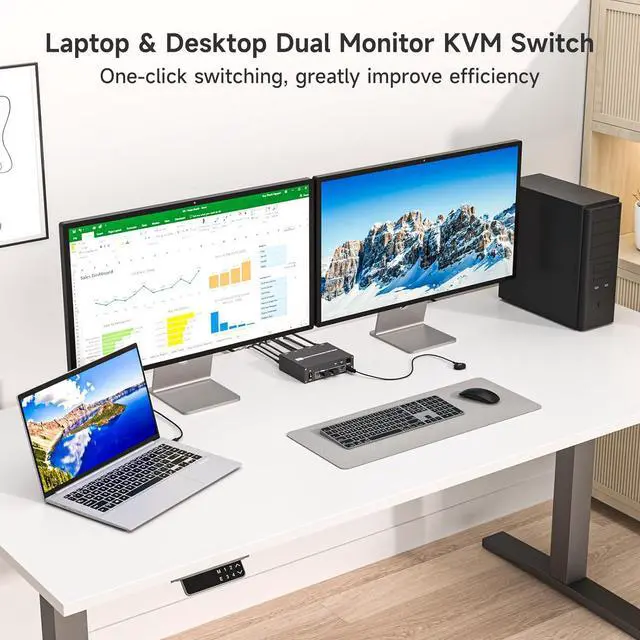
- USB-C Docking Station & Dual Monitor KVM SwitchThe 2-in-1 USB-C HDMI laptop & desktop docking KVM switch acts as a powerful USB-C docking station and a 2 monitors 2 computers KVM switcher! While expanding your USB-C laptop into 2 HDMI monitors and 4 USB3.0 Hubs, it also allows you to easily switch between a laptop and a desktop PC to share 2 monitors and four USB 3.0 peripherals. Save money, simplify your setup, and boost productivity with a clean, organized workspace
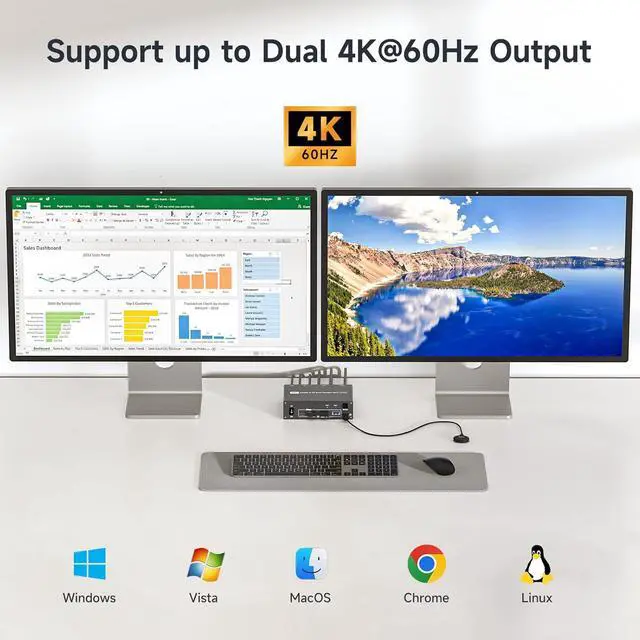
- Crystal-Clear 4K@60Hz Dual Monitor PerformanceThe laptop and desktop 2 computers 2 monitors KVM switch supports up to dual 4K@60Hz output with true 4:4:4 color clarity, plus compatibility with 2K@120Hz, 2560x1440@120Hz/60Hz, and 1920x1440@144Hz/120Hz ect. Switch effortlessly between high-resolution spreadsheets and smooth, immersive gameplayall without lag or compromise, so you can enjoy stunning visuals whether youre working or gaming!
- SuperSpeed USB 3.0 Stable Data TransferThe USB Type C kvm switch do
+
+
Overview
Specs
Reviews

Any questions? Our AI mode will help you find out quickly.
Try me now
The 2 monitors 2 computers USB-C docking KVM switch is equipped with DP-Alt USB-C 3.1 Gen 2 port and dual HDMI ports, it's perfect for one laptop and one desktop PC to share 2 external monitors and 4 USB peripherals like keyboard mouse, printer, scanner, hard drive,ect
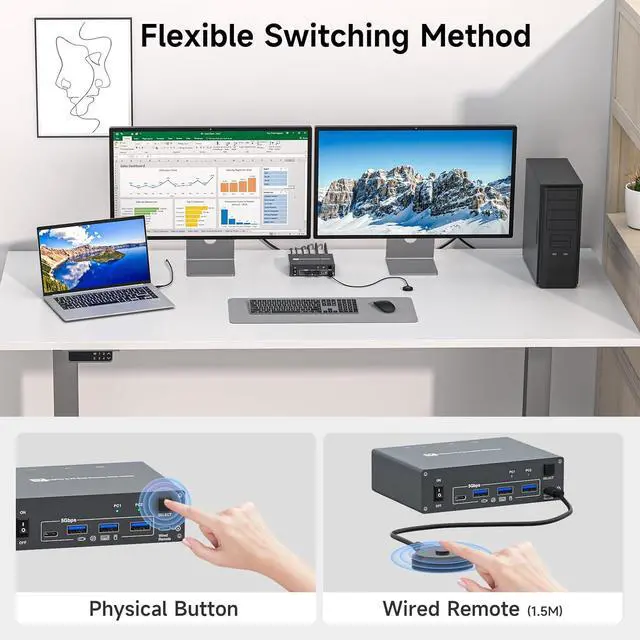
1Dual 4K@60Hz Output2Laptop Fast PD Charging35Gbps Data Transfer4Wide Compatibility5Flexible Switching Ways Connection Steps:
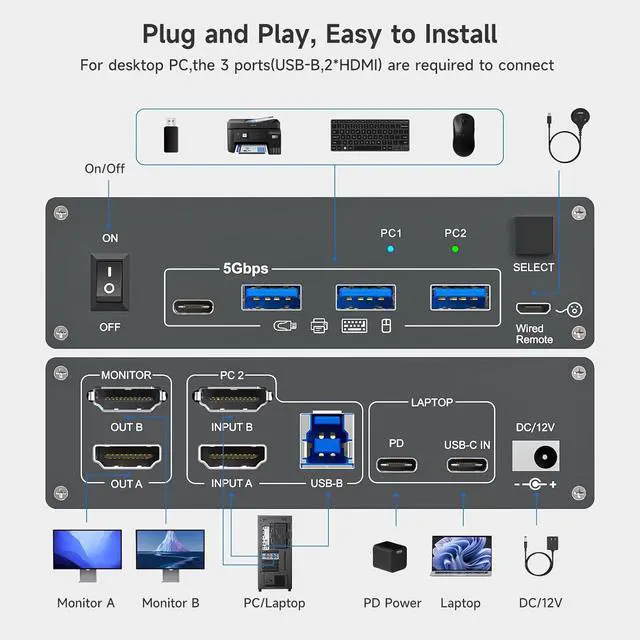
1. Connect Laptop to the "USB-C IN" port on the USB-C HDMI dual monitor KVM using the included USB-C 3.1 Gen 2 cable
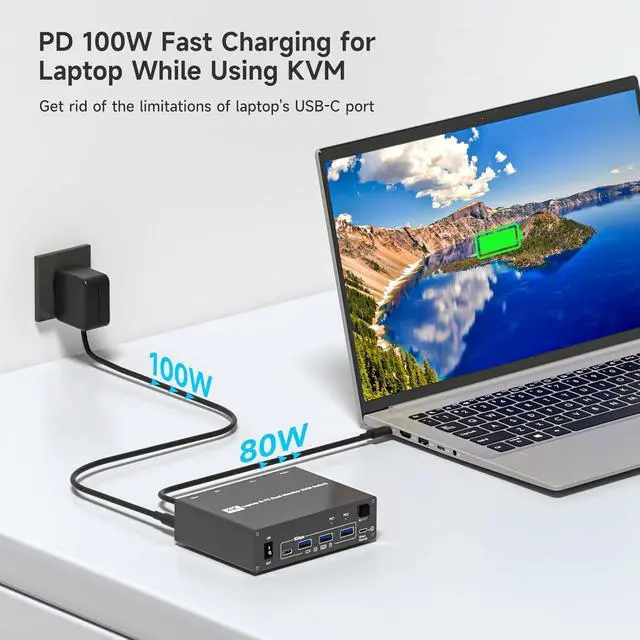
2. Plug a 100W Laptop power cable from socket to the "PD" port on the laptop desktop dual monitor KVM
3. Connect 2*HDMI + 1* USB 3.0 cables from Desktop or Laptop to "INPUT A", "INPUT B" and "USB-B" port on the Laptop PC 2 monitor KVM switch
4. Connect 2 monitors to "OUT A" and "OUT B" seperately
5. Plug USB peripherals like keyboard mouse into the USB port on the front of the KVM switch for laptop and desktop; Plug the 12V power cable into "DC/12V" to supply external power for more stable performance
6. Insert the 1.5M wired remote controller; then turn on the KVM switch
Important Note: To properly charge your laptop, please use a 100W laptop charging cable and connect the power cord from the outlet to the "PD" port of the KVM switch; Never plug the charging cable directly into the laptop's power port
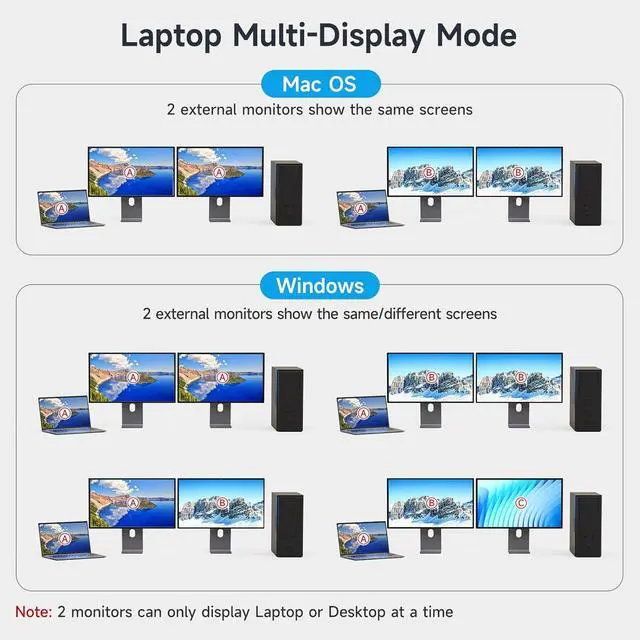
Laptop & Desktop Dual Monitor USB-C Docking KVM Switch Laptops Support Different Display Modes Based on Different OS Plug and Play, Easy to Install Free from Repeated Plugging and Unplugging, Get a Tidy & Efficient Workspace
1Dual 4K@60Hz Output2Laptop Fast PD Charging35Gbps Data Transfer4Wide Compatibility5Flexible Switching Ways Connection Steps:
1. Connect Laptop to the "USB-C IN" port on the USB-C HDMI dual monitor KVM using the included USB-C 3.1 Gen 2 cable
2. Plug a 100W Laptop power cable from socket to the "PD" port on the laptop desktop dual monitor KVM
3. Connect 2*HDMI + 1* USB 3.0 cables from Desktop or Laptop to "INPUT A", "INPUT B" and "USB-B" port on the Laptop PC 2 monitor KVM switch
4. Connect 2 monitors to "OUT A" and "OUT B" seperately
5. Plug USB peripherals like keyboard mouse into the USB port on the front of the KVM switch for laptop and desktop; Plug the 12V power cable into "DC/12V" to supply external power for more stable performance
6. Insert the 1.5M wired remote controller; then turn on the KVM switch
Important Note: To properly charge your laptop, please use a 100W laptop charging cable and connect the power cord from the outlet to the "PD" port of the KVM switch; Never plug the charging cable directly into the laptop's power port
Laptop & Desktop Dual Monitor USB-C Docking KVM Switch Laptops Support Different Display Modes Based on Different OS Plug and Play, Easy to Install Free from Repeated Plugging and Unplugging, Get a Tidy & Efficient Workspace
Warranty & Returns
Warranty, Returns, And Additional Information
Warranty
- Please contact the Seller directly for warranty information. Warranty information may also be found on the Manufacturer's website.
- CONTACT
Return Policies
- Return for refund within: 30 days
- Return for replacement within: 30 days
- This item is covered by Chinathru Trading Co., Limited Return Policy
Manufacturer Contact Info
- For a directory of all our manufacturers, please click below.
- Manufacturers Directory
LOADING...