

Your Browsing History
- Free 30-day Returns
$162.99

Meet Your Seller



HDMI + Displayport KVM Switch 2 Monitors 4 Computers, USB3.0 4K60Hz Dual Monitor HDMI DP KVM Switch 4 Port for Managing 4 Computers with 1 Set of Keyboard, Mouse and 2 Monitors
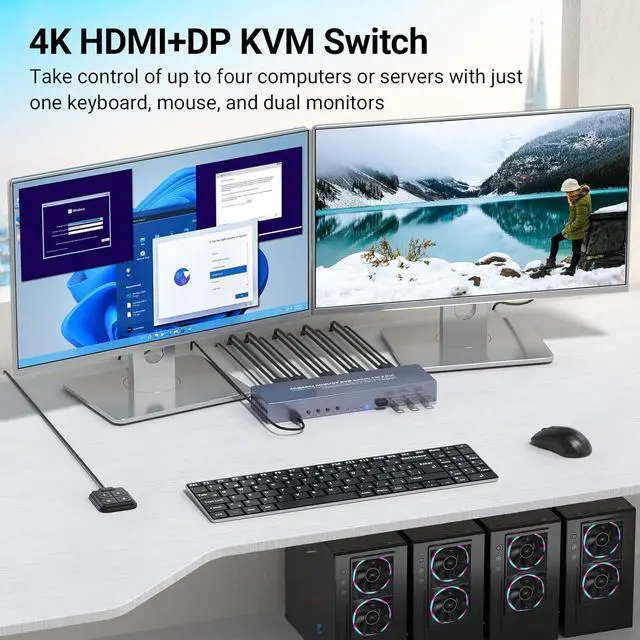
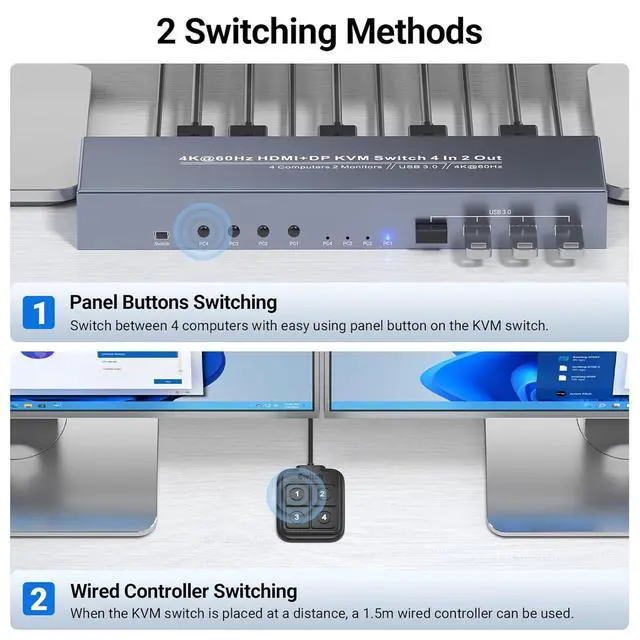
- HDMI Displayport KVM Switch 2 Monitors 4 ComputersTake control of up to four computers or servers with just one keyboard, mouse, and dual monitors. This 4-port HDMI + DisplayPort KVM switch is your ultimate solution for managing multiple systems with unparalleled efficiency. Switch between PCs with front-panel buttons or the included external controller, all productivity. Its an easy solution when you need to run multiple projects simultaneouslyno more swapping cables like a maniac!
- Dual Monitors for a Wider ViewManage two displays simultaneously for a more efficient and immersive experience. Just ensure each computer's graphics card has both HDMI and DisplayPort outputs, and connect them to the KVM switch for seamless dual monitor functionality. Skipping one port? Only one screen will work. Ideal for multi-tasking: code on one monitor, stream on the other.
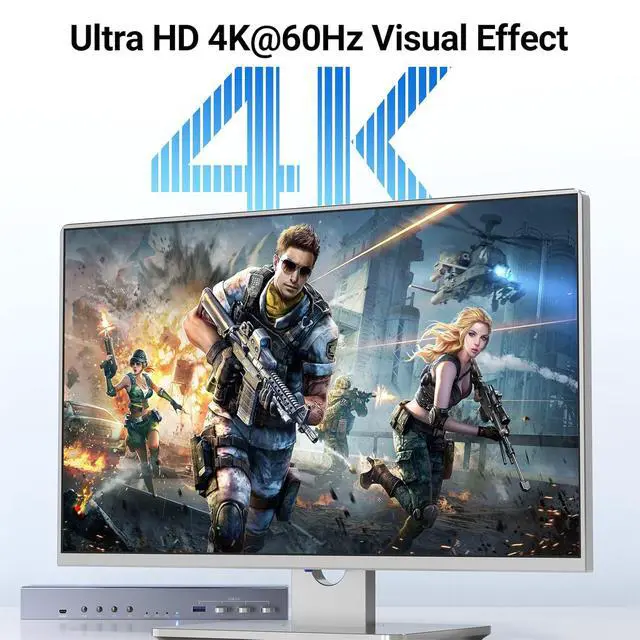
- Ultra HD 4K VisualsExperience crystal-clear visuals with support for up to 4K@60Hz resolution. Whether you're editing h
+
+
Overview
Specs
Reviews

Any questions? Our AI mode will help you find out quickly.
Try me now
This HDMI + Displayport 4 port KVM switch allows users to run four systems on two monitors with one keyboard and mouse. Whether you're a professional juggling multiple workstations, a gamer needing quick access to different setups, or a tech-savvy user looking to streamline your home office, this dual monitor KVM switch is designed to enhance your productivity.
Features:
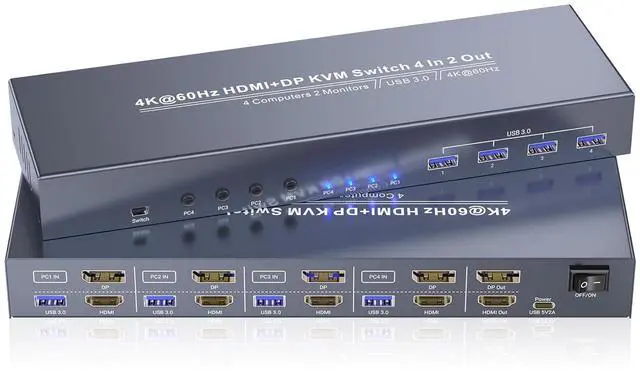
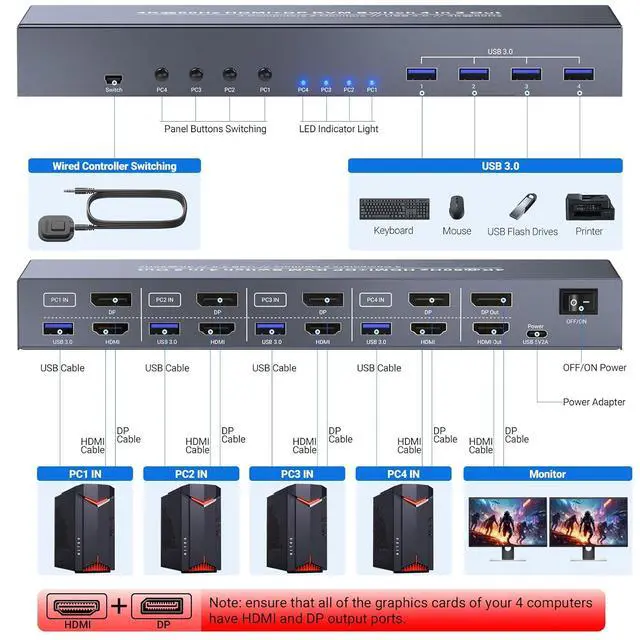
1.Video Ports: 4 x HDMI input & 4 x DP input for 4 computers, 1x HDMI output & 1x DP output for 2 monitors
2.Resolution Support: 4K@60Hz, 4K@30Hz, 1080i/p@60Hz, 720p@60Hz, etc.
3.USB Ports: 4 x USB 3.0 Type-A (front-mounted)
4.Switching Methods: Front buttons or external controller
5.Dual Monitor Requirement: Each PC needs HDMI + DP ports for dual display
Note: Grab high-speed HDMI cables (certified for 4K@60Hz) to keep your setup smooth.
Connect two monitors simultaneously, allowing you to work with multiple displays for increased workspace and improved multitasking capabilities.
Crisp 4K resolution at 60Hz makes everything popwhether youre editing 4K videos or gaming. Backwards compatible with lower resolutions (1080p, 720p), but heads up: Use 4K-certified HDMI cables to unlock full 4K goodness.
Equipped with both HDMI and DisplayPort interfaces, ensuring compatibility with a wide range of monitors and computers.
Pro tip:
1. Each PC needs both HDMI and DP portsconnect both to this 4 computer KVM switch for dual-monitor magic. Skipping one port? Only one screen will work. Ideal for multi-tasking: code on one monitor, stream on the other.
2. The KVM switches must be connected to the computers using the provided USB cables. Failure to do so will result in the USB ports on the KVM switch being non-functional. This ensures stable and reliable communication between the computers and the KVM switch.
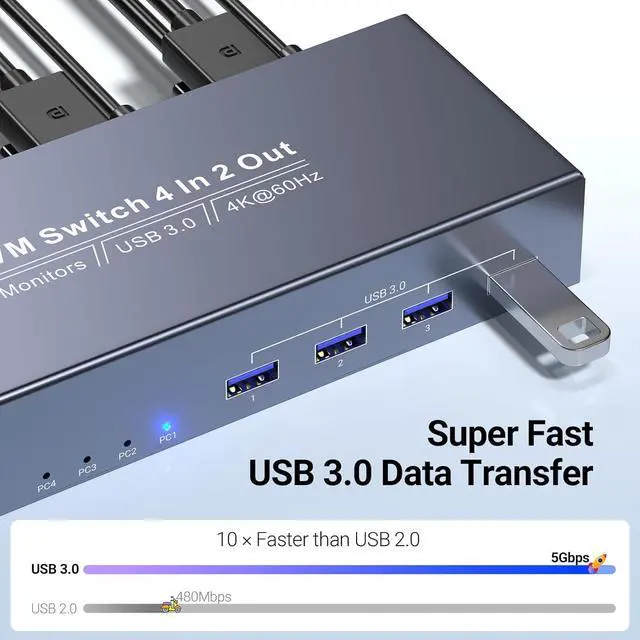
With four USB 3.0 ports (5Gbps10x faster than USB 2.0!), this KVM switch 4 computers let you share printers, external drives, webcams, and more across all four computers. Plug-and-play means zero driver dramajust connect and go.
4K@60Hz HDMI + Displayport KVM Switch 2 Monitors 4 Computers with 4 Port USB 3.0 for Peripherals 4 In-1 Command Center for Controlling 4 Computers on Dual Monitors HDMI DisplayPort KVM Switch for 2 Monitors & 4 Computers - Dual Monitor Setup 4K@60Hz Visuals That Blow Your Mind HDMI and DisplayPort Connectivity for Each Computer Blazing-Fast USB 3.0 for All Your Gear
Features:
1.Video Ports: 4 x HDMI input & 4 x DP input for 4 computers, 1x HDMI output & 1x DP output for 2 monitors
2.Resolution Support: 4K@60Hz, 4K@30Hz, 1080i/p@60Hz, 720p@60Hz, etc.
3.USB Ports: 4 x USB 3.0 Type-A (front-mounted)
4.Switching Methods: Front buttons or external controller
5.Dual Monitor Requirement: Each PC needs HDMI + DP ports for dual display
Note: Grab high-speed HDMI cables (certified for 4K@60Hz) to keep your setup smooth.
Connect two monitors simultaneously, allowing you to work with multiple displays for increased workspace and improved multitasking capabilities.
Crisp 4K resolution at 60Hz makes everything popwhether youre editing 4K videos or gaming. Backwards compatible with lower resolutions (1080p, 720p), but heads up: Use 4K-certified HDMI cables to unlock full 4K goodness.
Equipped with both HDMI and DisplayPort interfaces, ensuring compatibility with a wide range of monitors and computers.
Pro tip:
1. Each PC needs both HDMI and DP portsconnect both to this 4 computer KVM switch for dual-monitor magic. Skipping one port? Only one screen will work. Ideal for multi-tasking: code on one monitor, stream on the other.
2. The KVM switches must be connected to the computers using the provided USB cables. Failure to do so will result in the USB ports on the KVM switch being non-functional. This ensures stable and reliable communication between the computers and the KVM switch.
With four USB 3.0 ports (5Gbps10x faster than USB 2.0!), this KVM switch 4 computers let you share printers, external drives, webcams, and more across all four computers. Plug-and-play means zero driver dramajust connect and go.
4K@60Hz HDMI + Displayport KVM Switch 2 Monitors 4 Computers with 4 Port USB 3.0 for Peripherals 4 In-1 Command Center for Controlling 4 Computers on Dual Monitors HDMI DisplayPort KVM Switch for 2 Monitors & 4 Computers - Dual Monitor Setup 4K@60Hz Visuals That Blow Your Mind HDMI and DisplayPort Connectivity for Each Computer Blazing-Fast USB 3.0 for All Your Gear
Warranty & Returns
Warranty, Returns, And Additional Information
Warranty
- Please contact the Seller directly for warranty information. Warranty information may also be found on the Manufacturer's website.
- CONTACT
Return Policies
- Return for refund within: 30 days
- Return for replacement within: 30 days
- This item is covered by Chinathru Trading Co., Limited Return Policy
Manufacturer Contact Info
- For a directory of all our manufacturers, please click below.
- Manufacturers Directory
LOADING...