

Your Browsing History
- Free 30-day Returns
$119.99

Meet Your Seller

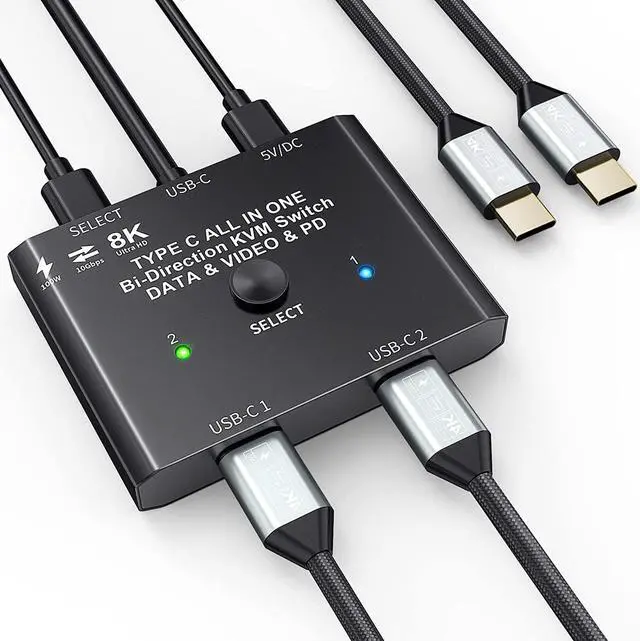


USB C Switch 2 in 1 Out/1 in 2 Out Bi Directional USB C Switcher Selector for 2 Laptops Share 1 USB Device, 4K@60Hz/10Gbps Data Transfer and 100W PD Charging, Wired Control and 2 UBS C Cables
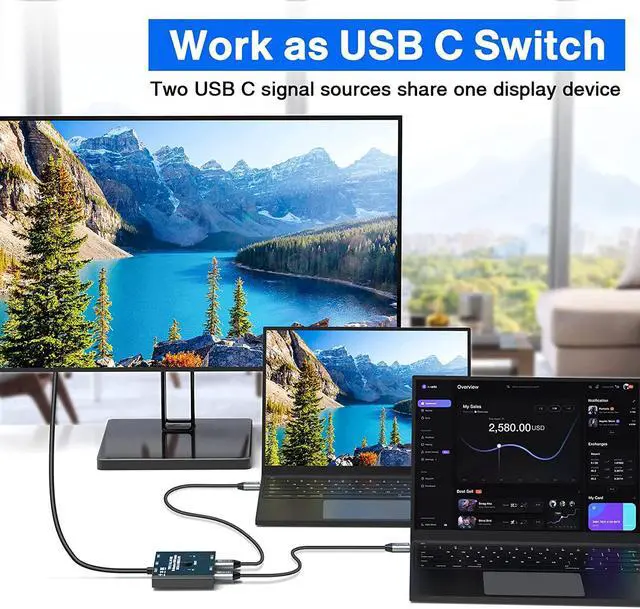
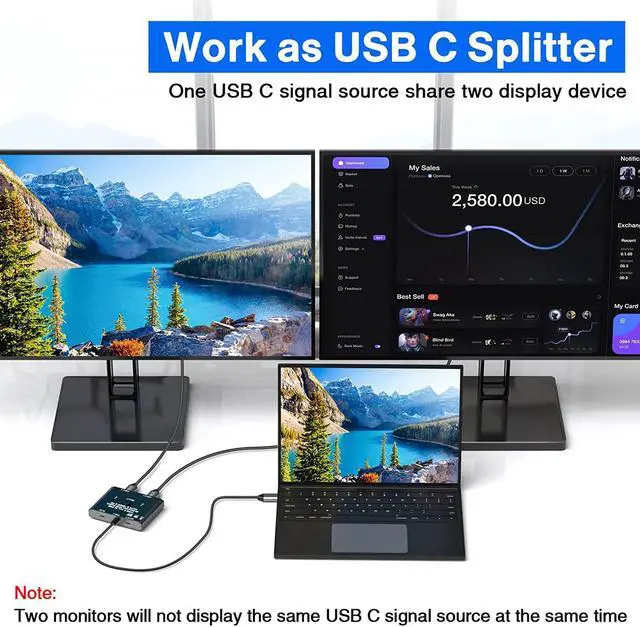
- USB C Switch This Bidirectional USB-C switch allows 2 USB-C video source share 1 USB C monitor or 1 USB-C video source share 2 USB C monitor.Such as laptops, tablets, mobile phones, game consoles and other devices that are compatible with USB-C Alt DP (Alternate Display Port mode).Please Note :Two displays CANNOT display simultaneously. You need to use a standard USB-C USB3.1 version Gen-2 Cable to connect this switch and use the USB cable to power the switch.2 USB3.1 version Gen-2 Cables included
- 4K Ultra HD Video OutputThe USB C Switch support up to 4K@60Hz via our USB C Switch/Splitter to your USB-C or HDMI Displays..The Maximum resolution and refresh rate of your output depends on your Source device, monitor,USB C Dock,and cables.
- 10Gbps Data Transfer RateUSB Type C switch supports a maximum transfer speed of 10Gbps (USB3.1 Gen2) to transfer music, movies in seconds. When used with a USB C docking station (with HDMI and USB ports), you can not only transfer data from
+
+
Overview
Specs
Reviews

Any questions? Our AI mode will help you find out quickly.
Try me now
This bi-directional USB C switch is mainly designed for users who have USB C port devices. We pay attention to product update and testing, we have done a lot of market research and testing, and compare with similar products in the market. Compared with other similar products our product performance has been optimized a lot, if are looking for a USB C switch, this would be a good choice.
We have made updates and optimizations in the following areas.
1, Bi-directional switching, can be used as a switcher and also as a spliiter .
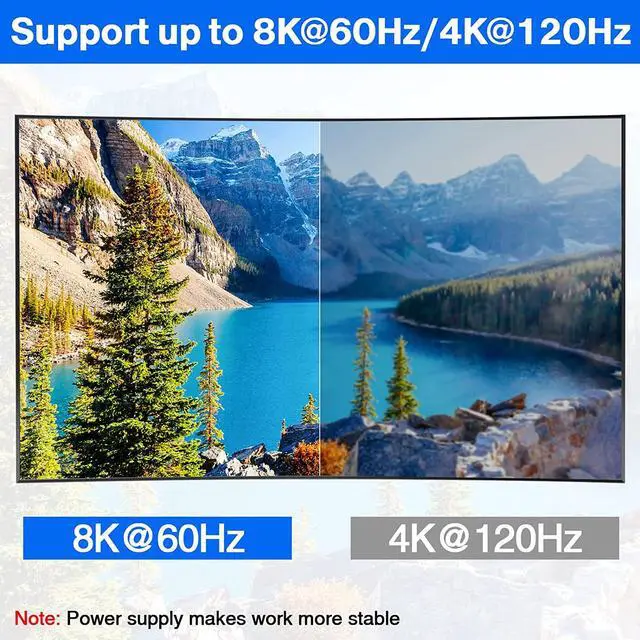
2, Resolution and refresh rate improvement, can support 8K@60Hz 4K@120Hz, and backward compatibility, support ultra-wide screen output (3440 * 1440, etc.).
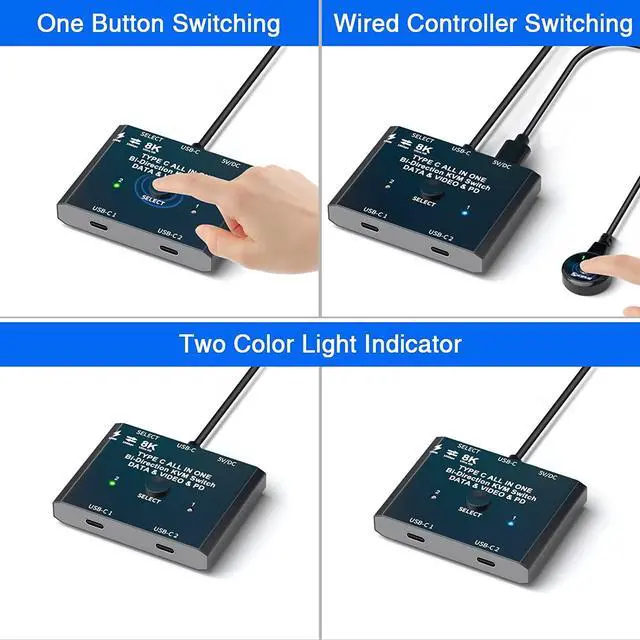
3, The update of the switching method, we not only support a key switch, but also equipped with a wired controller.
4, The optimization of the indicator, our instructions have two colors, more convenient to identify which computer is currently switched to.
5, Accessories update, we are equipped with 2 USB-C Cables and 1 power cable.
6, Switcher power supply update, our switcher design "DC5V" power supply port, equipped with a power cord. Power supply to the switcher, make the operation more stable.
Please note:
A small number of USB devices cannot be connected to the docking station and need to be directly plugged into the USB C switch, otherwise they will not be recognized. Example: external USB 3.1 SSD enclosure,MacBook Pro.
Please use a USB-C/Thunderbolt Docking Station/Hub with better compatibility, otherwise flickering or black screen will occur.
Do not use too long cable(1.5 meters) for connection between the switcher and your devices, otherwise it will flicker or the screen will turn black.
This is not a USB-C hub, so it is onlylink activated at a time.
Works as a USB C Spliiter: 1 video source can be switched between two display devices. (Two display devices cannot display the same video source at the same time)
Works as a USB C Switcher: Two video sources can be switched between 1 display device, equivalent to two computers sharing 1 display device
Indication of the connection between the device and the switcher
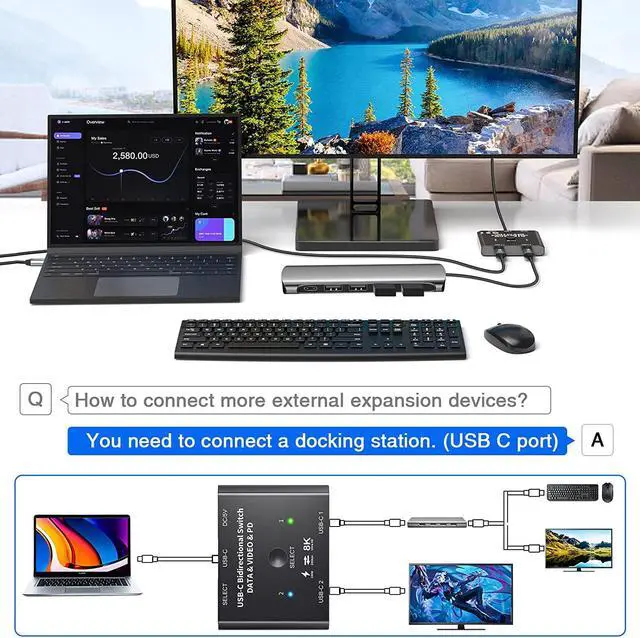
1, Use the two included USB 3.1 Gen 2 cables to connect the "USB-C 1" port and the "USB-C 2" port to the USB-C source device (or display device).
2, Connect the USB-C cable that fixed in the USB-C switcher to the USB-C port of the monitor (or source device), make sure the USB-C port of the monitor supports video transmission and the video function is turned on.
3, The included Micro USB to USB-A cable must be connected to the power supply to power the switcher (must power the USB-C switch, otherwise the monitor will not show anything)
4, Press the "Select" button or the wired controller to switch between two video sources (or display devices).
Note: If the monitor only has HDMI or Displayport port, pls use a USB C docking station. Can also connect devices such as keyboards and mice to the docking station. (Can be used as a KVM switch)
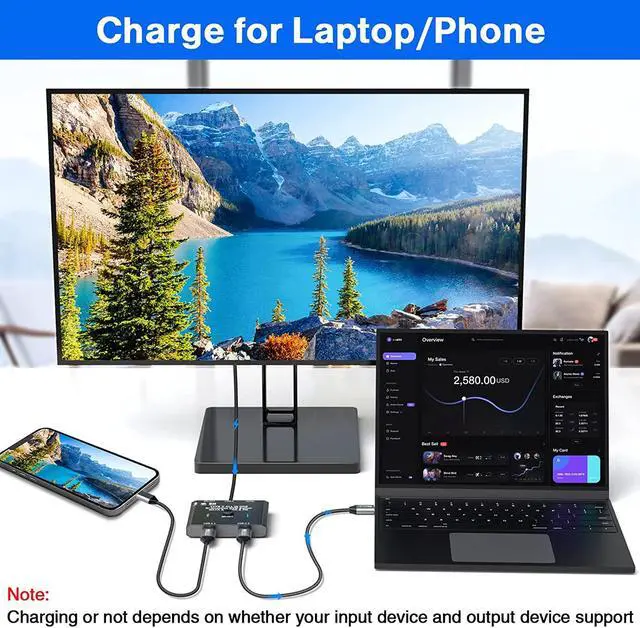
The connected devices, such as C-type cell phones and laptops, can be charged while working and are compatible with fast charging up to 100w (Note: the connected cables and devices need to support fast charging).
The USB-C switch can be switched not only with 1 click, but also with a wired controller.Wired controller helps keep the desk looking nice.
**Important Tips**
Please note before purchasing
1, Not available for macbook pro and Dell monitors.
2, Two monitors cannot be displayed at the same time
3, The USB C switch must have a power supply to work properly (power cable included).
4, Doesn't power both sources at the same time.
AOOCOO, as a technology research and development and product production seller, we support and welcome customer customization.
Bi-Directional USB C Switch 8K@60Hz Video Bi-Directional USB C Switcher with 8K Video Picture
We have made updates and optimizations in the following areas.
1, Bi-directional switching, can be used as a switcher and also as a spliiter .
2, Resolution and refresh rate improvement, can support 8K@60Hz 4K@120Hz, and backward compatibility, support ultra-wide screen output (3440 * 1440, etc.).
3, The update of the switching method, we not only support a key switch, but also equipped with a wired controller.
4, The optimization of the indicator, our instructions have two colors, more convenient to identify which computer is currently switched to.
5, Accessories update, we are equipped with 2 USB-C Cables and 1 power cable.
6, Switcher power supply update, our switcher design "DC5V" power supply port, equipped with a power cord. Power supply to the switcher, make the operation more stable.
Please note:
A small number of USB devices cannot be connected to the docking station and need to be directly plugged into the USB C switch, otherwise they will not be recognized. Example: external USB 3.1 SSD enclosure,MacBook Pro.
Please use a USB-C/Thunderbolt Docking Station/Hub with better compatibility, otherwise flickering or black screen will occur.
Do not use too long cable(1.5 meters) for connection between the switcher and your devices, otherwise it will flicker or the screen will turn black.
This is not a USB-C hub, so it is onlylink activated at a time.
Works as a USB C Spliiter: 1 video source can be switched between two display devices. (Two display devices cannot display the same video source at the same time)
Works as a USB C Switcher: Two video sources can be switched between 1 display device, equivalent to two computers sharing 1 display device
Indication of the connection between the device and the switcher
1, Use the two included USB 3.1 Gen 2 cables to connect the "USB-C 1" port and the "USB-C 2" port to the USB-C source device (or display device).
2, Connect the USB-C cable that fixed in the USB-C switcher to the USB-C port of the monitor (or source device), make sure the USB-C port of the monitor supports video transmission and the video function is turned on.
3, The included Micro USB to USB-A cable must be connected to the power supply to power the switcher (must power the USB-C switch, otherwise the monitor will not show anything)
4, Press the "Select" button or the wired controller to switch between two video sources (or display devices).
Note: If the monitor only has HDMI or Displayport port, pls use a USB C docking station. Can also connect devices such as keyboards and mice to the docking station. (Can be used as a KVM switch)
The connected devices, such as C-type cell phones and laptops, can be charged while working and are compatible with fast charging up to 100w (Note: the connected cables and devices need to support fast charging).
The USB-C switch can be switched not only with 1 click, but also with a wired controller.Wired controller helps keep the desk looking nice.
**Important Tips**
Please note before purchasing
1, Not available for macbook pro and Dell monitors.
2, Two monitors cannot be displayed at the same time
3, The USB C switch must have a power supply to work properly (power cable included).
4, Doesn't power both sources at the same time.
AOOCOO, as a technology research and development and product production seller, we support and welcome customer customization.
Bi-Directional USB C Switch 8K@60Hz Video Bi-Directional USB C Switcher with 8K Video Picture
Warranty & Returns
Warranty, Returns, And Additional Information
Warranty
- Please contact the Seller directly for warranty information. Warranty information may also be found on the Manufacturer's website.
- CONTACT
Return Policies
- Return for refund within: 30 days
- Return for replacement within: 30 days
- This item is covered by Chinathru Trading Co., Limited Return Policy
Manufacturer Contact Info
- For a directory of all our manufacturers, please click below.
- Manufacturers Directory
LOADING...