

Your Browsing History
- Free 30-day Returns
$378.99

Meet Your Seller


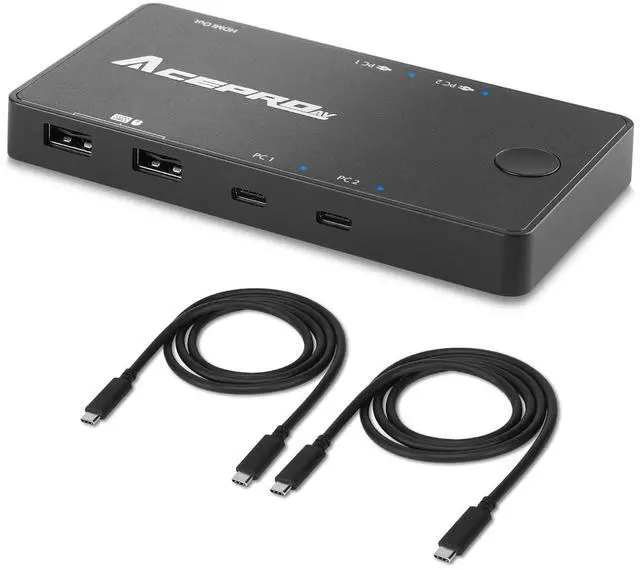


2x1 USB-C 4K60Hz KVM Switch with PD Pass-Through - Selector for 2 Computers Sharing 4K Monitor Keyboard Mouse - Includes 2 USB-C Cables for PD 100W Fast Charging - TAA Compliant
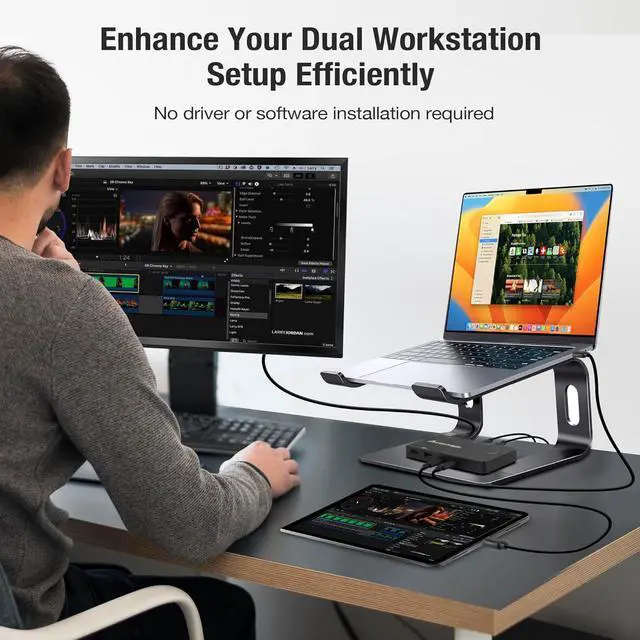
- Compact USB-C KVM Switch: Seamlessly switch between two USB-C deviceslaptops, tablets, smartphones, or desktopswhile sharing one 4K display, keyboard, and mouse.
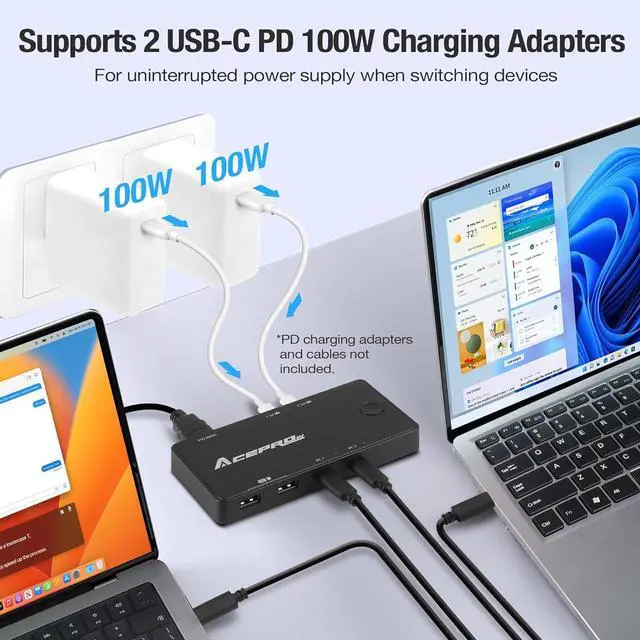
- Dual PD Charging - Keep your devices charged at all times with support for two USB-C PD pass-through charging ports. [Input: PD 100W (max.) | Charging: PD 93W (max.)]
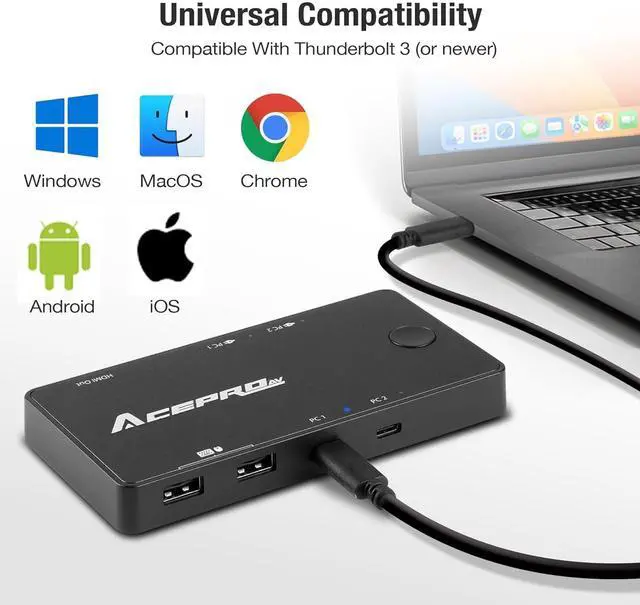
- One Switch Push-button - Near zero lag switch experience and compatible with Full-function USB-C (Alt-Mode) port or Thunderbolt 3 & 4 system.
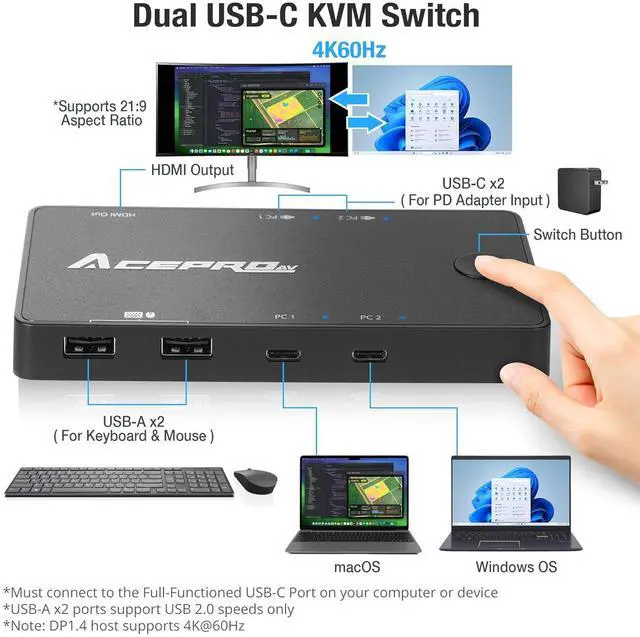
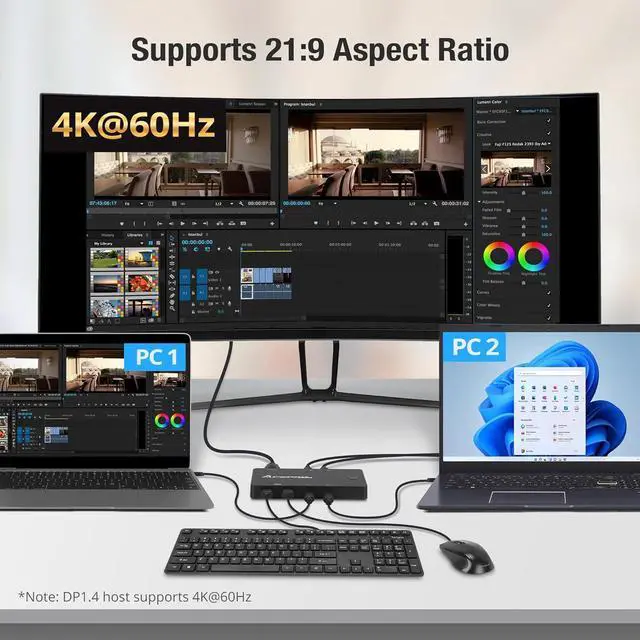
- 4K@60Hz Video Resolution - Support a single HDMI 4K video display with HDR via DP-Alt Mode. [Host device with DP1.4 supports 4K@60Hz (max.) | Host device with DP1.2 supports 4K@30Hz (max.)]
- Easy Plug & Play - Includes two E-mark USB-C cables which supports full 100W PD charging for both USB-C host devices on the KVM switch. No software installation required and compatible with most operating systems.
+
+
Overview
Specs
Reviews

Any questions? Our AI mode will help you find out quickly.
Try me now
1Dual PD Charging2For Business Office3Powerful KVM Setup4Space Saving5What's In The Box Quickly switch between your USB-C host devices by pressing the tactile-button.
Easily connect a keyboard and mouse to control both your USB-C host devices.
Higher visual fidelity with HDR support for a pleasant viewing experience. A perfect sweet spot in terms of setup cost for a home office.
Keep your desk organized and enjoy not needing to use an extra set of monitor, keyboard and mouse.
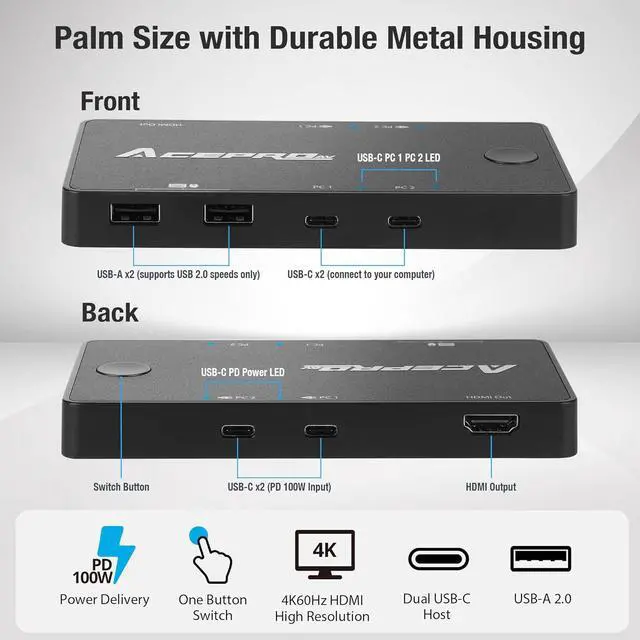
Computer/Laptop Port Required:Full-functioned USB-C Port (must support transferring data, audio, video, and power.)USB-C Host [PC 1 | PC 2]:For connecting USB-C host device to KVM (93W max.)USB-C PD Input [PC 1 | PC 2]:For connecting USB-C PD charger to KVM (100W max.)USB-C To USB-C Cable (x2):E-mark with support up to PD 100W charging. For connecting your USB-C host device to KVM. USB-A Port (x2): USB 2.0 speeds up to 480Mbps for connecting keyboard and mouse onlyHDMI Port (x1):4K@60Hz (with DP 1.4 host) or 4K@30Hz (with DP 1.2 host)Product Weight: 0.51lbs (0.23kg)Product Dimensions: 5.51 x 2.80 x 0.63 (140mm x 71mm x 16mm)USB-C To USB-C Cable Length:39.4" (1000mm)[NOTE 1]:USB-A Port (x2) does not support external hard drives, flash drives or other devices above USB 2.0 standards. [NOTE 2]:TAA Compliant AceProAV (AVLT) was established in 1997 and focuses on improving lifestyle & living with monitor mounts and standing desks that enable people to work, think and play ergonomically.
Click Below To See Product Video Near Zero Lag Switch Dual USB 2.0 Ports Better Color Display Neat & Tidy Includes E-Mark Cables To Support PD 100W Charging True Plug & Play Without Needing Additional Software Installation AcePro-KV23-1 Tech Specs How did we get our start?
Easily connect a keyboard and mouse to control both your USB-C host devices.
Higher visual fidelity with HDR support for a pleasant viewing experience. A perfect sweet spot in terms of setup cost for a home office.
Keep your desk organized and enjoy not needing to use an extra set of monitor, keyboard and mouse.
Computer/Laptop Port Required:Full-functioned USB-C Port (must support transferring data, audio, video, and power.)USB-C Host [PC 1 | PC 2]:For connecting USB-C host device to KVM (93W max.)USB-C PD Input [PC 1 | PC 2]:For connecting USB-C PD charger to KVM (100W max.)USB-C To USB-C Cable (x2):E-mark with support up to PD 100W charging. For connecting your USB-C host device to KVM. USB-A Port (x2): USB 2.0 speeds up to 480Mbps for connecting keyboard and mouse onlyHDMI Port (x1):4K@60Hz (with DP 1.4 host) or 4K@30Hz (with DP 1.2 host)Product Weight: 0.51lbs (0.23kg)Product Dimensions: 5.51 x 2.80 x 0.63 (140mm x 71mm x 16mm)USB-C To USB-C Cable Length:39.4" (1000mm)[NOTE 1]:USB-A Port (x2) does not support external hard drives, flash drives or other devices above USB 2.0 standards. [NOTE 2]:TAA Compliant AceProAV (AVLT) was established in 1997 and focuses on improving lifestyle & living with monitor mounts and standing desks that enable people to work, think and play ergonomically.
Click Below To See Product Video Near Zero Lag Switch Dual USB 2.0 Ports Better Color Display Neat & Tidy Includes E-Mark Cables To Support PD 100W Charging True Plug & Play Without Needing Additional Software Installation AcePro-KV23-1 Tech Specs How did we get our start?
Warranty & Returns
Warranty, Returns, And Additional Information
Warranty
- Please contact the Seller directly for warranty information. Warranty information may also be found on the Manufacturer's website.
- CONTACT
Return Policies
- Return for refund within: 30 days
- Return for replacement within: 30 days
- This item is covered by Chinathru Trading Co., Limited Return Policy
Manufacturer Contact Info
- For a directory of all our manufacturers, please click below.
- Manufacturers Directory
LOADING...