

Your Browsing History
- Free 30-day Returns
$90.99

Meet Your Seller


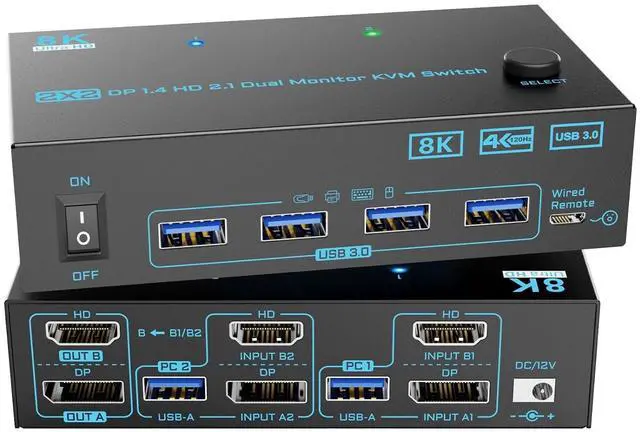


8K Displayport 1.4 + HDMI 2.1 Dual Monitor KVM Switch 2 Monitors 2 Computers 2 in 2 Out 2 Ports KVM Switches Max Support 8K@60Hz/4K@144Hz for 2 PCs Share 2 Screens and 4 USB 3.0 Devices
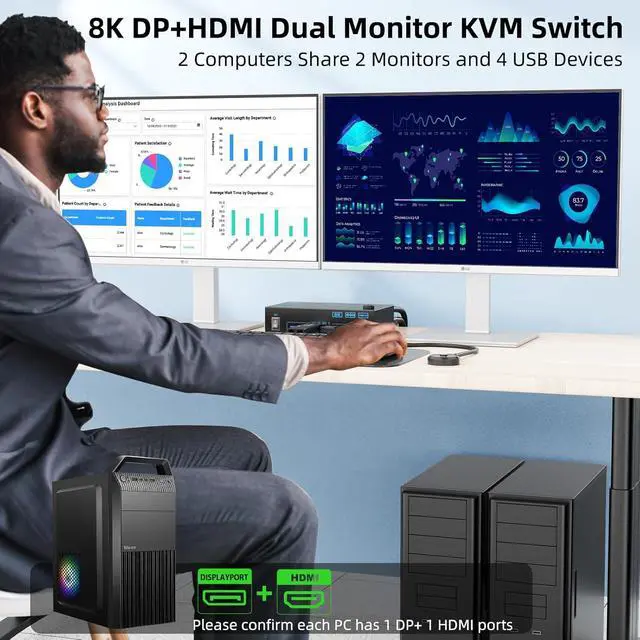
- [8K Displayport + HDMI Dual Monitor KVM Switch]: 8K KVM switch 2 monitors 2 computers is innovative 2-in-2-out DisplayPort HDMI KVM switch that allows seamless sharing of two monitors and one keyboard/mouse setup between two computers or laptops, effectively reducing clutter and maximizing productivity. It is a perfect tool for multitaskers like businessmen, designers, game player or other people who need efficient workspace management
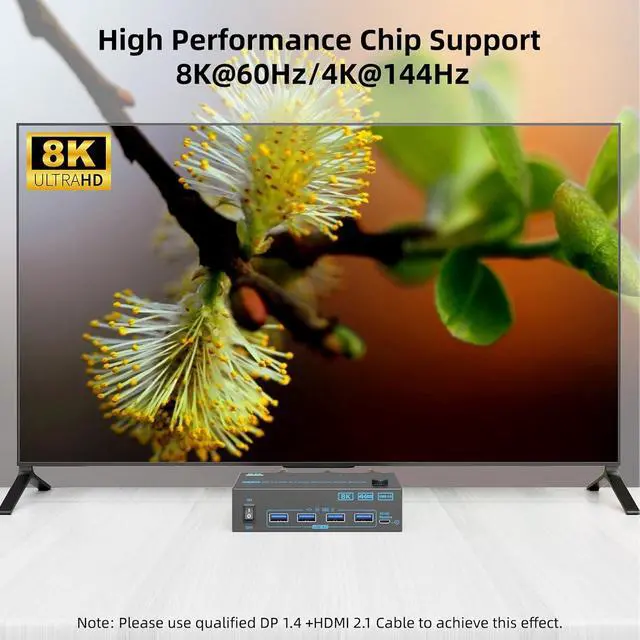
- [8K@60Hz/4K@144Hz Dual DP HDMI KVM Switch]: With our 2 in 2 out dual monitor kvm switch, you can experience stunning visuals with support for resolutions up to 8K@60Hz and 4K@144Hz. Whether you're gaming or working on high-resolution graphics, the DP 1.4 HDMI 2.1 KVM switch ensures you enjoy a crystal-clear image with no pixelation or delay, bridging the gap between high-definition content and fast-paced gaming needs
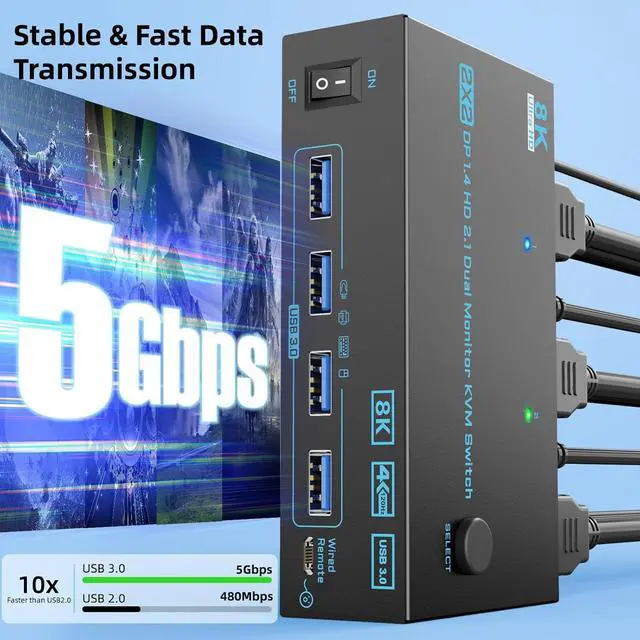
- [5Gbps USB 3.0 DP 1.4 HDMI 2.1 KVM Switch]: 2 port 2 monitors 2 computers KVM switch equipped with 4 USB 3.0 ports for connecting periph
+
+
Overview
Specs
Reviews

Any questions? Our AI mode will help you find out quickly.
Try me now
[8K Displayport + HDMI Dual Monitor KVM Switch]: 8K KVM switch 2 monitors 2 computers is innovative 2-in-2-out DisplayPort HDMI KVM switch that allows seamless sharing of two monitors and one keyboard/mouse setup between two computers or laptops, effectively reducing clutter and maximizing productivity. It is a perfect tool for multitaskers like businessmen, designers, game player or other people who need efficient workspace management
[8K@60Hz/4K@144Hz Dual DP HDMI KVM Switch]: With our 2 in 2 out dual monitor kvm switch, you can experience stunning visuals with support for resolutions up to 8K@60Hz and 4K@144Hz. Whether you're gaming or working on high-resolution graphics, the DP 1.4 HDMI 2.1 KVM switch ensures you enjoy a crystal-clear image with no pixelation or delay, bridging the gap between high-definition content and fast-paced gaming needs
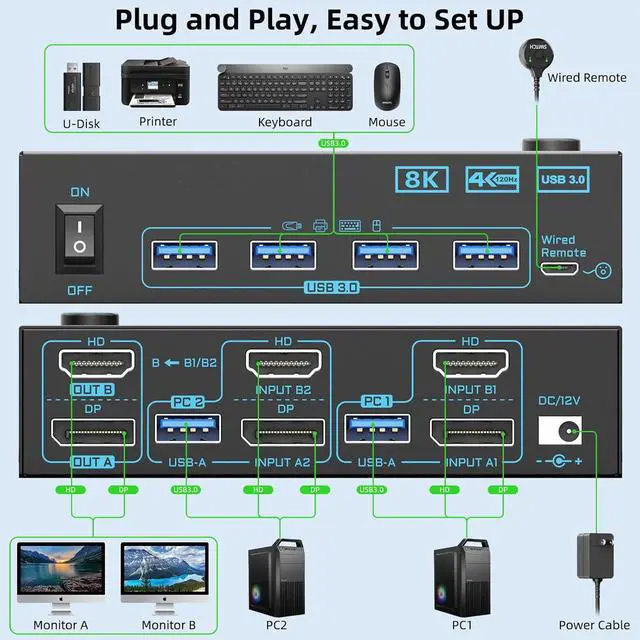
[5Gbps USB 3.0 DP 1.4 HDMI 2.1 KVM Switch]: 2 port 2 monitors 2 computers KVM switch equipped with 4 USB 3.0 ports for connecting peripherals such as keyboard, mouse, scanner, printer, USB camera, and hard drive ect. 5Gbps transfer rate is faster and more stable than USB 2.0. Please connect the USB cable from each PC to power the 8K KVM and transfer the USB data
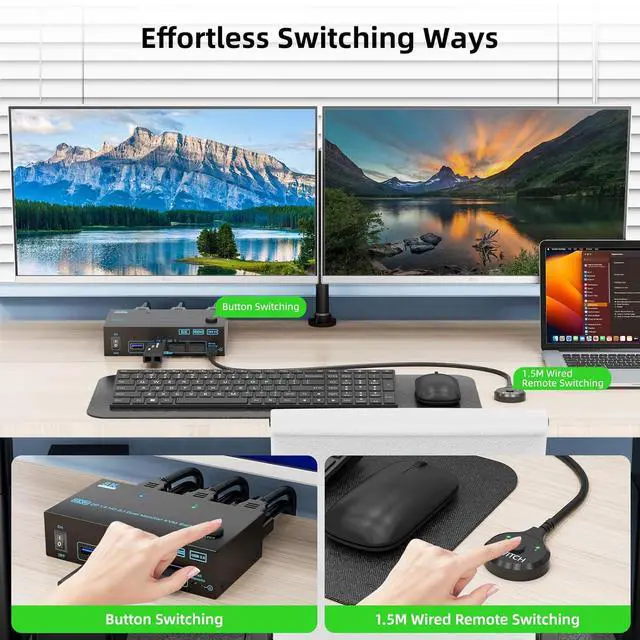
[Wide Compatibility & 2 Switching Ways]: 8K KVM switch is highly compatible with a variety of devices, including PS5, PS4, PC, laptops, and TV boxes that support both DP and HDMI connections. It works seamlessly across multiple operating systems such as Windows, Vista, XP, Mac OS, Linux, and Unix. Along with easy switching via physical button or wired remote, make it user-friendly and hassle-free
[External 12V Power Port & Power Switch]: The 2 computers 2 monitors kvm switch is equipped with a 12V power port for high power USB devices and a separate power switch. Simply press the power switch to restart the 2 monitor KVM when signal re-recognition is needed, eliminating the hassle of repetitive plug and unplug actions
[Pakage List & Warranty Period]: 8K DP + HDMI Dual Monitor KVM Switch*1; USB 3.0 Cable*2; Wired Remote Controller *1; 12 V Power Adapter*1.Besides this, we provide comprehensive after-sale support, ensuring that your KVM switch dual monitor operates smoothly. Whether you have questions during setup or require technical assistance, our dedicated customer service team is ready to help you maximize the potential of your dual monitor KVM switch
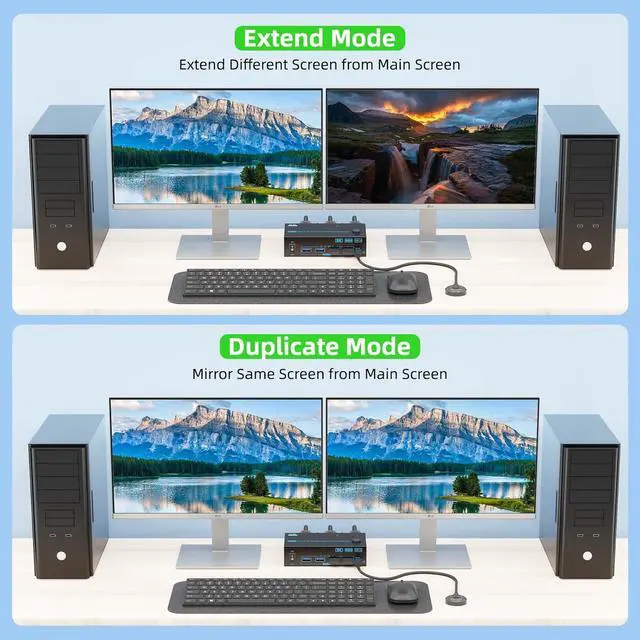
[Warm Tips]: Before Connecting the 2 monitor kvm switch, please connect the PCs/laptops to your 2 monitors directly to check if your computers support multi-displayAfter connecting the dual HDMI KVM switcher, you could press Windows+P to choose the duplicate or extend output mode
[8K@60Hz/4K@144Hz Dual DP HDMI KVM Switch]: With our 2 in 2 out dual monitor kvm switch, you can experience stunning visuals with support for resolutions up to 8K@60Hz and 4K@144Hz. Whether you're gaming or working on high-resolution graphics, the DP 1.4 HDMI 2.1 KVM switch ensures you enjoy a crystal-clear image with no pixelation or delay, bridging the gap between high-definition content and fast-paced gaming needs
[5Gbps USB 3.0 DP 1.4 HDMI 2.1 KVM Switch]: 2 port 2 monitors 2 computers KVM switch equipped with 4 USB 3.0 ports for connecting peripherals such as keyboard, mouse, scanner, printer, USB camera, and hard drive ect. 5Gbps transfer rate is faster and more stable than USB 2.0. Please connect the USB cable from each PC to power the 8K KVM and transfer the USB data
[Wide Compatibility & 2 Switching Ways]: 8K KVM switch is highly compatible with a variety of devices, including PS5, PS4, PC, laptops, and TV boxes that support both DP and HDMI connections. It works seamlessly across multiple operating systems such as Windows, Vista, XP, Mac OS, Linux, and Unix. Along with easy switching via physical button or wired remote, make it user-friendly and hassle-free
[External 12V Power Port & Power Switch]: The 2 computers 2 monitors kvm switch is equipped with a 12V power port for high power USB devices and a separate power switch. Simply press the power switch to restart the 2 monitor KVM when signal re-recognition is needed, eliminating the hassle of repetitive plug and unplug actions
[Pakage List & Warranty Period]: 8K DP + HDMI Dual Monitor KVM Switch*1; USB 3.0 Cable*2; Wired Remote Controller *1; 12 V Power Adapter*1.Besides this, we provide comprehensive after-sale support, ensuring that your KVM switch dual monitor operates smoothly. Whether you have questions during setup or require technical assistance, our dedicated customer service team is ready to help you maximize the potential of your dual monitor KVM switch
[Warm Tips]: Before Connecting the 2 monitor kvm switch, please connect the PCs/laptops to your 2 monitors directly to check if your computers support multi-displayAfter connecting the dual HDMI KVM switcher, you could press Windows+P to choose the duplicate or extend output mode
Warranty & Returns
Warranty, Returns, And Additional Information
Warranty
- Please contact the Seller directly for warranty information. Warranty information may also be found on the Manufacturer's website.
- CONTACT
Return Policies
- Return for refund within: 30 days
- Return for replacement within: 30 days
- This item is covered by Chinathru Trading Co., Limited Return Policy
Manufacturer Contact Info
- For a directory of all our manufacturers, please click below.
- Manufacturers Directory
LOADING...