

Your Browsing History
- Free 30-day Returns
$108.99

Meet Your Seller





8K@60Hz DisplayPort & HDMI KVM Switch with 4 USB 3.0 Ports, 2 Monitors 2 Computers, Extended/Duplicate Modes, Includes 2 USB 3.0 Cable, Desktop Controller
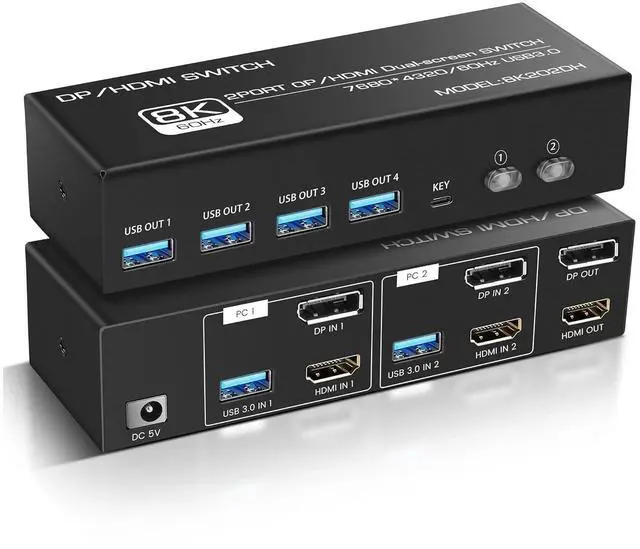
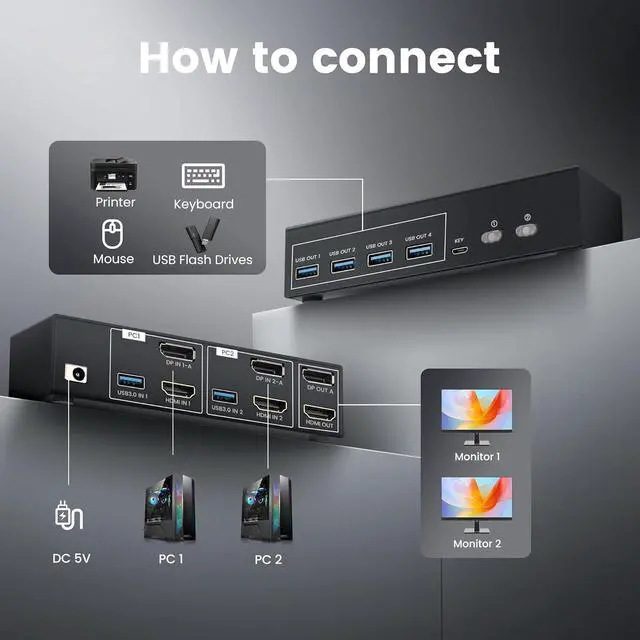
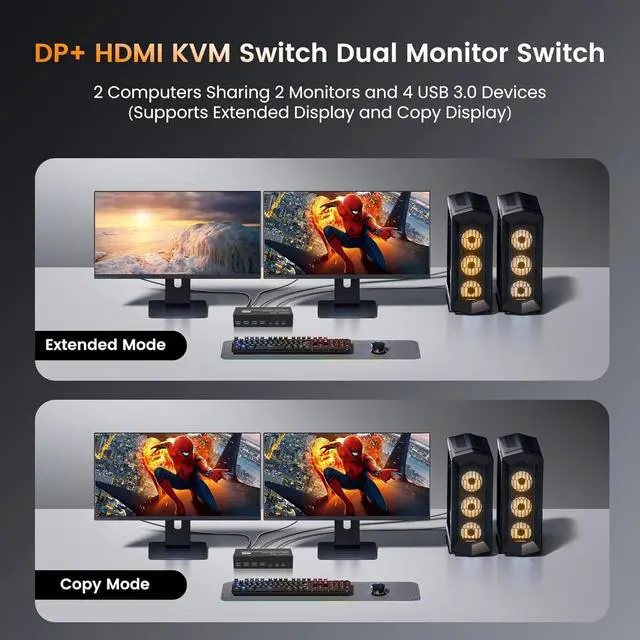
- KVM Switch for 2 Monitors & 2 Computers 8K@60Hz KVM switch control two computers across two monitors (1×DP + 1×HDMI) with one keyboard/mouse. Features 4 USB 3.0 ports to share printers, drives, and peripherals. The 2x2 HDMI KVM switcher supports extended and Copy modes.
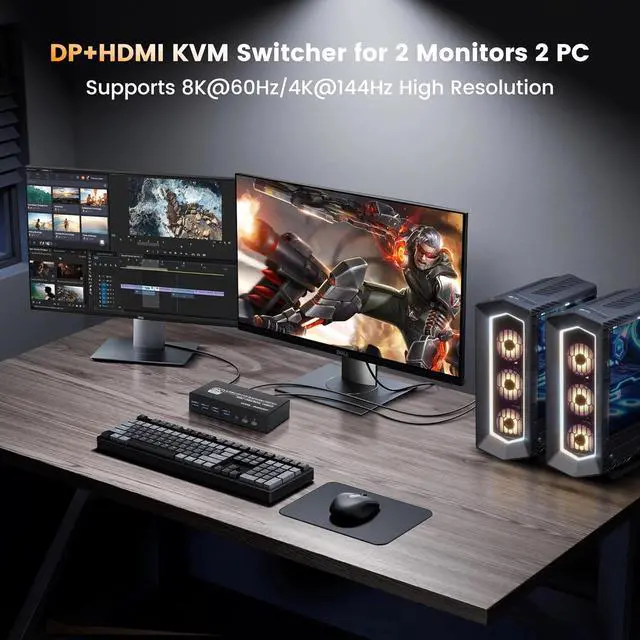
- 8K Ultra High Definition The dual monitor KVM switch delivers stunning 8K@60Hz and 4K@144Hz resolution, with backward compatibility for 4K@120Hz, 2K@144Hz, and 1080P@240Hz. The 2 computers 2 monitors switch supports connecting two different resolution sources and automatically recognizes the resolution when switching sources. (Note:If you want to realize 8K@60Hz, please make sure the signal source, monitor and cable support 8K.)
- High-Performance Connectivity This dual monitor KVM switch features 4 USB 3.0 ports (5Gbps transfer speed) for seamless sharing of peripherals including mice, keyboards, printers, and storage devices. The USB 3.0 standard delivers 10x faster data transfer compared to USB 2.0, while mainta
+
+
Overview
Specs
Reviews

Any questions? Our AI mode will help you find out quickly.
Try me now
KVM Switch for 2 Monitors & 2 Computers 8K@60Hz KVM switch control two computers across two monitors (1×DP + 1×HDMI) with one keyboard/mouse. Features 4 USB 3.0 ports to share printers, drives, and peripherals. The 2x2 HDMI KVM switcher supports extended and Copy modes.
8K Ultra High Definition The dual monitor KVM switch delivers stunning 8K@60Hz and 4K@144Hz resolution, with backward compatibility for 4K@120Hz, 2K@144Hz, and 1080P@240Hz. The 2 computers 2 monitors switch supports connecting two different resolution sources and automatically recognizes the resolution when switching sources. (Note:If you want to realize 8K@60Hz, please make sure the signal source, monitor and cable support 8K.)
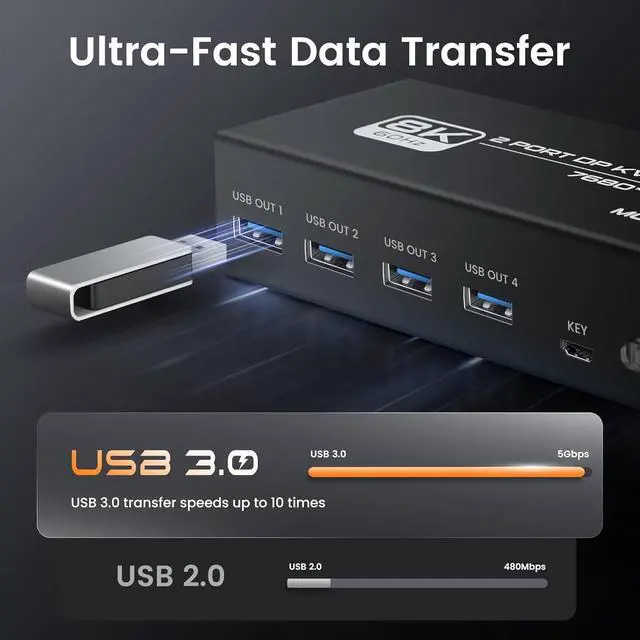
High-Performance Connectivity This dual monitor KVM switch features 4 USB 3.0 ports (5Gbps transfer speed) for seamless sharing of peripherals including mice, keyboards, printers, and storage devices. The USB 3.0 standard delivers 10x faster data transfer compared to USB 2.0, while maintaining backward compatibility with older USB 2.0/1.1 devices.The kvm switch comes with a 5V1A power adapter that provides increased drive power and ensures a stable operating environment for each device.
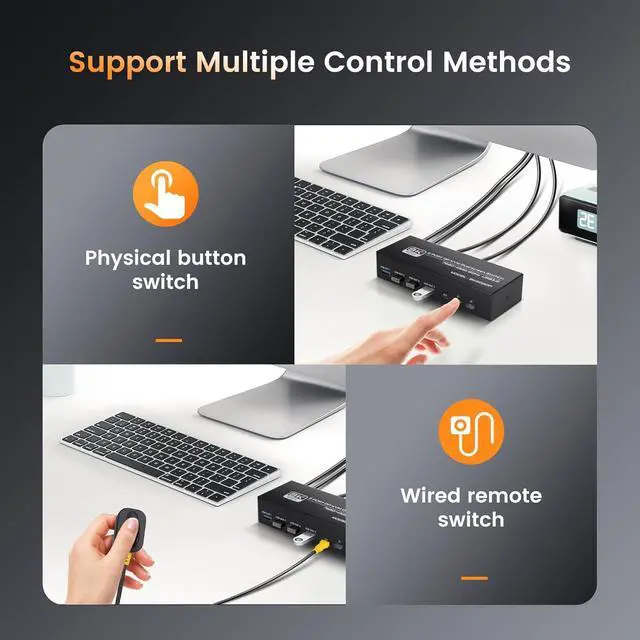
Seamless Multi-Computer Control This KVM switch offers effortless switching between two connected computers through either the front-panel button or included infrared remote control (wired connection required). The system features true plug-and-play functionality with no software installation needed, supporting Windows, macOS, and Linux operating systems out of the box. For user convenience, we provide all necessary infrared connection cables with the remote control. (NOTE: Not support Hotkey switching and EDID emulation.)
Complete Package Contents & Setup Guide This KVM switch package includes: 1×8K@60Hz HDMI KVM switcher, 2×1.2m USB 3.0 cables, 1×DC 5V power adapter, 1×wired controller, and 1×user manual. The system eliminates cable clutter by allowing two computers to share peripherals through a single hub, significantly improving workspace organization and productivity. For proper operation, connect both computers using the included USB cables.
8K Ultra High Definition The dual monitor KVM switch delivers stunning 8K@60Hz and 4K@144Hz resolution, with backward compatibility for 4K@120Hz, 2K@144Hz, and 1080P@240Hz. The 2 computers 2 monitors switch supports connecting two different resolution sources and automatically recognizes the resolution when switching sources. (Note:If you want to realize 8K@60Hz, please make sure the signal source, monitor and cable support 8K.)
High-Performance Connectivity This dual monitor KVM switch features 4 USB 3.0 ports (5Gbps transfer speed) for seamless sharing of peripherals including mice, keyboards, printers, and storage devices. The USB 3.0 standard delivers 10x faster data transfer compared to USB 2.0, while maintaining backward compatibility with older USB 2.0/1.1 devices.The kvm switch comes with a 5V1A power adapter that provides increased drive power and ensures a stable operating environment for each device.
Seamless Multi-Computer Control This KVM switch offers effortless switching between two connected computers through either the front-panel button or included infrared remote control (wired connection required). The system features true plug-and-play functionality with no software installation needed, supporting Windows, macOS, and Linux operating systems out of the box. For user convenience, we provide all necessary infrared connection cables with the remote control. (NOTE: Not support Hotkey switching and EDID emulation.)
Complete Package Contents & Setup Guide This KVM switch package includes: 1×8K@60Hz HDMI KVM switcher, 2×1.2m USB 3.0 cables, 1×DC 5V power adapter, 1×wired controller, and 1×user manual. The system eliminates cable clutter by allowing two computers to share peripherals through a single hub, significantly improving workspace organization and productivity. For proper operation, connect both computers using the included USB cables.
Warranty & Returns
Warranty, Returns, And Additional Information
Warranty
- Please contact the Seller directly for warranty information. Warranty information may also be found on the Manufacturer's website.
- CONTACT
Return Policies
- Return for refund within: 30 days
- Return for replacement within: 30 days
- This item is covered by Chinathru Trading Co., Limited Return Policy
Manufacturer Contact Info
- For a directory of all our manufacturers, please click below.
- Manufacturers Directory
LOADING...