

Your Browsing History
- Free 30-day Returns
$90.99

Meet Your Seller

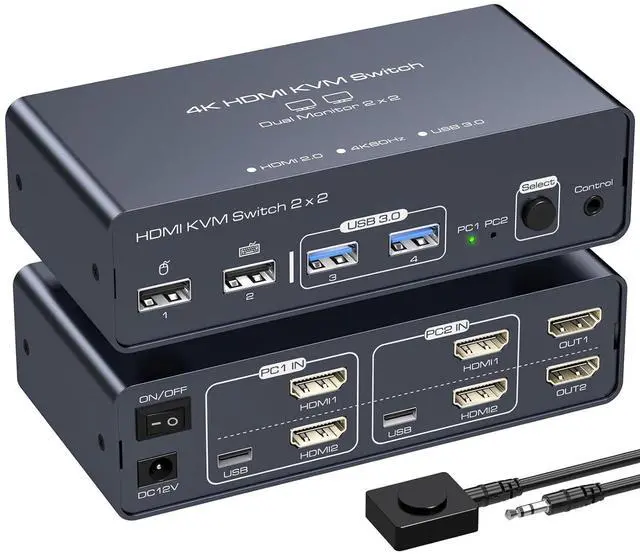


KVM Switch 2 Monitors 2 Computers 4K60Hz EDID Dual Monitor KVM Sharing 4 USB Devices with Desktop Controller
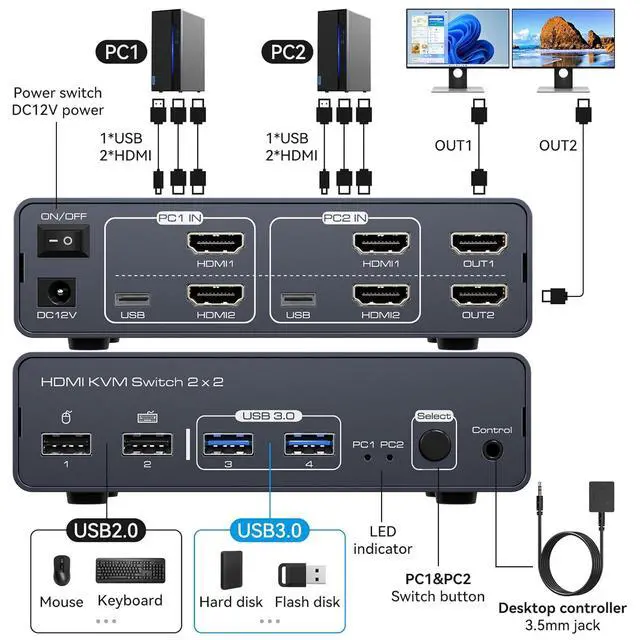
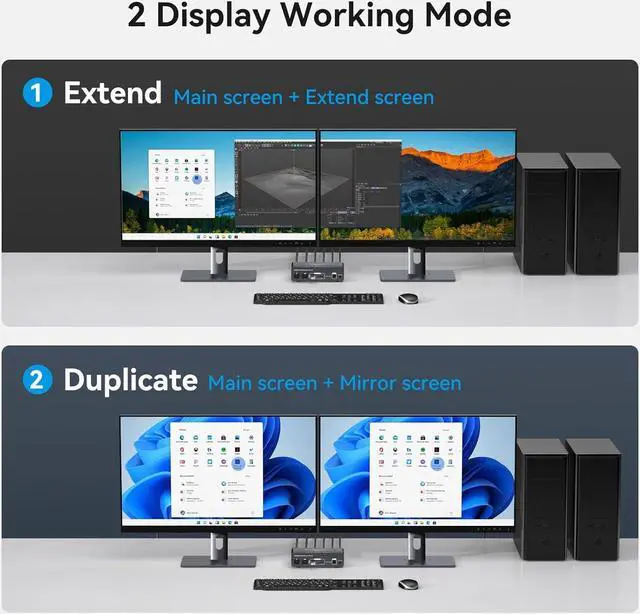
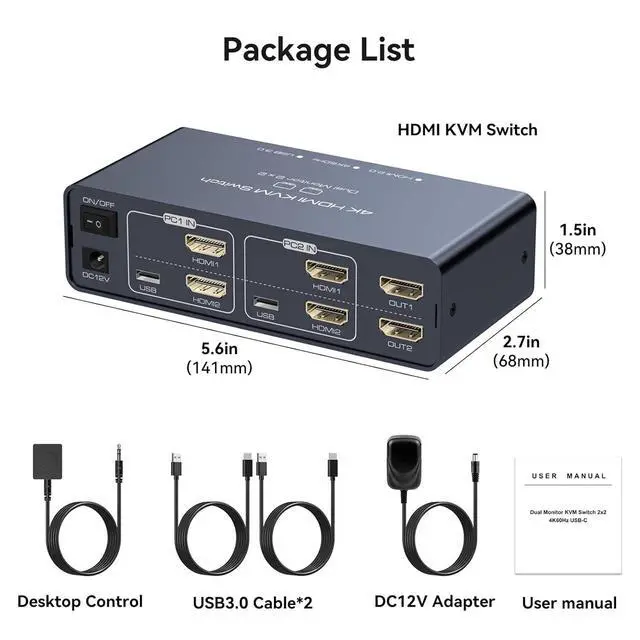
- KVM Switch 2 Monitors 2 ComputersHDMI kvm switcher 2 port allows 2 computers/laptops share 2 monitors and 4 usb ports like mouse keyboard printer hard disk etc, it also support extended and duplicated mode; In extended mode, you can move some application windows from the main screen to the secondary screen to improve work efficiency; In copy mode, 2 monitors output the same picture. NoteThe USB port can only transfer data, the HDMI port can only transfer images, and both HDMI ports on the input must be connected if images need to be transferred
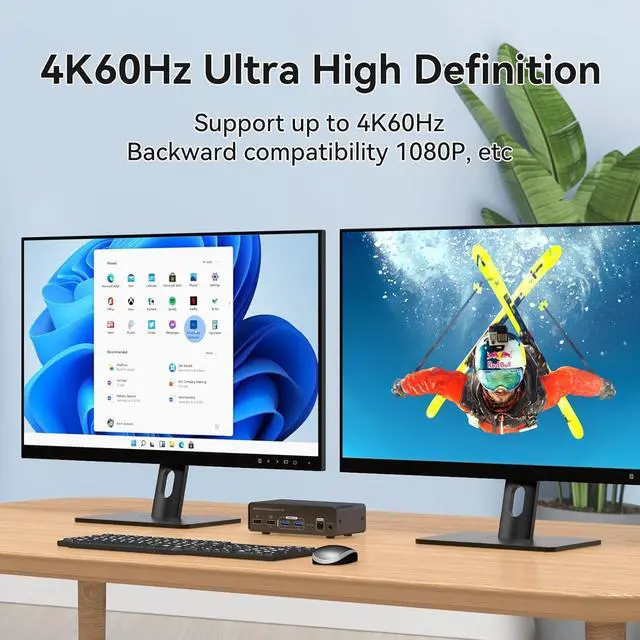
- Breathtaking Visual EffectsUSB+HDMI Switcher's resolution up to 4096*2160@60Hz, allowing you to enjoy crystal-clear images and videos;It is also backward compatible with 4K@30Hz, 1080P, 720P etc. Note:If you want to output 4K@60hz, please make sure that both the source and the HDMI cable support 4K@60hz. HDMI1 input directly corresponds to OUT1 output while HDMI2 input corresponds to OUT2 output, and you can only output to one monitor if
+
+
Overview
Specs
Reviews

Any questions? Our AI mode will help you find out quickly.
Try me now
KVM Switch 2 Monitors 2 ComputersHDMI kvm switcher 2 port allows 2 computers/laptops share 2 monitors and 4 usb ports like mouse keyboard printer hard disk etc, it also support extended and duplicated mode; In extended mode, you can move some application windows from the main screen to the secondary screen to improve work efficiency; In copy mode, 2 monitors output the same picture. NoteThe USB port can only transfer data, the HDMI port can only transfer images, and both HDMI ports on the input must be connected if images need to be transferred
Breathtaking Visual EffectsUSB+HDMI Switcher's resolution up to 4096*2160@60Hz, allowing you to enjoy crystal-clear images and videos;It is also backward compatible with 4K@30Hz, 1080P, 720P etc. Note:If you want to output 4K@60hz, please make sure that both the source and the HDMI cable support 4K@60hz. HDMI1 input directly corresponds to OUT1 output while HDMI2 input corresponds to OUT2 output, and you can only output to one monitor if only one HMDI input is connected
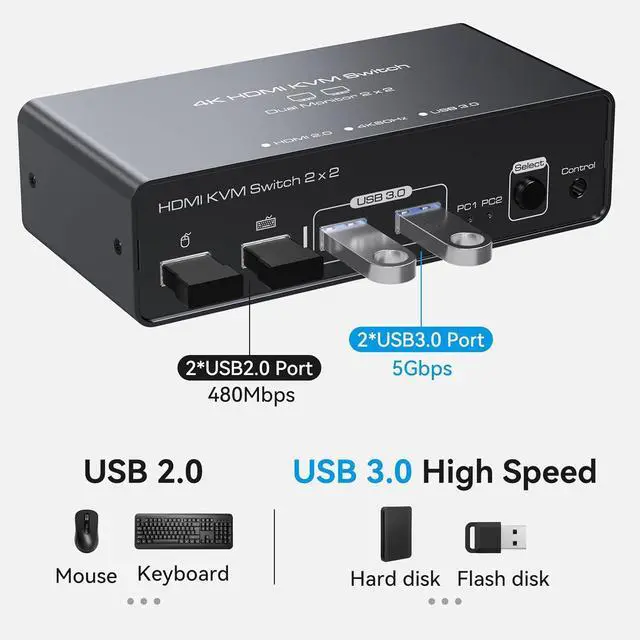
Multi USB PortsThe KVM Switch usb comes with 2 USB 3.0 and 2 USB 2.0 portsThe usb 2.0 port is designed for mouse and keyboard, and the usb 3.0 port is designed for U disk or hard disk. The transmission speed of USB 3.0 interface is up to 5 Gbps, which can access data from external devices faster and also backward compatible with USB 2.0;Please Note: If your computer does not have USB port and two HDMI ports, you need to use it through a docking station to work properly
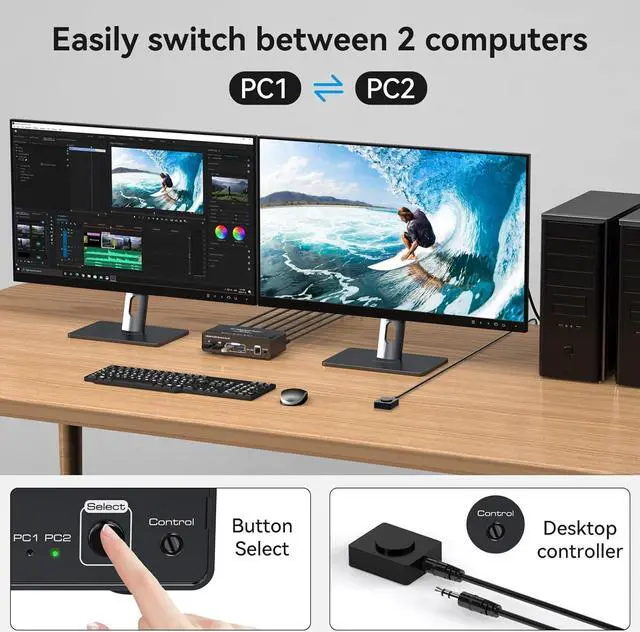
Convenient and FastWith two simple push-button options, switching between sources becomes effortless. The KVM switch is conveniently concealed by the desktop cable controller, creating a tidier and more efficient workspace. The LED indicator clearly displays the active port when the KVM switch is connected to a specific source. Please note: the keyboard shortcuts (hotkeys) are not available for switching. NotePlease make sure your computer supports dual monitors
Reliable PerformanceThe KVM switch HDMI is equipped with a 12V external power adapter. This is especially beneficial as the host's USB port provides limited current, which may not be sufficient to support USB devices like hard disks and webcams. With the external power design, USB devices can more stable through the switch, ensuring uninterrupted functionality. Note: The product must be connected to the power adapter and continuously powered for normal use
Wide CompatibilityThe 2 monitors kvm switch is designed to be fully compatible with Windows/Vista/XP, Mac OS, Linux, and Unix systems. It features a high-definition display that supports a wide range of signal sources, such as computers, laptops, PS5, PS4, and Xbox series. If you have any problems during the use, please contact us. Our professional technical team will provide solutions for you
Breathtaking Visual EffectsUSB+HDMI Switcher's resolution up to 4096*2160@60Hz, allowing you to enjoy crystal-clear images and videos;It is also backward compatible with 4K@30Hz, 1080P, 720P etc. Note:If you want to output 4K@60hz, please make sure that both the source and the HDMI cable support 4K@60hz. HDMI1 input directly corresponds to OUT1 output while HDMI2 input corresponds to OUT2 output, and you can only output to one monitor if only one HMDI input is connected
Multi USB PortsThe KVM Switch usb comes with 2 USB 3.0 and 2 USB 2.0 portsThe usb 2.0 port is designed for mouse and keyboard, and the usb 3.0 port is designed for U disk or hard disk. The transmission speed of USB 3.0 interface is up to 5 Gbps, which can access data from external devices faster and also backward compatible with USB 2.0;Please Note: If your computer does not have USB port and two HDMI ports, you need to use it through a docking station to work properly
Convenient and FastWith two simple push-button options, switching between sources becomes effortless. The KVM switch is conveniently concealed by the desktop cable controller, creating a tidier and more efficient workspace. The LED indicator clearly displays the active port when the KVM switch is connected to a specific source. Please note: the keyboard shortcuts (hotkeys) are not available for switching. NotePlease make sure your computer supports dual monitors
Reliable PerformanceThe KVM switch HDMI is equipped with a 12V external power adapter. This is especially beneficial as the host's USB port provides limited current, which may not be sufficient to support USB devices like hard disks and webcams. With the external power design, USB devices can more stable through the switch, ensuring uninterrupted functionality. Note: The product must be connected to the power adapter and continuously powered for normal use
Wide CompatibilityThe 2 monitors kvm switch is designed to be fully compatible with Windows/Vista/XP, Mac OS, Linux, and Unix systems. It features a high-definition display that supports a wide range of signal sources, such as computers, laptops, PS5, PS4, and Xbox series. If you have any problems during the use, please contact us. Our professional technical team will provide solutions for you
Warranty & Returns
Warranty, Returns, And Additional Information
Warranty
- Please contact the Seller directly for warranty information. Warranty information may also be found on the Manufacturer's website.
- CONTACT
Return Policies
- Return for refund within: 30 days
- Return for replacement within: 30 days
- This item is covered by Chinathru Trading Co., Limited Return Policy
Manufacturer Contact Info
- For a directory of all our manufacturers, please click below.
- Manufacturers Directory
LOADING...