

Your Browsing History
- Free 30-day Returns
$180.99

Meet Your Seller

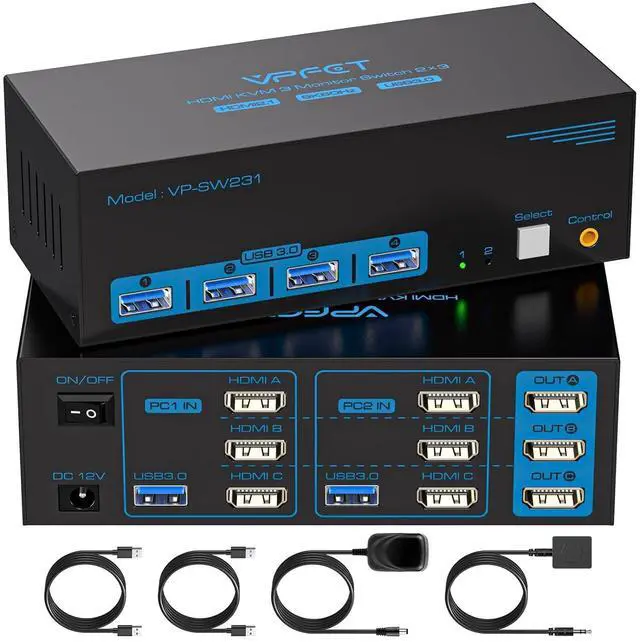
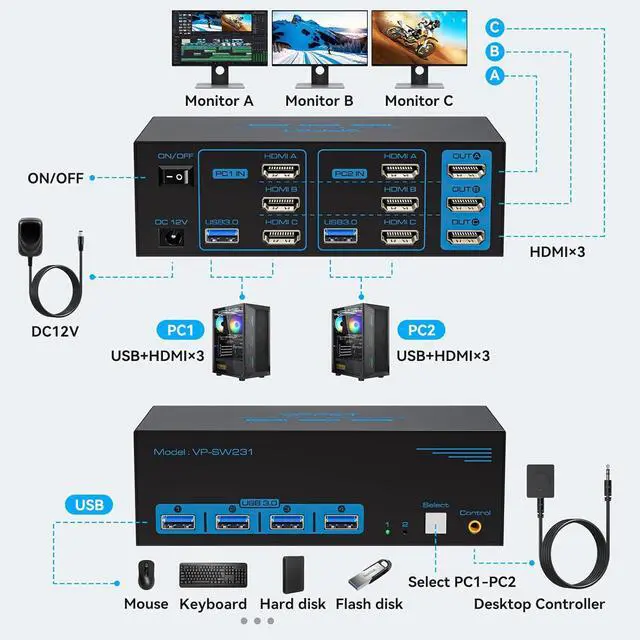


8K@60Hz HDMI KVM Switch 3 Monitors 2 Computers 4K@120Hz USB 3.0 KVM Switches for 2 PC Share Triple Monitor and 4 USB Ports Supports Extended&Duplicate Mode.Wired Controller DC 12V/1A Adapter Included
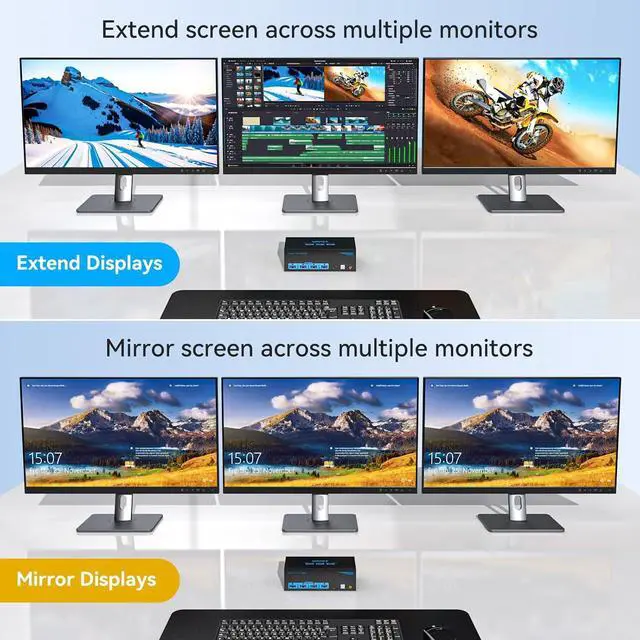
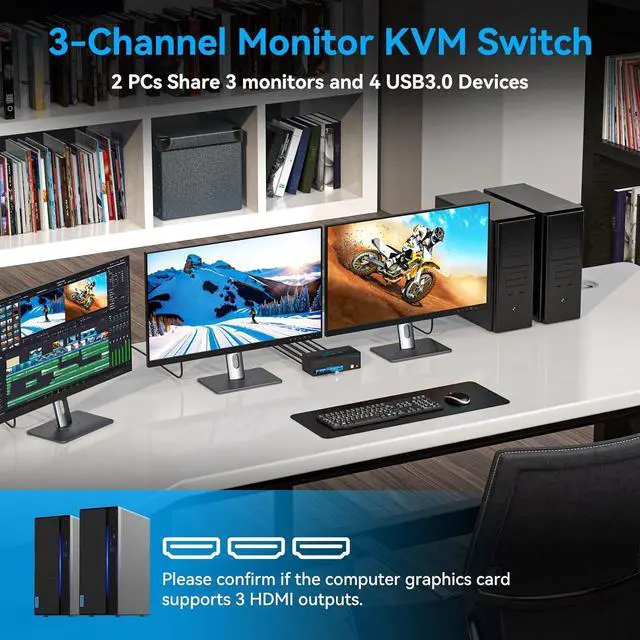
- KVM Switch 3 Monitors 2 ComputersCMSTEDCD KVM switcher allows 2 PC or laptop share triple monitor and 1 set of keyboard mouse printer U disk and other usb peripheralsSupport extended & duplicate mode; It offers the convenience of switching between different computers without the need for multiple sets of peripherals & monitors, It's an efficient and cost-effective solution for individuals with 2 computers. Note: Please make sure your computer supports multiple monitors.
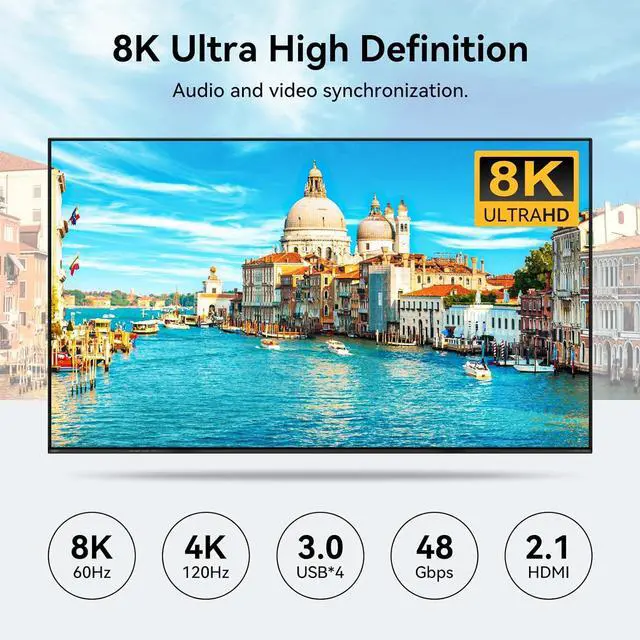
- HDMI 2.1 KVM SwitchHDMI 3 Monitors KVM switcher resolution and refresh rate up to 8K@60Hz or 4K@120Hz, it ensures incredibly sharp and detailed visuals, providing a truly immersive experience and provides room for future growth and advancement in display technology. Also backward compatible with 4K@30Hz, 1080P, 720P, 3D, etc.
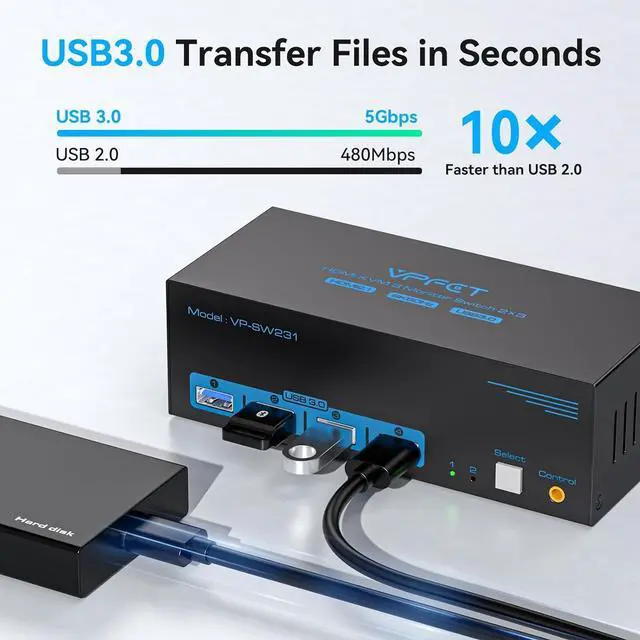
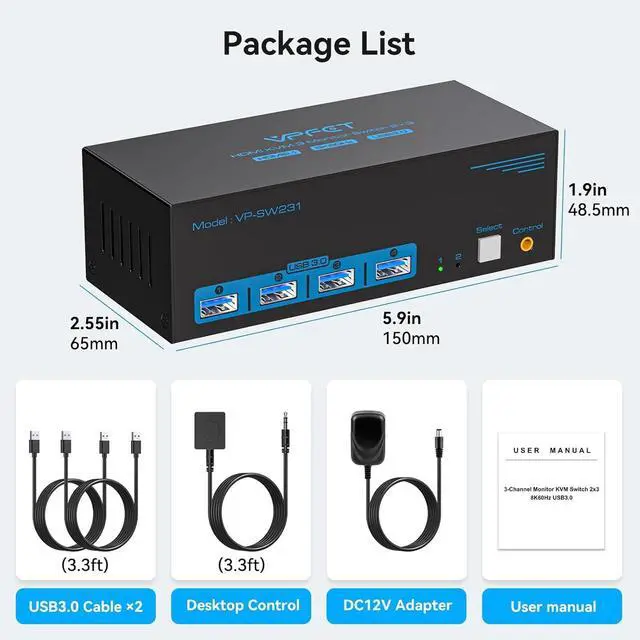
- USB 3.0 KVM SwitchesUSB+HDMI Switches are equipped with 4 USB 3.0 ports, which offers significantly faster data transfer rates, enabling quick and efficient file sharing and device connec
+
+
Overview
Specs
Reviews

Any questions? Our AI mode will help you find out quickly.
Try me now
1Widely Compatible2Port Connection Diagram18K@60Hz Visual2Extend/Mirror mode3Two switching methods 8K HDMI KVM 3 Monitor
8K HDMI+DP KVM 2 Monitor
8K DP KVM 3 Monitor
8K HDMI KVM 2 Monitor
8K HDMI+DP KVM 2 Monitor
8K DP KVM 2 Monitor
4K HDMI KVM 2 Monitor
Customer Reviews Can KVM switches support up to 4K@144Hz?
Our KVM can support up to 4K@144Hz, but the prerequisite is that the cable and Hub you use must support 4K@144Hz.
Can the two functions of USB Switch and DP Switch be used independently?
Yes, you can think of the KVM switch as a USB+DP Switch. These two functions not only support simultaneous use, but can also be used separately.
What is the maximum power of peripherals it can drive?
To drive peripherals with a maximum power of 10W, we use a 12V/1A power adapter, which can provide a more powerful and stable drive. Other KVM switches only support 5V/1A adapters. When using high-power
Is it really possible to replace a new product within two years?
Yes, if there are any problems with the product within two years, we will solve it for you, including replacing it with a new KVM.
Do I have to connect the 12V/1A power adapter to use it?
Make sure your computer supports multi-screen display, you can connect two screens directly to the computer and check if there are images display.
Please confirm that 1.the USB 3.0 cable is properly connected between the computer and the KVM;
2. the computer's USB port is functioning properly;
3. that the latest USB driver is installed on the computer.
8K HDMI KVM 3 Monitor Product performance comparison Can KVM switches support up to 4K@144Hz?
Can the two functions of USB Switch and DP Switch be used independently?
What is the maximum power of peripherals it can drive?
Is it really possible to replace a new product within two years?
Do I have to connect the 12V/1A power adapter to use it?
USB not working
8K HDMI+DP KVM 2 Monitor
8K DP KVM 3 Monitor
8K HDMI KVM 2 Monitor
8K HDMI+DP KVM 2 Monitor
8K DP KVM 2 Monitor
4K HDMI KVM 2 Monitor
Customer Reviews Can KVM switches support up to 4K@144Hz?
Our KVM can support up to 4K@144Hz, but the prerequisite is that the cable and Hub you use must support 4K@144Hz.
Can the two functions of USB Switch and DP Switch be used independently?
Yes, you can think of the KVM switch as a USB+DP Switch. These two functions not only support simultaneous use, but can also be used separately.
What is the maximum power of peripherals it can drive?
To drive peripherals with a maximum power of 10W, we use a 12V/1A power adapter, which can provide a more powerful and stable drive. Other KVM switches only support 5V/1A adapters. When using high-power
Is it really possible to replace a new product within two years?
Yes, if there are any problems with the product within two years, we will solve it for you, including replacing it with a new KVM.
Do I have to connect the 12V/1A power adapter to use it?
Make sure your computer supports multi-screen display, you can connect two screens directly to the computer and check if there are images display.
Please confirm that 1.the USB 3.0 cable is properly connected between the computer and the KVM;
2. the computer's USB port is functioning properly;
3. that the latest USB driver is installed on the computer.
8K HDMI KVM 3 Monitor Product performance comparison Can KVM switches support up to 4K@144Hz?
Can the two functions of USB Switch and DP Switch be used independently?
What is the maximum power of peripherals it can drive?
Is it really possible to replace a new product within two years?
Do I have to connect the 12V/1A power adapter to use it?
USB not working
Warranty & Returns
Warranty, Returns, And Additional Information
Warranty
- Please contact the Seller directly for warranty information. Warranty information may also be found on the Manufacturer's website.
- CONTACT
Return Policies
- Return for refund within: 30 days
- Return for replacement within: 30 days
- This item is covered by Chinathru Trading Co., Limited Return Policy
Manufacturer Contact Info
- For a directory of all our manufacturers, please click below.
- Manufacturers Directory
LOADING...