

Your Browsing History
- Free 30-day Returns
$72.99

Meet Your Seller


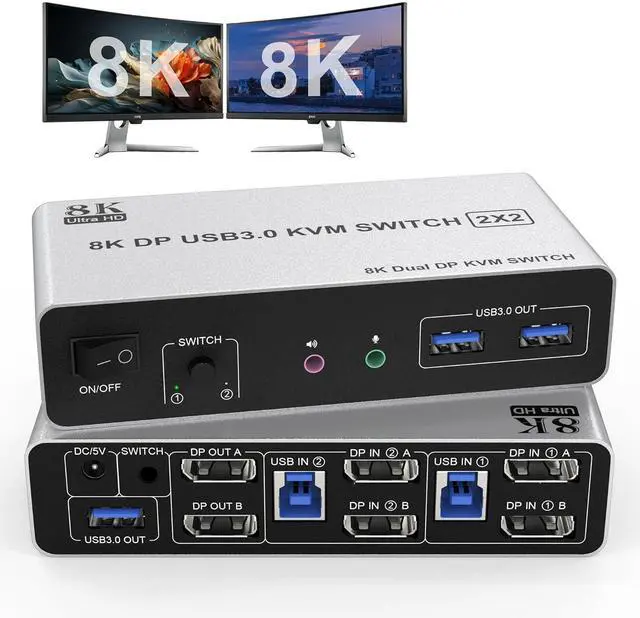


8K USB 3.0 DisplayPort KVM Switch 2 Computers 2 Monitors 8K@60Hz 4K@144Hz, Dual Monitor Displayport KVM Switches with Audio Microphone Output and 3 USB 3.0 Ports, Desktop Controller and 2 USB Cables
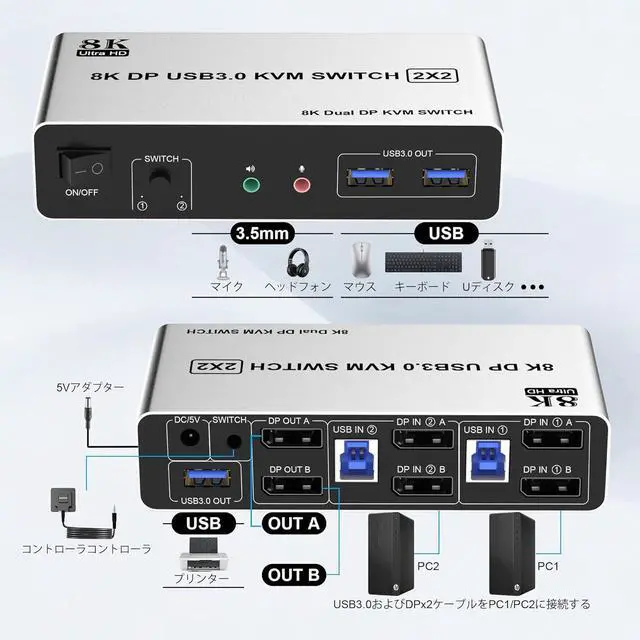
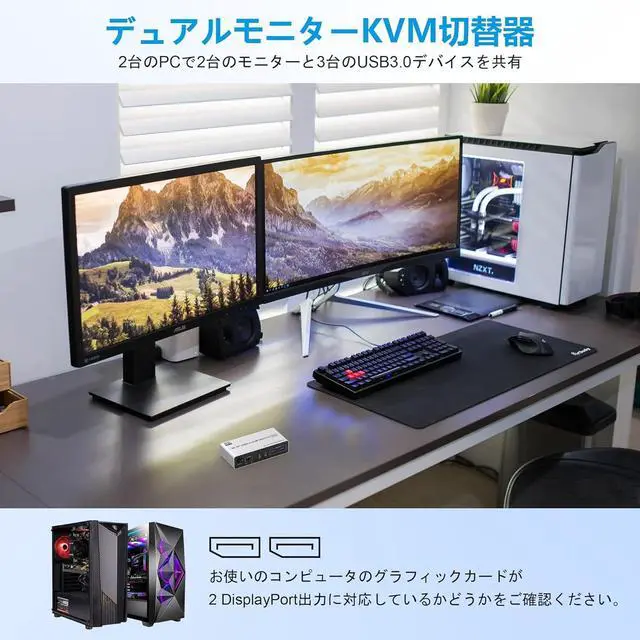
- Dual Monitor Displayport 1.4 KVM SwitchThis Dual Monitor DP 1.4 KVM switch 2 computers 2 monitors allow two computers or other signal source to share two HD monitors, audio microphone output and 3 USB 3.0 ports, such as mouse, keyboard, printer U disk or gamepad, etc.
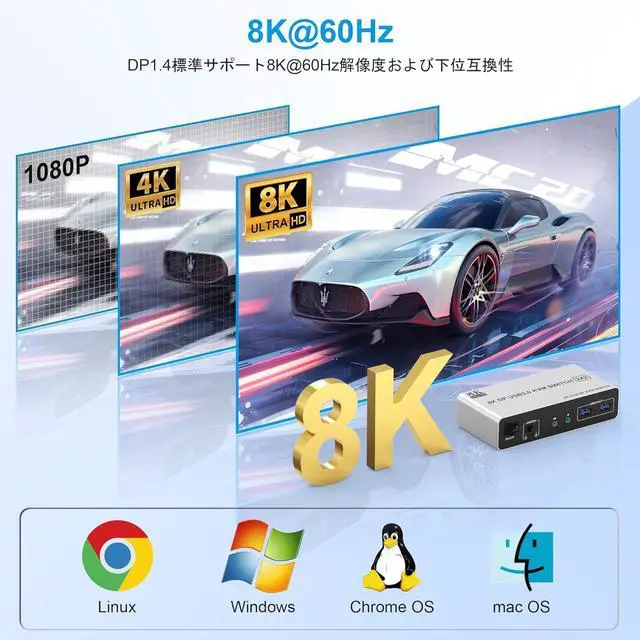
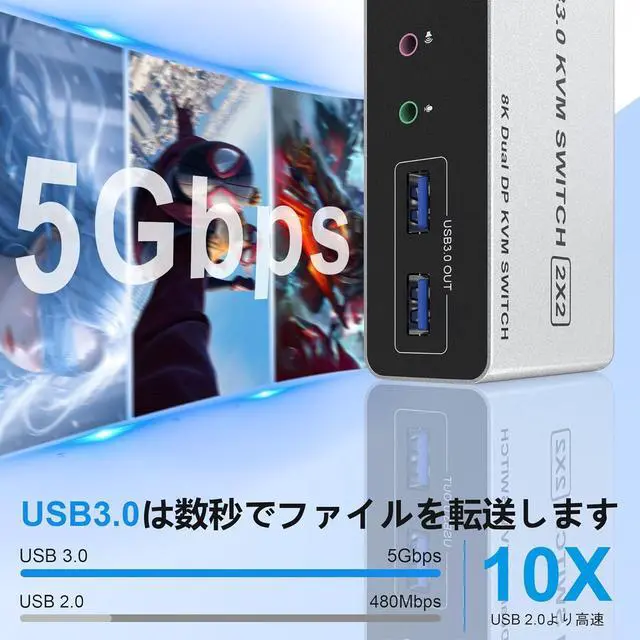
- 8K DisplayPort KVM SwitchThe kvm switch 2 monitors 2 computers supports resolutions and refresh rates up to 8K@60Hz 4K@144Hz. DP kvm switch with 3 usb 3.0 ports, two computers can share up to 3 usb devices, such as mouse, keyboard, printer, hard disk, etc. The transmission speed of USB3.0 is as high as 5Gbps, which is far superior to USB2.0 in reading data. At the same time, the switch is compatible with USB2.0 devices.
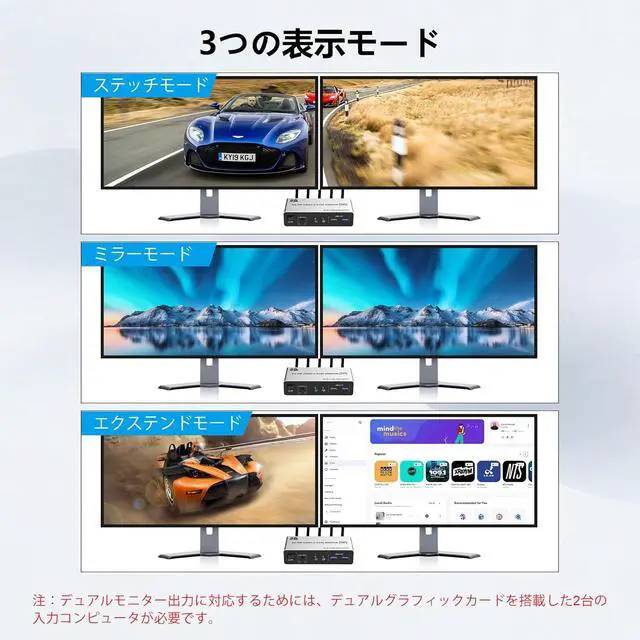
- Splicing Extended and Copy ModeDP dual monitor kvm switcher supports three display mode: splicing mode, copy mode and extend modes. Note:Please make sure your computer supports multi-screen display. Test method: Connect the source to 2 monitors and they both display, your computer supports multi-m
+
+
Overview
Specs
Reviews

Any questions? Our AI mode will help you find out quickly.
Try me now
Dual Monitor Displayport 1.4 KVM SwitchThis Dual Monitor DP 1.4 KVM switch 2 computers 2 monitors allow two computers or other signal source to share two HD monitors, audio microphone output and 3 USB 3.0 ports, such as mouse, keyboard, printer U disk or gamepad, etc.
8K DisplayPort KVM SwitchThe kvm switch 2 monitors 2 computers supports resolutions and refresh rates up to 8K@60Hz 4K@144Hz. DP kvm switch with 3 usb 3.0 ports, two computers can share up to 3 usb devices, such as mouse, keyboard, printer, hard disk, etc. The transmission speed of USB3.0 is as high as 5Gbps, which is far superior to USB2.0 in reading data. At the same time, the switch is compatible with USB2.0 devices.
Splicing Extended and Copy ModeDP dual monitor kvm switcher supports three display mode: splicing mode, copy mode and extend modes. Note:Please make sure your computer supports multi-screen display. Test method: Connect the source to 2 monitors and they both display, your computer supports multi-monitor display.
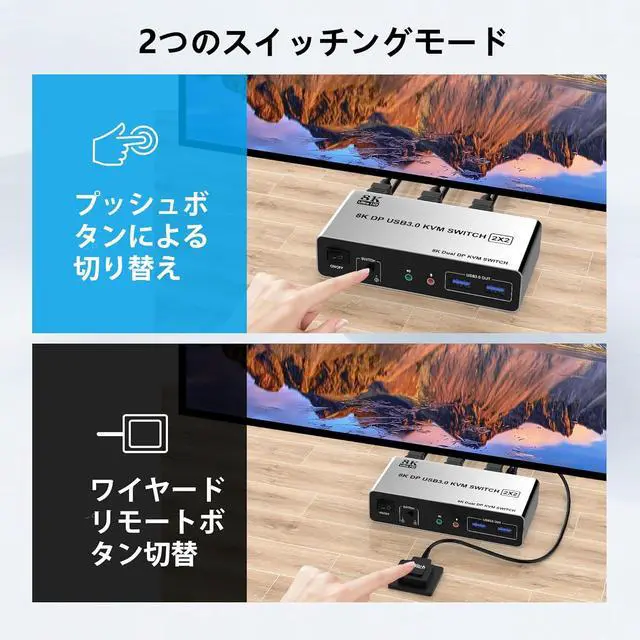
Great Compatibility & 2 Switching ModesMonitor switch for 2 computers driver-free for Windows 11/10/8/7/XP and Mac OS. Plug and play. Powered by USB cables, but when using a high-power USB device with this displayport dual monitor KVM switch(such as HDD, SSD etc), external 5V adapter is required. You can press the button on the panel or use the wired remote controller (included in the package) to switch the computers. The LED indicate the active computer.
ImportantAfter connecting the computers and the monitors through KVM, you need to set the screen output mode on the computer (press Windows+P) and select the output mode in the pop-up window on the screen.We offer 12 months warranty. Tips 1: If you encounter problems when using the KVM connection, please contact us for after-sales support in time.Tips 2: hotkey switching is not supported.
8K DisplayPort KVM SwitchThe kvm switch 2 monitors 2 computers supports resolutions and refresh rates up to 8K@60Hz 4K@144Hz. DP kvm switch with 3 usb 3.0 ports, two computers can share up to 3 usb devices, such as mouse, keyboard, printer, hard disk, etc. The transmission speed of USB3.0 is as high as 5Gbps, which is far superior to USB2.0 in reading data. At the same time, the switch is compatible with USB2.0 devices.
Splicing Extended and Copy ModeDP dual monitor kvm switcher supports three display mode: splicing mode, copy mode and extend modes. Note:Please make sure your computer supports multi-screen display. Test method: Connect the source to 2 monitors and they both display, your computer supports multi-monitor display.
Great Compatibility & 2 Switching ModesMonitor switch for 2 computers driver-free for Windows 11/10/8/7/XP and Mac OS. Plug and play. Powered by USB cables, but when using a high-power USB device with this displayport dual monitor KVM switch(such as HDD, SSD etc), external 5V adapter is required. You can press the button on the panel or use the wired remote controller (included in the package) to switch the computers. The LED indicate the active computer.
ImportantAfter connecting the computers and the monitors through KVM, you need to set the screen output mode on the computer (press Windows+P) and select the output mode in the pop-up window on the screen.We offer 12 months warranty. Tips 1: If you encounter problems when using the KVM connection, please contact us for after-sales support in time.Tips 2: hotkey switching is not supported.
Warranty & Returns
Warranty, Returns, And Additional Information
Warranty
- Please contact the Seller directly for warranty information. Warranty information may also be found on the Manufacturer's website.
- CONTACT
Return Policies
- Return for refund within: 30 days
- Return for replacement within: 30 days
- This item is covered by Chinathru Trading Co., Limited Return Policy
Manufacturer Contact Info
- For a directory of all our manufacturers, please click below.
- Manufacturers Directory
LOADING...