

Your Browsing History
- Free 30-day Returns
$252.99

Meet Your Seller


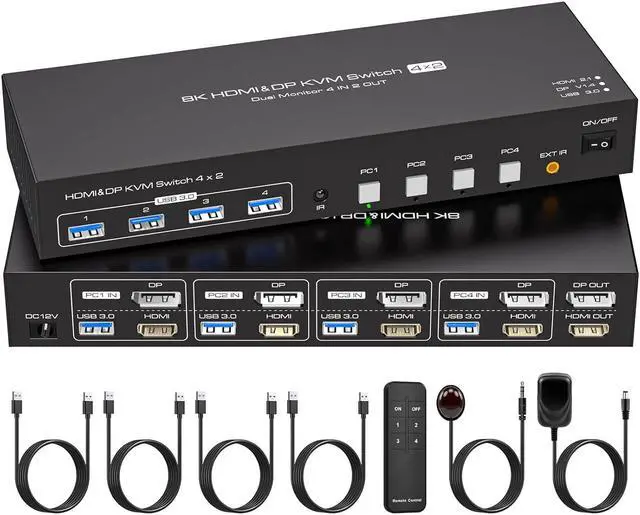


HDMI Displayport KVM Switch 4 Computers 2 Monitors 8K 60Hz 4K 120Hz 4 Port Dual Monitor KVM Switches for 4PC Share Four USB Device Support Copy and Extend Mode Includes Some Accessories
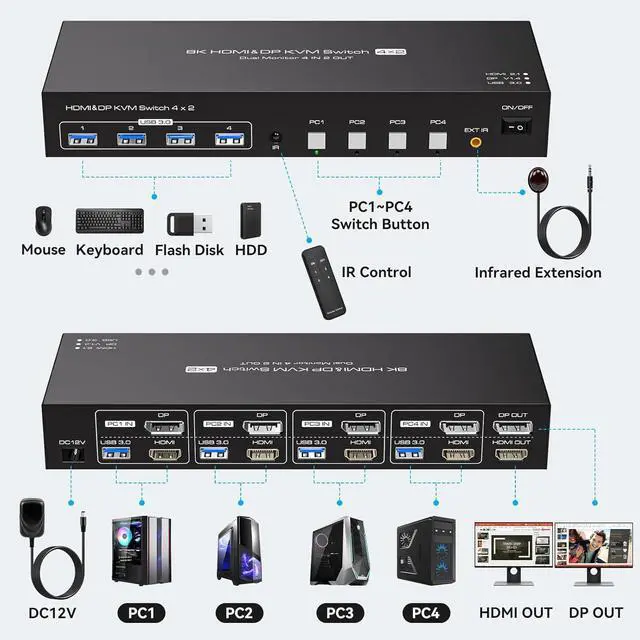
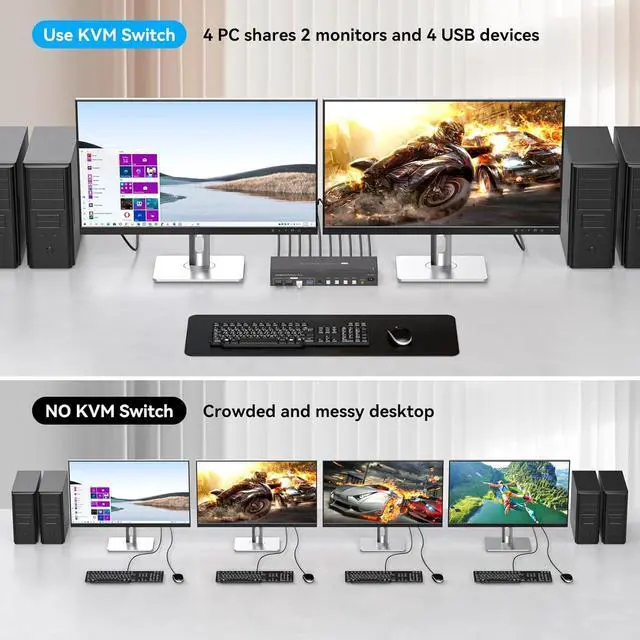
- HDMI+DP KVM Switch 4 PC 2 MonitorThis KVM switch supports 4 computers to share 2 monitors and 4 USB devices. Plug and play. One button switch. Effectively save your time and office space. (PLEASE NOTE: To ensure optimal use, requires each of your computers with DP+HDMI port, 2 monitors: one with DP port, another with HDMI port.)
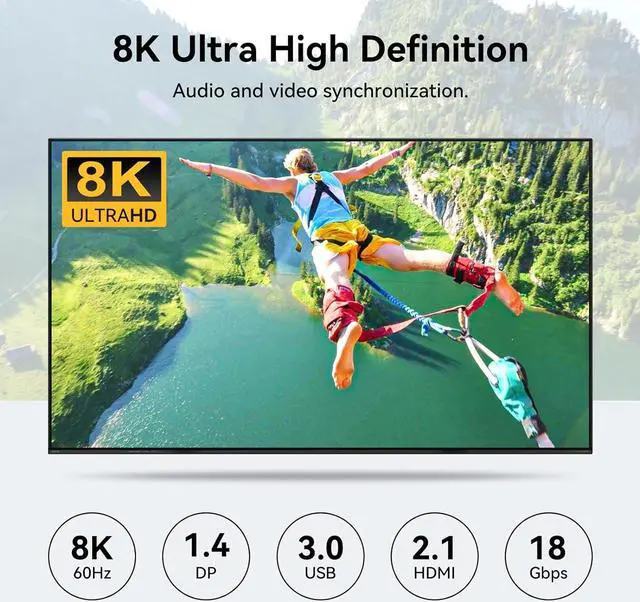
- 8K ResolutionThis KVM switch supports up to 8K@60Hz/4K@120Hz and is backward compatible with 2K/1080P/720/480/240, which really makes the video transmission HD smooth and without delay. (Please note: If you want to achieve 8K, you need your computer monitor and the cable used to support 8K)
- Extended and Duplicate ModesDuplicate Mode: both computers display the same screen, Extended Mode: both computers display different screens. Meet the needs of multi-tasking or synchronized display, easily adapt to office, design, monitoring and other scenarios.
- 4 USB 3.0 PortThis KVM switch features four USB 3.0 ports with a transfer rate of up to 5Gbps, compatib
+
+
Overview
Specs
Reviews

Any questions? Our AI mode will help you find out quickly.
Try me now
HDMI+DP KVM Switch 4 PC 2 MonitorThis KVM switch supports 4 computers to share 2 monitors and 4 USB devices. Plug and play. One button switch. Effectively save your time and office space. (PLEASE NOTE: To ensure optimal use, requires each of your computers with DP+HDMI port, 2 monitors: one with DP port, another with HDMI port.)
8K ResolutionThis KVM switch supports up to 8K@60Hz/4K@120Hz and is backward compatible with 2K/1080P/720/480/240, which really makes the video transmission HD smooth and without delay. (Please note: If you want to achieve 8K, you need your computer monitor and the cable used to support 8K)
Extended and Duplicate ModesDuplicate Mode: both computers display the same screen, Extended Mode: both computers display different screens. Meet the needs of multi-tasking or synchronized display, easily adapt to office, design, monitoring and other scenarios.
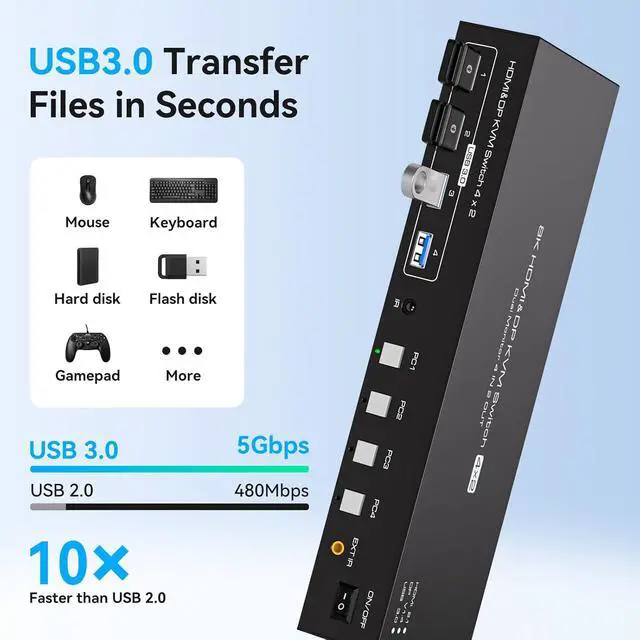
4 USB 3.0 PortThis KVM switch features four USB 3.0 ports with a transfer rate of up to 5Gbps, compatible with peripherals like mice, keyboards, printers, webcams, and USB flash drives. It also supports USB 2.0/1.1/1.0. (Please connect a 12V1A external power supply when in use.)
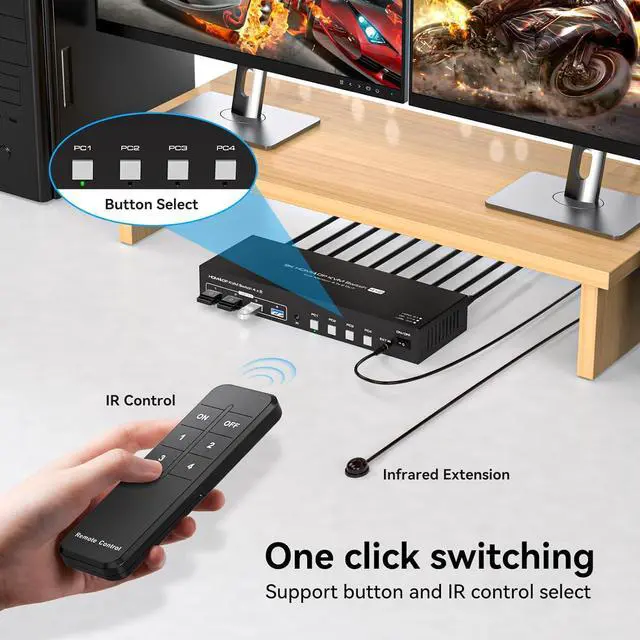
2 Switching Methods1.Panel Switching: The device features buttons for one-touch switching. 2.Infrared Remote Control: Equipped with a remote control to directly select the computer to be used. LED will indicate the active computer. (Note: This device does not support hotkey switching.)
Widely Compatible, Plug and PlayThis KVM switch is widely compatible with Windows/Vista/XP and Mac OS, Linux and Unix. there is no need to install any additional drivers. Plug and play. (Please note: To ensure stable equipment operation, always connect the external power supply when in use.)
Stable WorkThe KVM includes a 12V power adapter (the PC host provides less current to support USB devices such as hard disks). With the external power supply design, USB devices can obtain a stable working environment through the switcher.
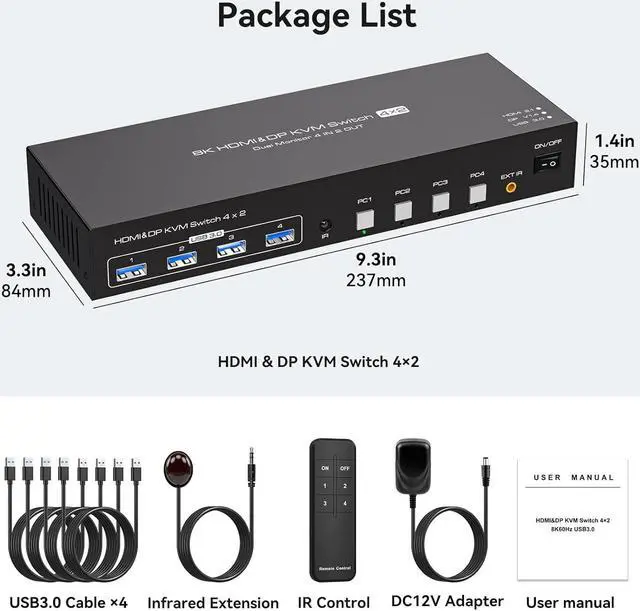
Package List, After-sales ServiceThis KVM Switch contains:1*8K HDMI&DP KVM Switch, 1*DC12V power adapter, 4*USB A-A type cable(1m), 1*Remote control, 1*Extend IR, 1*User manual. If you have any problem during the use. Please contact us. We will provide professional technical support for you.
CautionPlease note: The use of additional docking stations and adapter cables is not recommended for this device. When using this device. Requires 4 computers each with 1 DP port and HDMI port, 2 monitors: 1 DP port, 1 HDMI port. And use HDMI-HDMI and DP-DP connecting cables to connect each device.
8K ResolutionThis KVM switch supports up to 8K@60Hz/4K@120Hz and is backward compatible with 2K/1080P/720/480/240, which really makes the video transmission HD smooth and without delay. (Please note: If you want to achieve 8K, you need your computer monitor and the cable used to support 8K)
Extended and Duplicate ModesDuplicate Mode: both computers display the same screen, Extended Mode: both computers display different screens. Meet the needs of multi-tasking or synchronized display, easily adapt to office, design, monitoring and other scenarios.
4 USB 3.0 PortThis KVM switch features four USB 3.0 ports with a transfer rate of up to 5Gbps, compatible with peripherals like mice, keyboards, printers, webcams, and USB flash drives. It also supports USB 2.0/1.1/1.0. (Please connect a 12V1A external power supply when in use.)
2 Switching Methods1.Panel Switching: The device features buttons for one-touch switching. 2.Infrared Remote Control: Equipped with a remote control to directly select the computer to be used. LED will indicate the active computer. (Note: This device does not support hotkey switching.)
Widely Compatible, Plug and PlayThis KVM switch is widely compatible with Windows/Vista/XP and Mac OS, Linux and Unix. there is no need to install any additional drivers. Plug and play. (Please note: To ensure stable equipment operation, always connect the external power supply when in use.)
Stable WorkThe KVM includes a 12V power adapter (the PC host provides less current to support USB devices such as hard disks). With the external power supply design, USB devices can obtain a stable working environment through the switcher.
Package List, After-sales ServiceThis KVM Switch contains:1*8K HDMI&DP KVM Switch, 1*DC12V power adapter, 4*USB A-A type cable(1m), 1*Remote control, 1*Extend IR, 1*User manual. If you have any problem during the use. Please contact us. We will provide professional technical support for you.
CautionPlease note: The use of additional docking stations and adapter cables is not recommended for this device. When using this device. Requires 4 computers each with 1 DP port and HDMI port, 2 monitors: 1 DP port, 1 HDMI port. And use HDMI-HDMI and DP-DP connecting cables to connect each device.
Warranty & Returns
Warranty, Returns, And Additional Information
Warranty
- Please contact the Seller directly for warranty information. Warranty information may also be found on the Manufacturer's website.
- CONTACT
Return Policies
- Return for refund within: 30 days
- Return for replacement within: 30 days
- This item is covered by Chinathru Trading Co., Limited Return Policy
Manufacturer Contact Info
- For a directory of all our manufacturers, please click below.
- Manufacturers Directory
LOADING...