

Your Browsing History
- Free 30-day Returns
$198.99

Meet Your Seller

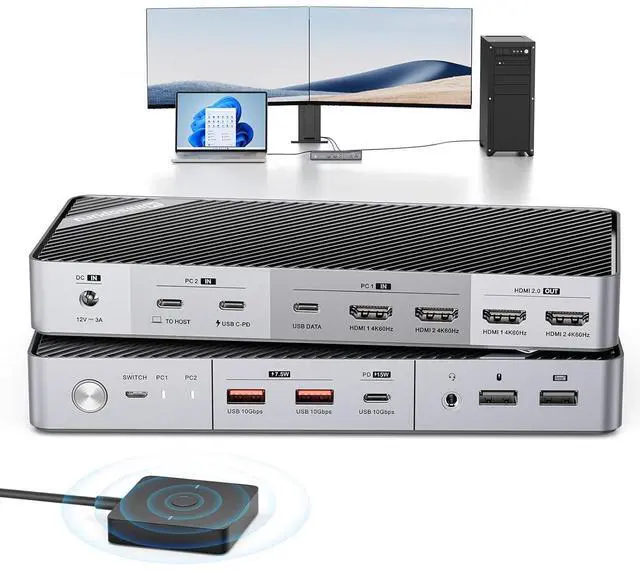
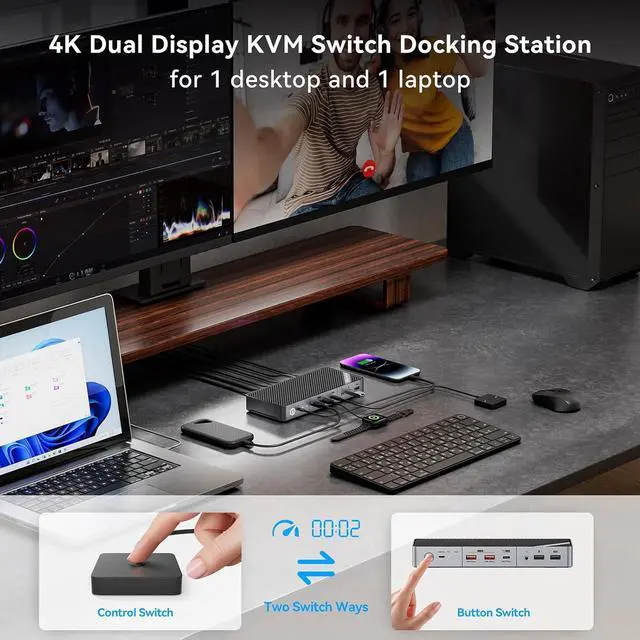


Minisopuru KVM Switch Dual Monitor Docking Station for Laptop & Desktop - with 4K@60Hz HDMI,15W Charge, EDID, 5 USB A USB-C, Audio, for Thunderbolt 5/4/3, USB-C Windows Laptops(Not Support MacBook)
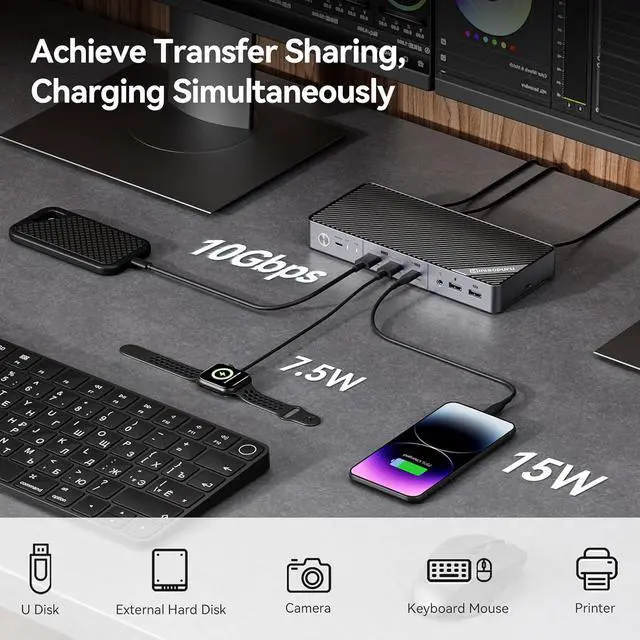
- Laptop & Desktop KVM Switch Docking StationThe KVM switch allows between your laptop and desktop seamless sharing of dual 4K@60Hz HDMI displays, 3*10Gbps USB ports (supporting hard drives, camera, printers, and charging up to 15W for phones, iPads), 1*audio port and 2* USB 2.0 ports for keyboard and mouse. It's not just a USB switch, but a USB C docking station. With it, you can switch between devices effortlessly, enjoying the convenience between work and games entertainment.
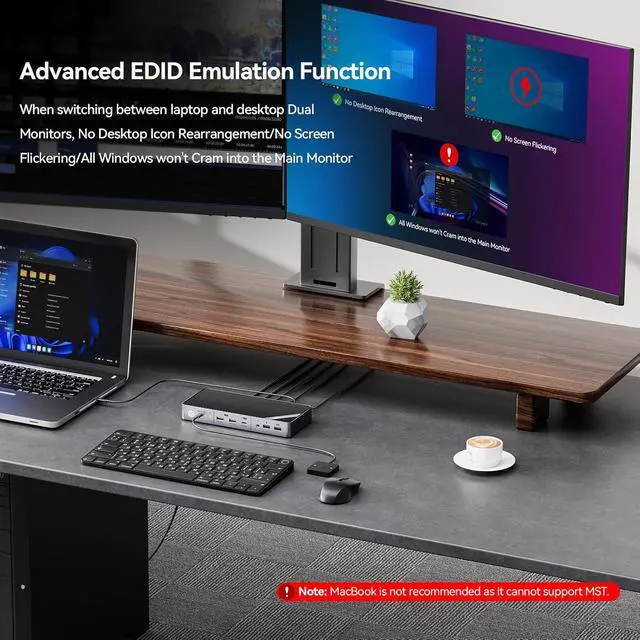
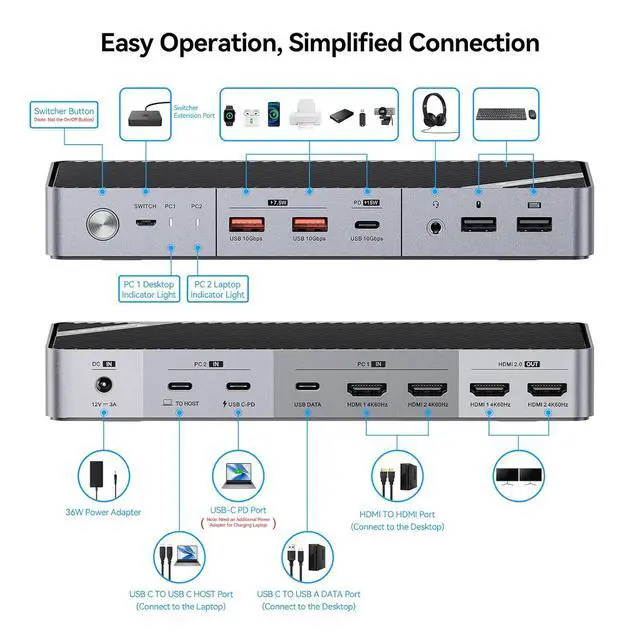
- 4K@60Hz Dual Display & EDID FunctionThe Dual HDMI KVM Switch has EDID simulation functions, taking only 2-3 seconds, and No rearrangement is required. The KVM switches 2 monitors up to [email protected] giving a presentation, or high-resolution videos, making it perfect for work and entertainment.Note: 21:9 ultra-wide monitors are not supported. Connection Method: Please Use the included two HDMI TO HDMI cables to connect the HDMI ports in the PC1 IN area to the HDMI port of your PC.
- 2 Switch Methods
+
+
Overview
Specs
Reviews

Any questions? Our AI beta will help you find out quickly.
Try me now
1Multi-Device Charging23 x 10Gbps Transmission32 x USB2.0 No Delay1What's compatible?2How to connect?3What's included? Why can my desktop display on both monitors, but my laptop cannot transmit any video? What can I do?
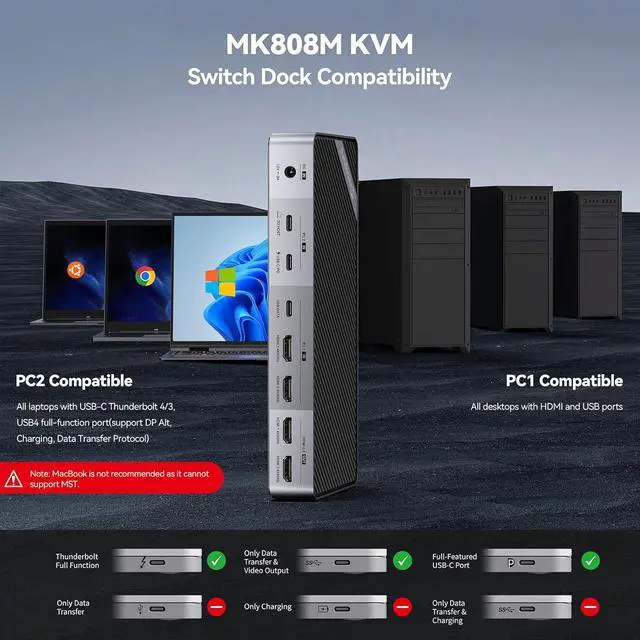
Please use the USB-C to USB-C cable in the package and connect it to the Thunderbolt port on the laptop. Note: You need to make sure your laptop has a USB-C full-function port. If you are not sure, please contact minisopuru to confirm for you
Does it support 4K@60Hz?
Of course, the dual HDMI ports of this KVM SWitch support up to 4K@60Hz.
Is it compatible with MacBook and does it support 21:9 ultra-wide screen monitors?
Sorry, this KVM Switch does not support MacBook and does not support 21:9 ultra-wide screen monitors.
Can this KVM Switch charge the laptop and external devices?
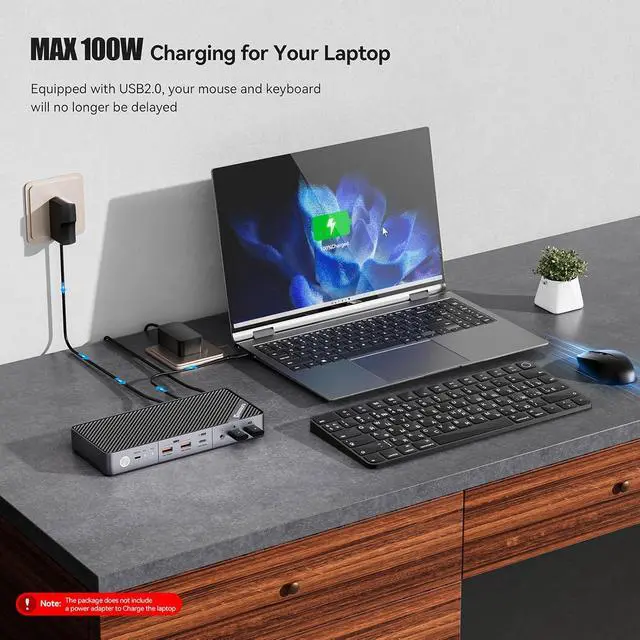
Sure, the USB C KVM Switch supports Max 100W for charging laptops and 15W for charging external devices. Note: If you charge your laptop, you need to use the original adapter of the laptop to connect to the USB-C PD port of the KVM to charge.
What's included in the package?
1* KVM Switch,1*36W Power Adapter,1*3.3ft USB-C TO USB-C Cable (for connect laptop),2* 5ft HDMI TO HDMI Cables,1* 3.3ft USB C TO USB-A Cable(for connect USBA port of the desktop),1*2ft USB Switcher,1* User Guide
4K@60Hz Dual Monitor KVM Switch Docking Station for Windows Laptop & Desktop Why can my desktop display on both monitors, but my laptop cannot transmit any video? What can I do?
Does it support 4K@60Hz?
Is it compatible with MacBook and does it support 21:9 ultra-wide screen monitors?
Can this KVM Switch charge the laptop and external devices?
What's included in the package?
Please use the USB-C to USB-C cable in the package and connect it to the Thunderbolt port on the laptop. Note: You need to make sure your laptop has a USB-C full-function port. If you are not sure, please contact minisopuru to confirm for you
Does it support 4K@60Hz?
Of course, the dual HDMI ports of this KVM SWitch support up to 4K@60Hz.
Is it compatible with MacBook and does it support 21:9 ultra-wide screen monitors?
Sorry, this KVM Switch does not support MacBook and does not support 21:9 ultra-wide screen monitors.
Can this KVM Switch charge the laptop and external devices?
Sure, the USB C KVM Switch supports Max 100W for charging laptops and 15W for charging external devices. Note: If you charge your laptop, you need to use the original adapter of the laptop to connect to the USB-C PD port of the KVM to charge.
What's included in the package?
1* KVM Switch,1*36W Power Adapter,1*3.3ft USB-C TO USB-C Cable (for connect laptop),2* 5ft HDMI TO HDMI Cables,1* 3.3ft USB C TO USB-A Cable(for connect USBA port of the desktop),1*2ft USB Switcher,1* User Guide
4K@60Hz Dual Monitor KVM Switch Docking Station for Windows Laptop & Desktop Why can my desktop display on both monitors, but my laptop cannot transmit any video? What can I do?
Does it support 4K@60Hz?
Is it compatible with MacBook and does it support 21:9 ultra-wide screen monitors?
Can this KVM Switch charge the laptop and external devices?
What's included in the package?
Warranty & Returns
Warranty, Returns, And Additional Information
Warranty
- Please contact the Seller directly for warranty information. Warranty information may also be found on the Manufacturer's website.
- CONTACT
Return Policies
- Return for refund within: 30 days
- Return for replacement within: 30 days
- This item is covered by Zhanfu Technology Co., Limited Return Policy
Manufacturer Contact Info
- For a directory of all our manufacturers, please click below.
- Manufacturers Directory
LOADING...