

Your Browsing History
- Free 30-day Returns
$664.99

Meet Your Seller


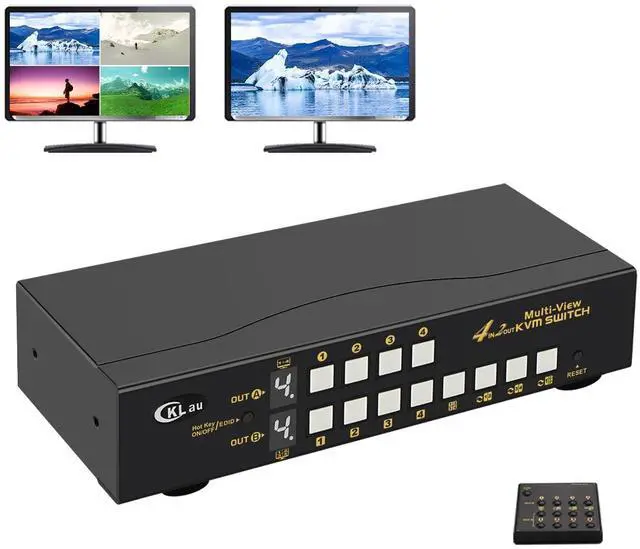


CKLau 4 Port HDMI Split Multi-View KVM Switch Dual Monitor with Cables - Supports Single, Dual, Quad Screen Modes - Split & PIP Function, Hotkey Switching
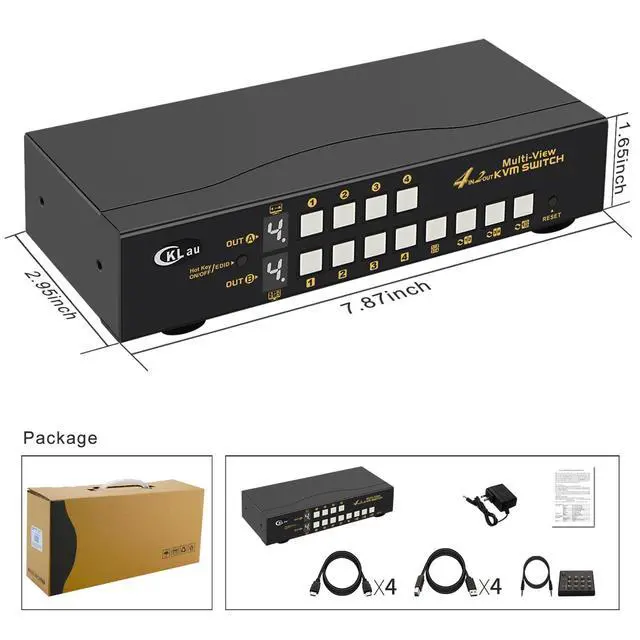
- 1. 4x2 KVM Switches: 4 computers/2 computers in, 2 monitors out. Supports emulation EDID. Supports single-screen, dual-screen, and quad-screen modes, including split and picture-in-picture functions.
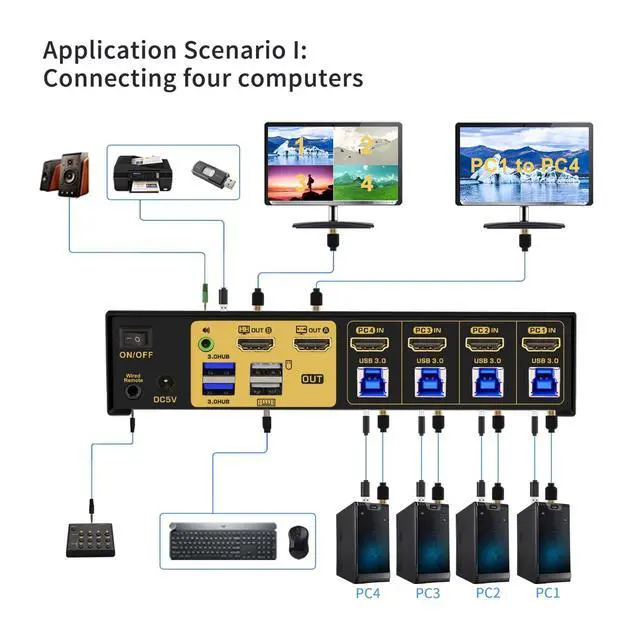
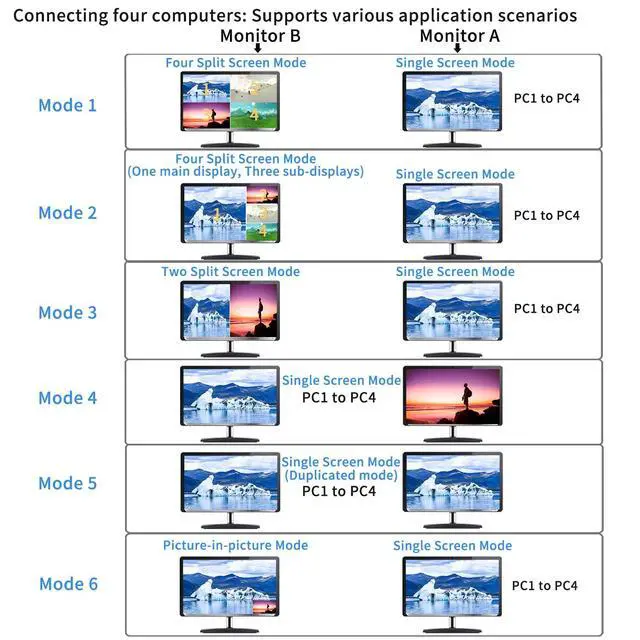
- 2. When connect 4 PCs (each with 1 video output) to the KVM switch, 6 scenarios emerge: one monitor remains the main display for any computer (editable); the other can show four equal split screens (each for a different computer, non-adjustable), or four split screens with a larger main display on the left and three stacked sub-displays on the right (interchangeable), picture-in-picture (two PCs), two split screens (two PCs), a single screen (any computer), or duplicated screen(single screen).
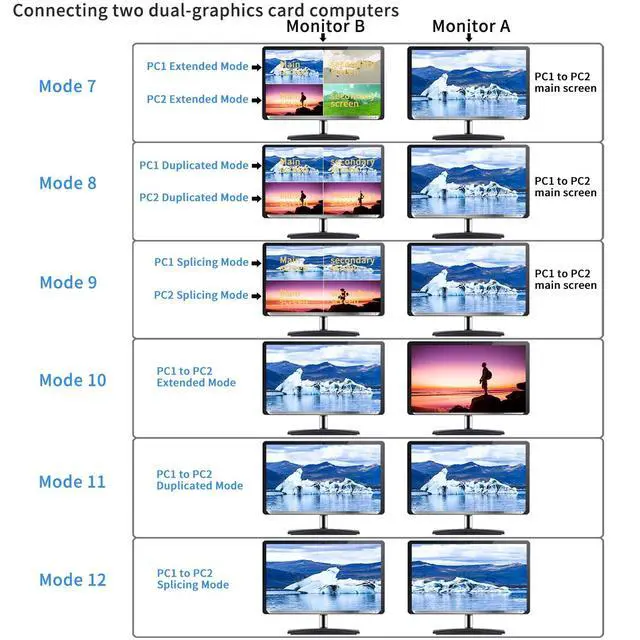
- 3. Connect 2 dual-graphics card PCs to a KVM switch for 6 scenarios: 1. Extended Mode: One monitor splits into four (top for PC1's main/secondary, bottom for PC2's). The other shows either PC1 or PC2's main screen. 2. Duplicated Mode: Like Extended, but top duplicates PC1; bottom shows PC2. 3. Sli
+
+
Overview
Reviews

Any questions? Our AI mode will help you find out quickly.
Try me now
1. 4x2 KVM Switches: 4 computers/2 computers in, 2 monitors out. Supports emulation EDID. Supports single-screen, dual-screen, and quad-screen modes, including split and picture-in-picture functions.
2. When connect 4 PCs (each with 1 video output) to the KVM switch, 6 scenarios emerge: one monitor remains the main display for any computer (editable); the other can show four equal split screens (each for a different computer, non-adjustable), or four split screens with a larger main display on the left and three stacked sub-displays on the right (interchangeable), picture-in-picture (two PCs), two split screens (two PCs), a single screen (any computer), or duplicated screen(single screen).
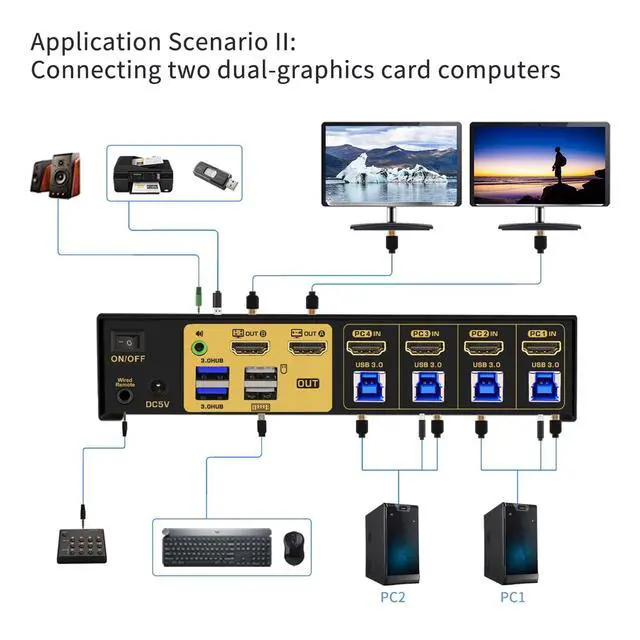
3. Connect 2 dual-graphics card PCs to a KVM switch for 6 scenarios: 1. Extended Mode: One monitor splits into four (top for PC1's main/secondary, bottom for PC2's). The other shows either PC1 or PC2's main screen. 2. Duplicated Mode: Like Extended, but top duplicates PC1; bottom shows PC2. 3. Slicing Mode: Similar to Extended with a combined view for each PC. You can choose between Extended, Duplicated, or Splicing Mode for just one PC, utilizing both monitors for flexible display management.
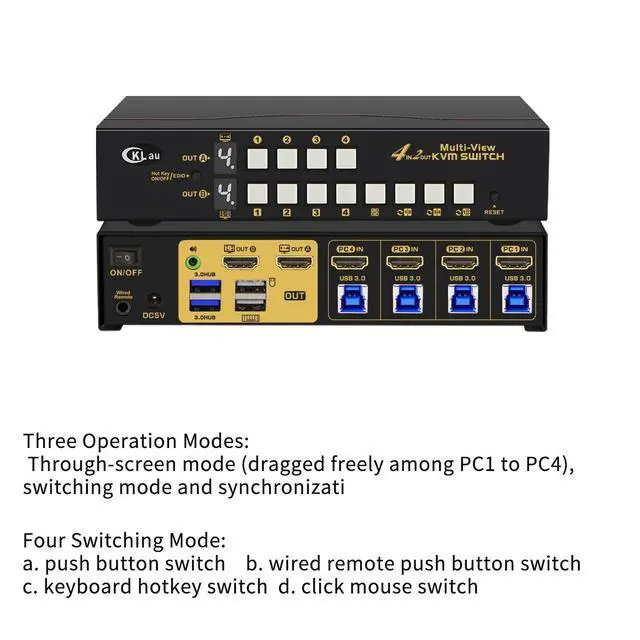
4. KVM Switch 2 Monitors 4 Computers: Supports wired remote push-button switching, manual button switching, keyboard hot-key switching, and mouse switching.
5. 4x2 HDMI Monitor Switch: We have been certified HDMI adopters for over 10 years. Resolution only compatible 3840x2160@30Hz and 1080P@60Hz. If your device is not in the above two resolutions, please adjust the input and output resolutions of your device to 4K@30Hz or 1080P@60Hz.
2. When connect 4 PCs (each with 1 video output) to the KVM switch, 6 scenarios emerge: one monitor remains the main display for any computer (editable); the other can show four equal split screens (each for a different computer, non-adjustable), or four split screens with a larger main display on the left and three stacked sub-displays on the right (interchangeable), picture-in-picture (two PCs), two split screens (two PCs), a single screen (any computer), or duplicated screen(single screen).
3. Connect 2 dual-graphics card PCs to a KVM switch for 6 scenarios: 1. Extended Mode: One monitor splits into four (top for PC1's main/secondary, bottom for PC2's). The other shows either PC1 or PC2's main screen. 2. Duplicated Mode: Like Extended, but top duplicates PC1; bottom shows PC2. 3. Slicing Mode: Similar to Extended with a combined view for each PC. You can choose between Extended, Duplicated, or Splicing Mode for just one PC, utilizing both monitors for flexible display management.
4. KVM Switch 2 Monitors 4 Computers: Supports wired remote push-button switching, manual button switching, keyboard hot-key switching, and mouse switching.
5. 4x2 HDMI Monitor Switch: We have been certified HDMI adopters for over 10 years. Resolution only compatible 3840x2160@30Hz and 1080P@60Hz. If your device is not in the above two resolutions, please adjust the input and output resolutions of your device to 4K@30Hz or 1080P@60Hz.
Warranty & Returns
Warranty, Returns, And Additional Information
Warranty
- Please contact the Seller directly for warranty information. Warranty information may also be found on the Manufacturer's website.
- CONTACT
Return Policies
- Return for refund within: 30 days
- Return for replacement within: 30 days
- This item is covered by Chinathru Trading Co., Limited Return Policy
Manufacturer Contact Info
- For a directory of all our manufacturers, please click below.
- Manufacturers Directory
LOADING...