

Your Browsing History
- Free 30-day Returns
$556.99

Meet Your Seller


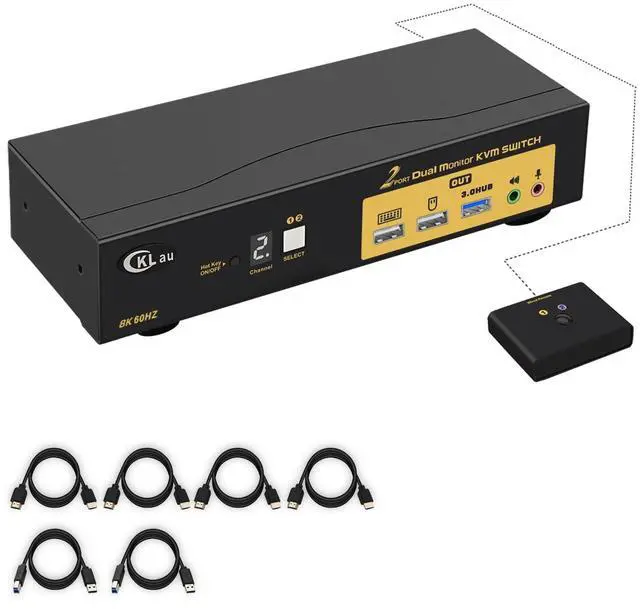


CKLau 2 Port HDMI KVM Switch 2 Monitors 8K@60Hz 4K@144Hz with Cables Supports Emulation EDID, Hotkey Switching, 5.1 Digital Fiber Optical and 7.1 Surround Sound Audio Output
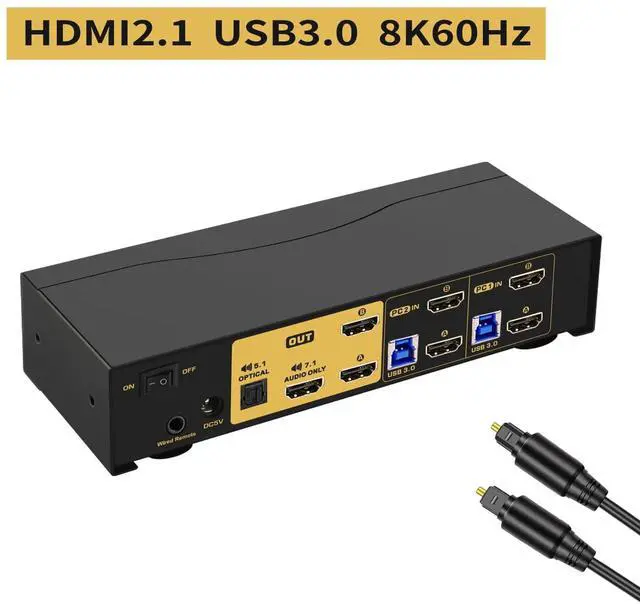
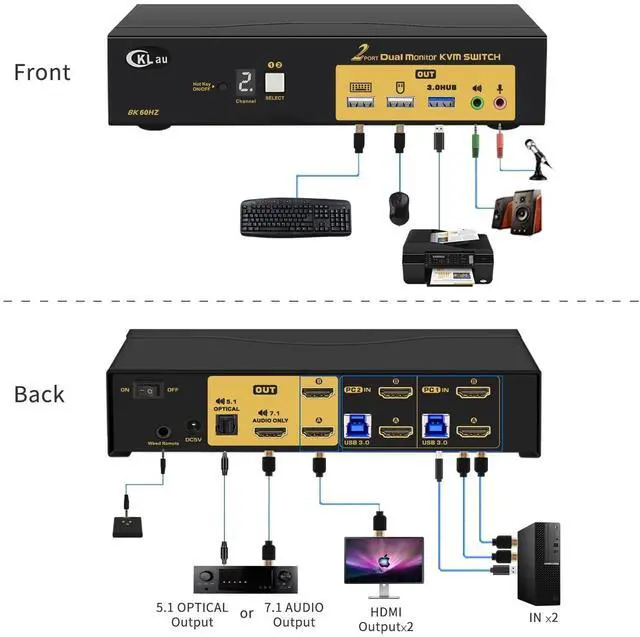
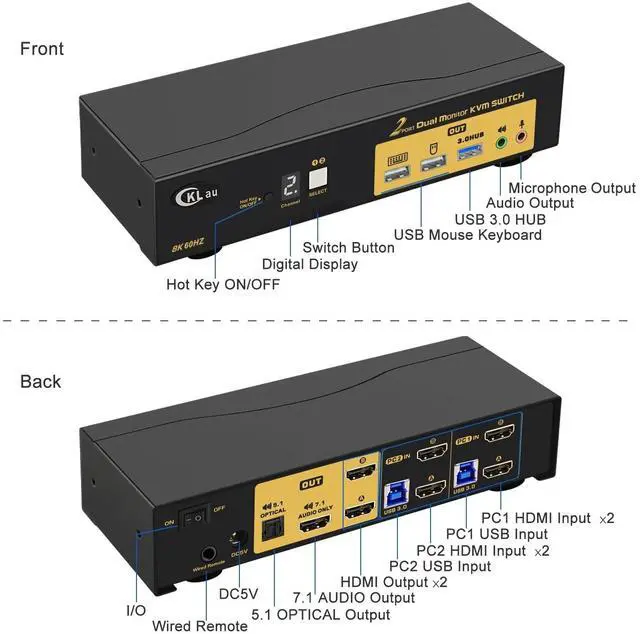
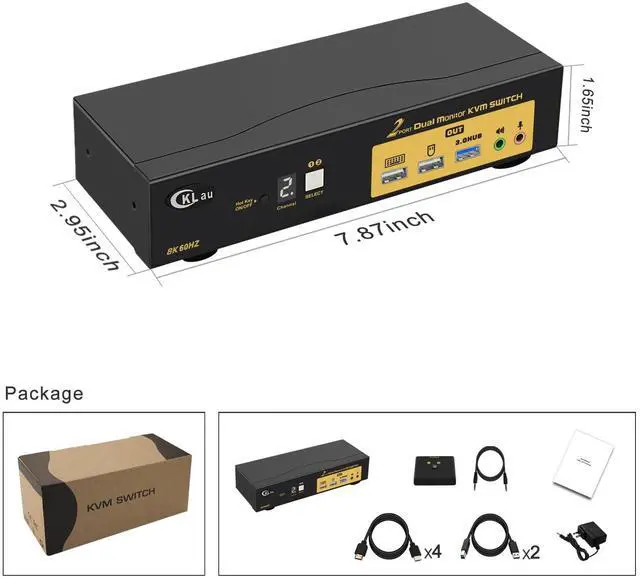
- 1. 144Hz KVM Switch Dual Monitor HDMI: 2 PCs in, 2 monitors output. With 3.5mm audio & microphone output, digital display, 5.1 channel digital fiber optical audio output, 7.1 surround sound audio output via HDMI, 1 USB 3.0 Hub port, and cables. (Tips: If you want to use dual monitor, that computer/laptop should with 2 video outputs. If one of your devices only with 1 video output, that only 1 monitor has a display. )
- 2. 8K KVM Dual Monitor: This KVM switch supports emulation EDID(defaults turn on, you can turn it off if needed). Support HDMI 2.1, HDCP.
- 3. KVM USB HDMI Switch: Resolution compatible 7680x4320@60Hz, 5120x2880@50/60/100/120Hz, 4096x2160@50/60/100/120Hz, 3840x2160@60/120/144Hz, 3840x1620@60/120/144Hz, 3440x1600@60/120/144Hz, 3440x1440@60/120/144Hz, 3840x1080@60/120/144/165/240Hz, 3200x1800@60/120/144/165/240Hz, 2560x1440@60/120/144/165/240Hz, 2048x1536@60/120/144/165/240Hz, 2048x1280@60/120/144/165/240Hz, 2048x1080@60/120/144/165/240Hz, 1920x1200@60/120/144/165/240Hz
+
+
Overview
Reviews

Any questions? Our AI mode will help you find out quickly.
Try me now
1. 144Hz KVM Switch Dual Monitor HDMI: 2 PCs in, 2 monitors output. With 3.5mm audio & microphone output, digital display, 5.1 channel digital fiber optical audio output, 7.1 surround sound audio output via HDMI, 1 USB 3.0 Hub port, and cables. (Tips: If you want to use dual monitor, that computer/laptop should with 2 video outputs. If one of your devices only with 1 video output, that only 1 monitor has a display. )
2. 8K KVM Dual Monitor: This KVM switch supports emulation EDID(defaults turn on, you can turn it off if needed). Support HDMI 2.1, HDCP.
3. KVM USB HDMI Switch: Resolution compatible 7680x4320@60Hz, 5120x2880@50/60/100/120Hz, 4096x2160@50/60/100/120Hz, 3840x2160@60/120/144Hz, 3840x1620@60/120/144Hz, 3440x1600@60/120/144Hz, 3440x1440@60/120/144Hz, 3840x1080@60/120/144/165/240Hz, 3200x1800@60/120/144/165/240Hz, 2560x1440@60/120/144/165/240Hz, 2048x1536@60/120/144/165/240Hz, 2048x1280@60/120/144/165/240Hz, 2048x1080@60/120/144/165/240Hz, 1920x1200@60/120/144/165/240Hz, etc.
4. USB 3.0 KVM Switch 144Hz: We have been certified HDMI adopters for over 10 years. Support auto detection, auto scan, and waking up, with memory function in case of power-down. It can be switched by mouse or keyboard independently, even without USB signal input, such as Apple TV, Android TV box, etc. And it can enter into the BIOS interface directly.
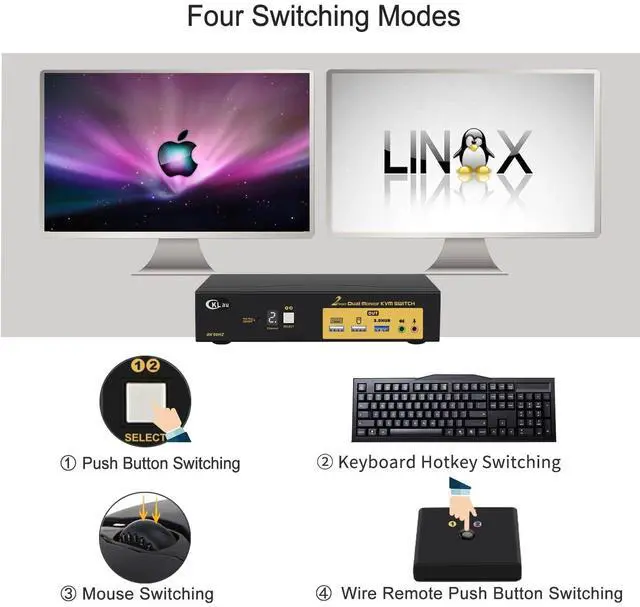
5. Dual Monitor KVM Switch HDMI: Four switching ways optional: keyboard hotkey switching (Num Lock + Num Lock + 1 / 2 + Enter, or Ctrl + Ctrl + 1 / 2 + Enter or Scroll Lock+ Scroll Lock+1 / 2 + Enter), mouse switching (click mouse wheel 2 times), manual button switching, and wired remote push-button switching.
2. 8K KVM Dual Monitor: This KVM switch supports emulation EDID(defaults turn on, you can turn it off if needed). Support HDMI 2.1, HDCP.
3. KVM USB HDMI Switch: Resolution compatible 7680x4320@60Hz, 5120x2880@50/60/100/120Hz, 4096x2160@50/60/100/120Hz, 3840x2160@60/120/144Hz, 3840x1620@60/120/144Hz, 3440x1600@60/120/144Hz, 3440x1440@60/120/144Hz, 3840x1080@60/120/144/165/240Hz, 3200x1800@60/120/144/165/240Hz, 2560x1440@60/120/144/165/240Hz, 2048x1536@60/120/144/165/240Hz, 2048x1280@60/120/144/165/240Hz, 2048x1080@60/120/144/165/240Hz, 1920x1200@60/120/144/165/240Hz, etc.
4. USB 3.0 KVM Switch 144Hz: We have been certified HDMI adopters for over 10 years. Support auto detection, auto scan, and waking up, with memory function in case of power-down. It can be switched by mouse or keyboard independently, even without USB signal input, such as Apple TV, Android TV box, etc. And it can enter into the BIOS interface directly.
5. Dual Monitor KVM Switch HDMI: Four switching ways optional: keyboard hotkey switching (Num Lock + Num Lock + 1 / 2 + Enter, or Ctrl + Ctrl + 1 / 2 + Enter or Scroll Lock+ Scroll Lock+1 / 2 + Enter), mouse switching (click mouse wheel 2 times), manual button switching, and wired remote push-button switching.
Warranty & Returns
Warranty, Returns, And Additional Information
Warranty
- Please contact the Seller directly for warranty information. Warranty information may also be found on the Manufacturer's website.
- CONTACT
Return Policies
- Return for refund within: 30 days
- Return for replacement within: 30 days
- This item is covered by Chinathru Trading Co., Limited Return Policy
Manufacturer Contact Info
- For a directory of all our manufacturers, please click below.
- Manufacturers Directory
LOADING...