Attention: We strongly encourage you to watch our short demo video showcasing this product. Please ensure that your devices have at least two HDMI ports, 1 HDMI + 1 DP, or 1 HDMI + 1 Type C, that support two external monitors before making a purchase. If you require additional HDMI ports, we recommend using a high-quality converter cable that supports 4k@60Hz for a 1-to-1 connection. We don't recommend any laptop users to use a cheap 1-to-2 docking station with this product, as it will not work.
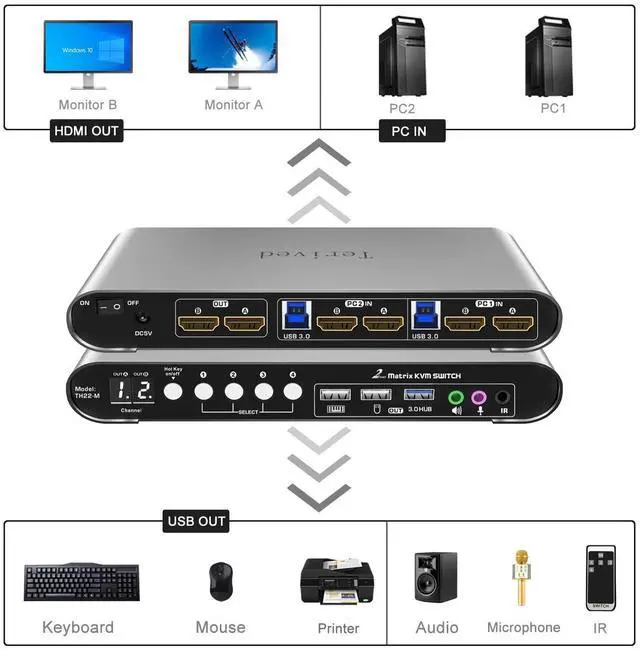
Two Modes: This device has two operating modes. In KVM mode (buttons 1 and 2), you can view both monitors for one computer and switch between them. In Matrix mode (buttons 3 or 4), you can view each monitor representing a different computer. To switch back to KVM mode, press button 4 twice.
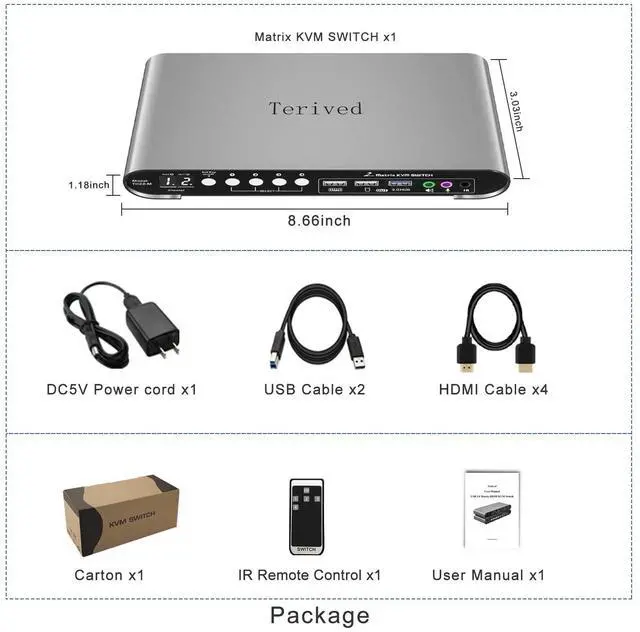
Aluminum Alloy shell - We want to give customers the best quality; we use aluminum alloy for the body, which provides you with an excellent premium look, great drop resistance, light-weight, strong, and robust corrosion resistance
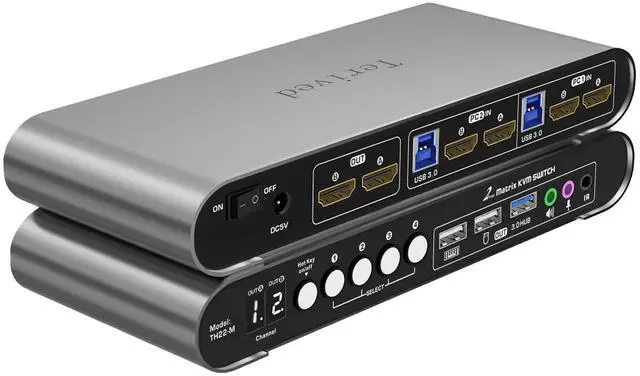
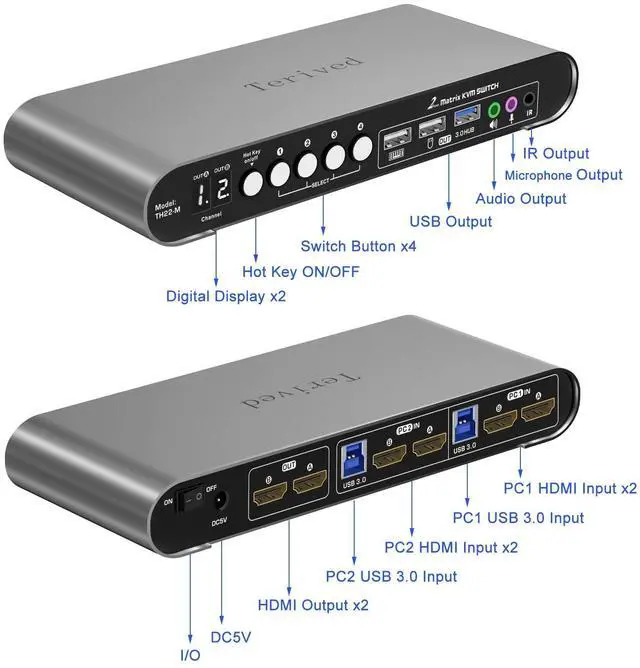
Digital Display: This 2-port dual monitor KVM switch features two digital displays, making it easy for you to view the current channel even in low-light environments.
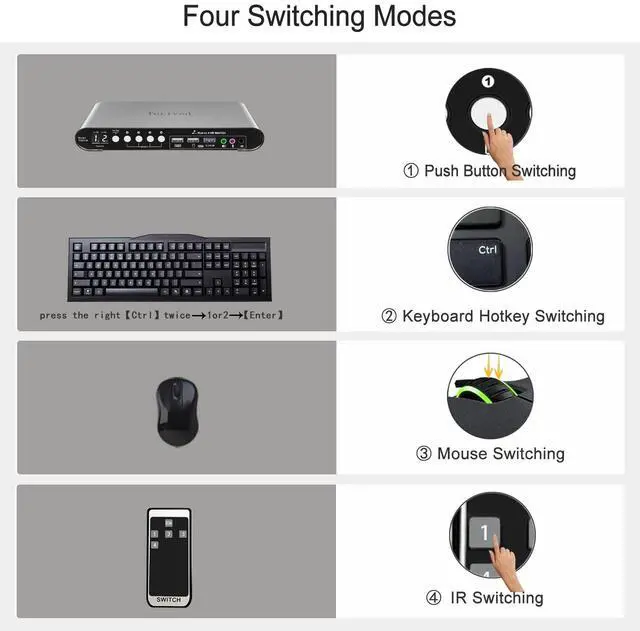
Switch and Control in Multiple Ways: This product provides you with a convenient way to switch between modes, including keyboard hotkeys, mouse wheel, manual button switching, and IR remote control. Please note that the IR remote does not come with a battery for safety reasons during shipping
Two Computers, Two Monitors: Control two HDMI interfaced computers or other applicable devices using one keyboard, mouse, two HDMI monitors with audio and microphone, and a USB 3.0 HUB for fast data transfer.
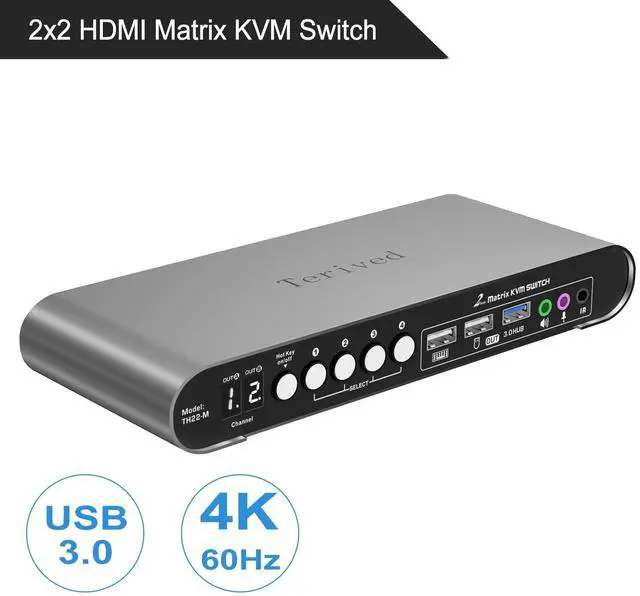
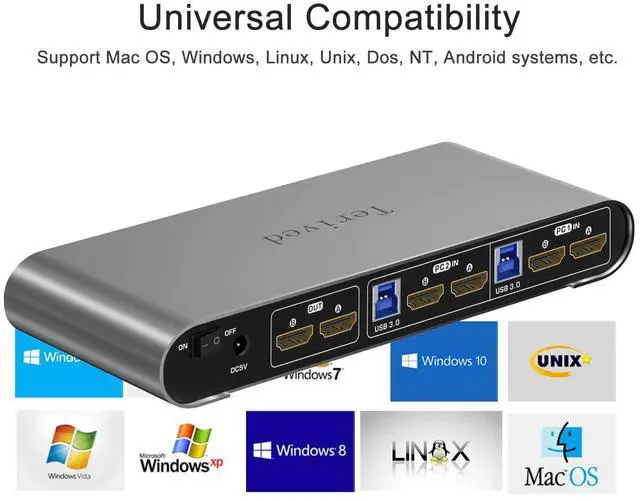
HDMI Switch 4K - Supported resolutions: 480i, 480p, 720p, 1080i, 1080p, 2K@144Hz, 4K@60Hz RGB 4:4:4 HDR10, HDMI 2.0 compatible.Auto-Scan, auto-detection, auto EDID. Hot plug & play and HDCP. Multi-platform: support Windows 11/10/7/2000/XP/Vista, Linux, and Mac
We strongly encourage you to watch our short demo video showcasing this product.
KVM Mode:
Press the manual button 1, and both monitors will display computer 1 in extended mode. The digital display will show [1] [1]
Press the manual button 2, and both monitors will display computer 2 in extended mode. The digital display will show [2] [2]
Matrix Mode:
Press the manual button 3, and computer 1 will display on the left monitor while computer 2 will display on the right monitor. The digital display will show [1.] [2]
Press the manual button 4, and computer 2 will display on the left monitor while computer 1 will display on the right monitor. The digital display will show [2.] [1]
The dot (.) located on the bottom right of the digital display indicates which computer is currently connected to all the USB devices and audio. For example, [1.][2] means computer 1 is on the left monitor and computer 2 is on the right monitor. All USB devices, including keyboard, mouse, and speakers, connected to the front KVM USB ports are currently connected to computer 1.
To switch all the USB devices and audio to the computer 2 where the display will be [1][2.], simply press button 2.
To exit Matrix mode and return to KVM mode, press button 4 twice.
Supported resolutions: 480i, 480p, 720p, 1080i, 1080p, 2K@144Hz, 4K@60Hz RGB 4:4:4 HDR10
This bright digital display shows the current channel and the hotkey's on/off states. Not more guessing, unlike a common green led light, you can clearly see it even in the dark investment
When the hotkey is on, (Hotkey LED in Orange)
Plug the mouse and keyboard into the dedicated mouse and keyboard slot.
KVM mode:
Press the right CTRL key twice or double-click your mouse roller wheel to switch between computers (Both monitors, USB devices and audio)
Matrix mode:
Press the right CTRL key twice or double-click your mouse roller wheel to switch between computers (USB devices and audio)
T





 here!
here!