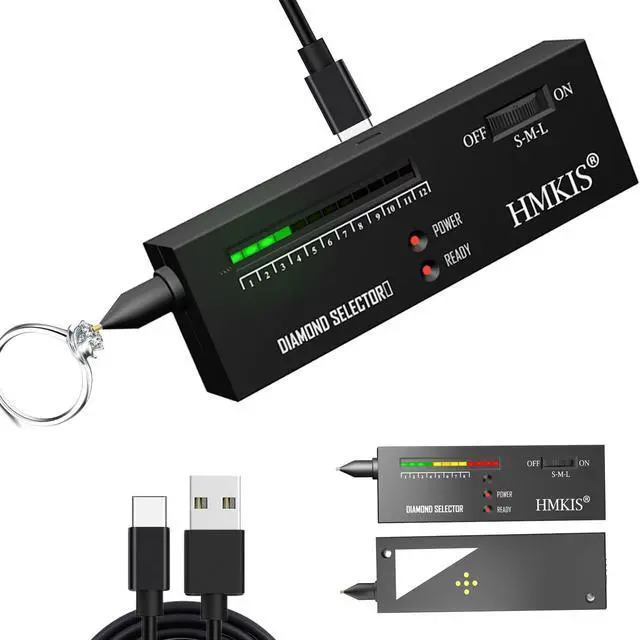
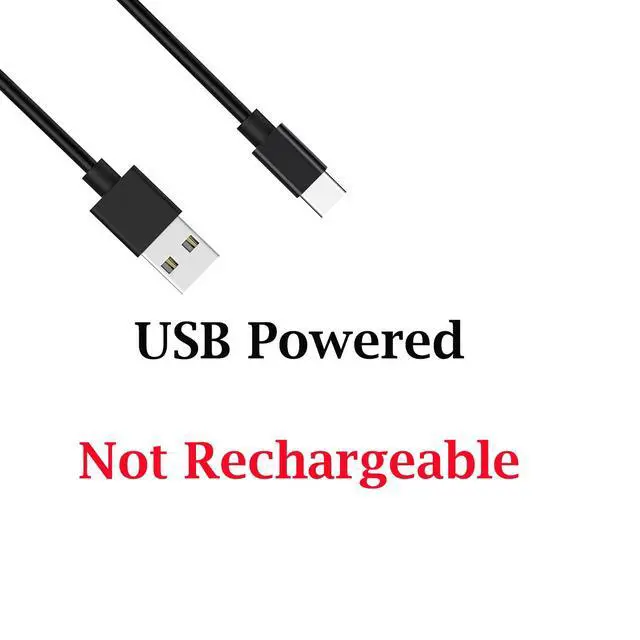
[Upgrade] The HMKIS diamond tester powered by Type-C or 9V Power. Opting for the Type-C power supply is highly recommended for optimal performance. PLZ NOTE THIS IS Non-Rechargeable!
[Easy] The Diamond Tester is easy to use. Just connect the power and wait for 2 minutes before you can start the test. However, the following points need to be noted.
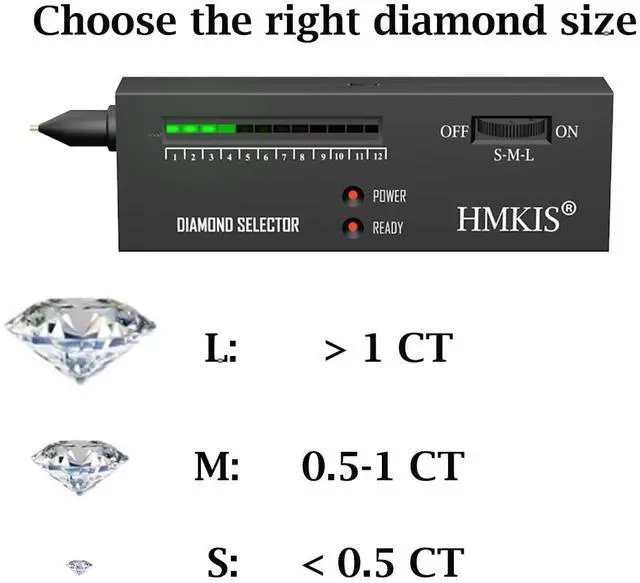
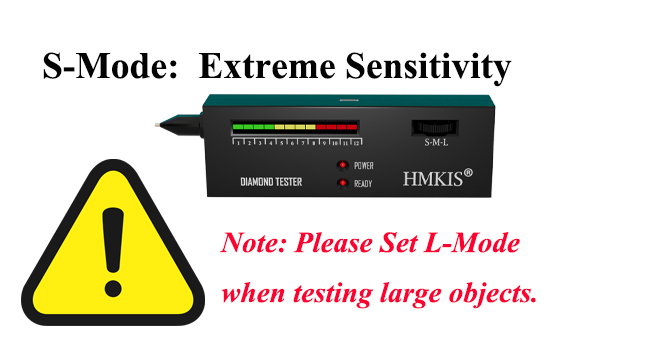
[Adjust Size] We have to choose the diamond size before using the diamond tester. Otherwise we may get the incorrect result.
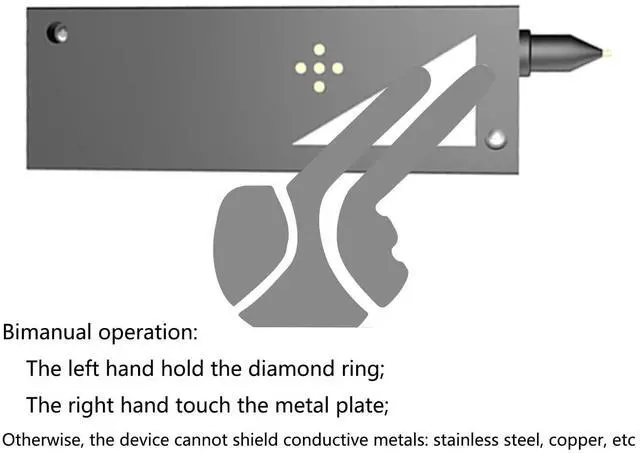
[Metal] When testing metals, both hands are required. Following the instructions in the manual and on the A+ page can shield the metal.
+
+
Overview
Specs
Reviews
Any questions? Ask CelesteSM will help you find out quickly.
Try me now
How to Use Diamond Tester Pen
how to use diamond tester
Remove protective cap and connect the USB Power Cable, then POWER light on.
Choose the correct diamond size by adjust the wheel, test when the READY light on
When testing an S diamond continuously, the S diamond needs to cool down for a while before testing.
Choose the right size. if don't know, choose M.
S-Mode is extreme sensitivity
Built for Micro-Diamonds & Tiny Gemstones.
Detects even the smallest stones that normal testers miss.
the device will display incorrect results when testing large objects
If you don't know the specific size, you can use M first.
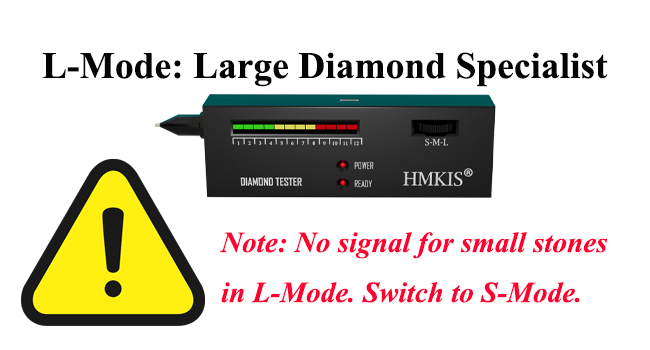
L-Mode is large diamond specialist
Optimized for 1+ Carat Stones & Heavy Jewelry.
Filters out minor environmental interference for rock-solid accuracy on large gems.
the device will display incorrect results when testing small objects
If you don't know the specific size, you can use M first.
Usage steps
Testing S size Diamond
Comfirm: the size of the diamond is " S"
Adjust the wheel to the CORRECT SIZE
Level Meter =9 lights and emits sound
Testing L size Diamond
Comfirm: the size of the diamond is " L"
Adjust the wheel to the CORRECT SIZE
Level Meter =9 lights and emits sound
Why do I get diamonds in almost everything I test?
The device is set to the wrong setting. The S setting is the ultra-sensitive setting and can only be used to test Micro-Diamonds. This setting will cause false readings if it is used to test objects weighing more than 0.2 grams.
Why does my device barely respond when I test diamonds?Why not work?
The L setting is specifically designed for large diamonds. If you use this setting to test small diamonds, the device will barely react.
What should I do if I don't know the exact size of the diamond?
You can start by testing with the M setting. The M setting is for testing diamonds between 0.5 and 1 carat.
Precautions
Working environment requirements
The working environment temperature is preferably between 5-35?
Need to be in a windless environment
Do not get close to hot or cold objects
Pre-test preparation
Both the diamond tester and the diamond need to wait for more than 1 minute. Do not hold the diamond in your hands (your hands are hot)
There should be no water, grease, etc. on the diamond surface
Functional limitations
Unable to tester too small diamonds
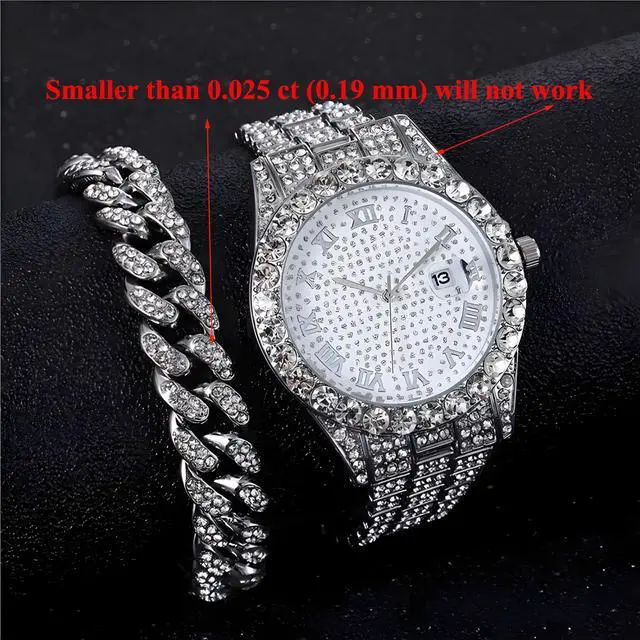
When the diamond size is less than 0.025ct, the diamond tester light bar cannot reach the red area
When the diamond size is less than 0.015ct, the diamond tester light bar will not respond
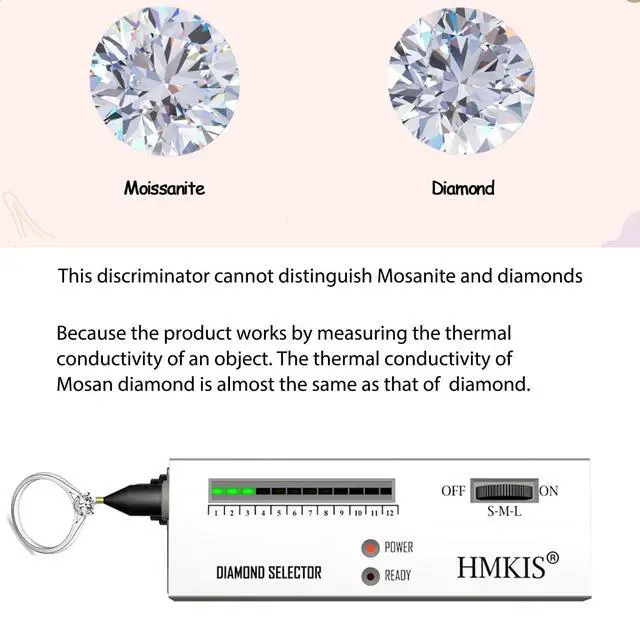
Unable to distinguish moissanite & diamond
This diamond tester cannot distinguish between moissanite and diamond
The device can only judge thermal conductivity through heat transfer, and the thermal conductivity of the two is close.
60X Jewelry Loupe Magnifier
Material: ABS pocket microscope.
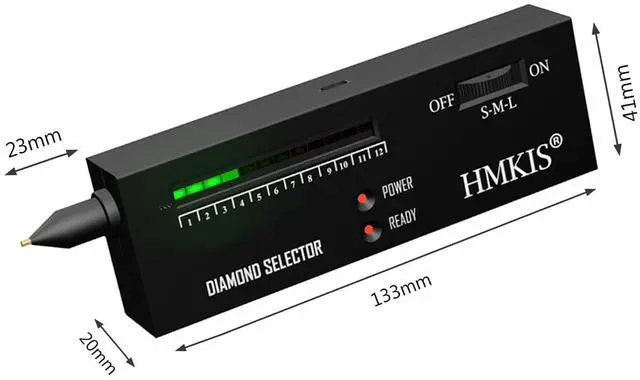
Size: 3.5 x 4 x 2 cm coin magnifier.
Illuminated by LED. Bright LED light of the Magnifying Glass provides enough light at any dim conditions currency detecting microscope.
Compact design provides 60X magnification magnifier for currency.
How to Use Diamond Tester Pen
how to use diamond tester
Remove protective cap and connect the USB Power Cable, then POWER light on.
Choose the correct diamond size by adjust the wheel, test when the READY light on
When testing an S diamond continuously, the S diamond needs to cool down for a while before testing.
Choose the right size. if don't know, choose M.
S-Mode is extreme sensitivity
Built for Micro-Diamonds & Tiny Gemstones.
Detects even the smallest stones that normal testers miss.
the device will display incorrect results when testing large objects
If you don't know the specific size, you can use M first.
L-Mode is large diamond specialist
Optimized for 1+ Carat Stones & Heavy Jewelry.
Filters out minor environmental interference for rock-solid accuracy on large gems.
the device will display incorrect results when testing small objects
If you don't know the specific size, you can use M first.
Usage steps
Testing S size Diamond
Comfirm: the size of the diamond is " S"
Adjust the wheel to the CORRECT SIZE
Level Meter =9 lights and emits sound
Testing L size Diamond
Comfirm: the size of the diamond is " L"
Adjust the wheel to the CORRECT SIZE
Level Meter =9 lights and emits sound
Why do I get diamonds in almost everything I test?
The device is set to the wrong setting. The S setting is the ultra-sensitive setting and can only be used to test Micro-Diamonds. This setting will cause false readings if it is used to test objects weighing more than 0.2 grams.
Why does my device barely respond when I test diamonds?Why not work?
The L setting is specifically designed for large diamonds. If you use this setting to test small diamonds, the device will barely react.
What should I do if I don't know the exact size of the diamond?
You can start by testing with the M setting. The M setting is for testing diamonds between 0.5 and 1 carat.
Precautions
Working environment requirements
The working environment temperature is preferably between 5-35?
Need to be in a windless environment
Do not get close to hot or cold objects
Pre-test preparation
Both the diamond tester and the diamond need to wait for more than 1 minute. Do not hold the diamond in your hands (your hands are hot)
There should be no water, grease, etc. on the diamond surface
Functional limitations
Unable to tester too small diamonds
When the diamond size is less than 0.025ct, the diamond tester light bar cannot reach the red area
When the diamond size is less than 0.015ct, the diamond tester light bar will not respond
Unable to distinguish moissanite & diamond
This diamond tester cannot distinguish between moissanite and diamond
The device can only judge thermal conductivity through heat transfer, and the thermal conductivity of the two is close.
60X Jewelry Loupe Magnifier
Material: ABS pocket microscope.
Size: 3.5 x 4 x 2 cm coin magnifier.
Illuminated by LED. Bright LED light of the Magnifying Glass provides enough light at any dim conditions currency detecting microscope.
Compact design provides 60X magnification magnifier for currency.
Diamond Tester, Powered by USB, Easy Use Jewelry Diamond Tester
Learn more about the Generic Brand basic-2025-12, Diamond Tester
General
Brand
HMKIS
Model
basic-2025-12, Diamond Tester
Size
Size/Dimensions
#1
Details
Color
Black
Item Count
4
Selling Unit
4
Skill Level
Easy Use Jewelry Diamond Tester, Diamond Selector for Novice and Expert (Non-Rechargeabe) (Black)
Weight
0.181 kilograms
Series
Diamond Tester
Color Family
Black
Subcategory Match
52151600
Features
Black, HMKIS, 4
Additional Information
First Listed on Newegg
August 08, 2026
Customer Reviews of the Generic Brand basic-2025-12, Diamond Tester
There are no reviews yet.
Do you own this product?
Warranty & Returns
Warranty, Returns, And Additional Information
Warranty
Please contact the Seller directly for warranty information. Warranty information may also be found on the Manufacturer's website.





 here!
here!