








Improve Performance and Capacity. Upgrade Your iMac with Confidence.
OWC's in-line solution is the only hardware digital thermal sensor on the market allowing a third-party SATA drive to be installed in your iMac. A convenient, plug-and-play cable, the In-line Digital Thermal Sensor eliminates fan noise and maintains proper system fan control through the iMac's System Management Controller. This innovative device is designed specifically for the iMac, requires no software hacks and ensures compatibility with Apple's built-in diagnostic processes.
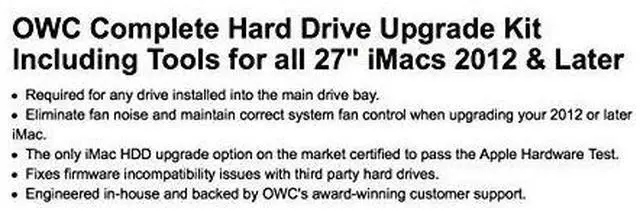
- Required for any drive installed into the main drive bay.
- Eliminate fan noise and maintain correct system fan control when upgrading your 2012 and later iMac.
- The only iMac HDD upgrade option on the market certified to pass the Apple Hardware Test.
- Fixes firmware incompatibility issues with third party hard drives.
- Engineered in-house and backed by OWC's award-winning customer support.
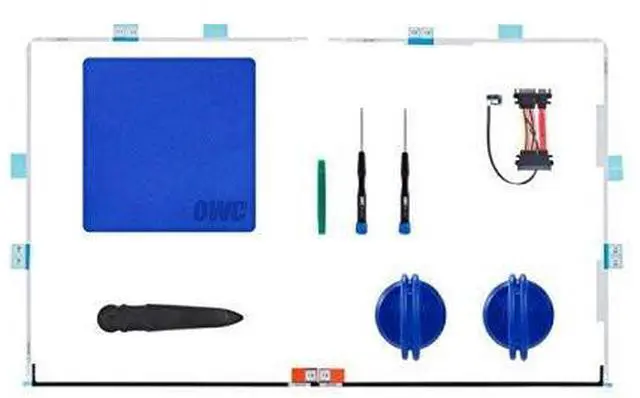
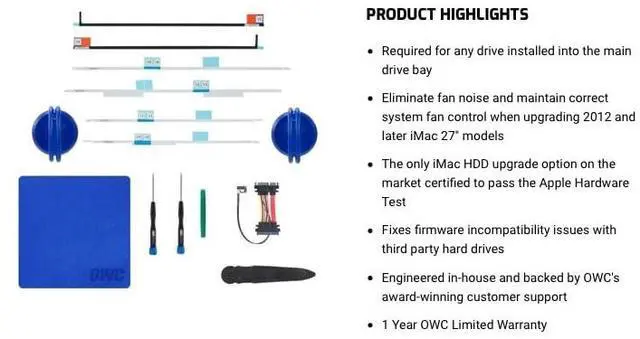
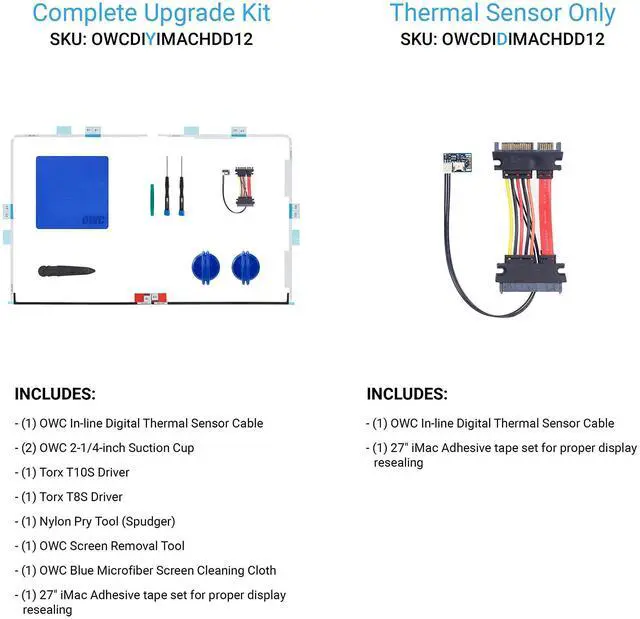
OWC in-Line Digital Thermal Sensor HDD Upgrade Cable and Install Tools for iMac 2012, (OWCDIYIMACHDD12) Includes:
- OWC In-line Digital Thermal Sensor Cable
- (1) OWC In-line Digital Thermal Sensor Cable
- (2) OWC 2-1/4" Suction Cup
- (1) Torx T10S Driver
- (1) Torx T8S Driver
- (1) Nylon Pry Tool (Spudger)
- (1) OWC Blue Microfiber Screen Cleaning Cloth

Compatible with:
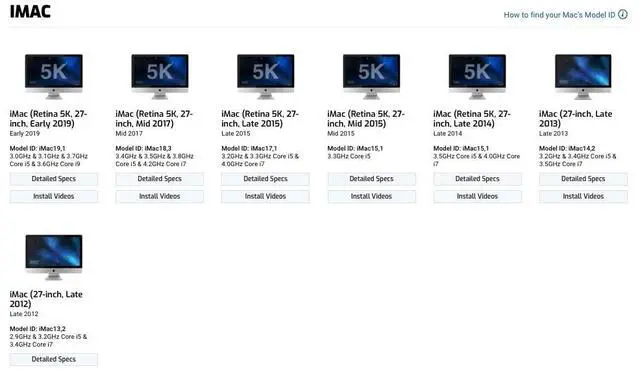
- iMac w/Retina 5K display (27-inch Early 2019) Model ID: iMac19,1 (3.0GHz & 3.1GHz & 3.7GHz Core i5 & 3.6GHz Core i9)
- iMac w/Retina 5K display (27-inch Mid 2017) Model ID: iMac18,3 (3.4GHz & 3.5GHz & 3.8GHz Core i5 & 4.2GHz Core i7)
- iMac w/Retina 5K display (27-inch Late 2015)(October 2015) Model ID:iMac17,1 (3.2GHz i5, 3.3GHz i5, 4.0GHz i7)
- iMac w/Retina 5K display(27-inch Mid 2015)(May 2015) Model ID: iMac15,1 (3.3GHz i5, 3.5GHz i5, 4.0GHz i7)
- iMac with Retina 5K display (27-inch Late 2014)(October 2014) Model ID: iMac15,1 (3.5GHz i5, 4.0GHz i7)
- iMac (27-inch Late 2013)(September, 2013) Model ID: iMac14,2 (3.2GHz i5, 3.4GHz i5, 3.5GHz i7)
- iMac (27-inch Late 2012)(November, 2012) Model ID: iMac13,2 (2.9GHz i5, 3.2GHz i5, 3.4GHz i7)

Upgrade Kits available with and without installation toolkits
Note: Professional installation is highly recommended. Before attempting to perform this installation, please watch the OWC Install Video, corresponding to your machine, in its entirety to determine your ability to perform this complex upgrade. If you are not fully confident in your ability to upgrade the drive in your 2009-2010 iMac after watching the OWC Install Video, you can have OWC upgrade your iMac where our certified technicians will expertly upgrade your iMac and ship it back to you.
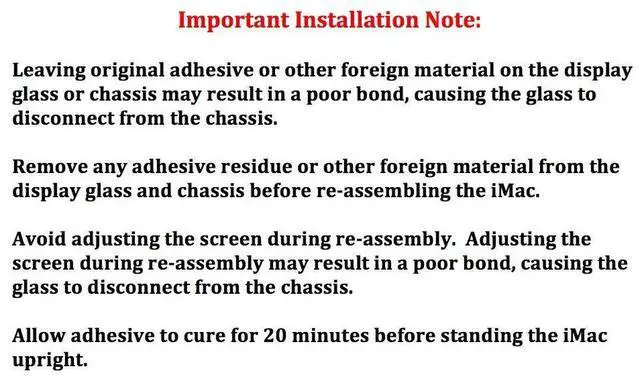
Important Installation Note:
- Leaving original adhesive or other foreign material on the display glass or chassis may result in a poor bond, causing the glass to disconnect from the chassis.
- Remove any adhesive residue or other foreign material from the display glass and chassis before re-assembling the iMac.
- Avoid adjusting the screen during re-assembly. Adjusting the screen during re-assembly may result in a poor bond, causing the glass to disconnect from the chassis.
- Allow adhesive to cure for 20 minutes before standing the iMac upright.



Improve Performance and Capacity. Upgrade Your iMac with Confidence.
OWC's in-line solution is the only hardware digital thermal sensor on the market allowing a third-party SATA drive to be installed in your iMac. A convenient, plug-and-play cable, the In-line Digital Thermal Sensor eliminates fan noise and maintains proper system fan control through the iMac's System Management Controller. This innovative device is designed specifically for the iMac, requires no software hacks and ensures compatibility with Apple's built-in diagnostic processes.
- Required for any drive installed into the main drive bay.
- Eliminate fan noise and maintain correct system fan control when upgrading your 2012 and later iMac.
- The only iMac HDD upgrade option on the market certified to pass the Apple Hardware Test.
- Fixes firmware incompatibility issues with third party hard drives.
- Engineered in-house and backed by OWC's award-winning customer support.
OWC in-Line Digital Thermal Sensor HDD Upgrade Cable and Install Tools for iMac 2012, (OWCDIYIMACHDD12) Includes:
- OWC In-line Digital Thermal Sensor Cable
- (1) OWC In-line Digital Thermal Sensor Cable
- (2) OWC 2-1/4" Suction Cup
- (1) Torx T10S Driver
- (1) Torx T8S Driver
- (1) Nylon Pry Tool (Spudger)
- (1) OWC Blue Microfiber Screen Cleaning Cloth
Compatible with:
- iMac w/Retina 5K display (27-inch Early 2019) Model ID: iMac19,1 (3.0GHz & 3.1GHz & 3.7GHz Core i5 & 3.6GHz Core i9)
- iMac w/Retina 5K display (27-inch Mid 2017) Model ID: iMac18,3 (3.4GHz & 3.5GHz & 3.8GHz Core i5 & 4.2GHz Core i7)
- iMac w/Retina 5K display (27-inch Late 2015)(October 2015) Model ID:iMac17,1 (3.2GHz i5, 3.3GHz i5, 4.0GHz i7)
- iMac w/Retina 5K display(27-inch Mid 2015)(May 2015) Model ID: iMac15,1 (3.3GHz i5, 3.5GHz i5, 4.0GHz i7)
- iMac with Retina 5K display (27-inch Late 2014)(October 2014) Model ID: iMac15,1 (3.5GHz i5, 4.0GHz i7)
- iMac (27-inch Late 2013)(September, 2013) Model ID: iMac14,2 (3.2GHz i5, 3.4GHz i5, 3.5GHz i7)
- iMac (27-inch Late 2012)(November, 2012) Model ID: iMac13,2 (2.9GHz i5, 3.2GHz i5, 3.4GHz i7)
Upgrade Kits available with and without installation toolkits
Note: Professional installation is highly recommended. Before attempting to perform this installation, please watch the OWC Install Video, corresponding to your machine, in its entirety to determine your ability to perform this complex upgrade. If you are not fully confident in your ability to upgrade the drive in your 2009-2010 iMac after watching the OWC Install Video, you can have OWC upgrade your iMac where our certified technicians will expertly upgrade your iMac and ship it back to you.
Important Installation Note:
- Leaving original adhesive or other foreign material on the display glass or chassis may result in a poor bond, causing the glass to disconnect from the chassis.
- Remove any adhesive residue or other foreign material from the display glass and chassis before re-assembling the iMac.
- Avoid adjusting the screen during re-assembly. Adjusting the screen during re-assembly may result in a poor bond, causing the glass to disconnect from the chassis.
- Allow adhesive to cure for 20 minutes before standing the iMac upright.
-
Capture
-
Create
-
Collaborate
-
-
