

Your Browsing History

Meet Your Seller


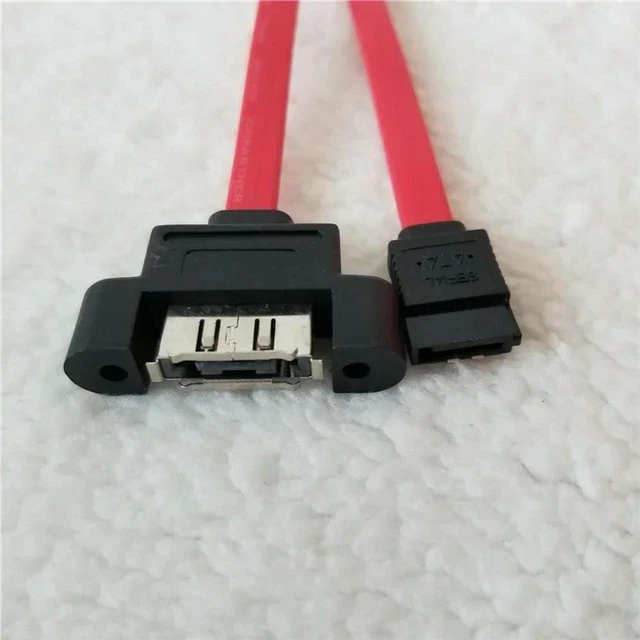
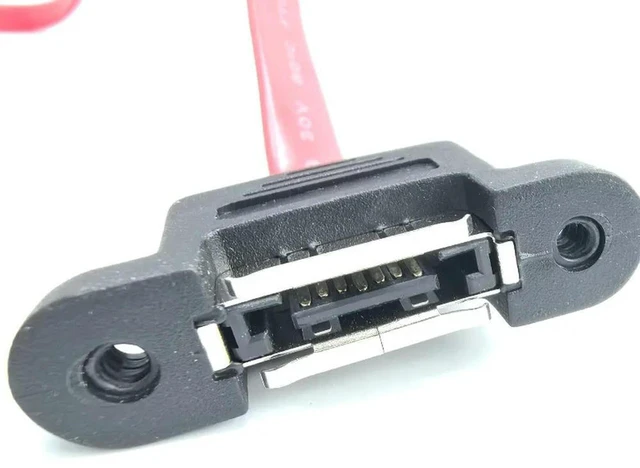
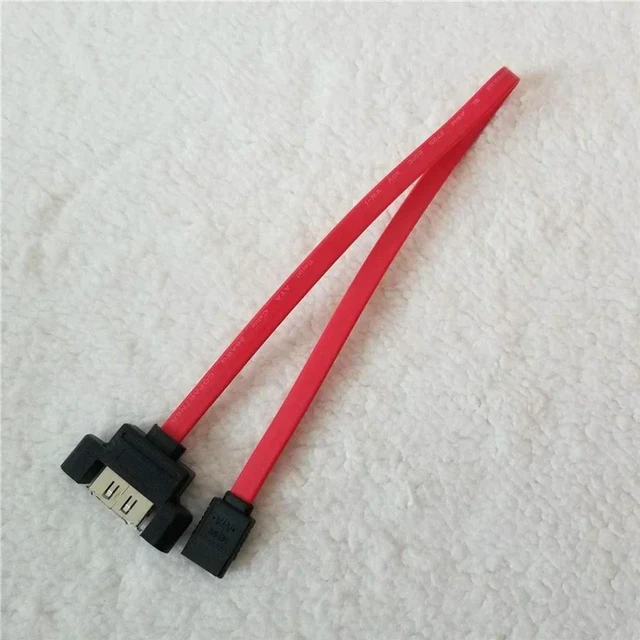


AJMRTC SATA to eSATA Panel Mount Cable 40cm, Internal PC Case SATA to External eSATA Data Wire with Screw Bracket, for External Hard Drive, Desktop PC Storage Expansion
- - 40cm SATA to eSATA panel mount cable with mounting bracket, fits PC case cutout installation
- - Convert internal SATA port to external eSATA port for convenient external hard drive connection
- - Secure screw-fixed panel bracket keeps cable stable and prevents loose connection
- - High-speed shielded data wire, reliable signal transmission for storage device data transfer
- - Easy to install, great for desktop PC case modification and external storage expansion
+
+
Overview
Specs
Reviews

Any questions? Our AI mode will help you find out quickly.
Try me now
AJMRTC SATA to eSATA panel mount cable with 40cm length lets you add an external eSATA port on your PC chassis. The included metal bracket can be screwed onto the PC case, converting internal SATA interface outwards for external hard drives.
Shielded cable construction reduces signal interference and ensures stable data transmission. Simply mount the bracket on your computer case, connect the SATA end to your motherboard or controller, then you can plug eSATA storage devices externally. Ideal for desktop case modding, data backup and external storage expansion.
- Brand: AJMRTC
- Product: SATA to eSATA Panel Mount Cable
- Cable Length: 40cm
- Mounting Type: Screw panel mount
- Interface: Internal SATA, External eSATA
- Application: Desktop PC case, external hard drive, storage expansion
- Feature: Shielded wire, fixed mounting bracket
Warranty & Returns
Warranty, Returns, And Additional Information
Warranty
- Please contact the Seller directly for warranty information. Warranty information may also be found on the Manufacturer's website.
- CONTACT
Return Policies
- Return for refund within: 30 days
- Return for replacement within: 30 days
- This item is covered by ThermalNest Return Policy
Manufacturer Contact Info
- For a directory of all our manufacturers, please click below.
- Manufacturers Directory
LOADING...