




![Main image of Computer Speakers, USB-A Powered PC Speakers Wired Stereo Desktop Speakers with 3.5mm AUX Audio Plug (No Bluetooth) for Computer, Desktop, Laptop, PC [2026 Version]](https://c1.neweggimages.com/productimage/nb640/C1TXD2511110SCU4V5D.jpg)
![Alt view image 2 of 7 - Computer Speakers, USB-A Powered PC Speakers Wired Stereo Desktop Speakers with 3.5mm AUX Audio Plug (No Bluetooth) for Computer, Desktop, Laptop, PC [2026 Version]](https://c1.neweggimages.com/productimage/nb640/C61MD26040202YOX7DD.jpg)
![Alt view image 3 of 7 - Computer Speakers, USB-A Powered PC Speakers Wired Stereo Desktop Speakers with 3.5mm AUX Audio Plug (No Bluetooth) for Computer, Desktop, Laptop, PC [2026 Version]](https://c1.neweggimages.com/productimage/nb640/C61MD26040202YOZC6D.jpg)
![Alt view image 4 of 7 - Computer Speakers, USB-A Powered PC Speakers Wired Stereo Desktop Speakers with 3.5mm AUX Audio Plug (No Bluetooth) for Computer, Desktop, Laptop, PC [2026 Version]](https://c1.neweggimages.com/productimage/nb640/C691D2604100Y0RGM10.jpg)
![Alt view image 5 of 7 - Computer Speakers, USB-A Powered PC Speakers Wired Stereo Desktop Speakers with 3.5mm AUX Audio Plug (No Bluetooth) for Computer, Desktop, Laptop, PC [2026 Version]](https://c1.neweggimages.com/productimage/nb640/C61MD26040202YP2R75.jpg)
![Alt view image 6 of 7 - Computer Speakers, USB-A Powered PC Speakers Wired Stereo Desktop Speakers with 3.5mm AUX Audio Plug (No Bluetooth) for Computer, Desktop, Laptop, PC [2026 Version]](https://c1.neweggimages.com/productimage/nb640/C691D2604100Y0RLJD4.jpg)
![Alt view image 7 of 7 - Computer Speakers, USB-A Powered PC Speakers Wired Stereo Desktop Speakers with 3.5mm AUX Audio Plug (No Bluetooth) for Computer, Desktop, Laptop, PC [2026 Version]](https://c1.neweggimages.com/productimage/nb640/C691D2604100Y0ROJED.jpg)


TAOTOSUNE PARTY DECORATIONS
TAOTOSUNE birthday party decorations series, perfect for all ages men women boys girls and themes
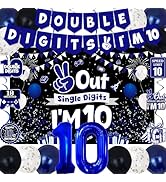



Birthday Party Age Series


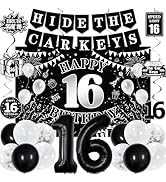

Birthday Party Age Series




Birthday Party Age Series




Birthday Party Age Series
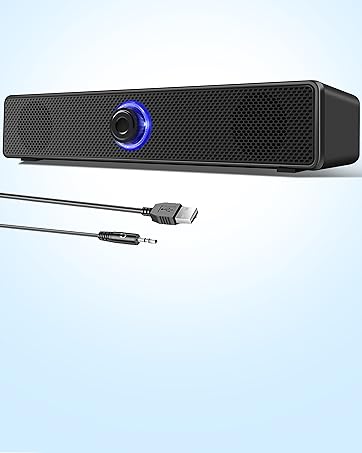
Computer Speakers
USB-A Powered PC Speakers Wired Desktop Speakers for Computer, Desktop, Laptop, PC

Ideal Gift for Your Love
- Creating a memorable party
- Safety and easy to assemble
- Suitable for boys, girls, men and women

Fast & Safe Delivery
- Intelligent warehouse
- Efficient and safe logistics system
- Worry-free logistics support

Sincere Dedicated Service
- 24-month service
- Hassle-free replace
- 7*24h after-sales support

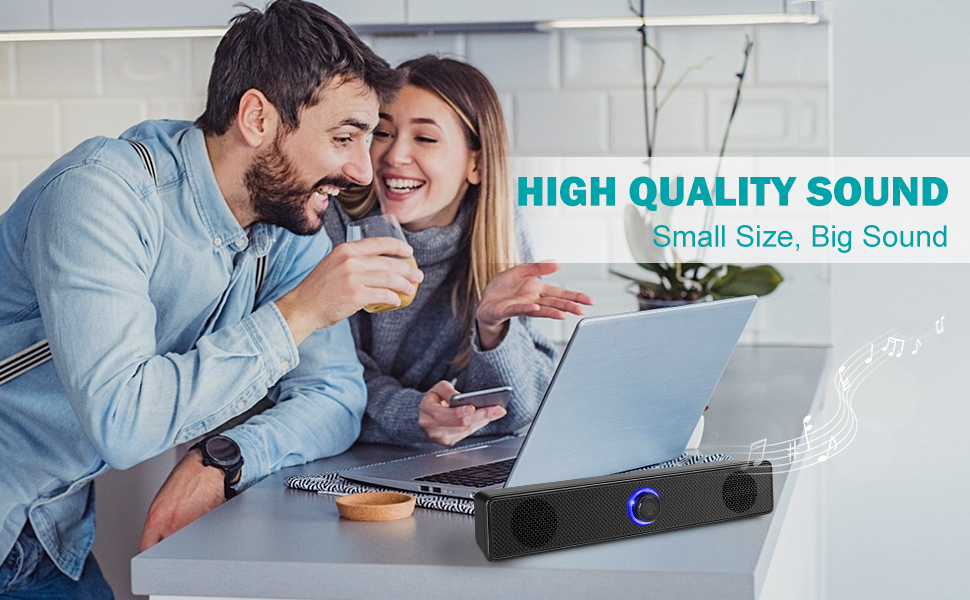
Please Confirm Before Purchasing:
- This computer speaker is not compatible with monitor(screen)/TV/TV-Box/Projector/Xbox/PStation
- This speaker does not support bluetooth functionality and does not include a built-in headphone jack and microphone port
- Please confirm whether your pc has a USB-A and 3.5mm AUX audio output jack, both the USB-A power cable and 3.5mm AUX audio cable must be connected to the back of the computer tower (not the monitor)
- There is no light switch, the blue light on the speaker will remain on unless the pc is turned off
- Please note that due to the limitations of the cavity, our bass effect cannot compare with speakers equipped with subwoofers
- If you find the speaker volume too low, please simultaneously adjust both the pc and multimedia volumes to above 85%
- Electronic devices such as cellphones are too close to the desktop speaker may have a slight electric current
- The power adapter is not included in the package
.

If there is no any response after plugged it into computer USB-A port and 3.5mm AUX audio port, please make sure:
- Click the “Speaker” icon in the taskbar, select audio output device, make sure this speakers had been selected as your computer playback devices
- Make sure the computer speaker is on and not muted or at minimum volume, please simultaneously adjust both the pc and multimedia volumes to above 85%
- The USB-A and 3.5mm AUX audio output port of your computer can work normally or not, please try another port
- The audio driver of computer sound card is up to date or not
- When only one channel sound, please re-plug the 3.5mm jack or rotate the interface to achieve the 2.0 channel effect
If the computer speakers still doesn’t work after the above inspection, please contact our world-class, friendly support team via message for quick solutions
.

.

.

.

.
Frequently Asked Questions (FAQ)
Q1: Does the device have a built-in microphone and headphone jack?
A: No. There is no built-in headphone jack and microphone port, so it is recommended to use a separate computer microphone when having video calls
.
Q2: Does this device support Bluetooth?
A: No. Please note that this computer speaker does not support Bluetooth functionality
.
Q3: What should I do if the speaker still “doesn't work” after plugging it in?
A1: Click the “Speaker” icon in the taskbar, select audio output device, make sure this speakers had been selected as your computer playback devices
A2: Make sure the computer speaker is on and not at minimum volume. Make sure the computer or other device is not muted or at minimum volume
A3: The USB-A and 3.5mm AUX audio output port of your computer can work normally or not, please try another port
.
Q4: What is the length of the speaker cables? What are the dimensions of the speakers?
A: Speakers Cable length: 49.6''/ 126cm
Speakers dimensions: L 12.4'', W 2.2'', H 2.4''
.
Please Confirm Before Purchasing:
- This computer speaker is not compatible with monitor(screen)/TV/TV-Box/Projector/Xbox/PStation
- This speaker does not support bluetooth functionality and does not include a built-in headphone jack and microphone port
- Please confirm whether your pc has a USB-A and 3.5mm AUX audio output jack, both the USB-A power cable and 3.5mm AUX audio cable must be connected to the back of the computer tower (not the monitor)
- There is no light switch, the blue light on the speaker will remain on unless the pc is turned off
- Please note that due to the limitations of the cavity, our bass effect cannot compare with speakers equipped with subwoofers
- If you find the speaker volume too low, please simultaneously adjust both the pc and multimedia volumes to above 85%
- Electronic devices such as cellphones are too close to the desktop speaker may have a slight electric current
- The power adapter is not included in the package
.
If there is no any response after plugged it into computer USB-A port and 3.5mm AUX audio port, please make sure:
- Click the “Speaker” icon in the taskbar, select audio output device, make sure this speakers had been selected as your computer playback devices
- Make sure the computer speaker is on and not muted or at minimum volume, please simultaneously adjust both the pc and multimedia volumes to above 85%
- The USB-A and 3.5mm AUX audio output port of your computer can work normally or not, please try another port
- The audio driver of computer sound card is up to date or not
- When only one channel sound, please re-plug the 3.5mm jack or rotate the interface to achieve the 2.0 channel effect
If the computer speakers still doesn’t work after the above inspection, please contact our world-class, friendly support team via message for quick solutions
.
.
.
.
.
Frequently Asked Questions (FAQ)
Q1: Does the device have a built-in microphone and headphone jack?
A: No. There is no built-in headphone jack and microphone port, so it is recommended to use a separate computer microphone when having video calls
.
Q2: Does this device support Bluetooth?
A: No. Please note that this computer speaker does not support Bluetooth functionality
.
Q3: What should I do if the speaker still “doesn't work” after plugging it in?
A1: Click the “Speaker” icon in the taskbar, select audio output device, make sure this speakers had been selected as your computer playback devices
A2: Make sure the computer speaker is on and not at minimum volume. Make sure the computer or other device is not muted or at minimum volume
A3: The USB-A and 3.5mm AUX audio output port of your computer can work normally or not, please try another port
.
Q4: What is the length of the speaker cables? What are the dimensions of the speakers?
A: Speakers Cable length: 49.6''/ 126cm
Speakers dimensions: L 12.4'', W 2.2'', H 2.4''
.
TAOTOSUNE PARTY DECORATIONS
TAOTOSUNE birthday party decorations series, perfect for all ages men women boys girls and themes
Birthday Party Age Series
Birthday Party Age Series
Birthday Party Age Series
Birthday Party Age Series
Computer Speakers
USB-A Powered PC Speakers Wired Desktop Speakers for Computer, Desktop, Laptop, PC
Ideal Gift for Your Love
- Creating a memorable party
- Safety and easy to assemble
- Suitable for boys, girls, men and women
Fast & Safe Delivery
- Intelligent warehouse
- Efficient and safe logistics system
- Worry-free logistics support
Sincere Dedicated Service
- 24-month service
- Hassle-free replace
- 7*24h after-sales support