shipping Holiday Shipping Details & Extended Holiday Returns
  • $77.49
  • Free 30-day Returns
  • Price alert
    Sold by Direct from manufacturerJansicotek
    Top Rated
    3.6 (436 seller ratings)

    Shipped by Direct from manufacturerJansicotek

    Shop it at NeweggBusiness.

    Meet Your Seller

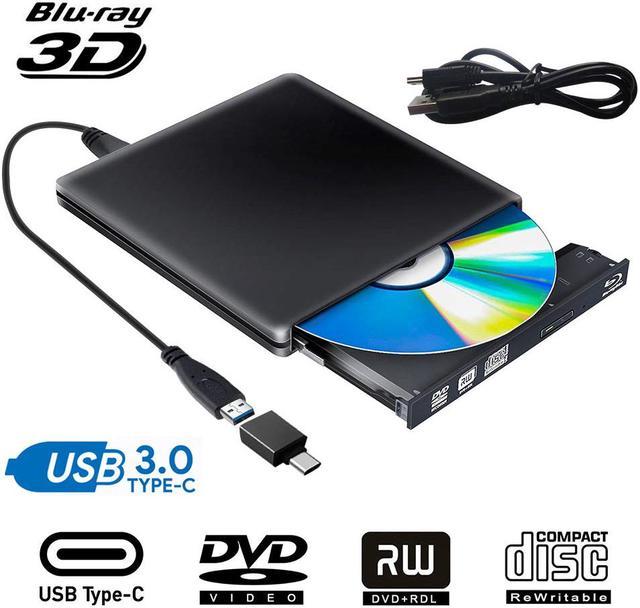
    External DVD Drive USB 3.0 USB C CD Burner CD/DVD +/-RW Optical Drive,Slim Portable DVD CD ROM Rewriter Writer Duplicator for Laptop Desktop PC Windows 10/8/7 MacBook Mac Linux OS Apple , Black

    Limited time offer, ends 01/14 By Jansicotek

    • Faster delivery: It usually takes about 3-7 days to deliver from United States/Canada/China warehouse
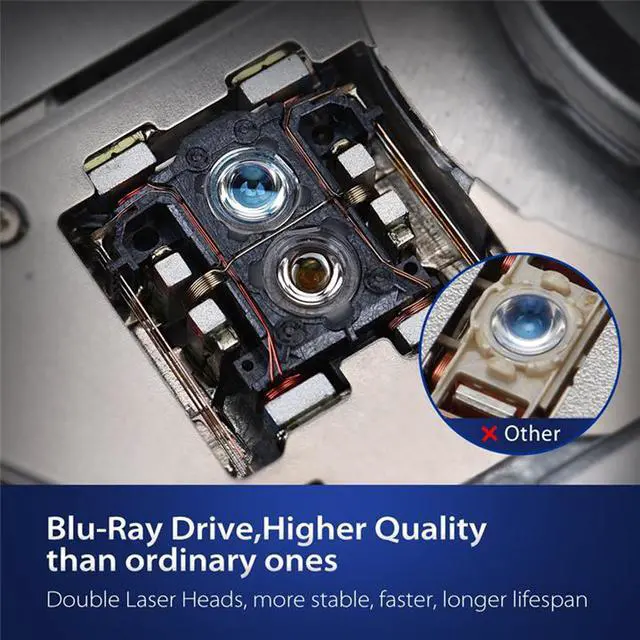
    • USB3.0/USB-C Blu-ray Disc Drive 6X Blu-ray Player/Blu-ray Combo Drive
    • Readable Format
    • CD: VCD,CD-ROM,CD-R,CD-RW
    • DVD: DVD-ROM,DVD-R,DVD-R DL,DVD-RAM,
    • DVD-RW,DVD+R, DVD+R DL,DVD+RW
    • BD: BD-ROM,BD-R,BD-RE
    • Read Speed
    • DVD-ROM MAX 8X CAV
    • CD-ROM MAX 24X CAV
    • BD-ROM MAX 2X CAV (for Video)/Max 6X CAV(for Data)
    • Write Speed
    • CD-R :Max.24X CAV
    • CD-RW :4X CLV
    • High Speed CD-RW :10XCLV
    • Ultra Speed CD-RW : Max.16X Zone CLV
    • DVD-R :Max.8X CAV
    • DVD-R DL :Max.6X Zone CLV
    • DVD-RW :Max.6X Zone CLV
    • DVD+R :Max.8X CAV
    • DVD+R DL :Max.6X Zone CLV
    • DVD+RW :Max.8X Zone CLV
    • DVD-RAM :3X-5X PCAV ( 4.7GB)
    • System Support
    • Support Windows 98 SE, ME, 2000, XP, Vista, Win 7, Win 8, Win 10
    • Support Windows Server 2003, 2003 R2, 2008, 2008 R2, 2012, 2012 R2
    • Support Mac OS 8.6 or higher
    • Plug and play,just press the eject button,put a disc on tray,simply connect the external blu ray burner to your computer,it will recognize and play.
    +
    +
    Overview
    Specs
    Reviews
    image for this item
    Good blu ray 3D film

    * Hardware testing: Your computer or notebook need satisfy following requirements: Download Testing Software [Cyberlink BD&3D Advisor],install it on your computer, start to perform testing,it will tell you a result if your computer support playing blu ray or 3D

    *According to testing result, you can replace your unqualified hardware. Or if it will show all [ passed ] when you plug with our blu ray drive,you only need pre-install professional blu ray player

    *Player software on your computer must support Blu-ray format (e.g. PowerDVD), when playing Blu-ray discs

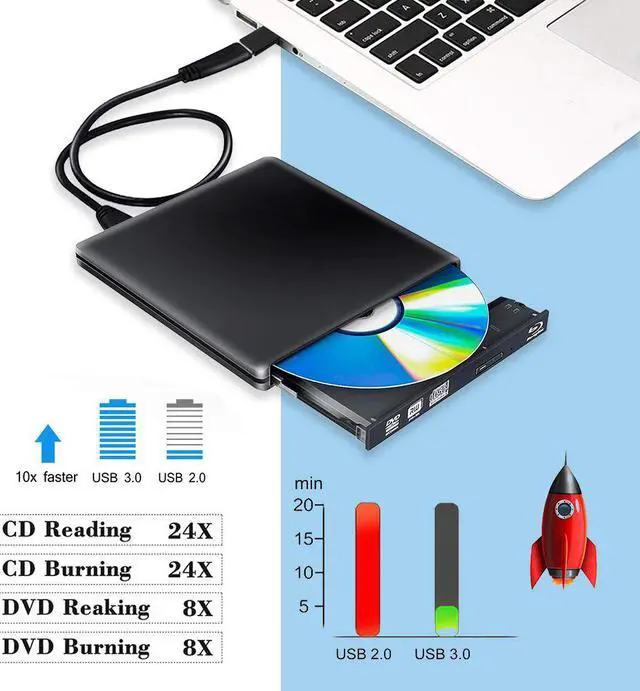
    *The Blu Ray dvd drive read CD discs at up to 24x, DVD disc at up to 8x, and Blu-Ray disc at up to 6x. The external Blu-ray Reader supports 8.5G 4.7G 700M Normal CD DVD burning capabilities.

    *Suggest to play HD blu ray movies no more than 50G 

    image for this item
    image for this item
    Features

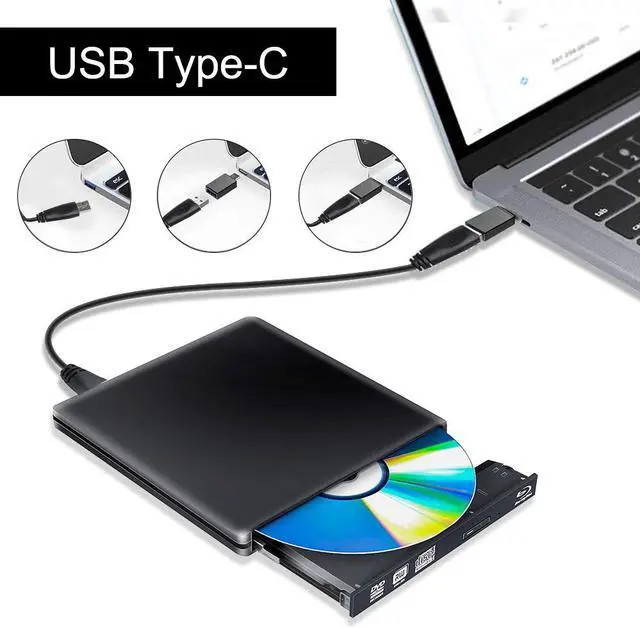
    [USB3.0 & Type-C]  Type-c + USB3.0 Connector cables,Support Maximum burn/Read speeds of 6x for BD-R, 8x for DVD-R/+R and 24x for CD-R, USB3.0 and type-c interfaces of blu-ray drive up to 5Gbps, more faster and stable than traditional USB2.0, and backward compatible with USB2.0 and 1.0
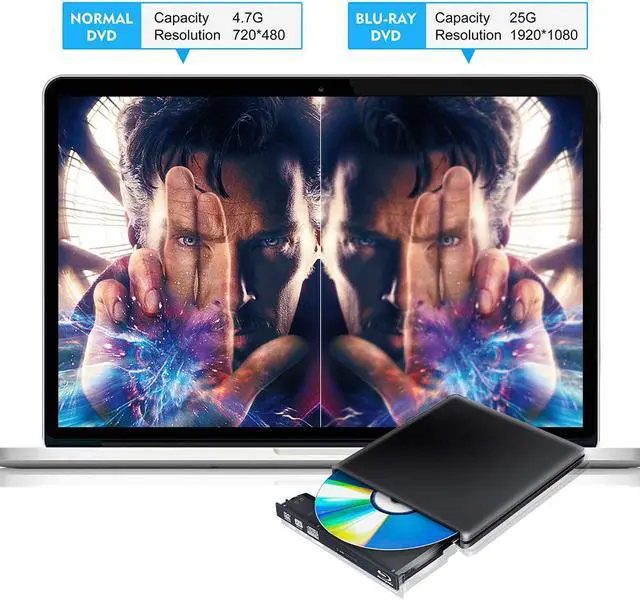
    [Read/Creat BD DVD CD Disc]  The Blu Ray Drive can write/Read blu-ray/dvd/cd discs. Enjoy real-life clarity with Near-4K quality (does not play 4K Ultra HD discs),Play 3D movies
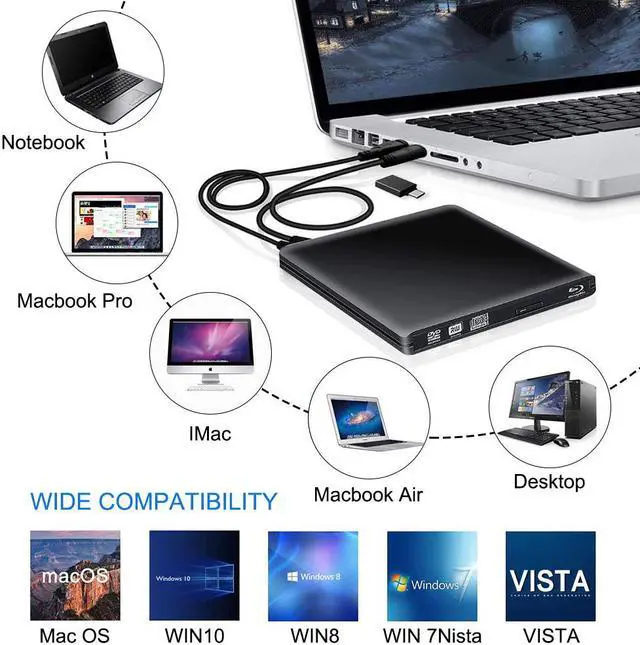
    [Wide Compatibility]  Featured USB 3.0 and Type-C interface,It is support USB-C (Thunderbolt 3) port for MacBook Air/Pro with standard USB 3.0 port and All USB-C Connection laptops and Desktops.. It supports Windows XP/7/8/10 and Mac OS
    [Plug and player]  No need to install drive programs. just plug the Blu-ray drive into your computer USB interface, it will recognize and play DVD CD Disc . if you need read Blu-ray or Burner BD/DVD/CD Disc, need install Software

    image for this item
    image for this item
    image for this item
    image for this item
    image for this item
    Wide Compatibility

    *The blu ray dvd drive is compatible with Windows 10 / 8 / 7 / 98 / SE / ME / 2000 / XP / Vista,all Version MAC OS systems.

    *Support Support Laptop, Notebook, PC, Desktop Computer.

    *Create Backup Discs,Read BD CD&DVD,Listen to CD Music,Watch DVD Movies,Install software/software

    *This blu ray drive could not be used in the tablets or TV, like Surface Series (Due to low voltage condition in some tablets). 

    *Improtant:
    If it can't read blu ray discs, please try to set the Blu-ray drive region to your country. Need a blu-ray software to play blu-ray discs. Eg, LEAWO is a nice free blu-ray player for PC, and Mac Blu-ray Player, iDeer Blu-ray Player, CyberLink PowerDVD are also highly recommended.

    image for this item
    Tips

    This is a universal Blu-ray player, not a Blu-ray burner, can not support Blu-ray burner.
    Please connect the laptop external power supply when you use this external optical drive.
    Because of the limitations of the Chrome OS, this external optical drive can not work with Chrome OS and Chromebook.
    This protable Blu-ray/CD/DVD drive can not work with TV, car, smartphone.
    Before you using the External Blu-ray/CD/DVD Drive, please make sure your computer has a [Media Player].
    If you find the External Blu-ray/CD/DVD Drive start out a little slow, please wait for 5-10 seconds.
    Windows 10 system is advised to install VLC Media player to play DVD and CD. We suggested that you download the 3.0 drive for windows 10, then it will work. For the desktop, please connect the device to the USB port of the motherboard for normal use.Download link for drive for windows 10: static.yunbaoit.net/download01.html

    image for this item
    FAQ

    1 Q The disc can not be ejected

    A: (1)The drive must be inserted into the computer rather than the HUB. But sometimes use USB HUB(powered by adapter) is recommend for example you need connect the drive to your laptop, but your laptop can not offer enough power to the drive

    (2)The USB interface in front of the desktop chassis is insufficiently powered

    2. Q: After connecting to my computer, why can not my computer show this blu ray drive?

    A: Please make sure that your computer is in enough power, for desktop, please plug usb cable directly to the USB interface of the motherboard behind. For laptop, please make sure laptop is in enough power. If you still can not see the blu-ray drive, please re-start your computer.

    3. Q Why can not it show my blu ray disc after put it into driver?

    A: Ensure the disc is successfully placed in the drive. Don not reverse the disc. Check if it has Virtual drive on your computer, disable virtual drive. 

    External Blu Ray Drive USB 3.0 Player External CD/DVD Burner/Writer

    Description:
    The External Slim Aluminum Blu-ray Player Drive is designed to help you quickly read and burner CDs, DVDs and Bluray Discs(BD)(Not support burn BD).
    No additional software drivers are needed, supports plug and play, this portable external DVD reader lets you instantly watch DVDs and create regular CDs with your laptops, tablets and desktops.

    Specifications:
    Interface:USB3.0
    Material: Aluminum
    Type of loading: Tray load
    Installation: External
    Buffer size:2MB
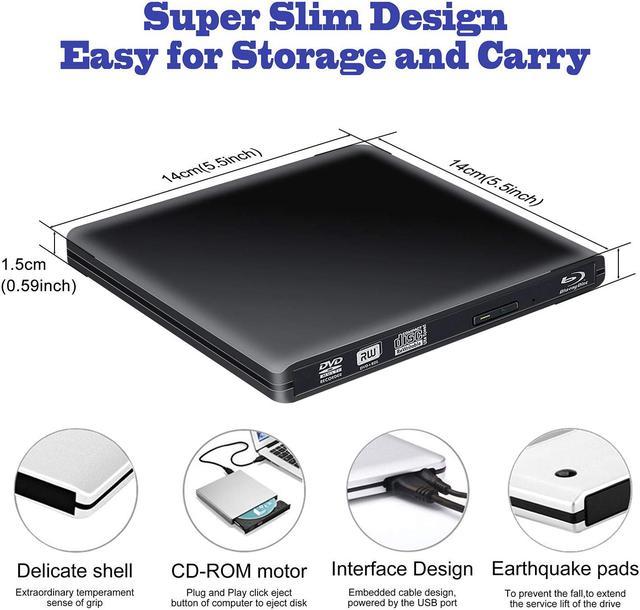
    Unit size: 14x14.5x1.7cm
    Size: 21x17.5x3mm
    Weight:450g
    Voltage:DC5V+/-0.25V
    Power consumption:1600mA
    System requirement: It is compatible with all PC and laptops with USB intterface.
    Support operate system:Windows XP/2003,VISATA,WIN7/8/10,MAC 10 OS system

    Readable Format:
    CD: VCD,CD-ROM,CD-R,CD-RW
    DVD:DVD-ROM,DVD-R,DVD-R DL,DVD-RAM
    DVD-RW,DVD+R, DVD+R DL,DVD+RW
    BD: BD-ROM,BD-R,BD-RE

    Reading speed:
    DVD-ROM: Max 8X CAV
    CD-ROM :Max 24X CAV
    BD-ROM MAX 2X CAV (for Video)/Max 6X CAV(for Data)

    Writing speed:
    CD-R :Max.24X Zone CLV
    CD-RW :4X CLV
    High Speed CD-RW :10XCLV
    Ultra Speed CD-RW : Max.16X Zone CLV
    DVD-R DL :Max.4X Zone CLV
    DVD-RW :Max.6X Zone CLV
    DVD+R :Max.8X CAV
    DVD+R DL :Max.4X Zone CLV
    DVD+RW :Max.8X Zone CLV
    DVD-RAM :3X-5X PCAV ( 4.7GB)

    Features:
    High Speed Transmission: USB3.0 Connector cables,Support Maximum burn speeds of 6x for 8x for DVD-R/+R and 24x for CD-R, maximum read speeds of 6x for BD-R, 8x for DVD-R/+R and 24x for CD-R.
    Aluminum Portable Design: External Blu-ray drive comes with an eject button on the front, a stylish indicator light and Aluminum alloy shell, Rugged,refined and Organized!
    Bluray Player: The Blu Ray Drive can write dvd/cd discs. It read CD discs up to 24x, DVD disc up to 8x, and Blu-Ray disc up to 6x. the Mac and Desktop with Laptop compatible Blu-ray drive can read/burner DVDs, CDs and 3D Blu-ray discs.
    Wide Compatibility: USB3.0 transfer Standard, backward compatible with USB2.0, with data interface ,suitable for 2.5"" sata HDD and 12.7mm sata ODD. its support with new MacBook 12"",MacBook Pro 13/15 Retina new iMac (Pro) 2017. for standard USB 3.0 port laptops and Desktops. It supports Windows XP/7/8/10 and Mac OS.
    Easy to USE: No need to install drive programs. just plug the Blu-ray drive into your computer USB interface, it will recognize and play DVD CD Disc . if you need read Blu-ray or Burner BD/DVD/CD Disc, need install Software.[Free Basic software included]


    Inportant note:
    *This Blu-ray support play Blu-ray DVD, but not support burn Blu-ray.(Play: Blu-ray, DVD,VCD,CD, Burn: CD.VCD.DVD)
    *If you want a Blu-ray burner (Play: Blu-ray, DVD,VCD,CD;Burn: Blu-ray ,CD.VCD.DVD ),please order Blu-ray burner (9SIAD8FDUJ5191).

    Package:
    1* Blue-ray Optical Drive
    1* Manual
    1* Power Cable
    1* USB3.0 Cable
    1* Type-c Adapter

    Warm Tips :
    1. This external Blu-ray DVD Burner needs to install the Blu-ray player/Burner software itself before it able read and burn Blu-ray disc. Recommend software as follows: VLC Media and AnyDVD software, Leawo is free one for all sy

    Warranty & Returns

    Warranty, Returns, And Additional Information

    Warranty

    • Please contact the Seller directly for warranty information. Warranty information may also be found on the Manufacturer's website.
    • CONTACT

    Return Policies

    • Return for refund within: 30 days
    • Return for replacement within: non-replaceable
    • This item is covered by Jansicotek Return Policy

    Manufacturer Contact Info

    LOADING...