


• $99.99
  • Free 30-day Returns
  • Ships from China.
    Price alert
    Shop it at NeweggBusiness.

    Hitoor External Blu ray Drive for Laptop, Blu Ray Burner, USB 3.0 Type-C External Bluray DVD Drive Support 100G BD Disc Drives Portable Bluray DVD Player CD Reader Compatible with Windows Linux MacOS

    Limited time offer, ends 03/21 By Smart Life Marketplace

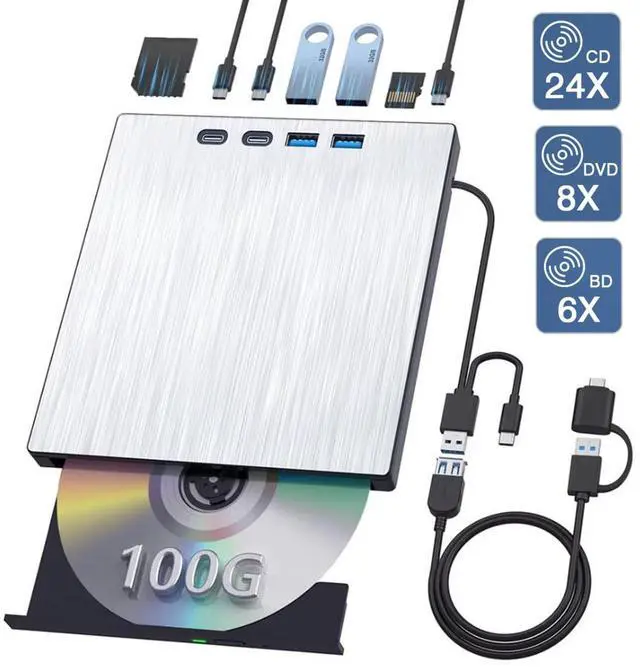
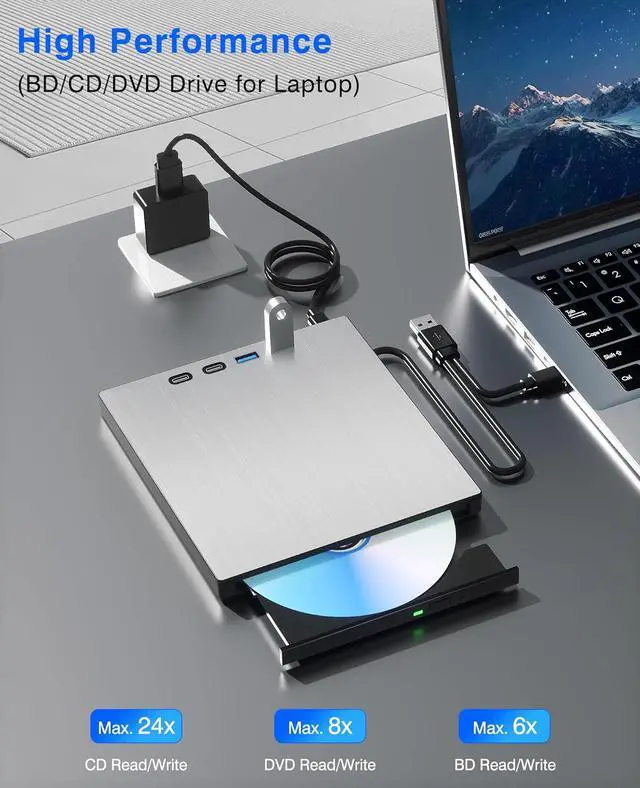
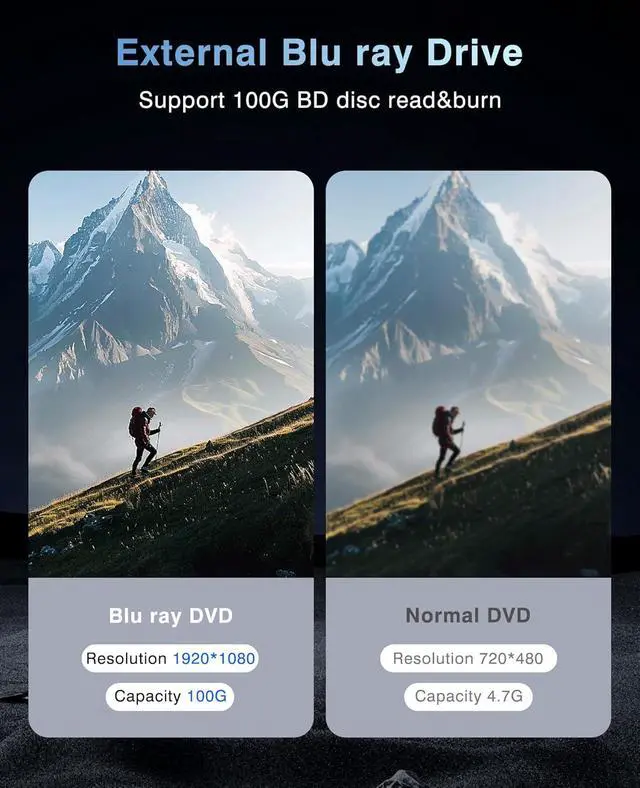
    • Support 100G Disc Read and Write: This external Blu ray drive has broad compatibility with BD-R/RE/ROM, DVD±R/RW, and CD-R/RW formats, which reading and burning speed is up to 24X for CD, 8X for DVD, 6X for BD. Experience massive storage capacity with 100GB BD disc support.(Pls make sure that the playback software on your computer supports the Bluray format. You can use the "Cyberlink BD&3D Advisor" tools to check it.)
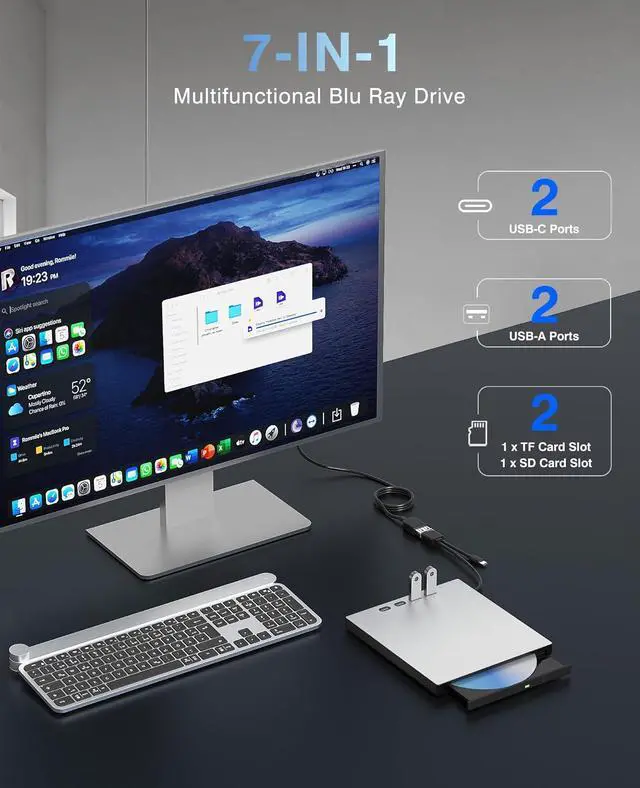
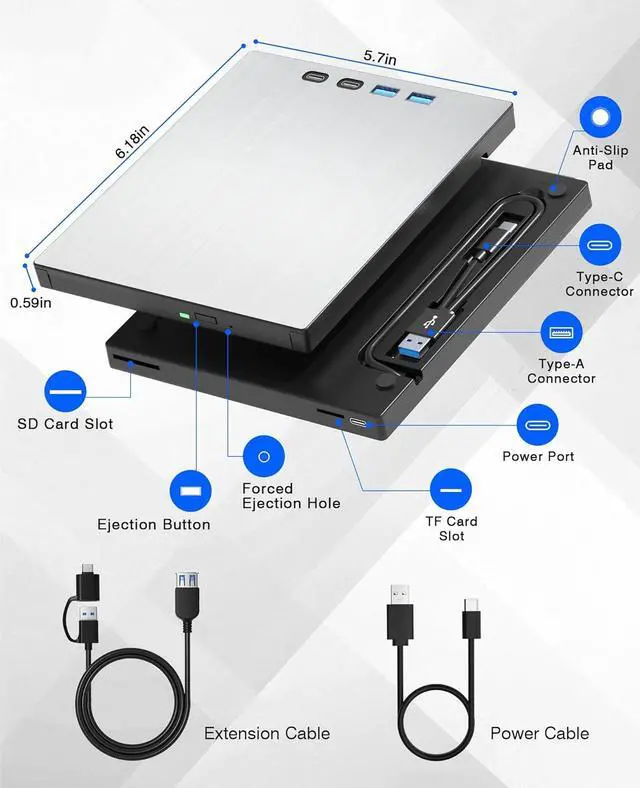
    • 7-in-1 Versatile USB Hub & Blu ray Drives: Expand your workspace with multiple ports including USB 3.0 port*1, USB 2.0 port*1, Type-C ports*2, and SD/TF card readers.
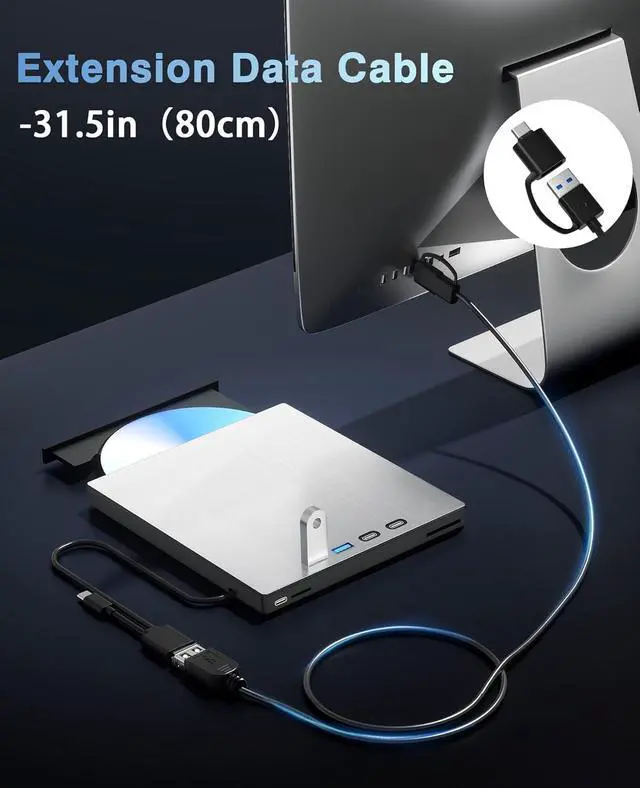
    • Extension Data Cable & Additional Power Cord: with an additional 0.8M USB extension cable,which is provided to address any distance limitations. The extra power port design, ensures stable operation even during extended use.
    • USB 3.0 High-Speed Transmission: Equipped with USB 3.0 and Type-C dual interface cable, which supports bi-directional data transmission and power supply, and the transmission speed is up to 5 Gbps. Note: This product does not come with playback software, you need to download it by yourself. Note: This product does not come with playback software, you need to download it by yourself. (We recommend professional playback software such as "PowerDVD, Leawo, Macgo, or VLC". )
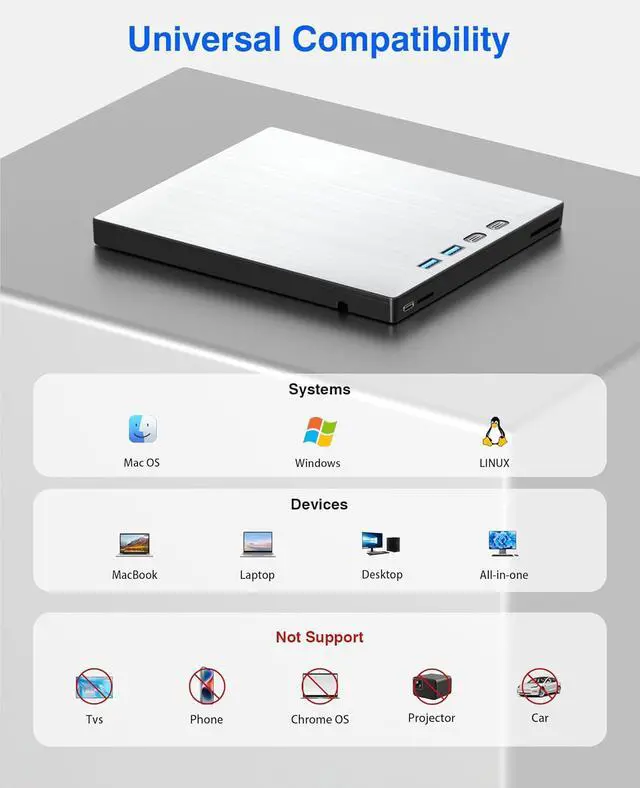
    • Compatible Devices & Systems: Compatible with Windows 11, 10, 8 and 7, as well as Mac OS. Not compatible with 4K Ultra HD Discs. It also does not support smartphones, TVs, cars and projectors.
    +
    +
    Overview
    Specs
    Reviews
    avatar

    Any questions? Our AI beta will help you find out quickly.

    External Blu ray Drive for Laptop, Blu Ray Burner, USB 3.0 Type-C External Bluray DVD Drive
    External Blu ray Drive for Laptop, Blu Ray Burner, USB 3.0 Type-C External Bluray DVD Drive
    External Blu ray Drive for Laptop, Blu Ray Burner, USB 3.0 Type-C External Bluray DVD Drive
    External Blu ray Drive for Laptop, Blu Ray Burner, USB 3.0 Type-C External Bluray DVD Drive
    External Blu ray Drive for Laptop, Blu Ray Burner, USB 3.0 Type-C External Bluray DVD Drive
    External Blu ray Drive for Laptop, Blu Ray Burner, USB 3.0 Type-C External Bluray DVD Drive
    External Blu ray Drive for Laptop, Blu Ray Burner, USB 3.0 Type-C External Bluray DVD Drive
    External Blu ray Drive for Laptop, Blu Ray Burner, USB 3.0 Type-C External Bluray DVD Drive
    External Blu ray Drive for Laptop, Blu Ray Burner, USB 3.0 Type-C External Bluray DVD Drive
    External Blu ray Drive for Laptop, Blu Ray Burner, USB 3.0 Type-C External Bluray DVD Drive
    External Blu ray Drive for Laptop, Blu Ray Burner, USB 3.0 Type-C External Bluray DVD Drive
    External Blu ray Drive for Laptop, Blu Ray Burner, USB 3.0 Type-C External Bluray DVD Drive
    External Blu ray Drive for Laptop, Blu Ray Burner, USB 3.0 Type-C External Bluray DVD Drive

    Q&A

    Quesion1: The external Blu ray drive shows a connection failure with the computer.


    1. Pls check if the optical drive is being recognizes by your computer.

    For Windows OS: You can see the BD RW icon in Windows explorer. Use the data cables on the back (bottom) of the optical drive to connect your computer's USB port or desktop computer host. We have a power cord that we recommend using together. Do not connect USB extension hub.

    For Mac OS: The Mac OS computer will not display the device icon until the disc is placed in the optical drive and read successfully.

    2. Pls check the Device Manager: If the optical drive displays a yellow exclamation mark or question mark, there may be a driver issue. You need to right-click and select 'Update Driver', or uninstall the driver and restart the computer, then connect the optical drive, and the system will reinstall the driver automatically.

    3. Pls check the BIOS settings: Enter the computer's BIOS settings interface to see if the optical drive is disabled. If it is disabled, enable it.

    Quesion2: The optical drive connection is successful, but the disc still cannot be played.

    Step1: Set the region code (CDs do not have region code). The disc can only be played when there on code of the DVD drive matchesthe DVD. (Note: Only allows to change the region code 4-5 times.The operating steps are on the last page of the manual.)

    Step2: Insert your CDs or DVDs, Use a media player. If playing Blu ray disc, it is necessary to download Blu ray playback software in advance. (For Windows, such as PowerDVD,VLC etc. For Mac OS, such as Macgo Blu ray Player,etc.) Pls make sure Blu-ray playback software is compatible with your computer system. Test it by downloading the software 'Cyberlink BD & 3D Advisor'. The software will verify whether your computer is equipped for Blu-ray or 3D playback. This product does NOT include playback software.


    Note: Please ensure that the optical drive is clean: As any dirt may prevent it from functioning correctly. It is recommended that a professional optical drive cleaner or cotton swab be used to gently clean the read-write head of the optical drive.

    7 in 1 External Bluray Drive USB 3.0 Type-C Blu-ray DVD CD Player Portable Optical Burner with SD/TF Card Slot USB 3.0 Ports for Laptop PC Windows Linux MacOS


    Computers often do not natively support DVD movie playing, so a third-party media player (such as VLC) must be downloaded and installed to watch DVDs using this CD/DVD player. You can download and install a playing/burning software you like. and you can also refer to the following software:*Playing software: Any Media Player, Any DVD;*Burning software for Windows OS: InfraRecorder, Ones, Express Disc Burner;*Burning software for Mac OS: Burn for mac;*Burning software for Linux OS/Unix OS: K3b (KDE Burn Baby Burn);
    Note:Please be aware that the playback/burning software for the external Blu-ray drive is not included and must be purchased separately to ensure proper functionality.(1). When downloading Blu-ray playback software, Some software in Windows and MAC OS are not compatible,please make sure Blu-ray playback software is compatible with your computer system. Test it by downloading the software Cyberlink BD & 3D Advisor. The software will verify whether your computer is equipped for Blu-ray or 3D playback.(2). It s recommended to play the Blu-ray disc via the BD player Powerdvd10-19. Burn the Blu-ray disc via the Nero burning software.(Please use professional software to play Blu-ray discs,such as NERO / LEAWO / MakeMKV / iDeer Blu-ray Player / CyberLink PowerDVD / Mac Blu-ray Player / Blu-ray Player / Macgo Blu-ray Player. Some Blu ray playback software requires a fee.)(3). Block the region code. If the copyright-protected Blu-ray disc with a region code may not be used, you can encode the region code by downloading the block software Any DVD.
    Packing Including:1x External Blu ray drive (Blu ray software is not included)1x USB Power Cable1x User Manual


    *Do not Support Smart phone,TV,Car,Tablet,Projector.*If there are any issues that cannot be operated, please contact us and we will reply promptly.


    Warranty & Returns

    Warranty, Returns, And Additional Information

    Warranty

    • Please contact the Seller directly for warranty information. Warranty information may also be found on the Manufacturer's website.
    • CONTACT

    Return Policies

    Manufacturer Contact Info

    LOADING...