




 here!
I’m your shopping assistant for PC builds, upgrades, and everything tech.
Got questions? Ask away!
Start a conversation
here!
I’m your shopping assistant for PC builds, upgrades, and everything tech.
Got questions? Ask away!
Start a conversation



Any questions? Ask CelesteSM will help you find out quickly.
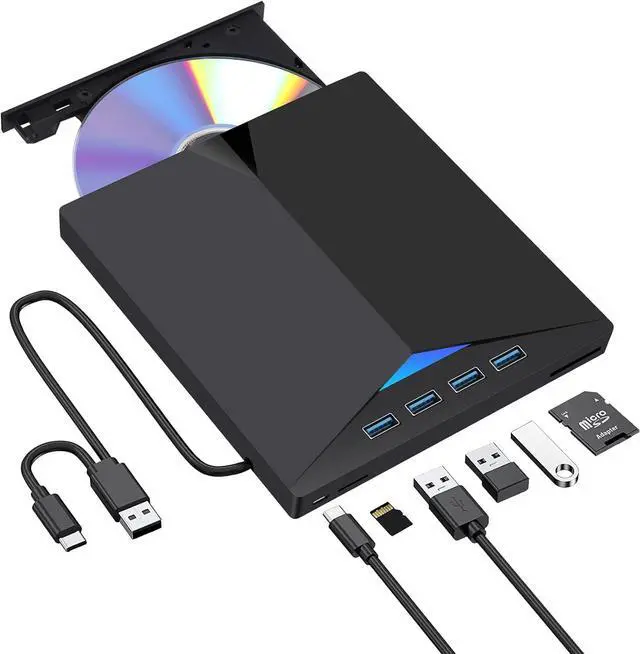
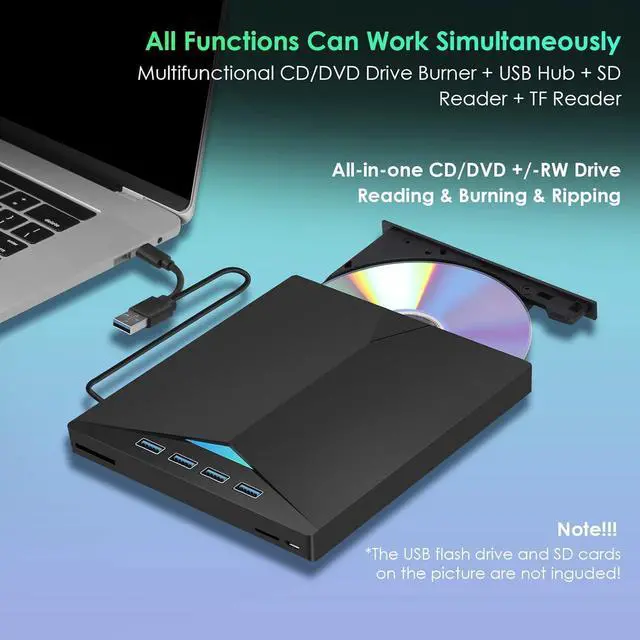
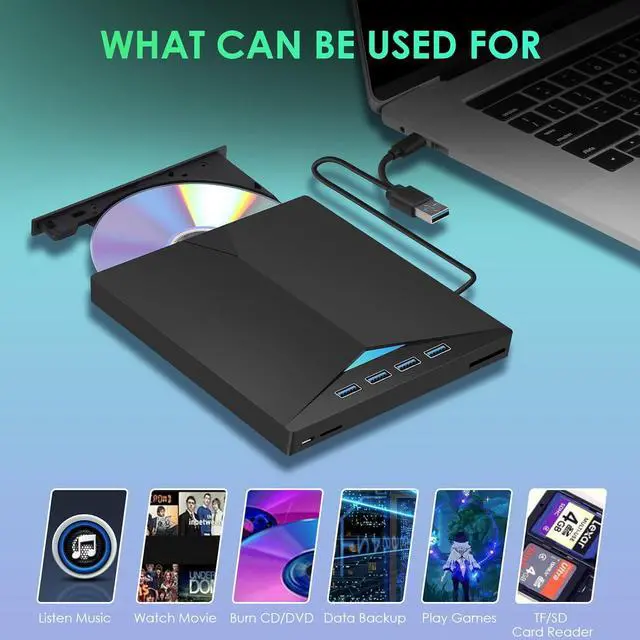
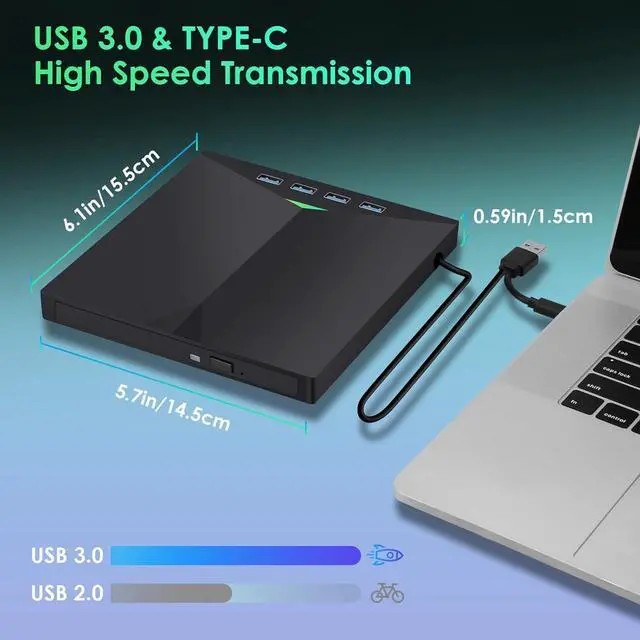
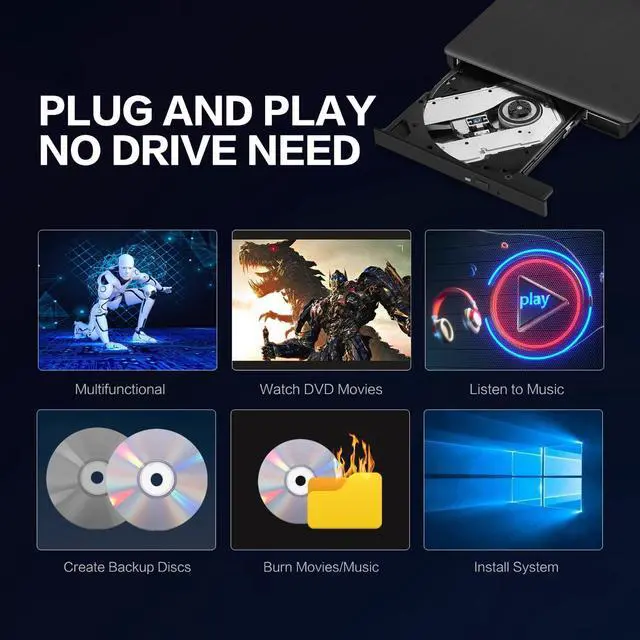
Our portable DVD player is not only a CD/DVD reader, but also a CD/DVD burner/burner, 4 port USB 3.0 hub, SD card reader, TF card reader


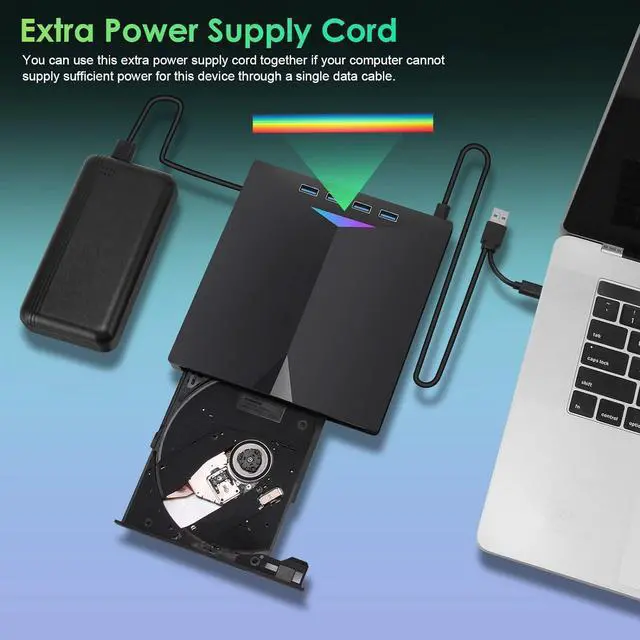
Color changing lights bring more fun to you

Durable and bringing you faster data transmission speed

Slim design and lightweight allow us to carry and use this portable external CD/DVD drive anytime, anywhere

With anti-shock and noise reduction design, it's made by premium wire drawing material enable the cable low impedance
The Bailink External CD/DVD Drive is a portable 7-in-1 optical drive for laptops and desktops that reads, burns, copies, and rewrites CDs and DVDs while adding four USB 3.0 ports plus SD and TF card slots. It suits Windows, Linux, and Mac users who need disc access and extra connectivity in one compact device.
| Attribute | Value |
|---|---|
| Best For | Laptop and desktop users who need portable CD/DVD reading, burning, and copying plus USB 3.0, SD, and TF card expansion |
| Optical Drive Functions | Reads, burns, copies, rewrites, records, and rips CD and DVD media, including CD±R/RW, CD-ROM, DVD±R/RW, DVD-RAM, VCD, and SVCD |
| USB Hub And Card Reader | Adds four USB 3.0 ports, one SD card slot, and one TF card slot for peripherals, external storage, and transferring photos or videos from memory cards |
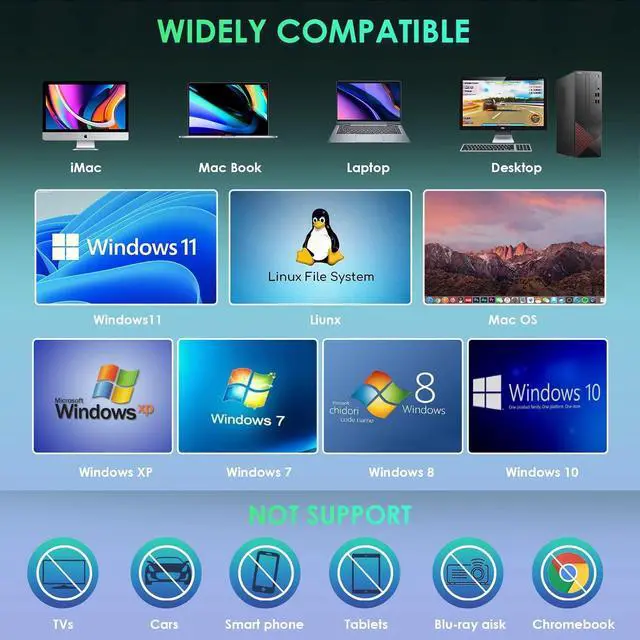
| Compatibility And Setup | Connects through USB Type-A or Type-C without requiring an extra driver; supports Windows 11, 10, 8.1, 7, Vista, XP, Linux, MacBook Pro, MacBook Air, iMac, and Mac mini, but not Chromebook, TV, tablet, iPad, mobile phone, projector, truck, or car |
| Portability And Warranty | Ultra-slim and lightweight design fits in a laptop bag and includes a 2-year warranty |
| Brand | Bailink |
Q: Is the Bailink 7-in-1 external DVD drive better than a basic external DVD writer?
A: Choose the Bailink when you need more than disc access. It combines CD/DVD reading and burning with four USB 3.0 ports, an SD card slot, and a TF/microSD card slot. A basic DVD writer such as the ASUS SDRW-08D2S-U is the simpler choice when you only need to read or write discs and do not need integrated expansion ports.
Q: Should I buy the Bailink drive or Apple USB SuperDrive for a MacBook?
A: Choose the Bailink if you want CD/DVD burning plus USB ports and SD/TF card readers, or if you also use Windows or Linux computers. Choose Apple USB SuperDrive if you want a Mac-focused, slot-loading optical drive and do not need hub or card-reader functions. Both require a direct USB connection; Apple states that SuperDrive may need a USB-C adapter on Macs without USB-A ports.
Q: Is the Bailink better than a higher-tier external Blu-ray drive?
A: Choose the Bailink for CD and DVD playback, data access, and disc burning with built-in connectivity features. Choose a Blu-ray drive if you need to read or write Blu-ray media, because the Bailink listing supports CD and DVD formats but does not list Blu-ray compatibility. A Blu-ray model is the higher-capability option, while the Bailink is more appropriate when Blu-ray support is unnecessary.
Q: Is the Bailink a good choice for travel compared with a separate DVD drive and USB hub?
A: Choose the Bailink when portability and fewer accessories matter. It combines an external CD/DVD drive, four USB 3.0 ports, and SD/TF card readers in one compact device. Choose separate devices when you want to replace or upgrade the optical drive and hub independently, or when you need a hub with features not provided by the Bailink, such as video output or USB-C power delivery.
Q: Is the Bailink a meaningful upgrade over an older USB 2.0 external DVD drive?
A: Choose the Bailink if you want newer laptop connectivity and added expansion features. Its listing specifies USB 3.0 ports, USB Type-A and Type-C connection options, plus SD and TF card readers. An older USB 2.0 DVD drive can still handle basic CD/DVD tasks, but it does not provide the Bailink's integrated hub and card-reader functions. The upgrade is most useful for users who transfer files from memory cards or need additional USB ports.
Q: Will this external CD/DVD drive work with Windows and Mac laptops?
A: Yes. The drive is designed for Windows 11, 10, 8.1, 7, Vista, XP, Linux, and supported MacBook, iMac, and Mac mini systems. It connects through USB Type-A or Type-C and is intended for computers with a compatible USB port. It is not suitable for Chromebooks, tablets, iPads, phones, TVs, projectors, trucks, or cars.
Q: Can it play DVDs and CDs, or burn discs as well?
A: It can read and play supported CDs and DVDs, and it can burn or copy compatible recordable and rewritable media. Supported formats include CD±R/RW, CD-ROM, DVD±R/RW, DVD-RAM, VCD, and SVCD. Playing commercial DVD movies or burning discs may still require compatible playback or disc-burning software on the computer.
Q: Does it support Blu-ray discs?
A: No. This is a CD/DVD drive, not a Blu-ray drive. It is suitable for supported CDs and DVDs but should not be purchased for Blu-ray playback or Blu-ray data recording.
Q: Is this a good portable drive for travel, work, or transferring photos?
A: It is suitable for users who need occasional optical-disc access while traveling or working away from a desktop. Its slim design supports portability, while four USB 3.0 ports and SD/TF card slots can help transfer files or connect peripherals. The trade-off is that it requires a computer with a compatible USB port and adds an external device to carry; it is not a standalone player.
Q: Who is this external drive best suited for?
A: It is best suited for laptop and desktop users who need to read, write, copy, or archive CDs and DVDs, transfer photos from SD or TF cards, or add USB connectivity to a computer without a built-in optical drive. It is less suitable for Blu-ray users, Chromebook or mobile-device users, and anyone who needs direct playback through a TV, car, phone, tablet, or projector.
Q: Is this type of external drive worth buying instead of adapting an old internal DVD drive?
A: Yes, if you need a simple plug-in solution for a laptop or desktop. The Bailink drive is already designed for USB connection and includes CD/DVD reading, burning, and copying. Adapting an old internal drive usually requires additional adapters and power, making it less convenient.
Q: Will USB 3.0 provide enough performance for DVD reading and burning?
A: Yes. USB 3.0 has sufficient bandwidth for CD and DVD playback, reading, and burning. Actual performance will also depend on the disc, the computer's USB connection, and the software used for playback or burning.
Q: Is this a good choice for occasional CD ripping or DVD burning?
A: It is suitable for occasional CD ripping, DVD reading, and basic disc burning on supported Windows, Linux, or Mac computers. The main trade-off is that the product is a generic external drive, so users who need frequent, archival, or highly reliable disc work may prefer a drive from a more established optical-drive brand.
Q: Does the drive work with every USB-enabled device?
A: No. It is intended for compatible Windows, Linux, and Mac computers with USB Type-A or Type-C connectivity. The product data specifically excludes Chromebooks, tablets, iPads, mobile phones, TVs, projectors, trucks, and cars.
Q: What are the main trade-offs of choosing a 7-in-1 optical drive?
A: The main benefit is convenience: one device combines a CD/DVD burner with four USB 3.0 ports and SD/TF card readers. The trade-off is that it adds more functions and connections than a basic optical drive, while the product still does not support Blu-ray and may require troubleshooting if a computer does not detect the drive.


