shipping Holiday Shipping Details & Extended Holiday Returns
  • $33.69
  • Free 30-day Returns
  • Ships from China.
    Price alert
    Shop it at NeweggBusiness.

    Meet Your Seller

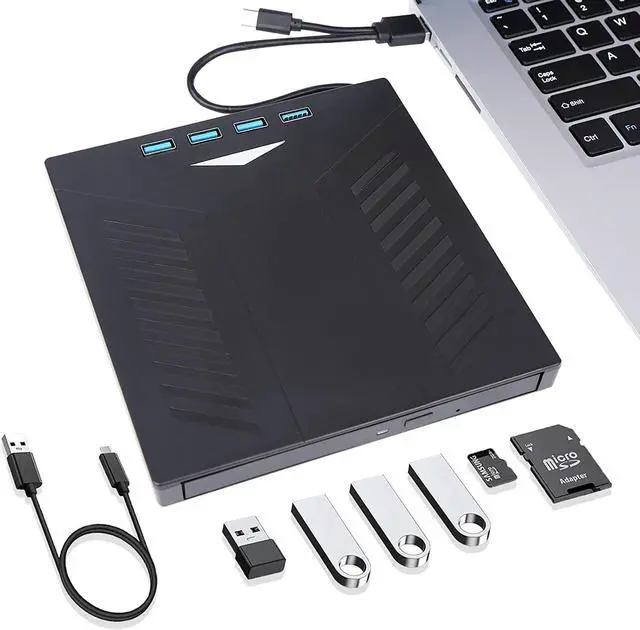
    External CD DVD Drive, USB 3.0 Type-C CD DVD +/-RW Optical Drive, Ultra-Slim Drive with 4 USB Ports and 2 SD Card Slots, Compatible with Laptop PC Linux Windows Mac OS

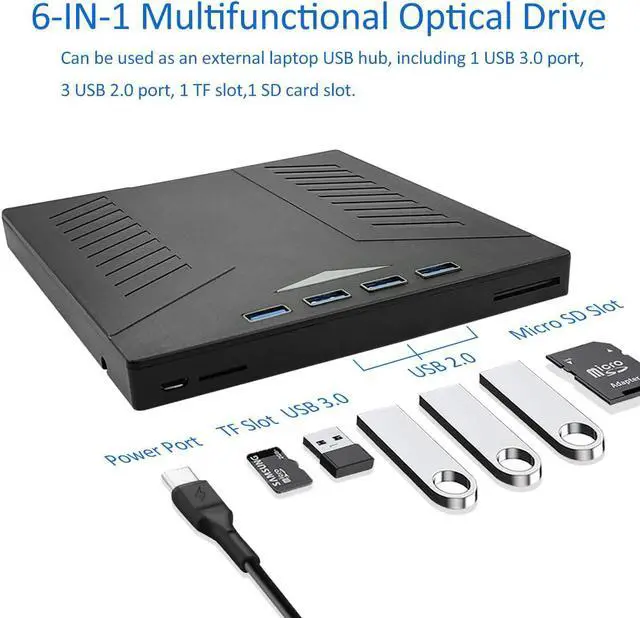
    • 6 in 1 USB HubThe external optical drive can not only read CD DVD, but also can be used as a laptop USB hub, including 1 USB 3.0 port, 3 USB 2.0 ports, 1 TF slot, 1 SD card slot slot, compatible with USB computer accessories such as USB hard drives, restricted/wireless keyboards and mice, computer coolers, and more. The card slot is perfect for transferring files from the card to the computer via the camera. (Note: SD port and TF port cannot be used at the same time)
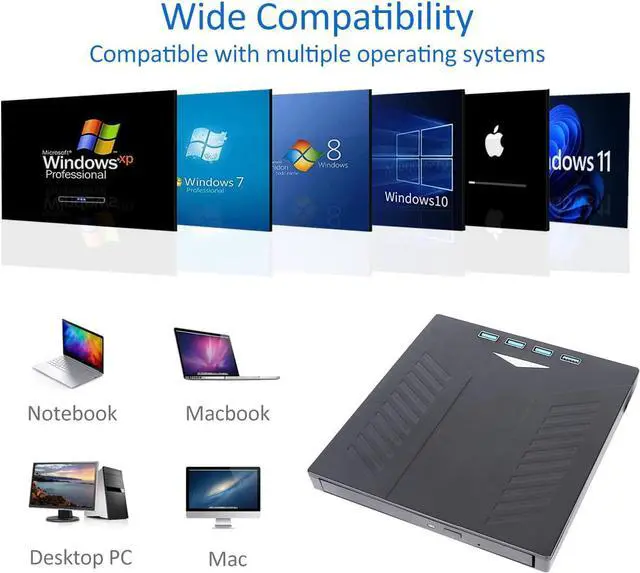
    • Wide CompatibilityThis external CD DVD drive is perfect for various devices, compatible with Windows XP/2003/Vista/7/8/10/11, Linux, all versions of Mac OS systems. To ensure adequate power, connect this product directly to your computer. (Note: Chromebooks, TVs, iPads, trucks and cars are not supported).
    +
    +
    Overview
    Specs
    Reviews
    avatar

    Any questions? Our AI beta will help you find out quickly.

    image for this item

    There's a color-changing light on the case, and when the external optical drive is plugged into the laptop, it slowly changes from red to green to blue, making the optical drive even more charming.

    2022 Upgraded External USB 3.0/Type-C DVD Drive with 4 USB Ports and 2 SD Card Slots,  CD Burner DVD Player

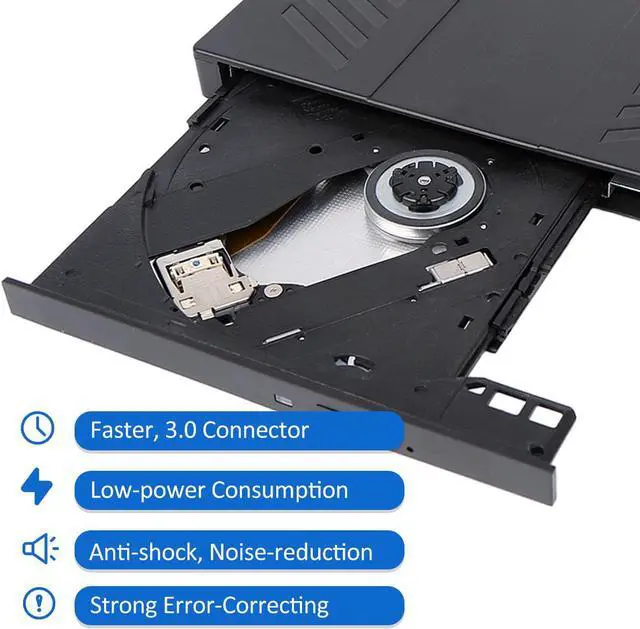
    Faster USB 3.0/Type-C: Use low-power technology, this external optical drive is powered and data transmission by USB 3.0/ Type-C cable.

    Wide Compatibility: Compatible with Windows XP/2003/Vista/7/8/10/11, Linux, all versions Mac OS system.

    Unique and Practical Design: Slim external optical drive with embedded cable, don't worry about data cable loss.

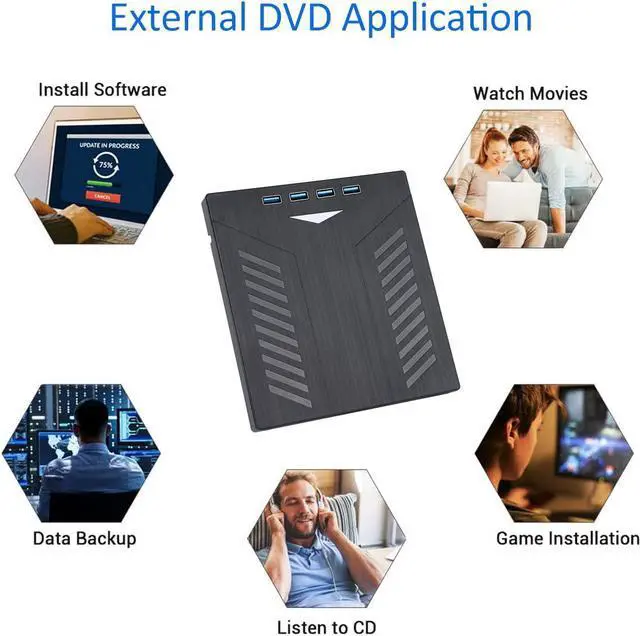
    Multi-Functional, Plug and Play: The users can use it to play music, watch movies, backup data, install programs, and transfer files.

    Emergency Design: Emergency Eject Hole, Pop-up button, and disc tray design make it convenient to read or write discs.

    Warm Tips

    The external DVD CD drive doesn t support Blu-ray Discs  TV  Car  Chromebook  Smartphone.
    Do not have the machine on a strong magnetic object nearby.
    For the desktop, recommend using the USB port on the motherboard of the computer.
    Before using the external disk drive, please make sure your computer has a Media Player
    If you find the external CD DVD drive is a bit slow to start, please wait 5  10 seconds.
    Please keep your CD DVD drive flat and ensure that your disc is securely fixed on the tray. 

    image for this item
    Item Size 5.6 in x 6.1 in x 0.6 in
    Compatible System Windows 10/8.1/ 7/Vista/XP/2003, Linux, and all versions of Mac OS
    Read Speed DVD-ROM max 8x, CD-ROM max 24x
    Write Speed DVD-ROM max 8x, CD-ROM max 24x
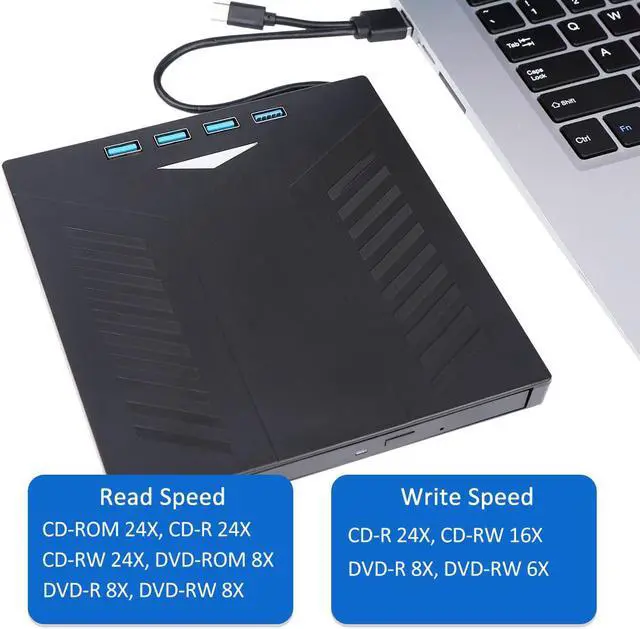
    Great Read/Write Speeds Compatible with USB3. 0 and backwards compatible with USB 1.0 andUSB 2.0. Higher transmission speed means higher stability. Read Speed (CD-ROM 24X, CD-R 24X, CD-RW 24X, DVD-ROM 8X, DVD-R 8X, DVD-RW 8X). Write Speed (CD-R 24X, CD-RW 16X, DVD-R 8X, DVD-RW 6X).
    Plug and Play, Easy to Use The external CD/DVD drive is easy to use. The user only needs to plug the USB/Type-C cable of the drive into any USB/Type-C port of the electronic device that supports the system, and it will automatically play. No additional power or drive is required.
    Unique and Practical DesignThe appearance design of the External DVD Drive is more trendy, portable, and lightweight. The embedded data cable is easy to use and organize, skip-proof rubber pad prevents sliding on the desktop. Also the CD/DVD Drive for laptops is equipped with an eject button so that you needn't worry about your disc getting stuck.
    Slim Compact, Multi-FunctionalThe external CD/DVD drive for pc is multi-functional that users can use to play music, watch movies, backup data, install programs, and transfer files. Please feel free to contact us if you have any other questions.

    Warranty & Returns

    Warranty, Returns, And Additional Information

    Warranty

    • Please contact the Seller directly for warranty information. Warranty information may also be found on the Manufacturer's website.
    • CONTACT

    Return Policies

    Manufacturer Contact Info

    LOADING...