• $27.99
  • Free 30-day Returns
  • Ships from China.
    Price alert
    Shop it at NeweggBusiness.

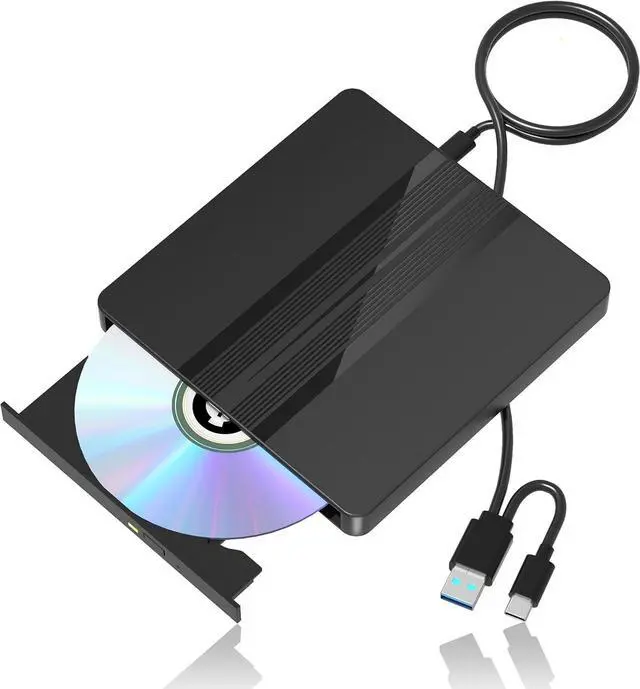
    AUTYUE External CD/DVD Drive for Laptop, USB 3.0 Type C Portable CD DVD Disc Drive Reader Burner Player for Laptop, External CD-ROM +/-RW Optical Drives for Desktop PC Mac Windows10/11 Linux Mac OS

    Limited time offer, ends 01/31 By Shenzhen Qiuyiyue Store

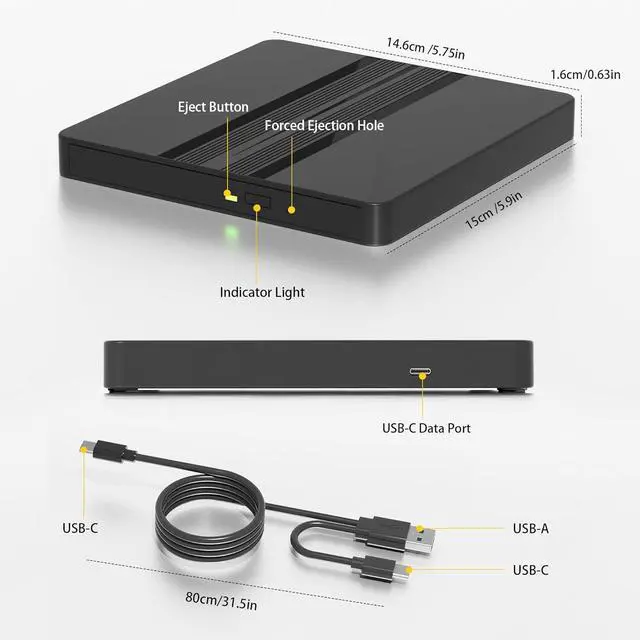
    • Ultra-Thin External CD/DVD Drive: With a thickness of only 0.63 inches and a lightweight, compact design, this USB CD Drive fits easily into a backpack. Its also the ideal companion for laptops and PCs, enabling effortless data backup, movie playback, and software installation.
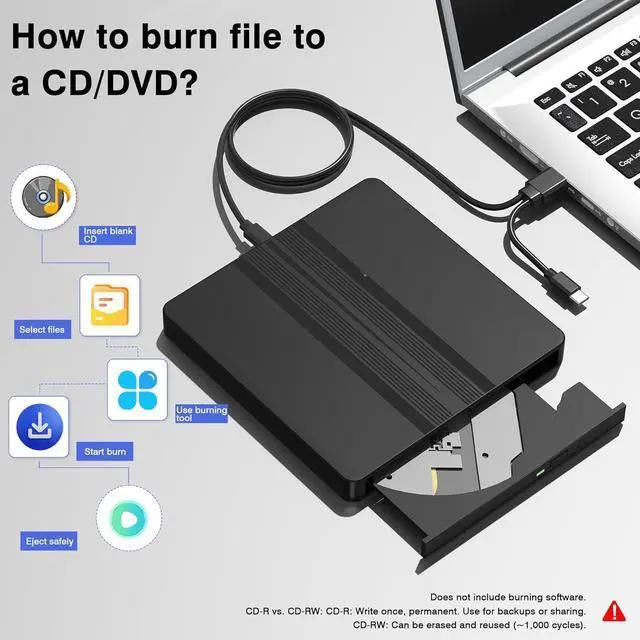
    • Extra-Long Cable, Plug & Play: This CD/DVD Burner comes with an extra-long 31.5-inch cable for flexible placement. No external power or drivers are required just connect via its 2-in-1 USB-A/USB-C cable for CD/DVD read and write.
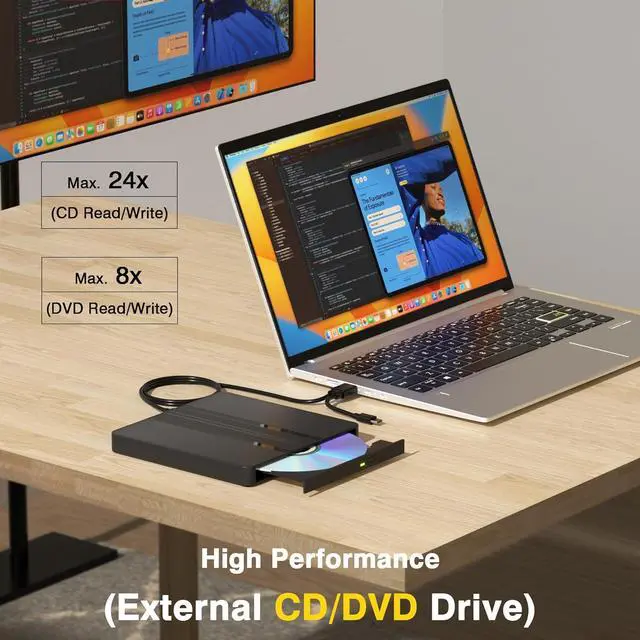
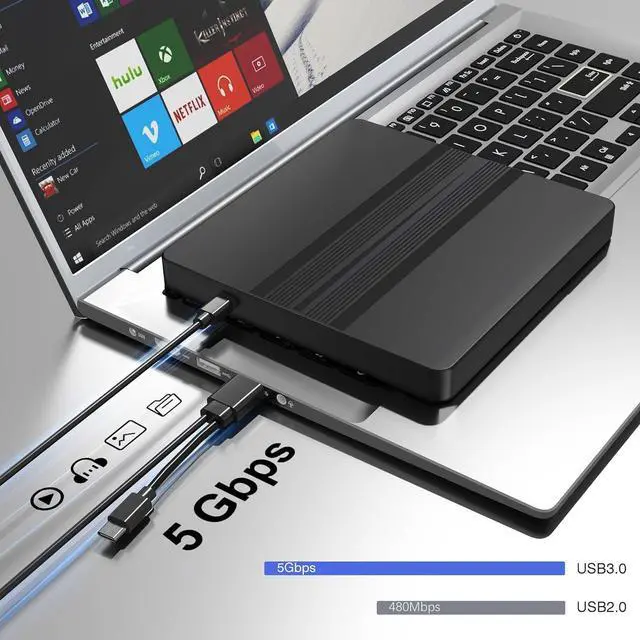
    • High-Speed USB 3.0 Optical Drive: Delivers fast data transfer (up to 5Gbps,and backward compatible with USB 2.0) and smooth CD/DVD read/write performance. This usb dvd drive supports up to 8x DVD read/write speeds and up to 24x CD read/write speeds.
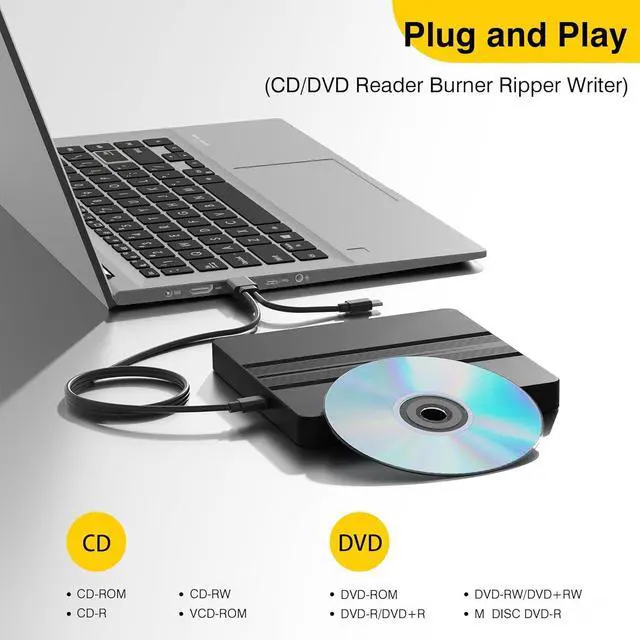
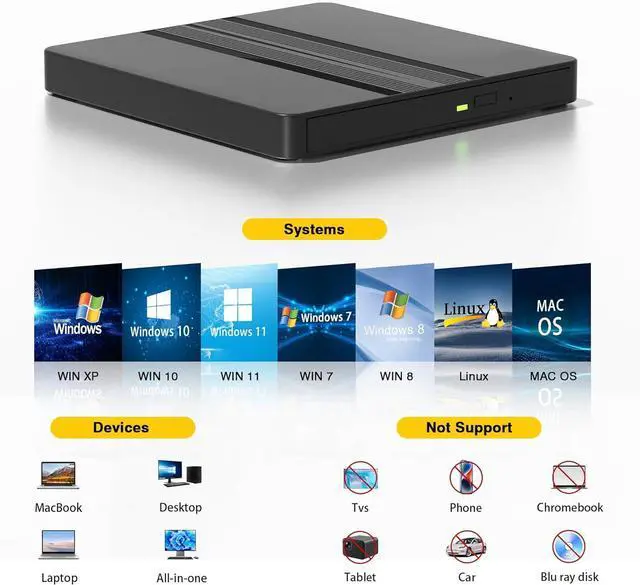
    • Wide Compatibility: Compatible with Windows 11/10/8/7/Vista/XP/2000/98/SE/ME, Mac OS, and Linux systems. The external CD/DVD drive supports CD+/-R/RW, CD-ROM, DVD+/-R/RW, DVD+/-R DL, DVD-ROM, DVD-RAM, VCD, and SVCD formats. Please note that Blu-ray discs are not supported. Windows 11 requires the installation of a media player (e.g. VLC).
    • Worry-Free Purchase: Our dvd player for laptop undergo strict factory testing to ensure optimal condition. If your received drive fails to function properly for any reason, please feel free to contact us-we are committed to fully assisting in resolving any product issues. We offer up to 24 months of after-sales support.
    +
    +
    Overview
    Specs
    Reviews
    avatar

    Any questions? Our AI beta will help you find out quickly.

    External CD/DVD Drive for Laptop, USB 3.0 Type C Portable CD DVD Disc Drive Reader Burner Player for
    External CD/DVD Drive for Laptop, USB 3.0 Type C Portable CD DVD Disc Drive Reader Burner Player
    DVD Drive
    DVD Drive
    DVD Drive
    DVD Drive
    DVD Drive
    DVD Drive
    DVD Drive
    DVD Drive

    Features:


    1. Ultra-Thin External CD/DVD DriveWith a thickness of only 0.63 inches and a lightweight, compact design, this USB CD Drive fits easily into a backpack, making it perfect for travel, office, or home use. Its also the ideal companion for laptops and PCs, enabling effortless data backup, movie playback, and software installation.
    2. Extra-Long Cable, Plug & PlayThis CD/DVD Burner comes with an extra-long 31.5-inch cable for flexible placement. No external power or drivers are required just connect via its 2-in-1 USB-A/USB-C cable for CD/DVD read and write.
    3. High-Speed USB 3.0 Optical DriveDelivers fast data transfer (up to 5Gbps,and backward compatible with USB 2.0) and smooth CD/DVD read/write performance. This usb dvd drive supports up to 8x DVD read/write speeds and up to 24x CD read/write speeds.
    4. Wide CompatibilityThis external DVD burner is compatible with Windows 11/10/8/7/Vista/XP/2000/98/SE/ME, Mac OS, and Linux systems. The external CD/DVD drive supports CD+/-R/RW, CD-ROM, DVD+/-R/RW, DVD+/-R DL, DVD-ROM, DVD-RAM, VCD, and SVCD formats. Please note that Blu-ray discs are not supported. Windows 11 requires the installation of a media player (e.g. VLC).
    5. Worry-Free PurchaseOur dvd player for laptop undergo strict factory testing to ensure optimal condition. If your received drive fails to function properly for any reason, please feel free to contact uswe are committed to fully assisting in resolving any product issues. We offer up to 24 months of after-sales support.
    6. Things to Know Before You Buy This cd reader requires connection to a laptop or desktop computer to operate. And Not compatible with Blu-ray, 4K discs, smartphones, TVs, PS4/PS5, Xbox, tablets, projectors, car stereos, or Chromebooks. Due to Mac OS system limitations, the dvd drive icon will only appear after inserting a disc. To eject a disc, right-click the desktop icon and select Eject, or choose File > Eject from the menu bar. Desktop computer users should connect the external optical drive to the USB port on the back of the motherboard.


    Warranty & Returns

    Warranty, Returns, And Additional Information

    Warranty

    • Please contact the Seller directly for warranty information. Warranty information may also be found on the Manufacturer's website.
    • CONTACT

    Return Policies

    Manufacturer Contact Info

    LOADING...