


• $28.99
  • Free 30-day Returns
  • Ships from China.
    Price alert
    Shop it at NeweggBusiness.

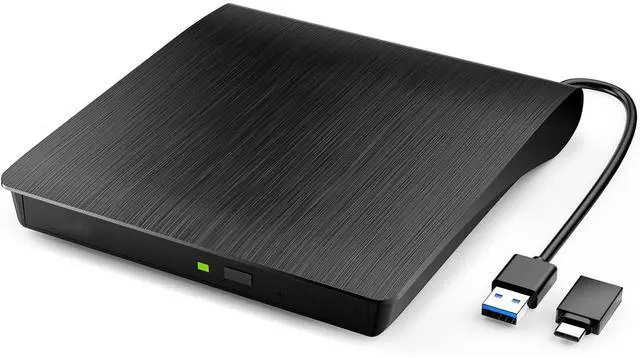
    AUTYUE External CD DVD Drive for Laptop, USB 3.0 Type-C CD Burner Portable CD +/-RW Drive DVD Player for ROM Rewriter Burner Optical CD/DVD Drive Compatible with Laptop Desktop PC Windows Linux Mac OS

    Limited time offer, ends 01/10 By Shenzhen Qiuyiyue Store

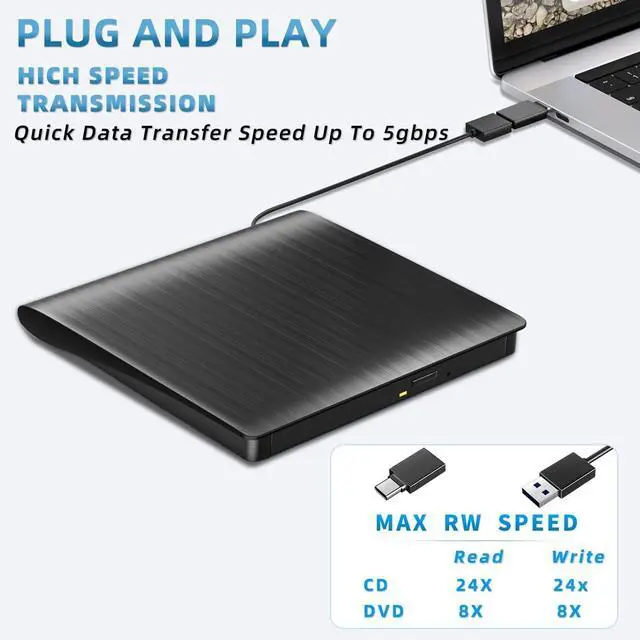
    • PLUG AND PLAY: Doesn't require an external driver or power supply.Just plug it into your laptop's USB and Type-C ports and the CD/DVD drive will be automatically detected. External optical cd/dvd drive burner is perfect companion for laptop or desktop without internal DVD drive.
    • HIGH WRITING AND READING SPEED: The external drive offers Max 8x DVD Rewrite Read Speed and Max 24x CD Write/Read Burner speed.This Type-C & USB 3.0 CD/DVD drive will bring you maximum 5Gbps data transmission speed, plays music movies installing software or system, burning discs without lag or distortion.
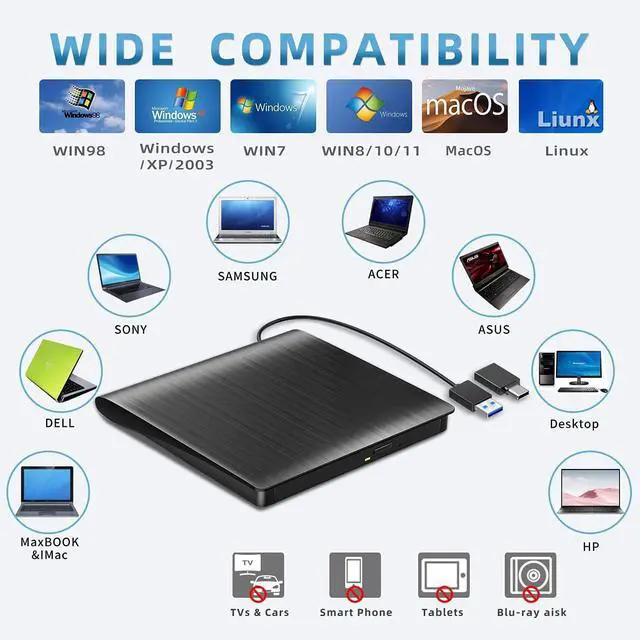
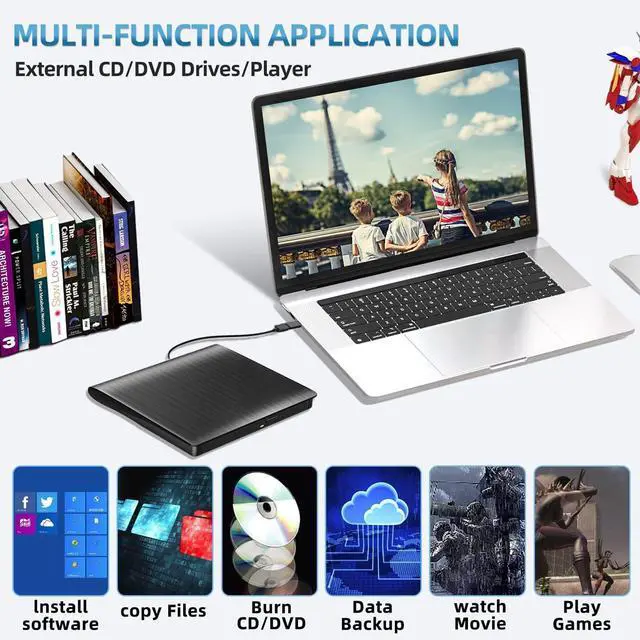
    • WIDE COMPATIBILITY&MULTIPLE FUNCTIONS: Compatible with Windows XP/2003/Vista/7/8/10/11,Linux OS,all version Mac OS system. Note: Not suitable for cars, TVs, mobile phones, Blu-ray discs. You can use this external CD/DVD player to play movie DVDs, burn/rip CDs, install software/system, DVD games, back up data to CD/DVD,and more.(Not support TV, car player, Chromebook, Surface Pro.)
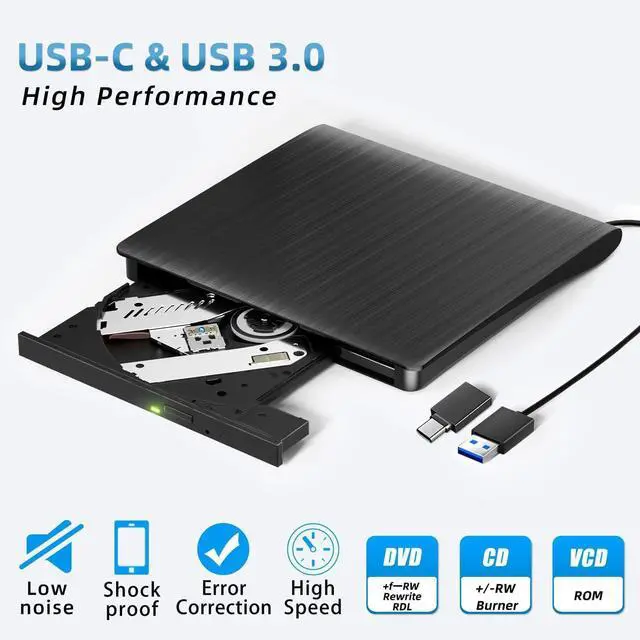
    • RELIABLE PERFORMANCE: Made of high-quality materials, shockproof, low noise and strong fault tolerance Intelligent.High-speed USB 3.0 CD DVD RW Burner with low impedance and anti-interference capability for a smooth and fast experience.You can use this USB CD/DVD player to quietly read and write burned CD/DVD without stuttering and noise nor jammed discs.
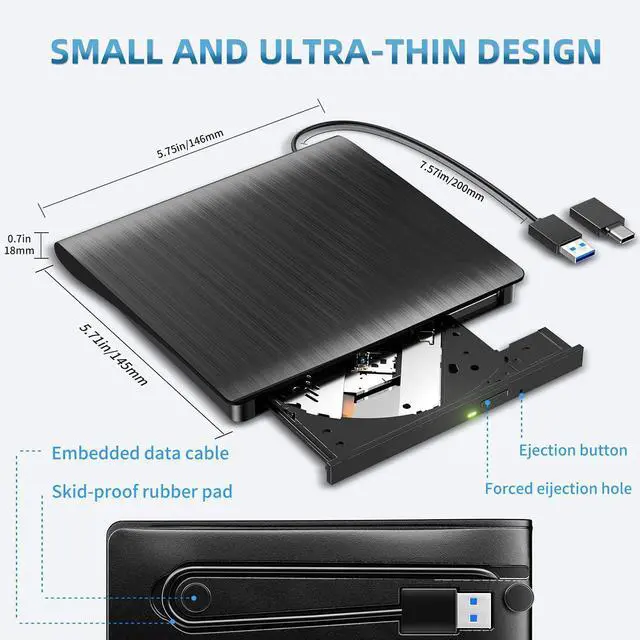
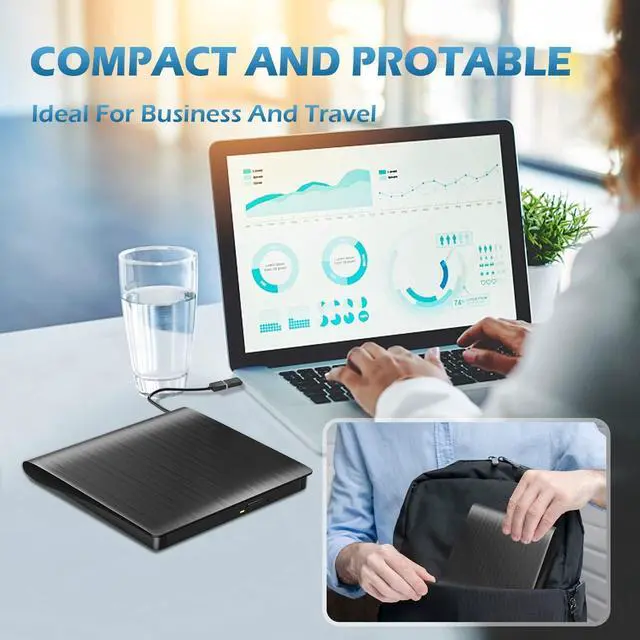
    • SLIM AND EXQUISITE DESIGN: This CD/DVD drive is well designed with a subtlety and ultra-thin machine size. You can easily put this USB CD burner into your travel bag.
    +
    +
    Overview
    Specs
    Reviews
    avatar

    Any questions? Our AI beta will help you find out quickly.

    External CD DVD Drive for Laptop, USB 3.0 Type-C CD Burner Portable CD +/-RW Drive DVD Player for RO
    External CD DVD Drive for Laptop, USB 3.0 Type-C CD Burner Portable CD +/-RW Drive DVD Player for RO
    External CD DVD Drive for Laptop, USB 3.0 Type-C CD Burner Portable CD +/-RW Drive DVD Player for RO
    External CD DVD Drive for Laptop, USB 3.0 Type-C CD Burner Portable CD +/-RW Drive DVD Player for RO
    External CD DVD Drive for Laptop, USB 3.0 Type-C CD Burner Portable CD +/-RW Drive DVD Player for RO

    UPGRADED EXTERNAL DVD DRIVE CD BURNER DVD PLAYER FLOPPY DISK READER

    The US8 3.0 & Type-C extermal optical cd/dvd drive buner is perfect companion for laptop or desktop without internal DvD drive.

    Plug and play,no need any additional software and extra power supply.

    High Speed Type C and USB 3.0 CD DVD RW Burner.

    Emergency Eject Hole, Pop-up button and disc tray design makes it convenient to read or write discs.

    Wide compatible:

    Supported Os: Windows XP/2003/Vista/7/8/10,Linux Os,all version Mac Os system.

    Specification:

    Supported formats: DVD-ROM, CD-R/RW, DVD-video,CD-ROM, CD-EXTRA, CD-ROM/XA, CD-TEXT

    Supported Media tyPeS: CO-ROM,CD-R,CD-RW, DVD.ROM,DVD-R,DVD-RW,DVD+RW,DVD+R,DVD+R DL,DVD-R DL,DVD RAM

    Read Speed: CD-ROM: 24x Max; DVD-ROM: 8x MaX; DVD-ROM(DL): 8x Max 

    Write speed: 24x CD-R, 8x CD-RW, DVDR: 8X MaX; DVDR DL: 4X Max DVD-R9: 4x Max


    Note: 

    Whether it is a desktop or a laptop, if the USB cannot read the disk after connection and it is not matched, it may be because the front USB interface is extended from the motherboard and the power supply is insufficient. 

    It is recommended to connect the rear USB interface to rule out power supply problems. In addition, there are other reasons: 

    1. Driver abnormality, you can uninstall and reinstall the optical drive driver in the device manager. 

    2. Registry error, you can delete the relevant files through the registry editor to solve it. 

    3. Physical damage to the optical drive or disc quality problems may also cause the computer to be unable to read. You can connect the optical drive to other computers or replace the disc for testing. 

    4. File system error, you can update the driver or check and repair. Please note that the optical drive is usually not expandable through the front USB interface, HUB, etc.

    Tips:

    1. This is a universal external CD/DyD drive, can't play Blu-ray discs,and can't be used with Ty, car, smartphone.

    2. When using this usb cvd drive, please connect the external power of your laptop.

    3. Due to the limitation of Chrome Os, this external cd & dvd drives can't be used with Chrome Os and Chromebook

    4. Before using external disk drive,please make sure your computer has "Media Player".

    5. if you find the external CD/DVD drive is a bit slow to start, please wait 5-10 seconds

    6. Windows 10 system recommend to install VLC Media player to play DVD and CD.

    7. We recommend you to download 3.0 driver for windows 10, then it will work.

    8. For desktop, please connect the device to the US8 port on the motherboard for normal use.

    9. lf your windows 10 is delayed in booting, please connect both Usb 3.0 cable and power cable to make sure it has enough power.


    UPGRADED EXTERNAL DVD DRIVE CD BURNER DVD PLAYER FLOPPY DISK READER

    The US8 3.0 & Type-C extermal optical cd/dvd drive buner is perfect companion for laptop or desktop without internal DvD drive.

    Plug and play,no need any additional software and extra power supply.

    High Speed Type C and USB 3.0 CD DVD RW Burner.

    Emergency Eject Hole, Pop-up button and disc tray design makes it convenient to read or write discs.

    Wide compatible:

    Supported Os: Windows XP/2003/Vista/7/8/10,Linux Os,all version Mac Os system.

    Specification:Supported formats: DVD-ROM, CD-R/RW, DVD-video,CD-ROM, CD-EXTRA, CD-ROM/XA, CD-TEXTSupported Media tyPeS: CO-ROM,CD-R,CD-RW, DVD.ROM,DVD-R,DVD-RW,DVD+RW,DVD+R,DVD+R DL,DVD-R DL,DVD RAMRead Speed: CD-ROM: 24x Max; DVD-ROM: 8x MaX; DVD-ROM(DL): 8x Max Write speed: 24x CD-R, 8x CD-RW, DVDR: 8X MaX; DVDR DL: 4X Max DVD-R9: 4x Max


    Note: Whether it is a desktop or a laptop, if the USB cannot read the disk after connection and it is not matched, it may be because the front USB interface is extended from the motherboard and the power supply is insufficient.

    It is recommended to connect the rear USB interface to rule out power supply problems. In addition, there are other reasons:

    1. Driver abnormality, you can uninstall and reinstall the optical drive driver in the device manager.

    2. Registry error, you can delete the relevant files through the registry editor to solve it.

    3. Physical damage to the optical drive or disc quality problems may also cause the computer to be unable to read. You can connect the optical drive to other computers or replace the disc for testing.

    4. File system error, you can update the driver or check and repair. Please note that the optical drive is usually not expandable through the front USB interface, HUB, etc.


    Tips:

    1. This is a universal extermal CD/DyD drive, can't play Blu-ray discs,and can't be used with Ty, car, smartphone.

    2. When using this usb cvd drive, please connect the external power of your laptop.

    3. Due to the limitation of Chrome Os, this external cd & dvd drives can't be used with Chrome Os and Chromebook

    4. Before using external disk drive,please make sure your computer has "Media Player".

    5. if you find the external CD/DVD drive is a bit slow to start, please wait 5-10 seconds

    6. Windows 10 system recommend to install VLC Media player to play DVD and CD.

    7. We recommend you to download 3.0 driver for windows 10, then it will work.

    8. For desktop, please connect the device to the US8 port on the motherboard for normal use.

    9. lf your windows 10 is delayed in booting, please connect both Us8 3.0 cable and power cable to make sure it has enough power.

    Package included:1x User Manual1xUSB CD/DVD Drive1xUSB 3.0 Adapter1xType C Adapter NOTE: If any problem occurs after purchase, please feel free to ask for help and handle your issue.

    Warranty & Returns

    Warranty, Returns, And Additional Information

    Warranty

    • Please contact the Seller directly for warranty information. Warranty information may also be found on the Manufacturer's website.
    • CONTACT

    Return Policies

    Manufacturer Contact Info

    LOADING...