• $96.99
  • Free 30-day Returns
  • Ships from China.
    Price alert
    Shop it at NeweggBusiness.

    AUTYUE External Blu-ray Drive, 7-in-1 External DVD Drive with 2 USB A & 2 USB C Ports, External Bluray/DVD/CD Burner With RGB Ambient Light,100G Disc R/W, USB 3.0/Type-C Hub for Windows/Mac/Linux

    Limited time offer, ends 03/07 By Shenzhen Qiuyiyue Store

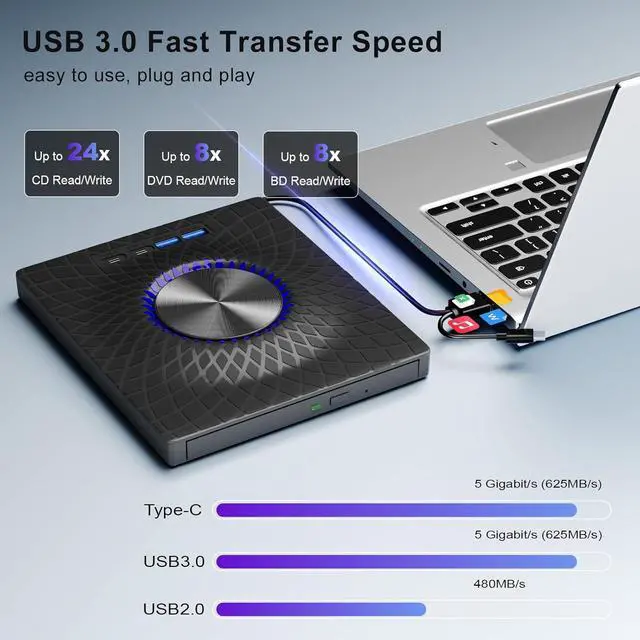
    • USB3.0 & USB-C (Type-C) & High-Speed Data Transfer Design: Features with both USB3.0 and Type-C connections, achieving up to compatible with Blu-ray8x, 8x DVD, and 24x CD read/write speeds.
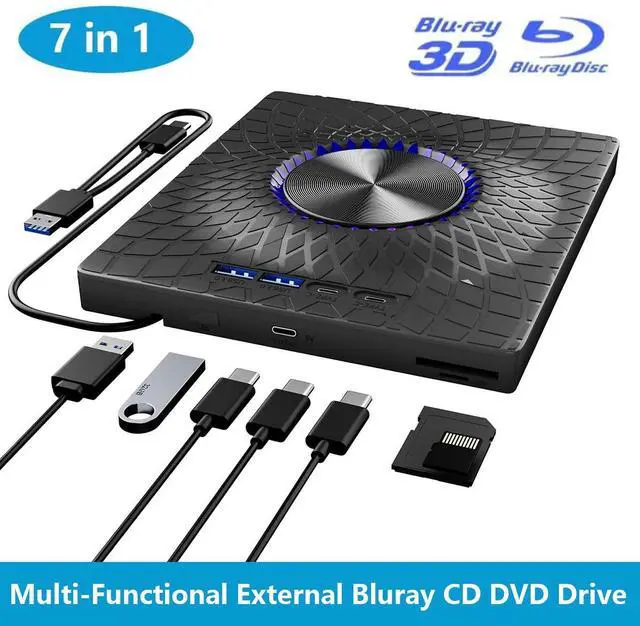
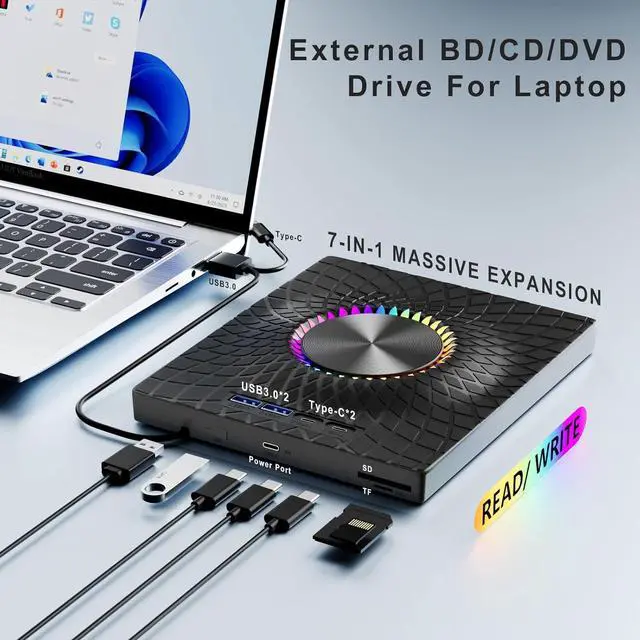
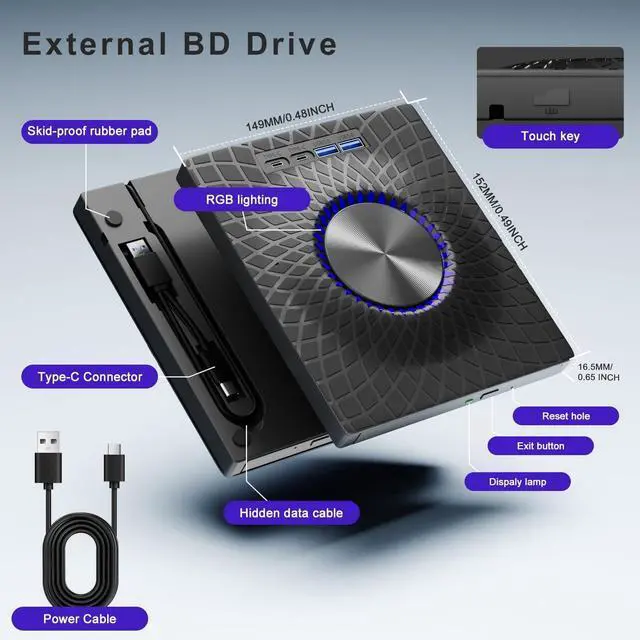
    • 7-IN-1 External Optical Drive For pc: This external blu ray drive can meet your various needs since it has 7 ports: 1*SD card slot, 1*TF card slot, 2*Type-C ports, 1*USB 3.0 port, 1*USB 2.0 port and a power port. The integrated 4-port USB hub and SD/TF card reader eliminate dongle clutter, turning the drive into a versatile desktop docking station for your peripherals and memory cards.
    • Dynamic RGB Lighting & Ultra-Slim Profile: Experience stunning 7-color RGB gradient lighting that dynamically shifts to elevate your workspace aesthetic. Housed in an ultra-slim and portable metal casing, this Blu-ray drive combines visual flair with a lightweight, travel-ready design that slips effortlessly into any laptop bag.
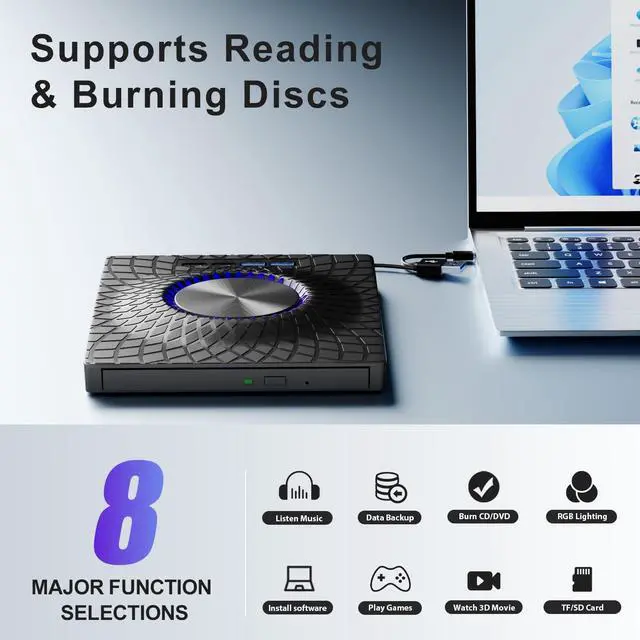
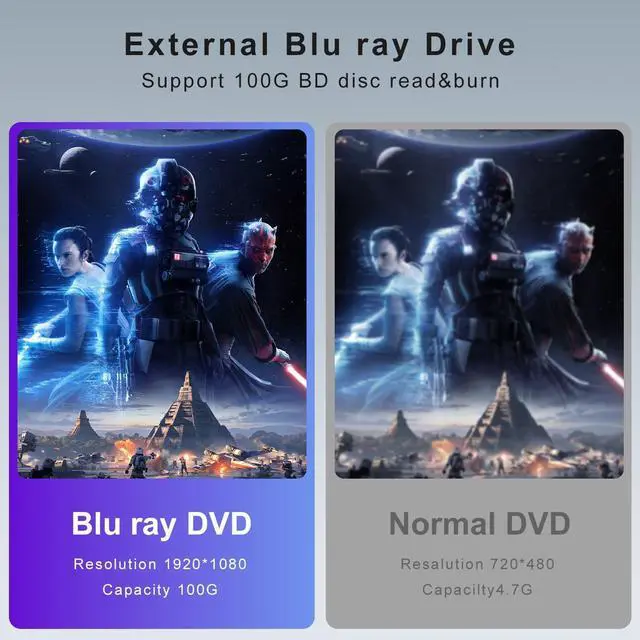
    • All-in-One Read/Write & Massive Compatibility: A true multi-functional powerhouse that reads and writes 100GB BDXL, standard Blu-ray, DVD, and CD formats, Perfect for archiving, media creation, or enjoying your physical disc collection with unmatched versatility.
    • Plug And Play: Easy to use and requires no external drivers. It can be powered by a single USB cable, and its body features an eject button for convenient disc loading. Simply press the eject button and insert the disc, then plug the external Blu-ray burner into your computer's USB interface.
    +
    +
    Overview
    Specs
    Reviews
    avatar

    Any questions? Our AI beta will help you find out quickly.

    External Blu-ray Drive, 7-in-1 External DVD Drive with 2 USB A & 2 USB C Ports
    External Blu-ray Drive, 7-in-1 External DVD Drive with 2 USB A & 2 USB C Ports
    External Blu-ray Drive, 7-in-1 External DVD Drive with 2 USB A & 2 USB C Ports
    External Blu-ray Drive, 7-in-1 External DVD Drive with 2 USB A & 2 USB C Ports
    External Blu-ray Drive, 7-in-1 External DVD Drive with 2 USB A & 2 USB C Ports
    External Blu-ray Drive, 7-in-1 External DVD Drive with 2 USB A & 2 USB C Ports
    External Blu-ray Drive, 7-in-1 External DVD Drive with 2 USB A & 2 USB C Ports
    External Blu-ray Drive, 7-in-1 External DVD Drive with 2 USB A & 2 USB C Ports
    Features:
    1. USB3.0 & USB-C (Type-C) & High-Speed Data Transfer DesignCompatible with Blu-ray player is compatible with both USB3.0 and Type-C connections, achieving up to compatible with Blu-ray8x, 8x DVD, and 24x CD read/write speeds.
    2. 7-IN-1 External Optical Drive For pc This external blu ray drive can meet your various needs since it has 7 ports: 1*SD card slot, 1*TF card slot, 2*Type-C ports, 1*USB 3.0 port, 1*USB 2.0 port and a power port. The integrated 4-port USB hub and SD/TF card reader eliminate dongle clutter, turning the drive into a versatile desktop docking station for your peripherals and memory cards.
    3. Dynamic RGB Lighting & Ultra-Slim ProfileExperience stunning 7-color RGB gradient lighting that dynamically shifts to elevate your workspace aesthetic. Housed in an ultra-slim and portable metal casing, this Blu-ray drive combines visual flair with a lightweight, travel-ready design that slips effortlessly into any laptop bag.
    4. All-in-One Read/Write & Massive CompatibilityA true multi-functional powerhouse that reads and writes 100GB BDXL, standard Blu-ray, DVD, and CD formats, Perfect for archiving, media creation, or enjoying your physical disc collection with unmatched versatility.
    5. Plug And PlayThis 7 in 1 multifunctional external BD/cd/dvd drive is easy to use and requires no external drivers. It can be powered by a single USB cable, and its body features an eject button for convenient disc loading. Simply press the eject button and insert the disc, then plug the external Blu-ray burner into your computer's USB interface.


    Warranty & Returns

    Warranty, Returns, And Additional Information

    Warranty

    • Please contact the Seller directly for warranty information. Warranty information may also be found on the Manufacturer's website.
    • CONTACT

    Return Policies

    Manufacturer Contact Info

    LOADING...