• $34.99
  • Free 30-day Returns
  • Ships from China.
    Price alert
    Shop it at NeweggBusiness.

    AUTYUE External CD/DVD Drive for Laptops PC, 7 IN 1 Portable DVD Drive CD Burner CD-ROM DVD-/+RW Writer Reader with TF/SD Card Slots, USB 3.0 DVD Drive External, Compatible with Windows, Linux, MacOS

    Limited time offer, ends 05/16 By Shenzhen Qiuyiyue Store

    • Black
    • White
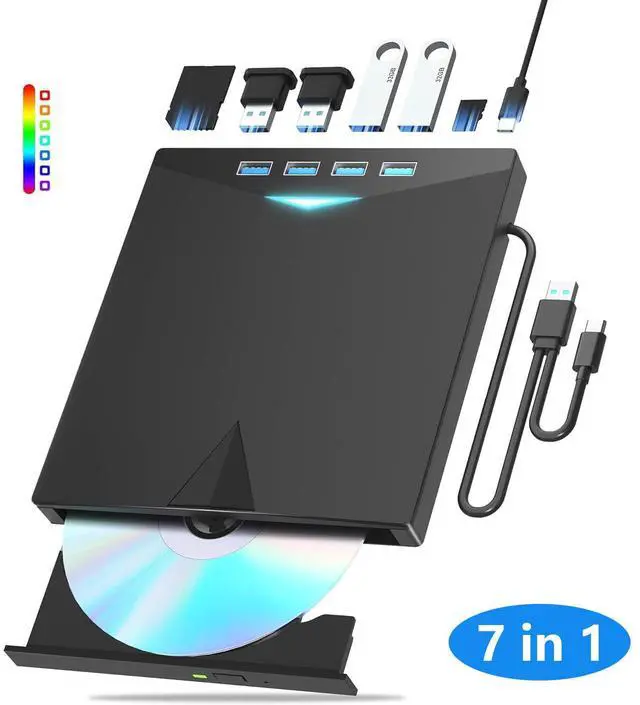
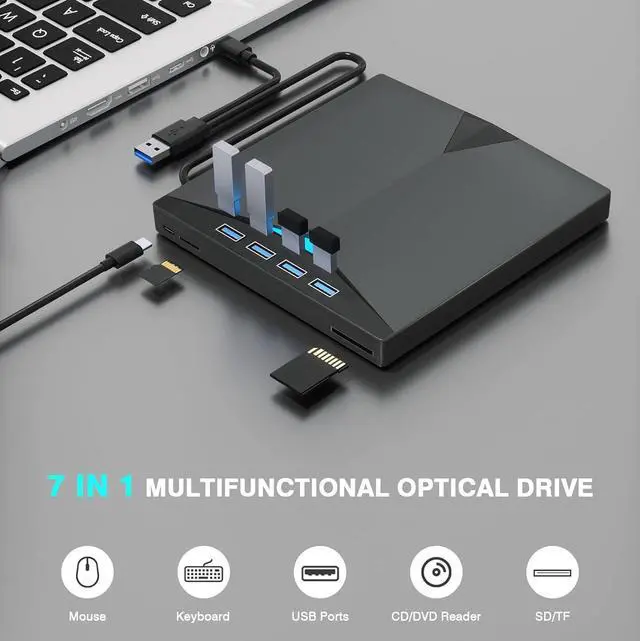
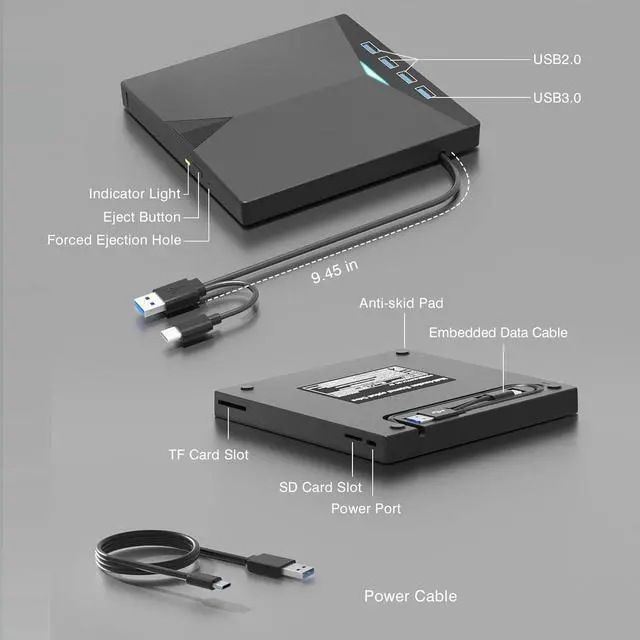
    • 7-in-1 External DVD Drive: This USB optical drive not only reads and burns CDs/DVDs but also serves as a practical USB hub, equipped with 4 USB ports, an SD card slot, and a TF card slot. (Note: SD and TF reader cannot be used at the same time.)
    • 7 RGB Gradient Lighting Modes: This cd reader for laptop features built-in soft gradient lighting effects, creating a romantic and cozy immersive atmosphere. With a sleek and lightweight design weighing only 0.38kg, it is highly portable.
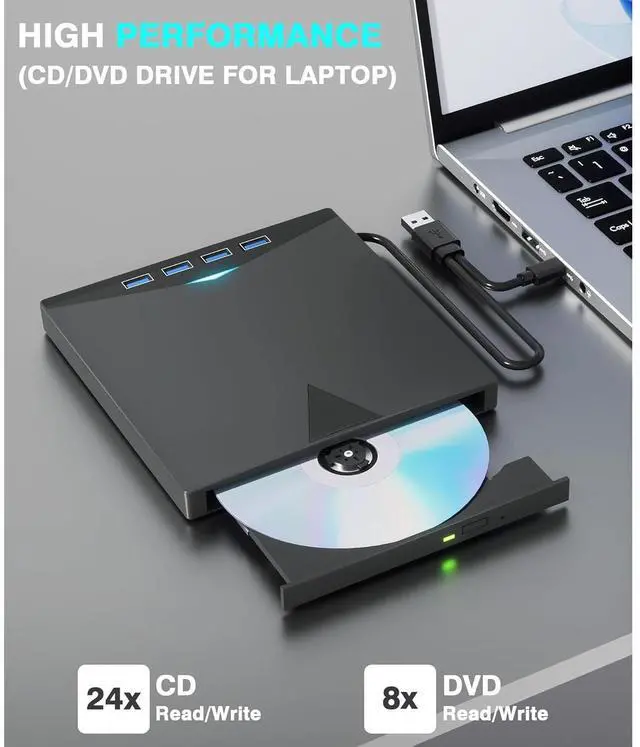
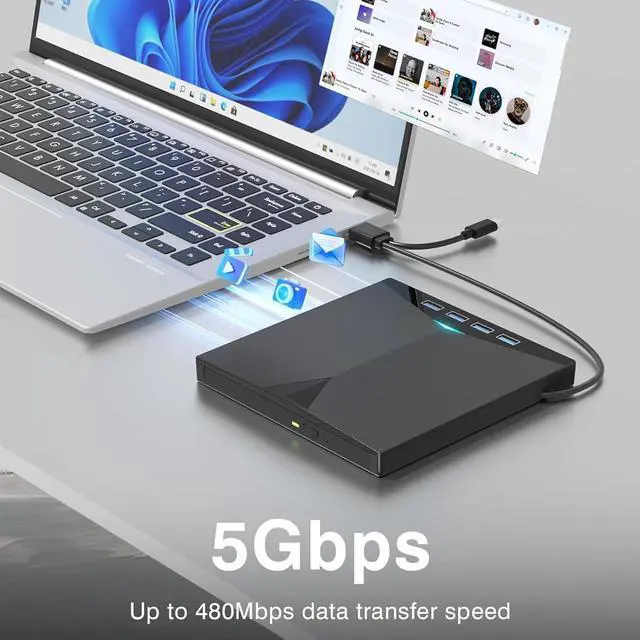
    • High-Speed USB 3.0 and USB-C: The usb dvd drive external delivers blazing-fast performance: 8x DVD read/write and 24x CD read/write - transfer a full 700MB CD in just 3 minutes or a 4.7GB DVD in 10 minutes (3x faster than standard drives). Equipped with both USB 3.0 and USB-C ports for true plug-and-play convenience.
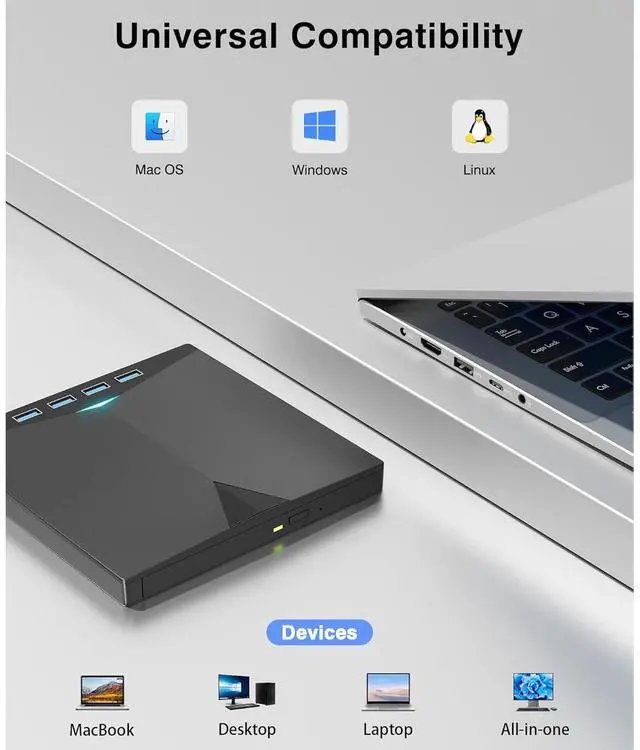
    • Verified Compatibility: This external cd burner is compatible with Windows 11/10/8/7/XP, Vista, Linux, and Mac OS 10.6 or above.(For Windows 11, a media player and internet connection are required for certain features.)
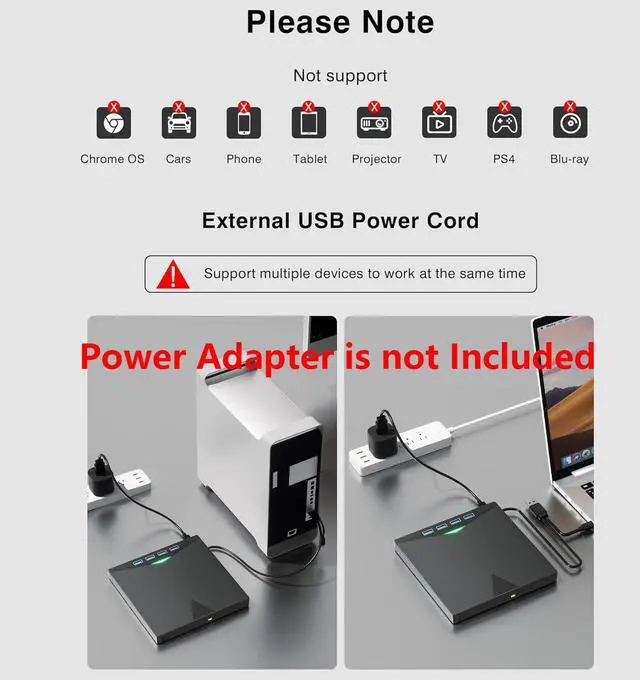
    • Universal Compatibility: This CD/DVD drive offers comprehensive read/write compatibility, supporting a wide range of formats including CD, DVD, CD-R/-RW, DVD±R, DVD±RW, VCD, SVCD. (Note: Not compatible with Blu-ray, 4K, smartphones, TVs, PS4/PS5, Xbox, tablets, projectors, car stereos, or Chromebooks.)
    • Problem Solution: If your Windows 10/11 cannot recognize this external drive, please connect an additional power cord to solve the problem cause by insufficient power.
    +
    +
    Overview
    Specs
    Reviews
    avatar

    Any questions? Our AI beta will help you find out quickly.

    AUTYUE External CD/DVD Drive for Laptops PC, 7 IN 1 Portable DVD Drive CD Burner CD-ROM DVD-/+RW Wr
    External CD/DVD Drive for Laptops PC, 7 IN 1 Portable DVD Drive CD Burner
    External CD/DVD Drive for Laptops PC, 7 IN 1 Portable DVD Drive CD Burner
    External CD/DVD Drive for Laptops PC, 7 IN 1 Portable DVD Drive CD Burner
    External CD/DVD Drive for Laptops PC, 7 IN 1 Portable DVD Drive CD Burner
    External CD/DVD Drive for Laptops PC, 7 IN 1 Portable DVD Drive CD Burner
    External CD/DVD Drive for Laptops PC, 7 IN 1 Portable DVD Drive CD Burner
    External CD/DVD Drive for Laptops PC, 7 IN 1 Portable DVD Drive CD Burner
    External CD/DVD Drive for Laptops PC, 7 IN 1 Portable DVD Drive CD Burner
    External CD/DVD Drive for Laptops PC, 7 IN 1 Portable DVD Drive CD Burner

    How to use the external optical drive?

    Step1 : Plug the USB A or USB C connector into your computer's USB port instead of USB extension hub.

    Step2 : [For Windows OS] Your computer will recognize the drive and shows "CD/DVD-ROM" folder for optical drive.

    [For Mac OS] The Mac OS computer will not display the device icon until the disc is inserted into the optical drive and the disc is read successfully.

    Step3 : Set the DVDs region code (CDs do not have region code). The disc can only be played when there on code of the DVD drive matchesthe DVD. (Note: Only allows to change the region code 4-5 times)

    The steps of changing the region codes:

    1. Right-click My Computer and click Properties.

    2. Click Hardware. - Click Device Manager. - Expand DVD-ROM drives and select the optical drive. - Click Action and select Properties.

    3. Select the DVD Region tab.

    4. Choose the desired region.

    Step4 : The CD/DVD disk drive Not compatible with Blu ray,TV, car, tablet, phone, projector,PS5 and Chrome OS.

    Features
    1. 8-in-1 External DVD Drive for Laptop: This versatile optical drive not only reads and burns CDs/DVDs but also serves as a practical USB hub, equipped with 4 USB ports, an SD card slot, and a TF card slot. Perfect for effortlessly transferring photos and videos from your camera to computer via memory cards. (Note: SD and TF reader cannot be used at the same time.)
    2. 7 RGB Gradient Lighting Modes: This cd reader for laptop features built-in soft gradient lighting effects, creating a romantic and cozy immersive atmosphere. With a sleek and lightweight design weighing only 0.38kg, it is highly portable. The embedded cable ensures easy use and tidy storage, making it effortless to slip into your laptop bagperfect for use at home, in the office, or on the go.
    3. High-Speed USB 3.0 and USB-C: The usb dvd drive external delivers blazing-fast performance: 8x DVD read/write and 24x CD read/write transfer a full 700MB CD in just 3 minutes or a 4.7GB DVD in 10 minutes (3x faster than standard drives). Equipped with both USB 3.0 and USB-C ports for true plug-and-play convenience.
    4. Verified Compatibility: This external cd burner works with a wide range of devices including MacBook, iMac, notebooks, desktops, and laptops. It is compatible with Windows 11/10/8/7/XP, Vista, Linux, and Mac OS 10.6 or above. (For Windows 11, a media player and internet connection are required for certain features.)
    5. Universal CD/DVD Compatibility: This CD/DVD drive offers comprehensive read/write compatibility, supporting a wide range of formats including CD, DVD, CD-R/-RW, DVD±R, DVD±RW, VCD, SVCD. (Note: Not compatible with Blu-ray, 4K, smartphones, TVs, PS4/PS5, Xbox, tablets, projectors, car stereos, or Chromebooks.)
    6. Problem Solution: If your Windows 10/11 cannot recognize this external CD drive, please connect an additional power cord to solve the problem caused by insufficient power. Additionally, the usage steps can be found at the bottom of the product description page. If the problem is not resolved, please contact us for after-sales service. Thank you.


    Warranty & Returns

    Warranty, Returns, And Additional Information

    Warranty

    • Please contact the Seller directly for warranty information. Warranty information may also be found on the Manufacturer's website.
    • CONTACT

    Return Policies

    Manufacturer Contact Info

    LOADING...