• $108.79
  • Free 30-day Returns
  • Ships from China.
    Price alert
    Shop it at NeweggBusiness.

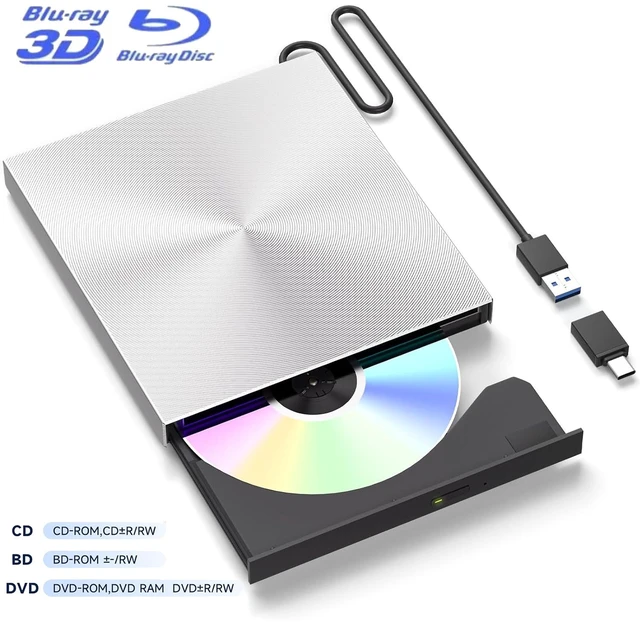
    AUTYUE External Blu-ray Drive, Portable Blu-ray Player & Blu-ray Burner, Aluminum External Blu-ray burner & DVD/CD Drive for PC; USB-A + USB-C A adapter External DVD Drive; Portable Blu-ray player

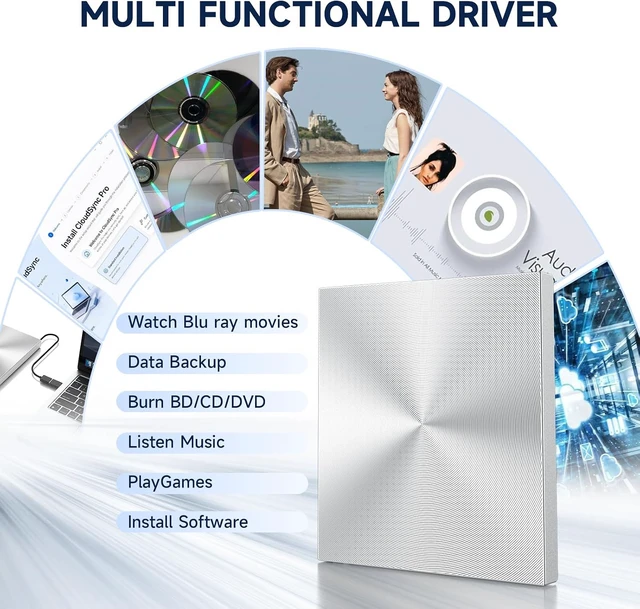
    • Premium External Blu-ray Drive & Blu-ray Burner: This external Blu-ray drive also works as a Blu-ray burner, supporting Blu-ray burning, BD reading up to 6X, DVD at 8X, and CD at 24X. Burn CDs/DVDs/Blu-ray discs with low noise and energy efficiency. Blu-ray playback requires third-party software like PowerDVD or Leawo.
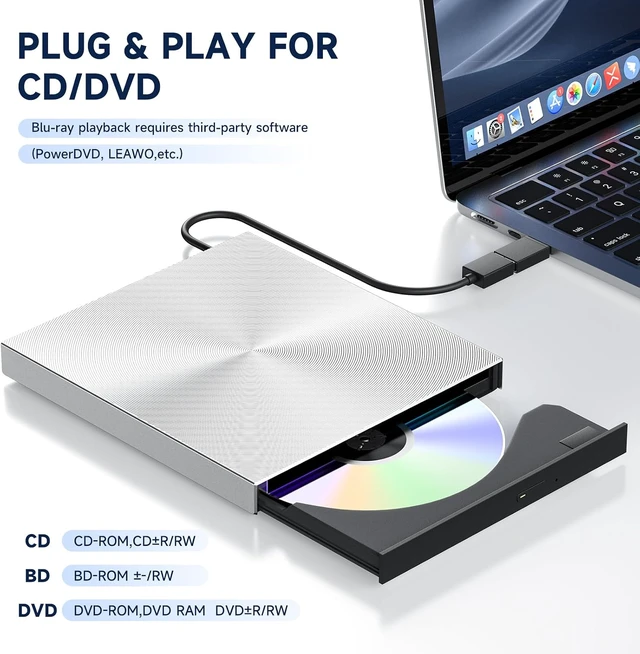
    • Plug & Play CD DVD Burner & USB Blu-ray Drive: This USB Blu-ray drive works instantly for CD/DVD playback and burning-just connect via the USB-A cable. For USB-C ports, use the included USB-C to A adapter. Blu-ray playback requires third-party software.
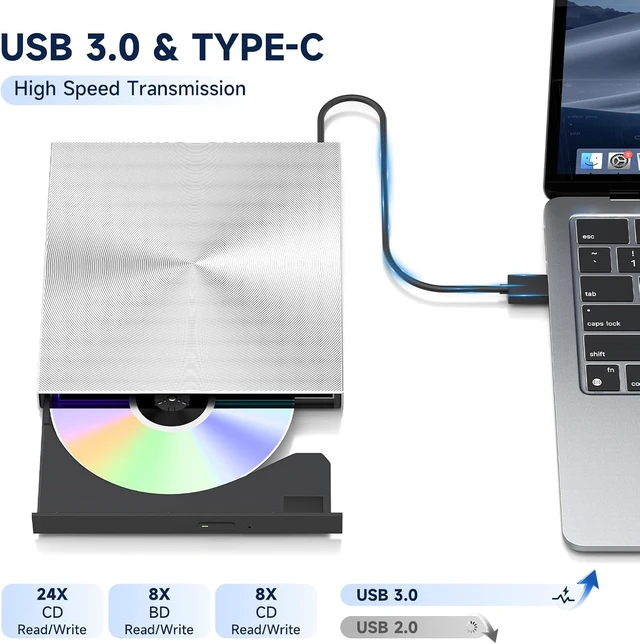
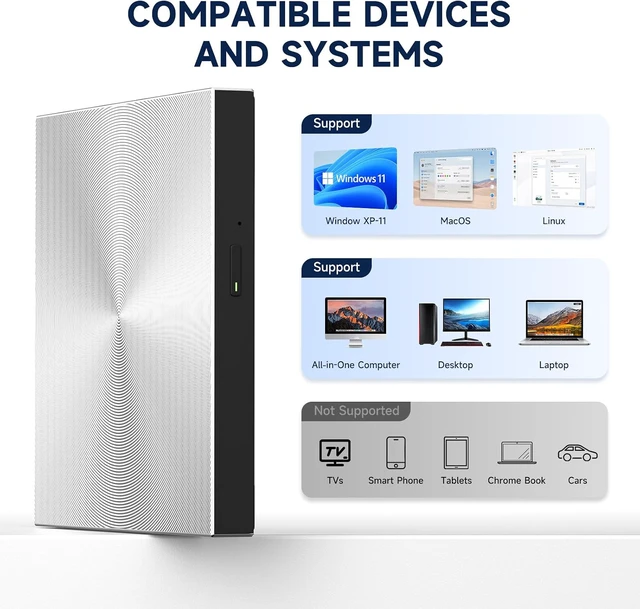
    • Ultra-Fast USB 3.0 & USB-A Connection External Blu-ray Drive for PC: Experience rapid 5Gbps transfers with high-speed USB 3.0 and a single USB-A cable. The included USB-C to A adapter helps connect to USB-C laptops and desktops. Not compatible with Chromebook, TV, Tablet, iPad, Truck and Car.
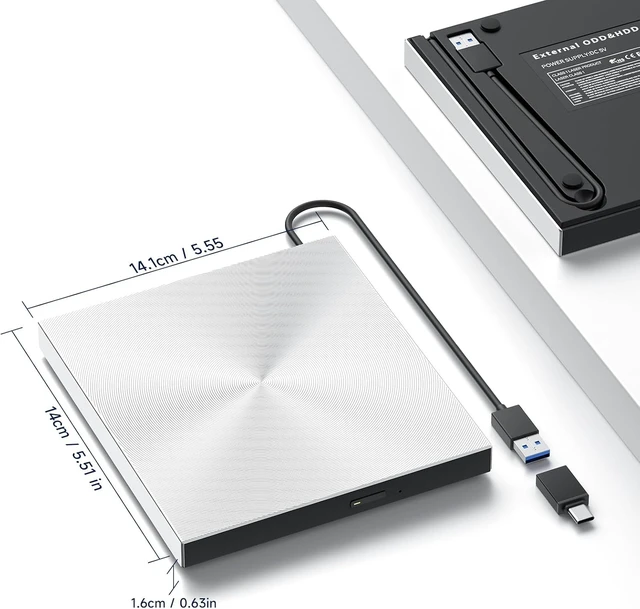
    • Sleek & Portable Blu-ray Player for PC Aluminum Shell: Featuring an aluminum alloy shell and embedded USB-A cable, this lightweight Blu-ray drive external is ideal for travel, work, or home entertainment. It is a portable Blu-ray player and external Blueray/DVD drive for PC.
    • Reliable Support Guaranteed External Blu-ray Drives & Bluray Drive External: Need help with setup or Blu-ray playback? Contact us via your Newegg order for quick assistance. This external blu ray drive, Blu ray player for PC, and Blu-ray burner works with Windows/Mac/Linux.
    +
    +
    Overview
    Specs
    Reviews

    Any questions? Ask CelesteSM will help you find out quickly.

    External Blu-ray Drive, Portable Blu-ray Player & Blu-ray Burner, Aluminum External Blu-ray burner &
    External Blu-ray Drive, Portable Blu-ray Player & Blu-ray Burner, Aluminum External Blu-ray burner &
    External Blu-ray Drive, Portable Blu-ray Player & Blu-ray Burner, Aluminum External Blu-ray burner &
    External Blu-ray Drive, Portable Blu-ray Player & Blu-ray Burner, Aluminum External Blu-ray burner &
    External Blu-ray Drive, Portable Blu-ray Player & Blu-ray Burner, Aluminum External Blu-ray burner &

    Common Faults That May Occur & Troubleshooting Steps

    [Windows OS] If your Windows computer recognizes the optical drive, you can see the DVD-RW icon in Windows Explorer. If your Windows laptop PC cannot recognize this CD/DVD drive, please try the following suggestions:


    • Use the Type A and Type C cables on the back (bottom) of the optical drive to connect your computer's USB port or a self-powered USB hub. For Windows 11/10, please make sure a network connection and a media player software (Such as Windows Media Player for audio CDs, VLC player for audio CDs and video DVDs, Leawo Blu-ray Player for BD)
    • Try a different USB: Move the data cable to different USB ports on your computer.
    • Reinstall the driver: 1. Right-click the Windows Start Button in the lower left corner of the screen, or press the Windows Logo + X key combination on the keyboard, from the list, and click to select Device Manager. 2. Click View. 3. Click Show Hidden Devices. 4. Find this DVD/CD-ROM drive or similar name. 5. Right-click and select Uninstall. 6. Reboot your computer and replug the external drive, Windows will detect the drive and then reinstall it.

    [Windows OS] This drive supports CDs and DVDs. If this drive can only play audio CDs but cannot play video/movie DVDs/BD on your Windows PC, please try the methods below:

    • Use the right media player software (such as VLC player, Leawo Blu-ray Player). Some media players, such as Windows Media Player, cannot play video DVDs/BD.
    • Before playing video DVDs, please set the region code to number 1 to play the U.S. or CA DVDs. Steps: 1. Right-click the "DVD-RW Drive" icon and select "Properties". 2. Go to the "Hardware" tab and select your CD/DVD drive. 3. Click "Properties" at the bottom. 4. Open the "DVD Region" tab. 5. Choose the correct region (e.g. Region 1 for US/Canada) and click "OK". (Note: You can only change the region code 4-5 times.)

    [Mac OS] The Mac computer will show the device icon after the disc is placed in the optical drive. If your MacBook, iMac, or Mac Pro/Studio cannot recognize this CD/DVD drive, please try the following suggestions:

    • Open Finder > Settings (or Preferences, depending on your macOS version) > Ensure "CDs, DVDs, and iOS Devices" is checked in General Tab and Sidebar Tab if available.
    • The Mac OS computer will not display the device icon until the disc is placed in the optical drive and the disc is read successfully, move the data cable to different USB ports on your mac computer, and try different discs.
    Features
    1. Premium External Blu-ray Drive & Blu-ray Burner This external Blu-ray drive also works as a Blu-ray burner, supporting Blu-ray burning, BD reading up to 6X, DVD at 8X, and CD at 24X. Burn CDs/DVDs/Blu-ray discs with low noise and energy efficiency. Blu-ray playback requires third-party software like PowerDVD or Leawo
    2. Plug & Play CD DVD Burner & USB Blu-ray Drive This USB Blu-ray drive works instantly for CD/DVD playback and burningjust connect via the USB-A cable. For USB-C ports, use the included USB-C to A adapter. Blu-ray playback requires third-party software
    3. Ultra-Fast USB 3.0 & USB-A Connection External Blu-ray Drive for PC Experience rapid 5Gbps transfers with high-speed USB 3.0 and a single USB-A cable. The included USB-C to A adapter helps connect to USB-C laptops and desktops. Not compatible with Chromebook, TV, Tablet, iPad, Truck and Car
    4. Sleek & Portable Blu-ray Player for PC Aluminum Shell Featuring an aluminum alloy shell and embedded USB-A cable, this lightweight Blu-ray drive external is ideal for travel, work, or home entertainment. It is a portable Blu-ray player and external Blueray/DVD drive for PC
    5. Reliable Support Guaranteed -- External Blu-ray Drives & Bluray Drive External Need help with setup or Blu-ray playback? Contact us via your Newegg order for quick assistance. This external blu ray drive, blu ray player for PC, and Blu-ray burner works with Windows/Mac/Linux


    Warranty & Returns

    Warranty, Returns, And Additional Information

    Warranty

    • Please contact the Seller directly for warranty information. Warranty information may also be found on the Manufacturer's website.
    • CONTACT

    Return Policies

    Manufacturer Contact Info

    LOADING...