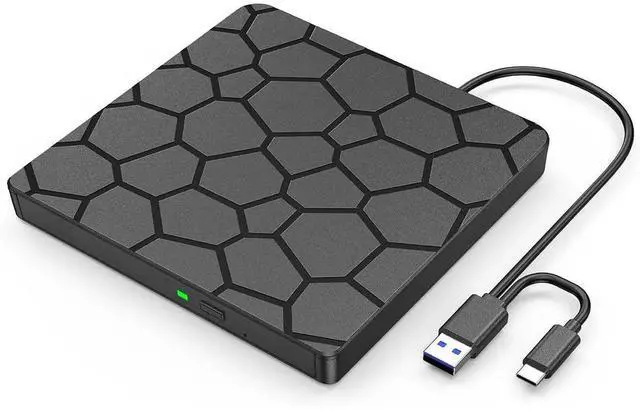
AUTYUE External CD DVD Drive, USB 3.0 Type-C External CD/DVD Optical Drive, Portable CD/DVD Player Burner Reader Writer Recorder for Laptop Windows 11/10/8/7 Linux MacOS Macbook PC (Black)
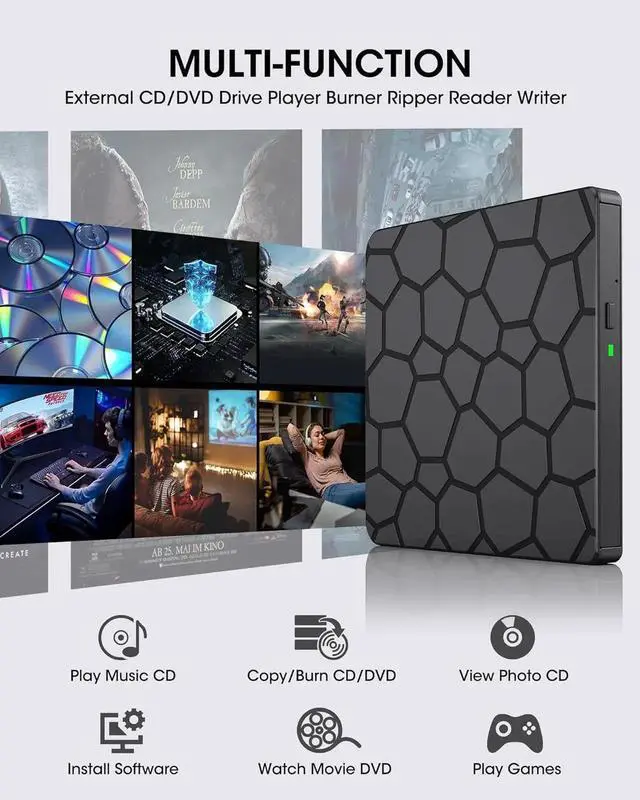
External CD/DVD Drive for Laptop: The external dvd drive offering effortless use and smooth, stable performance. Instantly play movie DVDs, burn music or video discs, convert CDs/DVDs into digital files, view photos, read medical CDs, install software from discs, back up data for long-term storage, and more
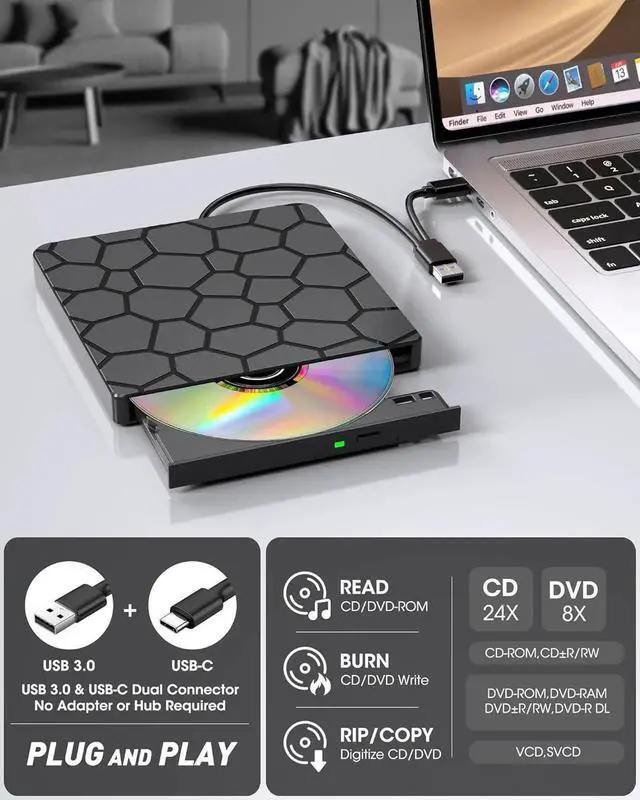
Plug and Play: Just plug the USB type-A or type-C connector on the data cable into your computer, and this DVD drive will be detected by your computer automatically (On Mac, the disc drive icon will appear on the desktop after a disc is inserted and successfully read). You can then use the corresponding software to read and write the discs with no complex settings!
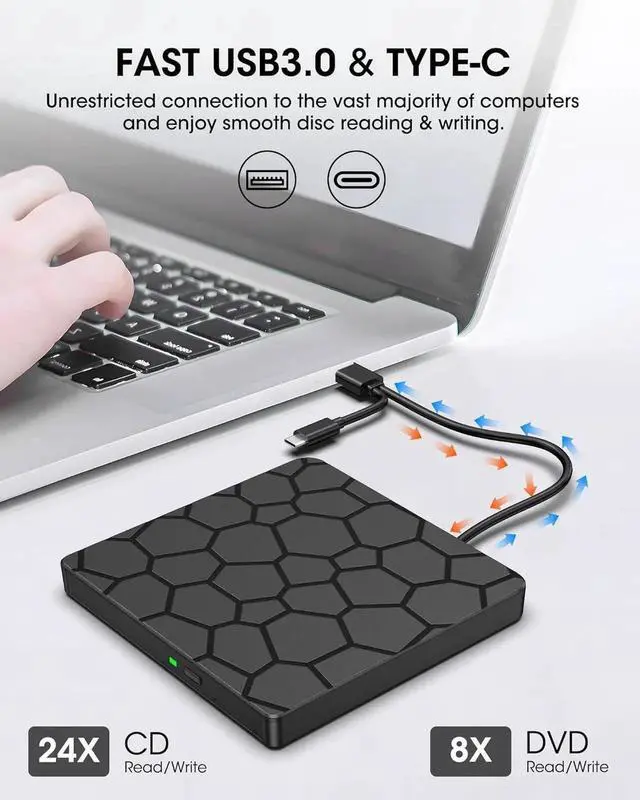
High-Speed & Reliable Performance: This external CD drive delivers fast and stable read/write speeds-up to 8× for DVDs and 24× for CDs-ensuring smooth, lag-free performance for movies, music, or data. Built for durability, it provides long-lasting service so you can enjoy consistent performance over time.
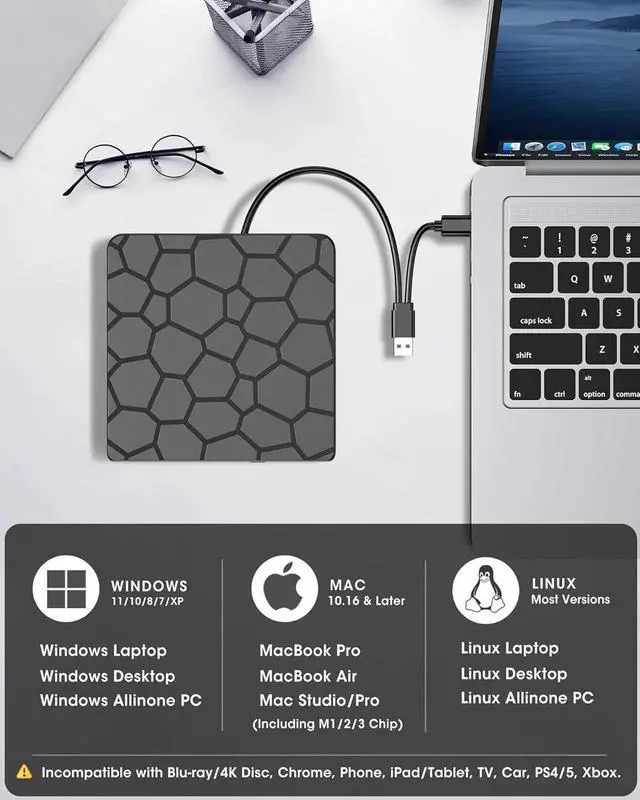
Wide Compatibility: Works with most laptops, desktops, and all-in-one PCs running Windows 11/10/8/7/Vista/XP or Linux, as well as macOS 10.16 and later. For desktop towers, connect to a rear USB port for stable power. Not compatible with Chromebooks, iPads, iPhones, tablets, projectors, TVs, cars, trucks, Surface (some models), PS4/5, Xbox, Switch, or Blu-ray/4K discs
Slim, Portable: Ultra-compact and lightweight, this external CD/DVD player fits easily in your bag or on your desk without taking up space.
+
+
Overview
Specs
Reviews
Any questions? Our AI beta will help you find out quickly.
Try me now
External CD/DVD Drive for Laptop If youre looking for a simple and durable external CD/DVD drive with no complicated design or extra ports, the external dvd drive is made for you, offering effortless use and smooth, stable performance. Instantly play movie DVDs, burn music or video discs, convert CDs/DVDs into digital files, view photos, read medical CDs, install software from discs, back up data for long-term storage, and morejust as easily as an internal optical drive!
Plug and PlayPowered by USB port, no additional drivers or power supply required! Just plug the USB type-A or type-C connector on the data cable into your computer, and this DVD drive will be detected by your computer automatically (On Mac, the disc drive icon will appear on the desktop after a disc is inserted and successfully read). You can then use the corresponding software to read and write the discs with no complex settings!
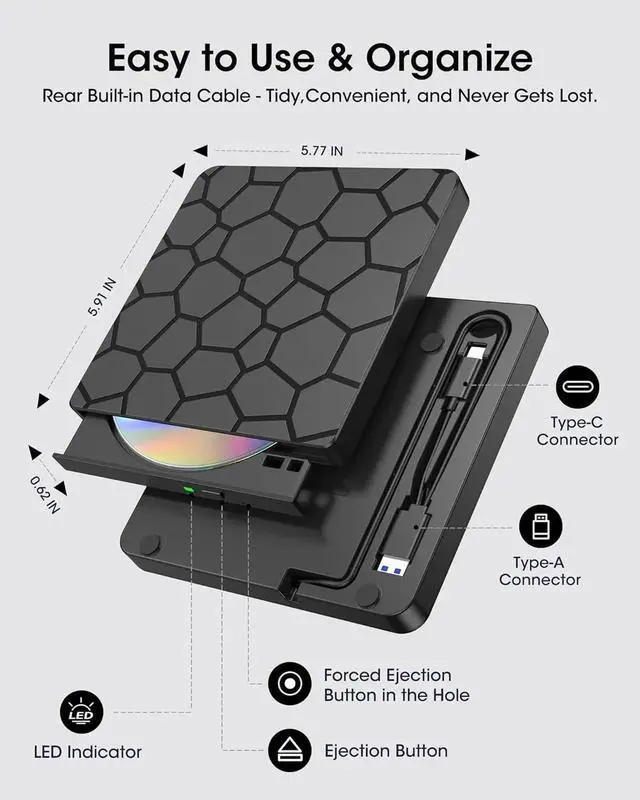
High-Speed & Reliable PerformanceThis external CD drive delivers fast and stable read/write speedsup to 8× for DVDs and 24× for CDsensuring smooth, lag-free performance for movies, music, or data. Built for durability, it provides long-lasting service so you can enjoy consistent performance over time. The built-in cable with USBA and USBC connectors requires no adapters and wont get lostjust plug in and start using instantly on any PC or Mac
Wide CompatibilityWorks with most laptops, desktops, and all-in-one PCs running Windows 11/10/8/7/Vista/XP or Linux, as well as macOS 10.16 and later (including MacBook Air, MacBook Pro, iMac, and Mac Studio). For desktop towers, connect to a rear USB port for stable power. Not compatible with Chromebooks, iPads, iPhones, tablets, projectors, TVs, cars, trucks, Surface (some models), PS4/5, Xbox, Switch, or Blu-ray/4K discs
Slim, Portable & Practical Ultra-compact and lightweight, this external CD/DVD player burner fits easily in your laptop bag or on your desk without taking up space. Built-in cable storage keeps everything tidy, and the anti-slip rubber base ensures stable, worry-free operation
Other Things to Know Before Purchasing To eject on macOS, right-click the disc icon on the desktop or go to File > Eject in Finder. The eject button may not open the tray after playing or burning a disc. Plug and play means no driver installation is needed, but software is still required for playback or burning. The USB 3.0/TypeC data cable (stored under the drive) handles both data and powersimply plug it into your computer
Learn more about the Detailed Specifications
Additional Information
First Listed on Newegg
April 16, 2026
There are no reviews yet.
Do you own this product?
Warranty & Returns
Warranty, Returns, And Additional Information
Warranty
Please contact the Seller directly for warranty information. Warranty information may also be found on the Manufacturer's website.