




 here!
here!
I’m your shopping assistant for PC builds, upgrades, and everything tech.
Got questions? Ask away!
Start a conversation
here!
I’m your shopping assistant for PC builds, upgrades, and everything tech.
Got questions? Ask away!
Start a conversation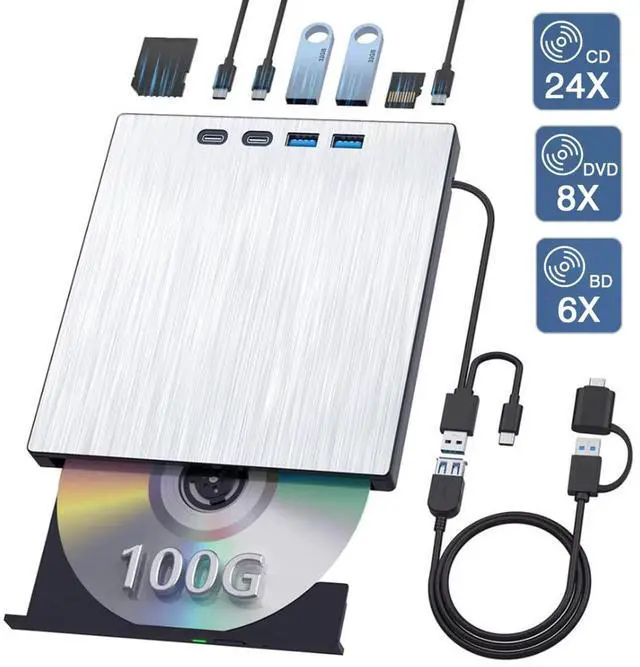



Any questions? Ask CelesteSM will help you find out quickly.
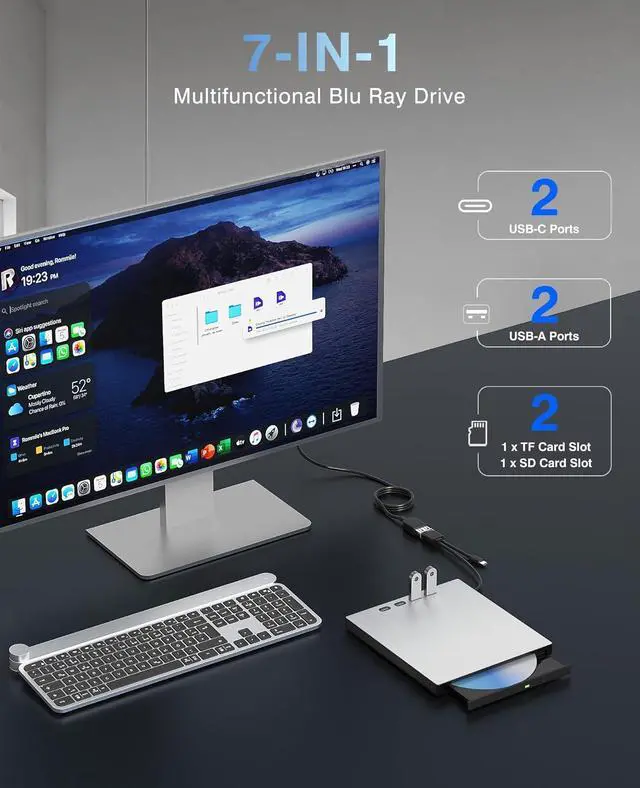
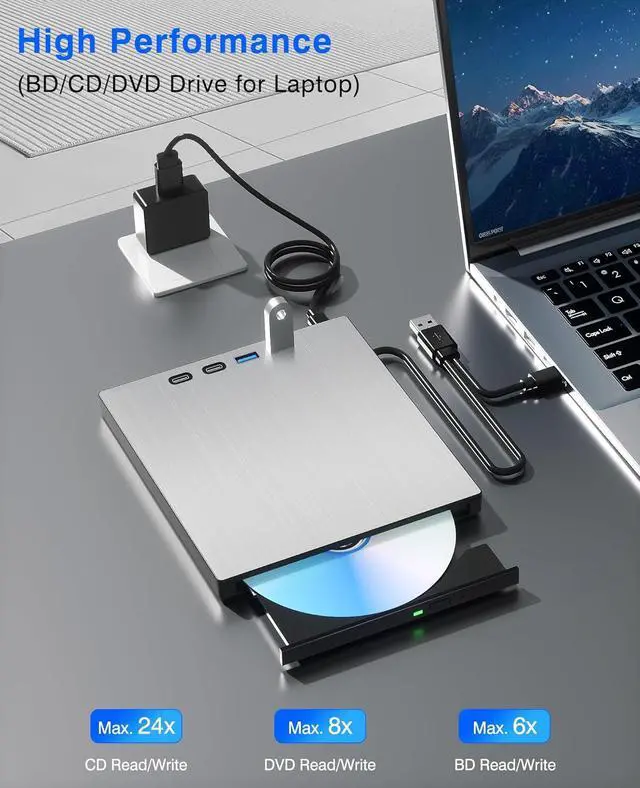
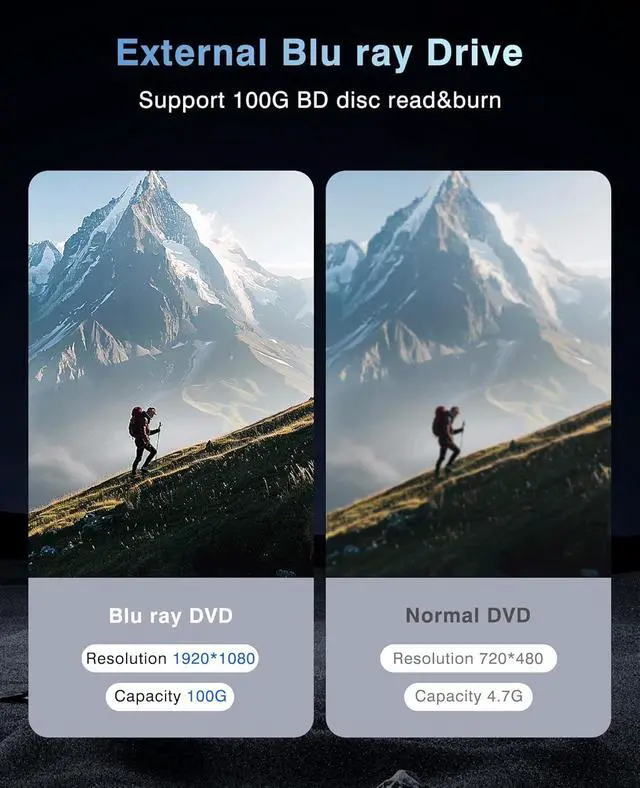
7 in 1 External Bluray Drive USB 3.0 Type-C Blu-ray DVD CD Player Portable Optical Burner with SD/TF Card Slot USB 3.0 Ports for Laptop PC Windows Linux MacOS
Computers often do not natively support DVD movie playing, so a third-party media player (such as VLC) must be downloaded and installed to watch DVDs using this CD/DVD player. You can download and install a playing/burning software you like. and you can also refer to the following software:*Playing software: Any Media Player, Any DVD;*Burning software for Windows OS: InfraRecorder, Ones, Express Disc Burner;*Burning software for Mac OS: Burn for mac;*Burning software for Linux OS/Unix OS: K3b (KDE Burn Baby Burn);
Note:Please be aware that the playback/burning software for the external Blu-ray drive is not included and must be purchased separately to ensure proper functionality.(1). When downloading Blu-ray playback software, Some software in Windows and MAC OS are not compatible,please make sure Blu-ray playback software is compatible with your computer system. Test it by downloading the software Cyberlink BD & 3D Advisor. The software will verify whether your computer is equipped for Blu-ray or 3D playback.(2). It s recommended to play the Blu-ray disc via the BD player Powerdvd10-19. Burn the Blu-ray disc via the Nero burning software.(Please use professional software to play Blu-ray discs,such as NERO / LEAWO / MakeMKV / iDeer Blu-ray Player / CyberLink PowerDVD / Mac Blu-ray Player / Blu-ray Player / Macgo Blu-ray Player. Some Blu ray playback software requires a fee.)(3). Block the region code. If the copyright-protected Blu-ray disc with a region code may not be used, you can encode the region code by downloading the block software Any DVD.
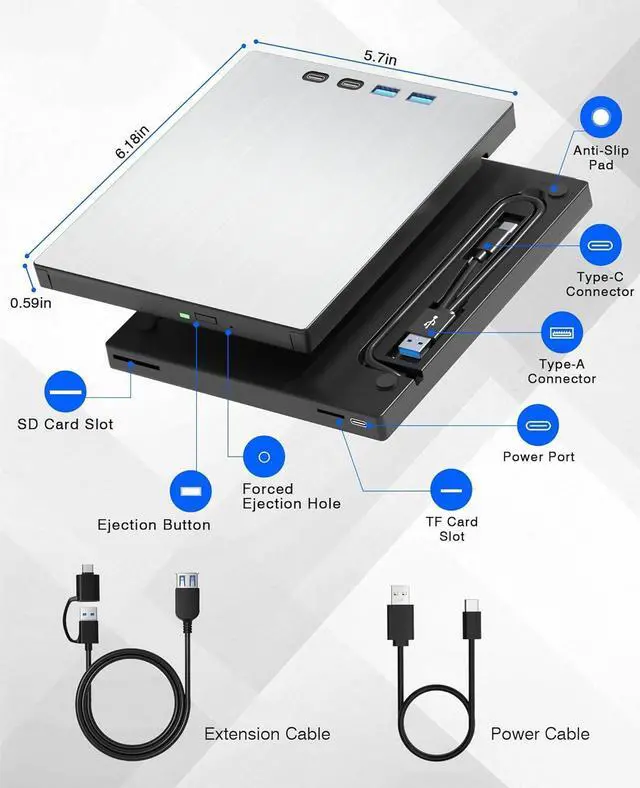
Packing Including:1x External Blu ray drive (Blu ray software is not included)1x USB Power Cable1x User Manual
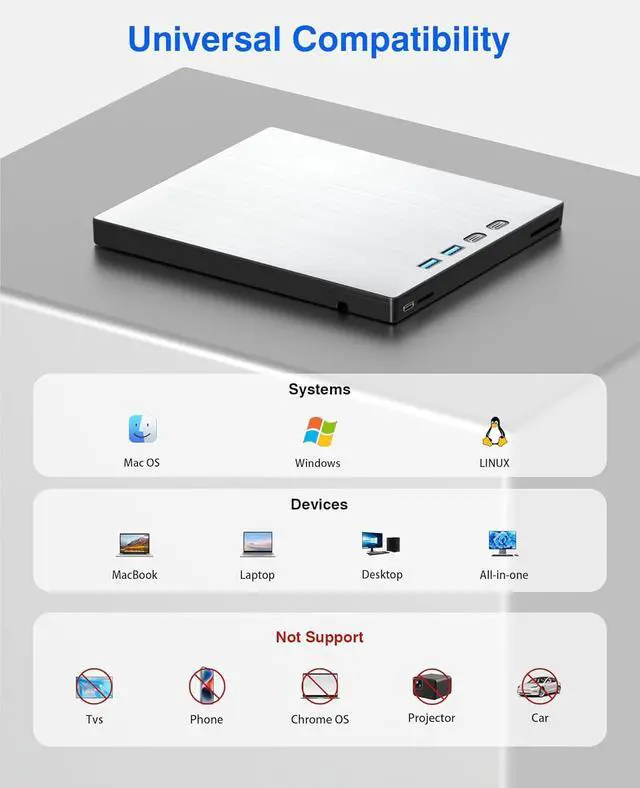
*Do not Support Smart phone,TV,Car,Tablet,Projector.*If there are any issues that cannot be operated, please contact us and we will reply promptly.




