




 here!
here!
I’m your shopping assistant for PC builds, upgrades, and everything tech.
Got questions? Ask away!
Start a conversation
here!
I’m your shopping assistant for PC builds, upgrades, and everything tech.
Got questions? Ask away!
Start a conversation




Any questions? Ask CelesteSM will help you find out quickly.
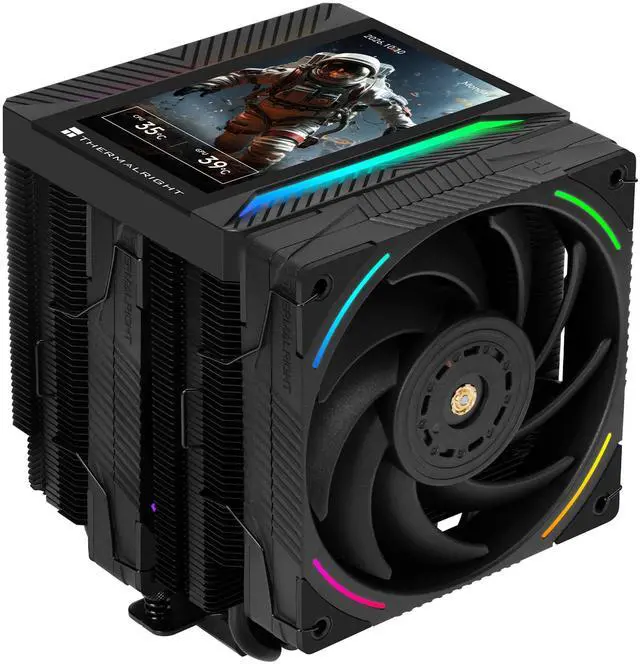
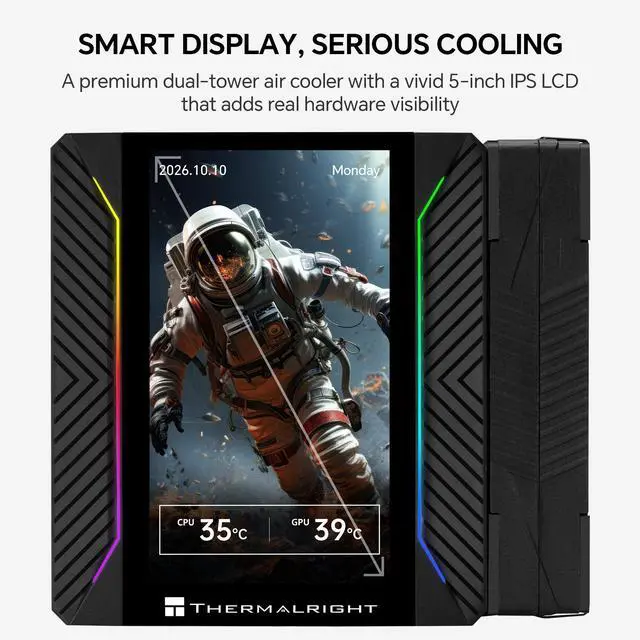
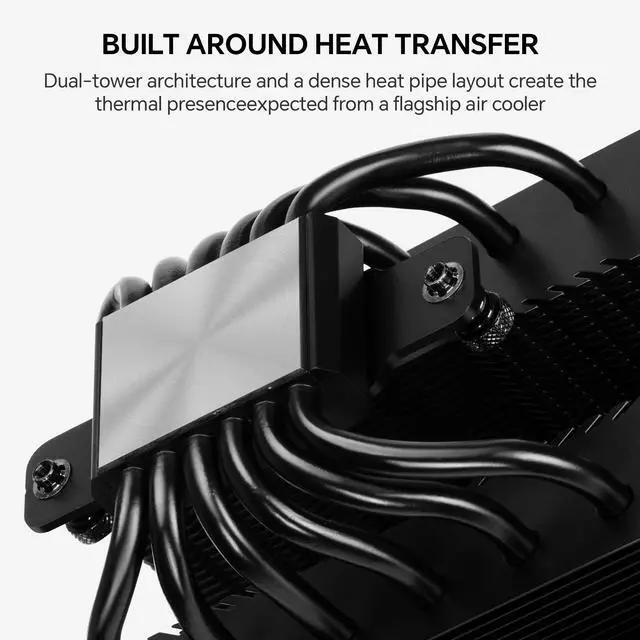
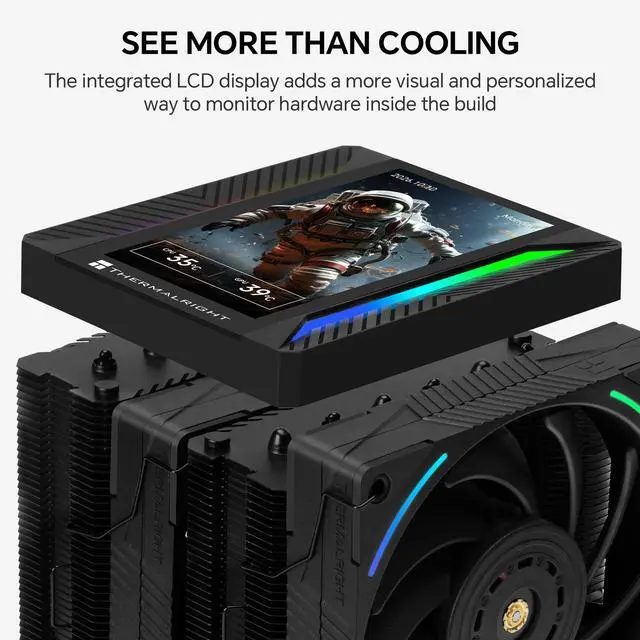
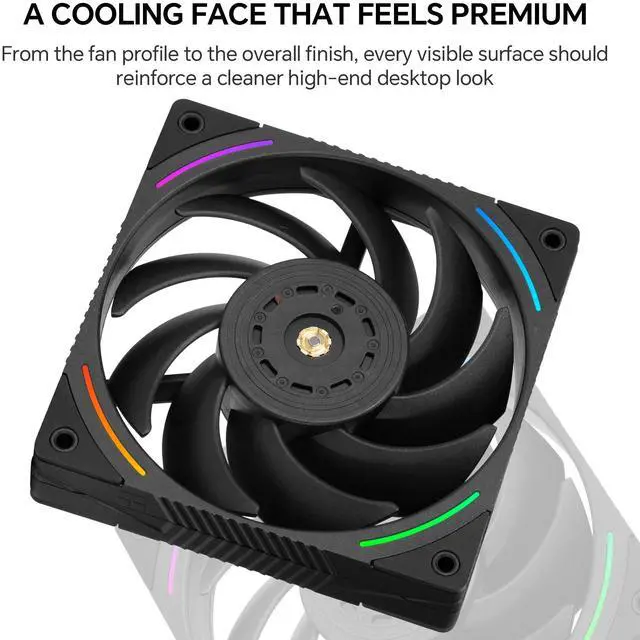
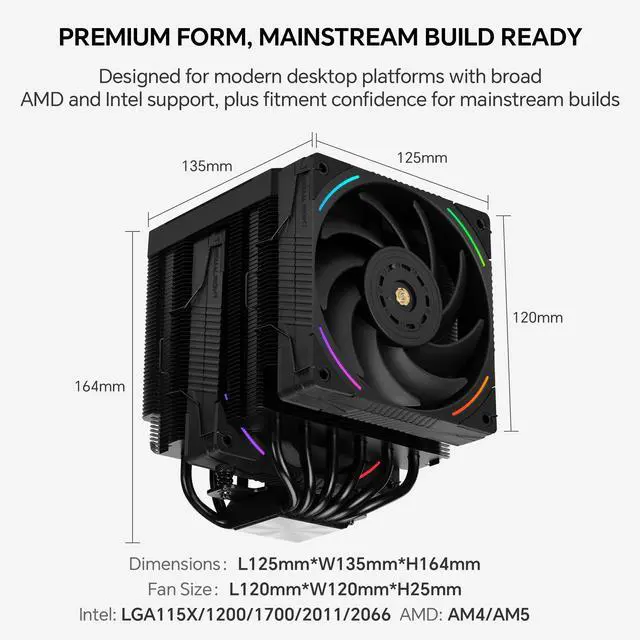
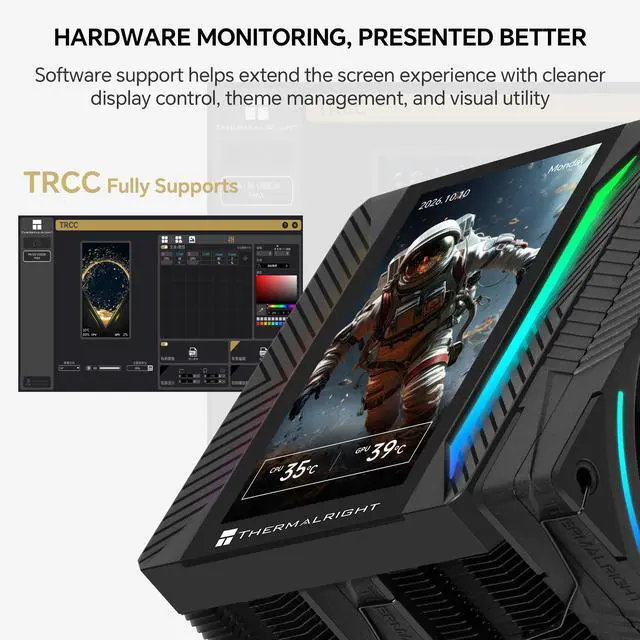
Thermalright Peerless Assassin 120 Vision MAX ARGB Black is a dual tower CPU air cooler with a 5 inch LCD screen for builders who want strong air cooling and a customizable centerpiece in the PC. The top mounted 480 x 854 display can play videos and animated images so you can show system themes, logos or other clips directly on the cooler. A nickel plated C1100 pure copper base and six 6 mm copper heat pipes pull heat away from the CPU into two aluminum fin stacks with an overall size of 125 x 110 x 164 mm. This layout is designed for modern multi core processors and helps keep temperatures under control during gaming, streaming and content creation. Cooling is handled by two TL K12 120 mm PWM ARGB fans. Each fan can reach up to 2150 RPM and deliver up to 69 CFM airflow and 2.87 mm H2O air pressure at a rated noise level of about 27 dBA, while the S FDB V2 bearing supports long life and stable operation. The fans use standard 4 pin PWM and 3 pin 5 V ARGB connectors, and the LCD connects to a motherboard 9 pin USB 2.0 header. The cooler supports Intel LGA115X 1200 1700 1851 and AMD AM4 AM5 platforms with the included mounting kit; please confirm that your PC case supports at least 164 mm CPU cooler height before installation.
Technical Specifications
Heatsink
- Dimensions: 125 (L) x 110 (W) x 164 (H) mm
- Heat pipes: 6 x 6 mm
- Copper base: C1100 pure copper, nickel plated
- Screen size: 5 inch
- Screen resolution: 480 x 854
- LCD display connector: motherboard 9-pin USB 2.0 header
TL-K12 Fan
- Dimensions: 120 (L) x 120 (W) x 25 (H) mm
- Rated speed: 2150 RPM ±10% (max)
- Noise level: 27 dBA
- Airflow: 69 CFM (max)
- Air pressure: 2.87 mm H2O (max)
- Fan connector: 4-pin PWM fan connector
- ARGB connector: 3-pin 5 V
- Bearing type: S-FDB V2 bearing
Package Includes
- 1 x Thermalright Peerless Assassin 120 Vision MAX ARGB Black CPU cooler (heatsink with LCD top cover)
- 2 x TL-K12 120 mm PWM ARGB fans
- 1 x Mounting kit for Intel and AMD platforms
- 1 x User manual / installation guide
Warm Tips
- Please make sure your PC case supports at least 164 mm CPU cooler height before purchase
- Check that your motherboard has a free 4-pin CPU fan header, a 3-pin 5 V ARGB header and a 9-pin USB 2.0 header available
- For the best results, follow the installation guide step by step and ensure firm, even contact between the cooler base and the CPU heat spreader
- When routing fan and LCD cables, avoid contact with fan blades and other moving parts inside the case
The Thermalright Peerless Assassin 120 Vision MAX ARGB is a dual-tower CPU air cooler with six heat pipes, two 2150 RPM PWM ARGB fans, and a 5-inch 480 x 854 LCD display. It suits gaming and creator desktop builds using compatible AMD AM4/AM5 or Intel LGA115X, 1200, 1700, and 1851 sockets.
| Attribute | Value |
|---|---|
| Best For | AMD Socket AM5 desktop builds needing CPU air cooling with a 120 mm high-airflow fan and compatibility with cases supporting up to 164 mm cooler height |
| Cooling Performance | Reaches up to 2150 RPM ±10% with up to 69 CFM airflow, 2.87 mm H2O pressure, and a 27 dBA noise level |
| Fan And Power | Uses a 120 mm fan with an S-FDB V2 bearing and 4-pin power connector |
| Heatsink Construction And Fit | Aluminum and copper heatsink measuring 125 × 110 × 162 mm without the fan, with a maximum installed cooler height of 164 mm and horizontal fan mounting |
| Compatibility | Designed for AMD Socket AM5 processors |
| Design | Black finish |
Q: Is the Peerless Assassin 120 Vision MAX better than the regular Peerless Assassin 120 SE?
A: Choose the Peerless Assassin 120 Vision MAX when you want a larger customizable display, higher-speed fans, and a more feature-focused build. Both use a dual-tower heatsink with six 6 mm heat pipes, but the Vision MAX adds a 5-inch 480×854 LCD and 2150 RPM fans, while the Peerless Assassin 120 SE is shorter at 155 mm and uses 1550 RPM fans. The standard SE is the more practical choice when display features are not important or case clearance is limited.
Q: Should I buy the Peerless Assassin 120 Vision MAX or the Phantom Spirit 120 SE?
A: Choose the Peerless Assassin 120 Vision MAX for its integrated 5-inch LCD, higher fan speed, and visual customization. Choose the Phantom Spirit 120 SE when cooling capacity is the main priority and you do not need a display; it uses a similar dual-tower design but adds a seventh heat pipe. Independent comparisons generally show the two coolers operating in the same high-performance air-cooling class, so the decision is primarily display features and configuration versus the Phantom Spirit’s additional heat pipe.
Q: Is the Peerless Assassin 120 Vision MAX worth upgrading to from the Peerless Assassin 120 Vision?
A: The Vision MAX is the stronger upgrade when you want a larger, higher-resolution display and higher-speed fans. It has a 5-inch 480×854 screen and 2150 RPM fans, compared with the regular Vision’s 2.8-inch 320×240 screen and 1850 RPM fans. The thermal design remains a six-heat-pipe dual tower, so the clearest upgrade benefits are the display experience, fan specification, and updated feature set rather than a guaranteed benchmark-level temperature difference.
Q: Should I choose the Peerless Assassin 120 Vision MAX or a smaller single-tower CPU cooler?
A: Choose the Peerless Assassin 120 Vision MAX for high-performance gaming or creator CPUs, sustained workloads, and users who want an integrated visual display. Choose a smaller single-tower cooler for compact cases, easier installation, lower physical obstruction, or lower-power processors. The Vision MAX is a 164 mm-tall dual-tower cooler, so case clearance and motherboard or memory compatibility should be checked before purchase.
Q: Will this cooler fit my PC case and clear my RAM?
A: Check that your case supports at least 164 mm of CPU-cooler height. Because this is a large dual-tower cooler, RAM and motherboard heatsink clearance can vary by board layout; tall memory modules may require careful fan positioning or installation before the cooler.
Q: Is this CPU cooler compatible with my motherboard?
A: Yes. The included mounting hardware supports AMD AM4 and AM5 sockets and Intel LGA115X, LGA1200, LGA1700, and LGA1851 sockets. Confirm the exact socket and motherboard clearance before installation.
Q: Does the LCD screen require a USB connection?
A: Yes. The LCD uses a motherboard 9-pin internal USB 2.0 header. The two fans use separate 4-pin PWM connectors, and their lighting uses separate 3-pin 5 V ARGB connectors, so the motherboard or an appropriate hub must provide the required headers.
Q: Is this cooler suitable for gaming and creator PCs?
A: It is designed for gaming and creator desktop builds that need a substantial air cooler. Its dual-tower heatsink, six heat pipes, and two high-speed 120 mm fans provide strong cooling capacity, but actual temperatures and noise depend on the CPU, power limits, case airflow, and fan curve.
Q: Is this cooler quiet enough for everyday use?
A: The fans are rated at approximately 27 dBA with a maximum speed of 2,150 RPM. It can be relatively quiet at moderate workloads, but fan noise may increase during sustained CPU-intensive gaming, rendering, or other heavy workloads.
Q: Will the Peerless Assassin 120 Vision MAX fit my case and RAM?
A: Check both measurements before buying. The cooler is 164 mm tall, and its front 120 mm fan can overlap tall or RGB memory. A case should provide at least 164 mm of CPU-cooler clearance, with additional room if the front fan must be raised.
Q: Is the Peerless Assassin 120 Vision MAX suitable for high-end gaming CPUs?
A: It is suitable for many gaming-focused CPUs, including systems discussed with Ryzen 7 7800X3D, Ryzen 7 9800X3D, Ryzen 9 9900X, and Ryzen 7 5800X3D processors. Its dual-tower heatsink, six heat pipes, and two high-speed 120 mm fans provide substantial air-cooling capacity, although actual temperatures depend on the CPU, case airflow, and power limits.
Q: Is the Vision MAX worth choosing over a standard Peerless Assassin cooler?
A: Choose the Vision MAX when the 5-inch display and ARGB design are important to the build. Choose a standard Peerless Assassin when the priority is straightforward CPU cooling, lower installation complexity, or avoiding extra display hardware. The underlying decision is appearance and customization versus simplicity.
Q: Does the LCD screen require extra software or USB connections?
A: Yes. The LCD connects to a motherboard 9-pin USB 2.0 header, and Windows software is used to control images, video, or monitoring content. Community reports indicate that display detection and software compatibility can require troubleshooting or an alternate utility, so available USB headers and software support should be checked before purchase.


