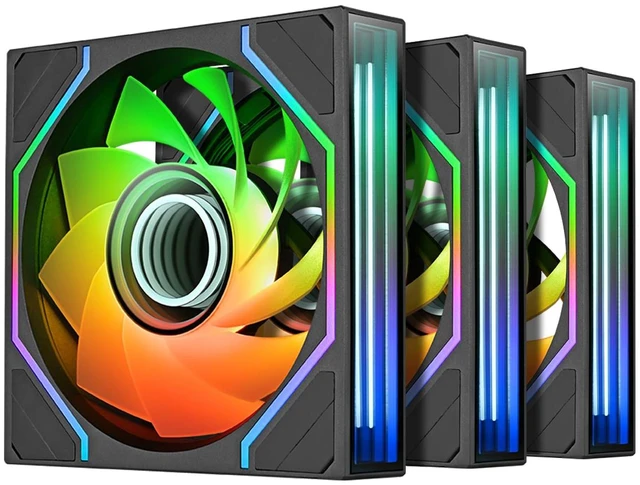
The Thermaltake SWAFAN 120 EX INFINITY is a three-fan PC cooling kit rated for up to 58.13 CFM per fan and 2,000 rpm, suited to builders who want case airflow with customizable ARGB lighting.
Recommended For
- Builders creating a glass-sided or panoramic PC case who want the fans to be a visible part of the build: the dual infinity-mirror lighting, illuminated frame, and hidden screws are central to this model’s appeal.
- PC builders placing intake fans on the visible side of a panoramic case who want the lighting to face inward: the included interchangeable reverse blades let them change airflow direction without giving up the intended fan-facing appearance.
- Builders installing several case fans who want fewer visible cables and a cleaner route behind the motherboard tray: MagForce 2.0 magnetic connections support linking the fans together, with a cable connected to the fan chain.
- Users refreshing case airflow who want ARGB case fans that can run at moderate speeds: one hands-on review found the fans very quiet at low speed and recommended keeping them around 1,500 RPM or below for quieter operation.
Real-World Use Scenarios
- In a glass-sided PC build, use the swappable blades to set each fan for intake or exhaust while keeping the illuminated side facing the viewer; this helps maintain a consistent look across fans with different airflow directions.
- When adding three case fans to improve airflow through a gaming or workstation PC, use the standard or reverse blades to match the case’s intended airflow path; the fans can move air in either direction depending on the blade configuration.
- When installing several fans in a row, connect them with MagForce 2.0 to reduce the number of visible fan cables and make cable routing inside the case simpler.
- For a coordinated RGB build, connect the fans to a compatible 5V addressable-RGB motherboard header and sync their lighting with supported motherboard software; this avoids needing a separate lighting controller.
- During routine PC cleaning, remove the fan blades to clear dust more easily; Thermaltake says the blades can be rinsed if they are thoroughly dried before reinstalling.




 here!

 Top Rated