Your Browsing History
Meet Your Seller
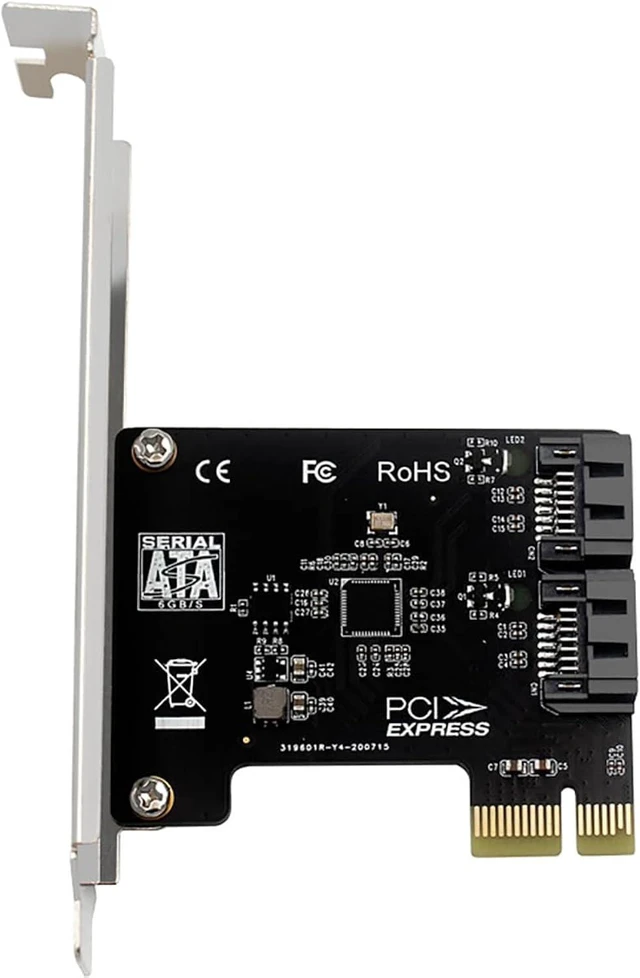
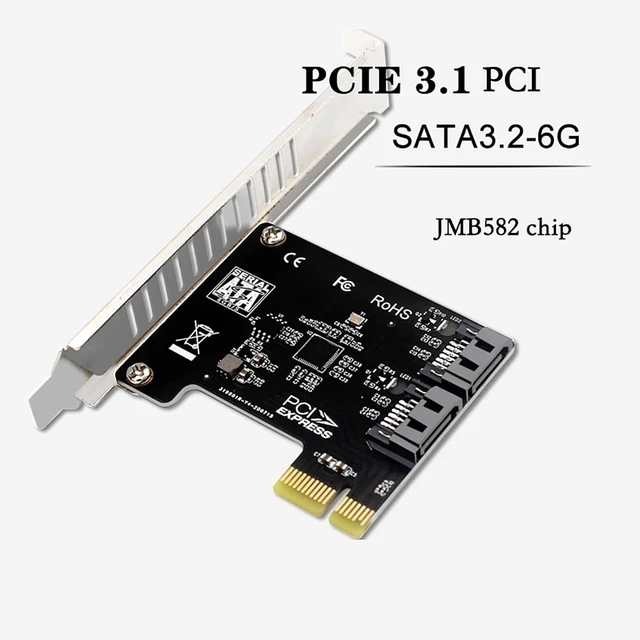
PH52A PCIE x1 to 2Port SATA3.0 Expansion Card 6Gps Support Soft RAID for Desktop Compatible with Wins10 Linux
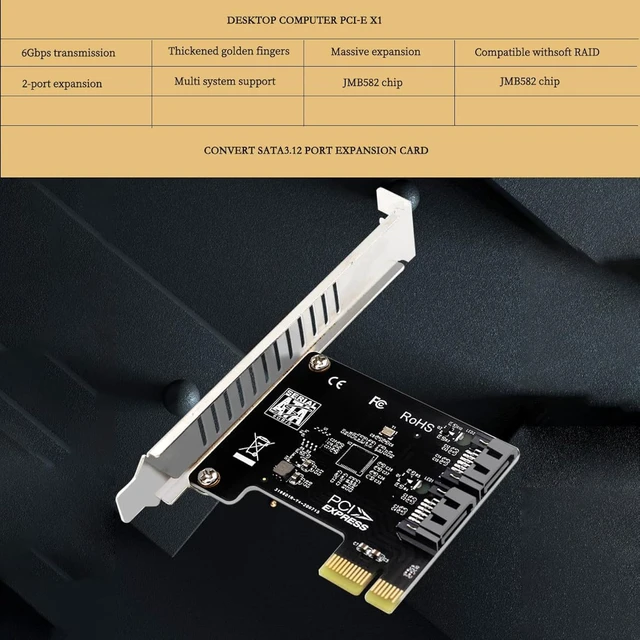
- Input Interface:PCI-E X1 compatible X4/X8/X16.Output Interface
- Equipped with two SATA3.1 interfaces, compliant with PCI-E 3.0
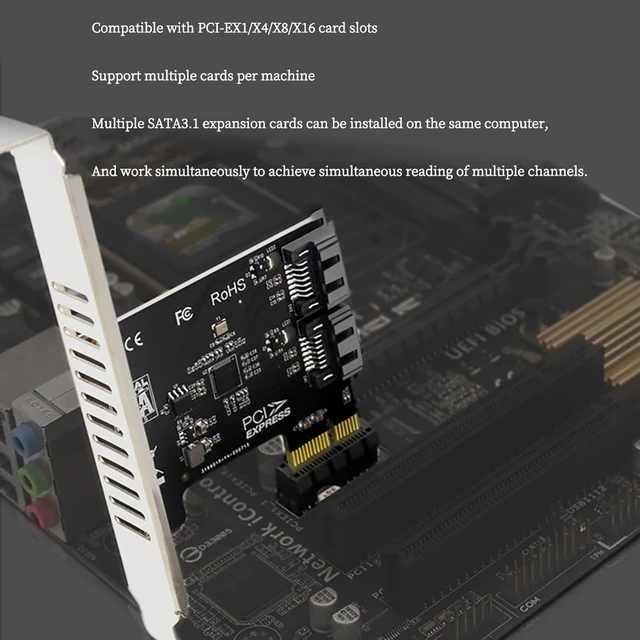
- Compatible with PCI-E X1/X4/X8X16 card slots.Supports multiple
+
+
Overview
Specs
Reviews
Any questions? Ask CelesteSM will help you find out quickly.
Try me now
PH52A PCIE x1 to 2Port SATA 3.0 Expansion Card 6Gps Support soft RAID for Desktop Compatible with
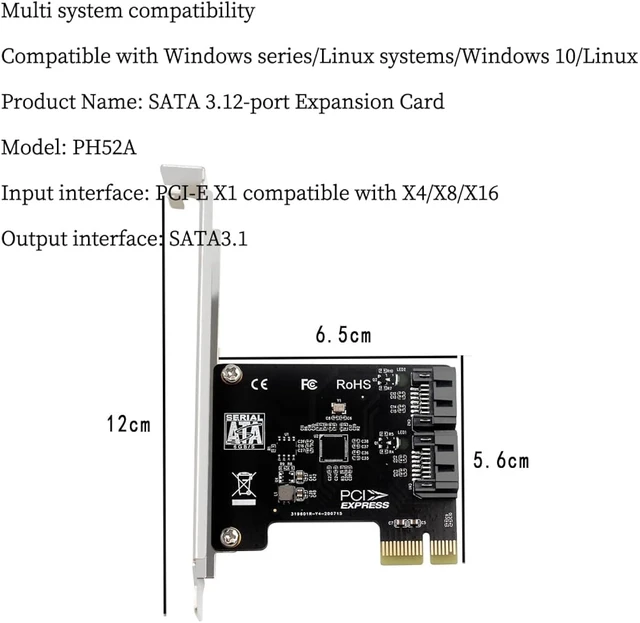
Wins10 LinuxProduct parametersName: SATA
3.1 2-port expansion cardModel: PH52AInput
Interface: PCI-E X1 compatible
X4/X8/X16Output Interface: SATA 3.1P ackage
Size: 12* 6.5 * 6.5 cmProduct
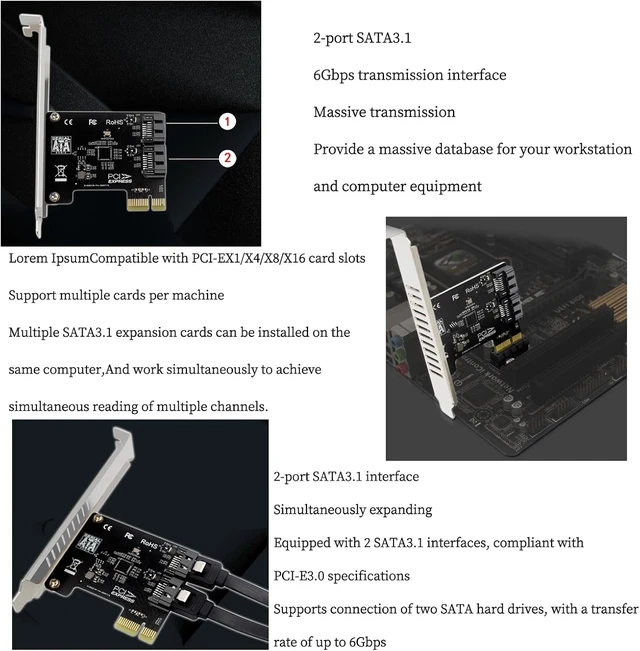
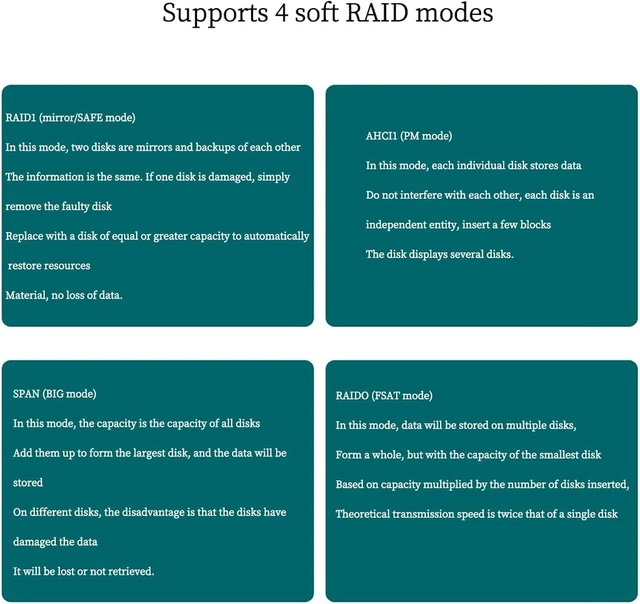
Weight: Product+Baffle 30.6GD esktop PC PCI-E X1 to SATA 3.1 2-Port Expansion Card2-port SATA 3.1 interface simultaneous expansionEquipped with two SATA 3.1 interfaces, compliant with PCI-E 3.0 specificationSupport two SATA hard disk connection, transfer rate up to 6Gbps2-port SATA 3.1 6Gbps transfer interfaceMassive transfer, providing a massive database for your workstation and computer equipment. The system comes with soft RAID, support 4 storage modesExpansion adapter board supports desktop computer WIN 8.164 bit professional version of the system above, the formation of four soft RAID storage mode. 1. RAID1 (Mirror/SAFE mode)In this mode, two disks mirror each other as a backup, the same information, such as a bad disk just need toIf a disk is damaged, you only need to remove the faulty disk and replace it with a disk of equal or greater capacity to automatically recover the information without losing data. 2. AHCI1 (PM mode) In this mode, each individual disk to store information without interfering with each other, each disk as an independent body, insert a few disks show a few disks. 3. SPAN (BIG mode) In this mode, the capacity of all the disks added to the largest disk, the data will be stored on different disks, the disadvantage is that the disk will be lost if the data is damaged and will not be retrieved.
4. RAIDO (FSAT mode) In this mode, the information will be stored on multiple disks to form a whole, but the capacity of the smallest disk based on the capacity multiplied by the number of inserted disks, the theoretical transfer speed of a single disk 2 times. Compatible with JMB582 Powerful ChipHigher transmission speedSupports PCle Gen3 x1Supports PCIe Link Layer Power Saving ModeSupports 2 SATA 6Gb/sCompatible with PCI-E X1/X4/X8/X16 card slotsSupports multiple cards on one computerMultiple SATA 3.1 expansion cards can be installed on the same computerand work at the same time to realize multiple simultaneous reads. LED working indicatorSATA hard disk and device normal connection indicator light is always onThe indicator light blinks when data exchange, i. e. read/write status is in progress

Wins10 LinuxProduct parametersName: SATA
3.1 2-port expansion cardModel: PH52AInput
Interface: PCI-E X1 compatible
X4/X8/X16Output Interface: SATA 3.1P ackage
Size: 12* 6.5 * 6.5 cmProduct
Weight: Product+Baffle 30.6GD esktop PC PCI-E X1 to SATA 3.1 2-Port Expansion Card2-port SATA 3.1 interface simultaneous expansionEquipped with two SATA 3.1 interfaces, compliant with PCI-E 3.0 specificationSupport two SATA hard disk connection, transfer rate up to 6Gbps2-port SATA 3.1 6Gbps transfer interfaceMassive transfer, providing a massive database for your workstation and computer equipment. The system comes with soft RAID, support 4 storage modesExpansion adapter board supports desktop computer WIN 8.164 bit professional version of the system above, the formation of four soft RAID storage mode. 1. RAID1 (Mirror/SAFE mode)In this mode, two disks mirror each other as a backup, the same information, such as a bad disk just need toIf a disk is damaged, you only need to remove the faulty disk and replace it with a disk of equal or greater capacity to automatically recover the information without losing data. 2. AHCI1 (PM mode) In this mode, each individual disk to store information without interfering with each other, each disk as an independent body, insert a few disks show a few disks. 3. SPAN (BIG mode) In this mode, the capacity of all the disks added to the largest disk, the data will be stored on different disks, the disadvantage is that the disk will be lost if the data is damaged and will not be retrieved.
4. RAIDO (FSAT mode) In this mode, the information will be stored on multiple disks to form a whole, but the capacity of the smallest disk based on the capacity multiplied by the number of inserted disks, the theoretical transfer speed of a single disk 2 times. Compatible with JMB582 Powerful ChipHigher transmission speedSupports PCle Gen3 x1Supports PCIe Link Layer Power Saving ModeSupports 2 SATA 6Gb/sCompatible with PCI-E X1/X4/X8/X16 card slotsSupports multiple cards on one computerMultiple SATA 3.1 expansion cards can be installed on the same computerand work at the same time to realize multiple simultaneous reads. LED working indicatorSATA hard disk and device normal connection indicator light is always onThe indicator light blinks when data exchange, i. e. read/write status is in progress
Warranty & Returns
Warranty, Returns, And Additional Information
Warranty
- Please contact the Seller directly for warranty information. Warranty information may also be found on the Manufacturer's website.
- CONTACT
Return Policies
- Return for refund within: 30 days
- Return for replacement within: 30 days
- This item is covered by TopMei Outdoors Return Policy
Manufacturer Contact Info
- For a directory of all our manufacturers, please click below.
- Manufacturers Directory
LOADING...